-1744950809.jpg)
Chronom maps a company's AWS infrastructure and checks it for security problems, wasted spend and broken best practice. Its impact reports predict what would happen if someone made a change. We helped turn that technical model into a product people could investigate: from the network of resources to an individual alert and the consequences of fixing it.
Benny Rosner, Chronom's CEO, had designed the product himself when he called us in April 2024. He and CTO Sagi Lahav brought the cloud expertise, the graph and the prediction system. We worked with them on the interface and design system, then followed the product into a new audience: managed service providers looking after infrastructure for many clients.
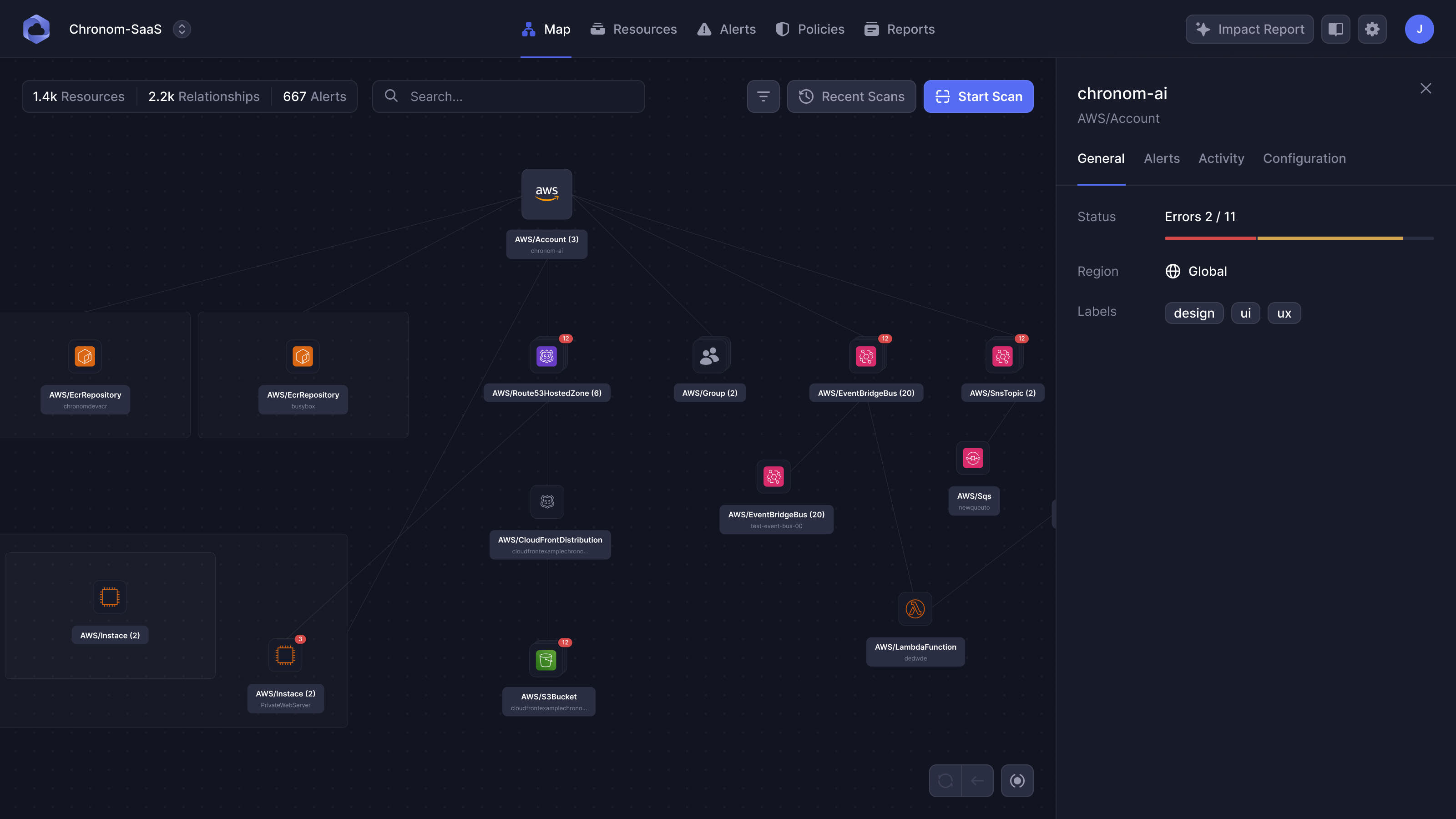
AWS shows the resources. Chronom needed to show the relationships.
On our first working call, Sagi opened the AWS console to show us what they were trying to improve on. Each service had its own view. Finding a resource meant navigating lists; understanding how it connected to the rest of the account meant moving between them.
A component on its own tells you relatively little. A storage bucket might sit behind a distribution service, which connects it to other parts of an application. Those relationships determine what a change could affect. Chronom's inventory put the resources and their connections on one map, with a unified list showing the same underlying data.
The audience included heads of DevOps and security leaders who had once been hands-on engineers, alongside people still doing the technical work. They needed a high-level picture, with enough detail available to investigate a particular resource. An attractive diagram that fell apart under real account data would fail both groups.
Policies added another layer. These were rules run against the inventory, checking things such as encryption or naming conventions. An alert was the result of a resource breaking a rule. The impact report then asked what would happen if someone acted on it. That gave us a connected job to design: find the problem, understand where it sits and assess the change.
The map had to work with an account we'd never seen
A small account could contain around 1,100 resources; a large one could run beyond 20,000. Chronom used an automatic layout engine, so we couldn't arrange every node by hand. Benny's team had already tried tree layouts and introduced groups, frames and the ability to skip nodes. Cross-connections between resources kept breaking the neat hierarchy a tree would suggest.
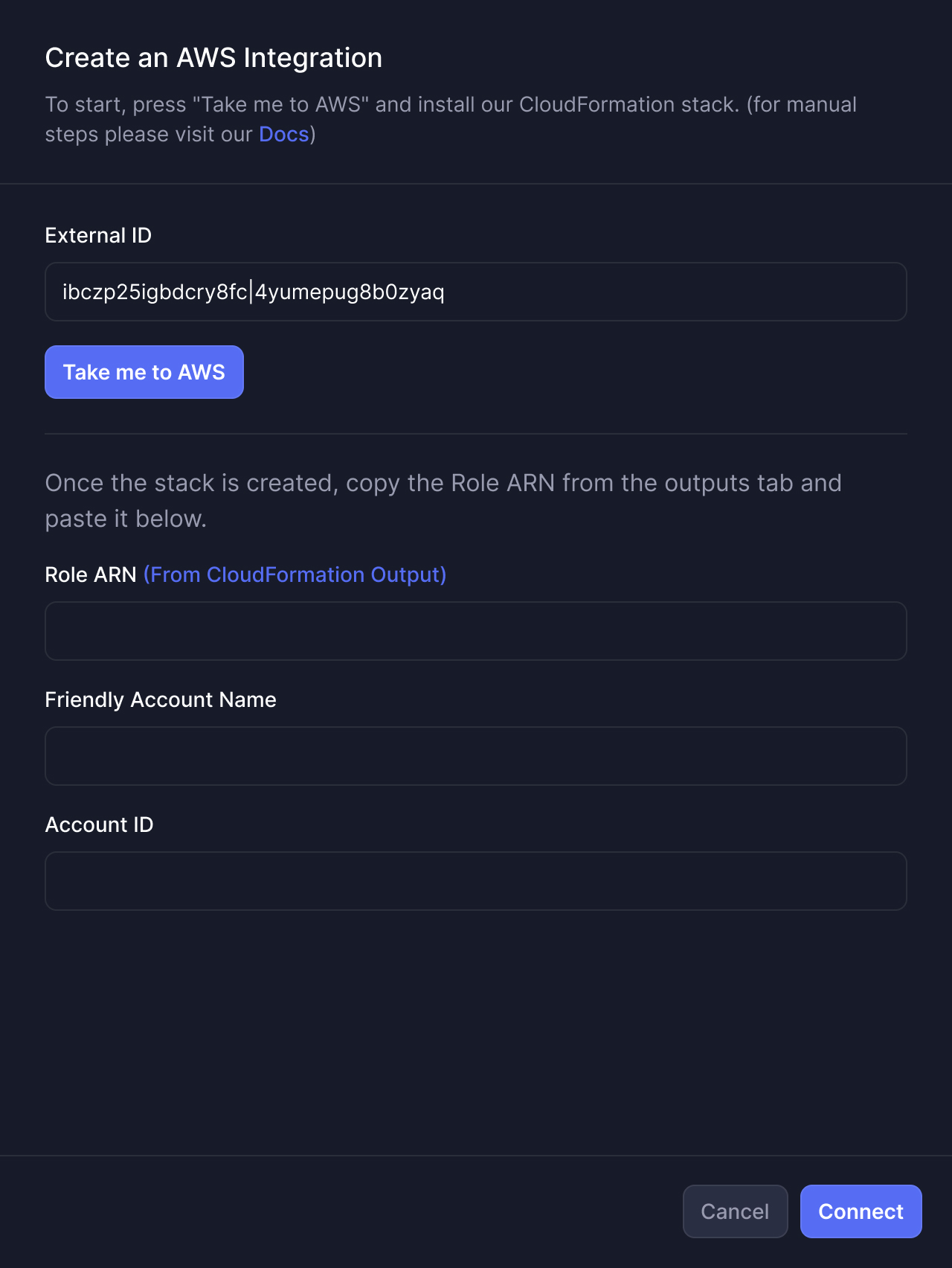
When the map remained difficult to read, I asked what the clutter actually stopped someone doing. One answer was tracing a connection. Following a faint line through a crowded account made it hard to establish what depended on what. I proposed highlighting the connected lines and nodes on hover or selection, so a person could isolate the relationship they were investigating.
We also worked on the background and contrast. Removing the dot grid made a substantial difference; we then tested a much less dense pattern. We tested lower white values in dark mode and simpler frame styling. Those changes could apply across accounts, where a hand-tidied example could only improve the screenshot in front of us.
a tidy example wouldn't fix the next account
The filters gave people control over the amount of structure on screen. They could choose regions, hide resource types, or decide which types should be grouped or framed. Those choices belonged beside the map, where their effect could be understood.
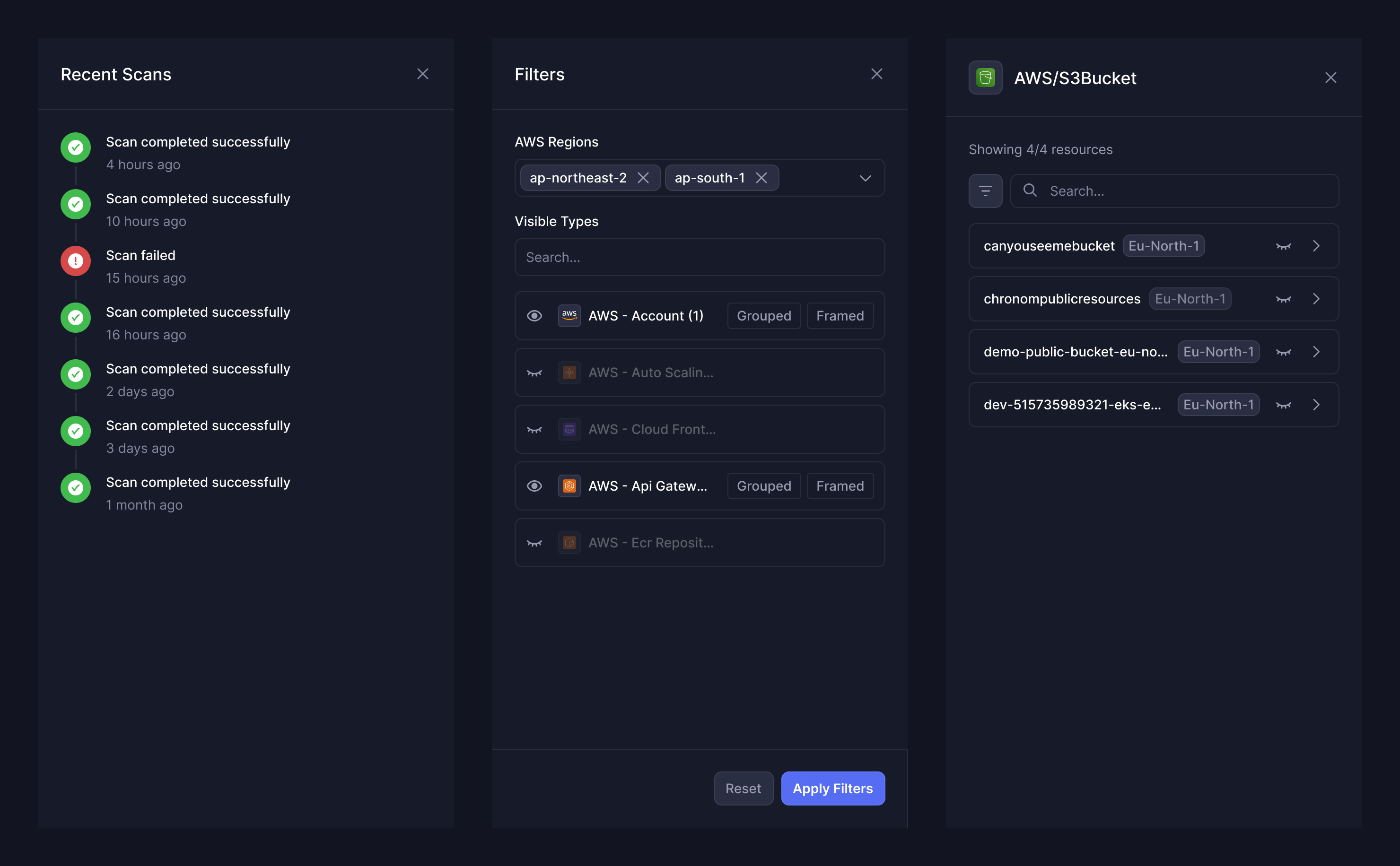
We designed dark mode first, with light-mode colour variables alongside it. The map made us examine that decision more closely: the same labels and lines could be easier to read in light mode. Colour and contrast needed to support the topology, rather than make the dark version feel more dramatic.
Keep the investigation in view
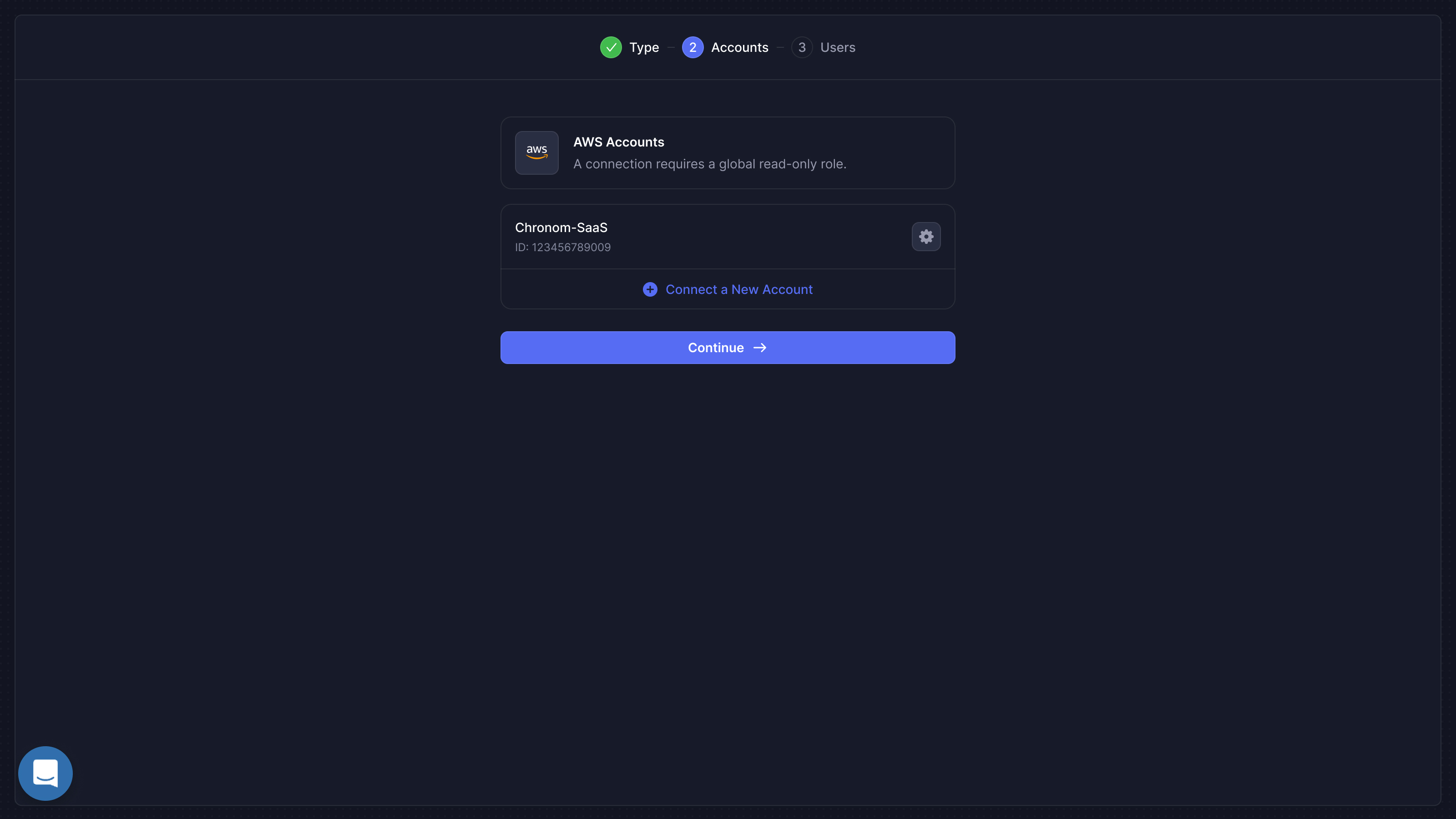
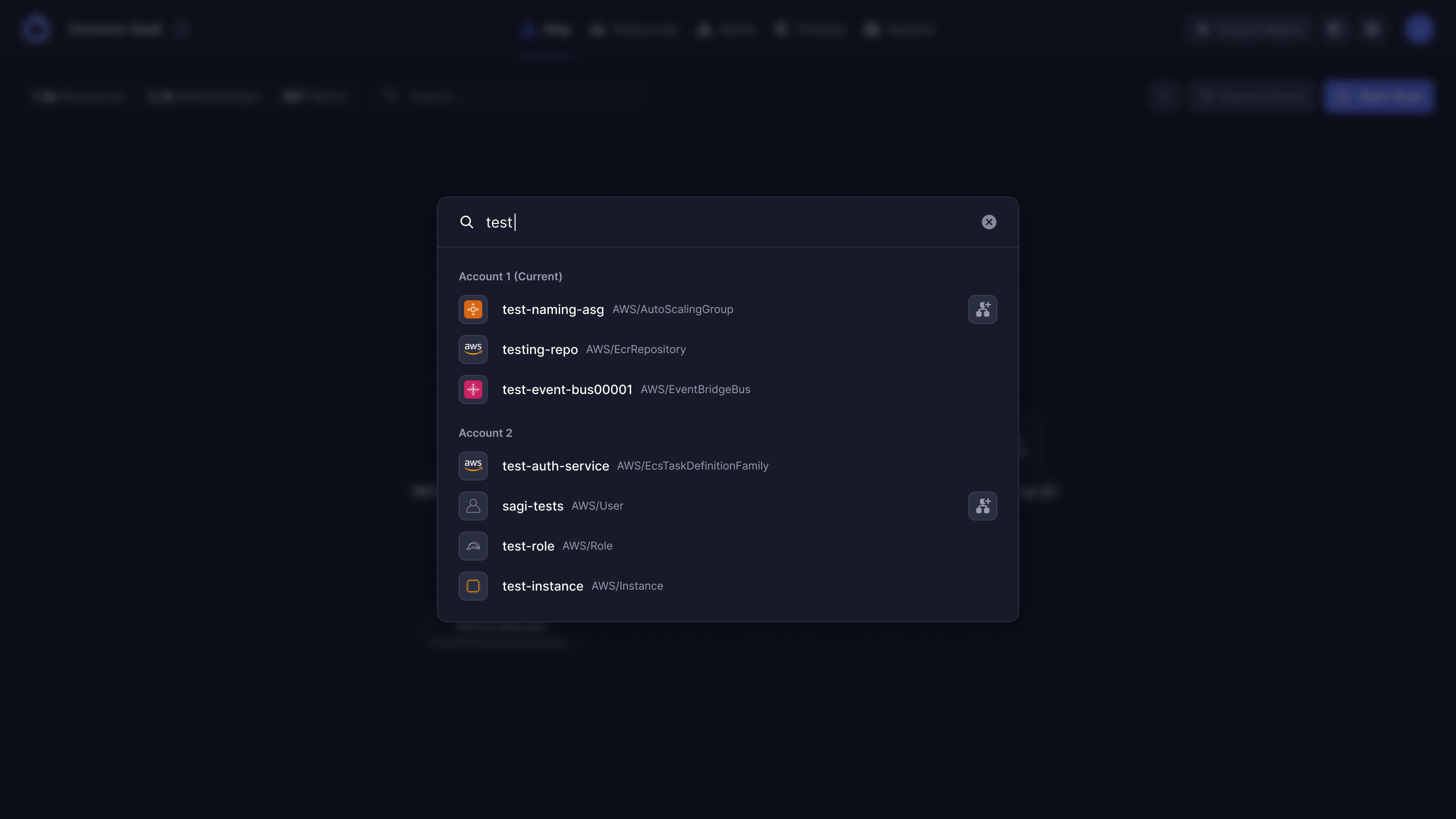
Search ran across accounts. That created a choice a conventional search box wouldn't have: add the result to the map someone was already investigating, or replace that map with a new view. The actions needed to be distinct, and the results needed to say which account they came from.
We grouped results by account, with the current one identified separately. Finding a matching name in another account shouldn't silently change the context of an investigation.
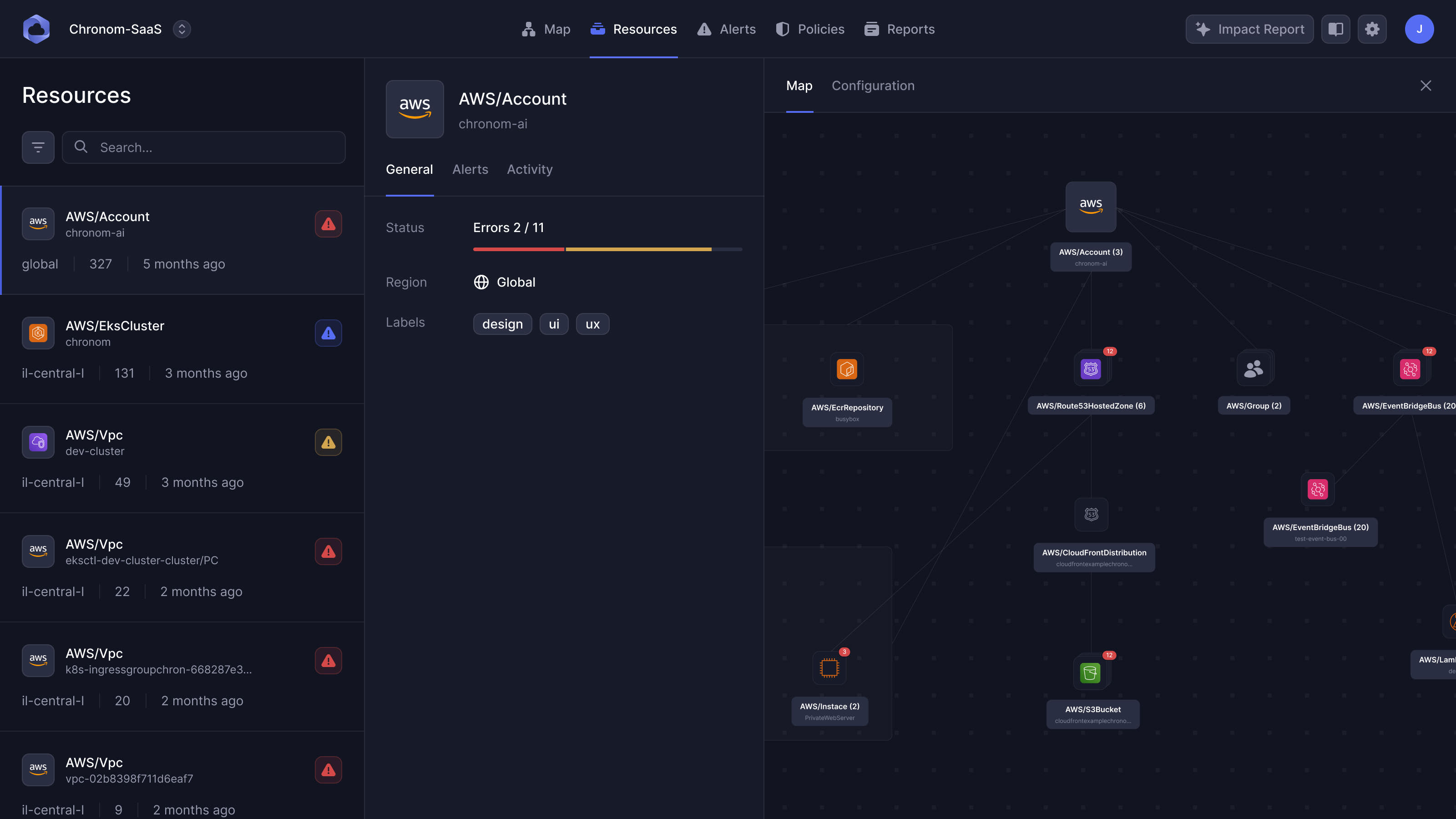
Resource details needed more room than a floating pop-up. We used a column layout: the resource list stays on the left, the selected item's information sits beside it, and its part of the map has room on the right. The raw JSON configuration is available in a separate tab. A technical user can inspect it without squeezing code and a graph into the same small panel.
An alert needs room to explain what's wrong
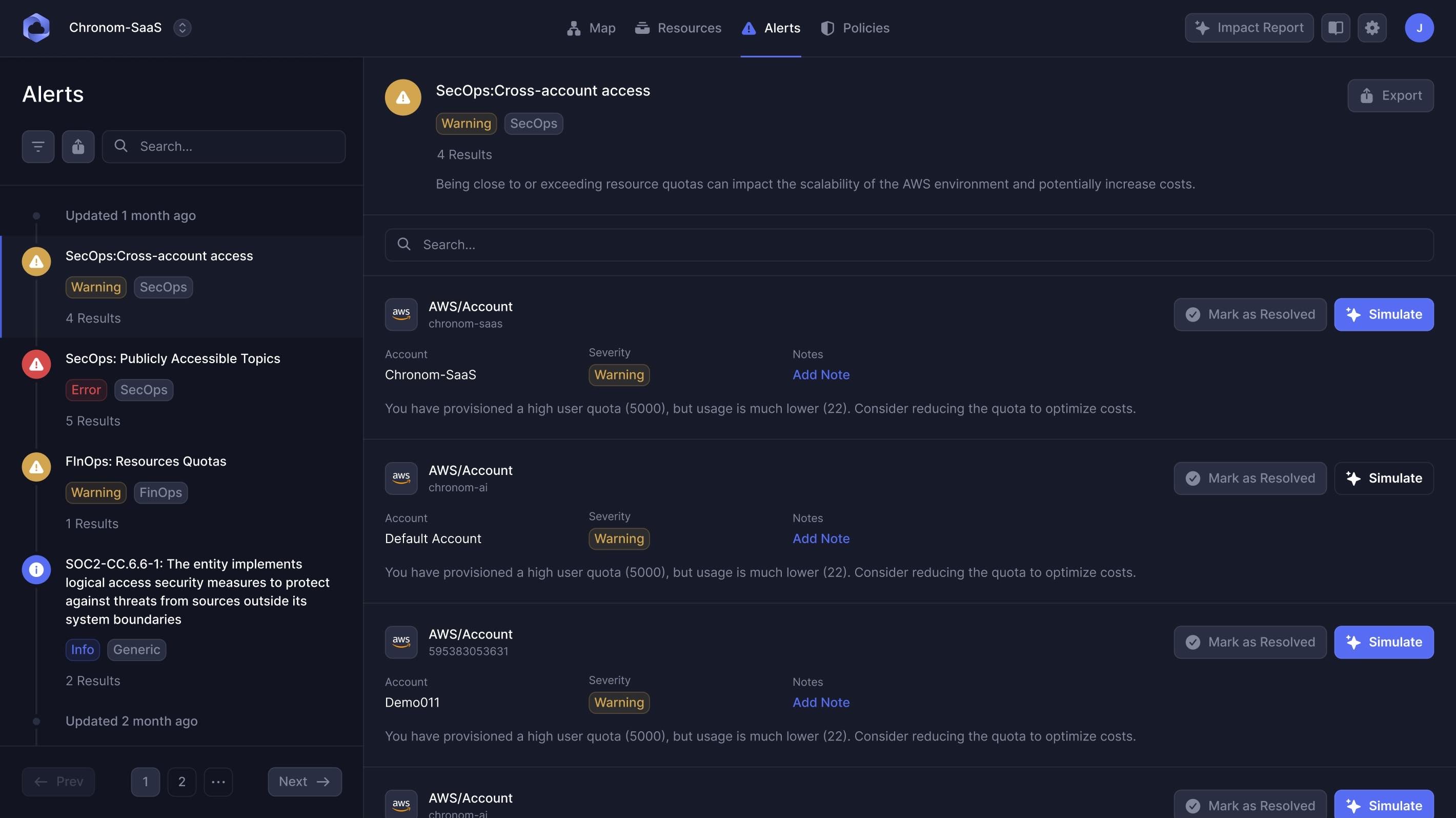
The old alerts table squeezed the message into a narrow column. That was the information someone needed to understand before deciding what to do. We explored a grid of cards to give each message more room, but Benny's team found the grid crowded and confusing.
His feedback led to full-width rows, one alert to a line. The left-hand list lets someone choose an alert; the right-hand area shows the affected accounts and resources. It keeps a place to browse while giving the selected problem most of the width.
We removed a separate status column because the resolve button could already communicate that state. Benny also suggested changing “Generate” to “Simulate”. The latter describes what the next screen is for: assessing a possible change before committing to it.
Show the trade-offs behind a prediction
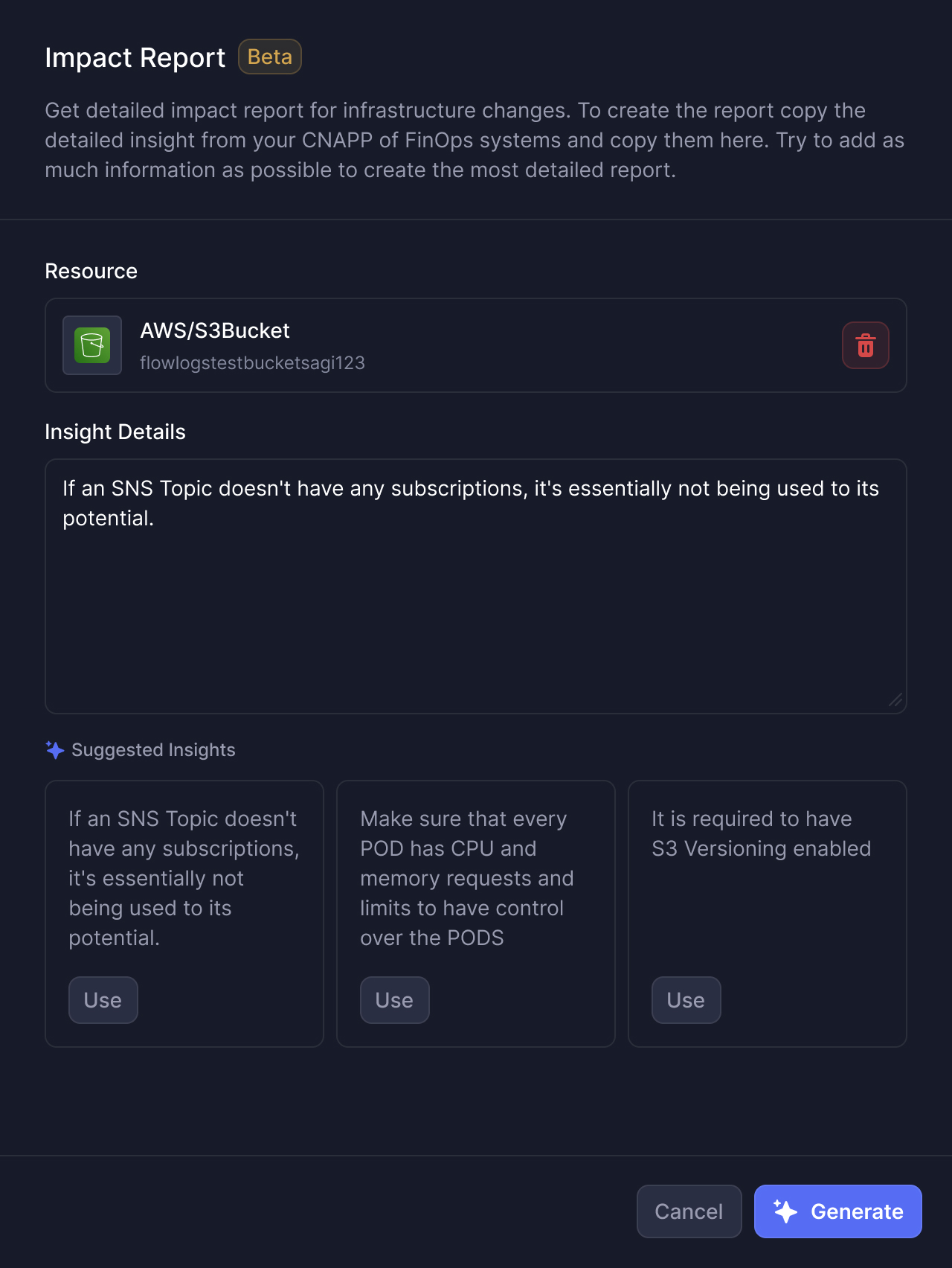
Fixing a security problem might cause downtime. A cost saving could have consequences elsewhere in the account. Chronom's impact report scored those effects separately on a scale from -5 to +5, alongside an overall recommendation. Our job was to make those judgments readable without hiding their reasoning.
The original radar chart struggled when every score was positive or every score was negative. Its shape didn't give the reader a useful comparison. We explored bar charts and heat maps before settling on a separate horizontal scale for each dimension, with a dot marking the score.
A dot also solved a small but consequential problem at zero. With a bar, a neutral score can disappear. Here, a dimension with no predicted impact still has a visible position, so the reader can distinguish “no change” from missing information.
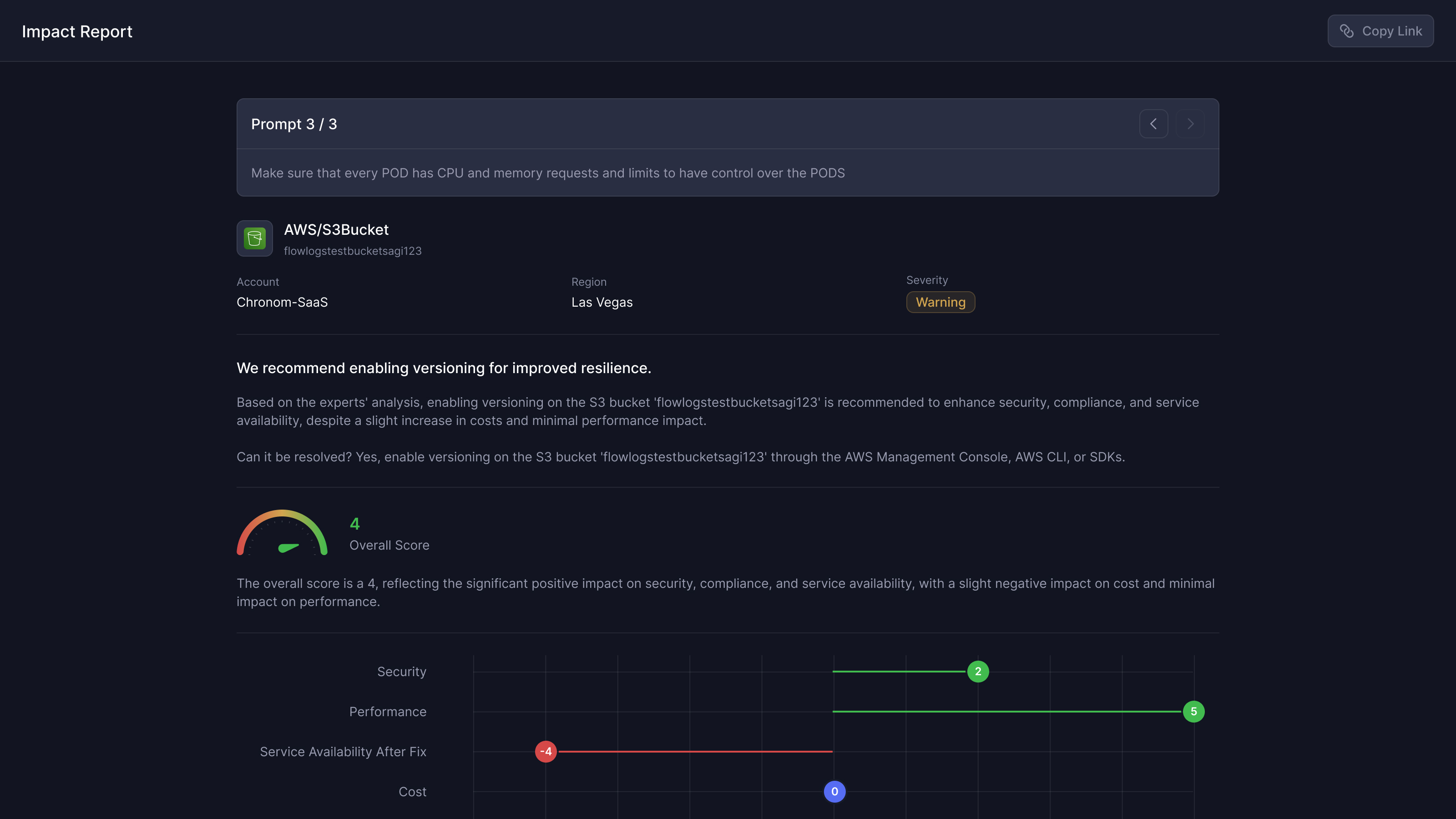
Sagi asked to make the score explanations available at the chart, rather than only inside the report's expanded questions. I suggested information icons beside the scores. Hovering over the data itself to get a tooltip risked covering the thing someone was trying to read. The main recommendation stayed above the chart, with the detailed reasoning available when needed.
the overall recommendation must leave its trade-offs visible
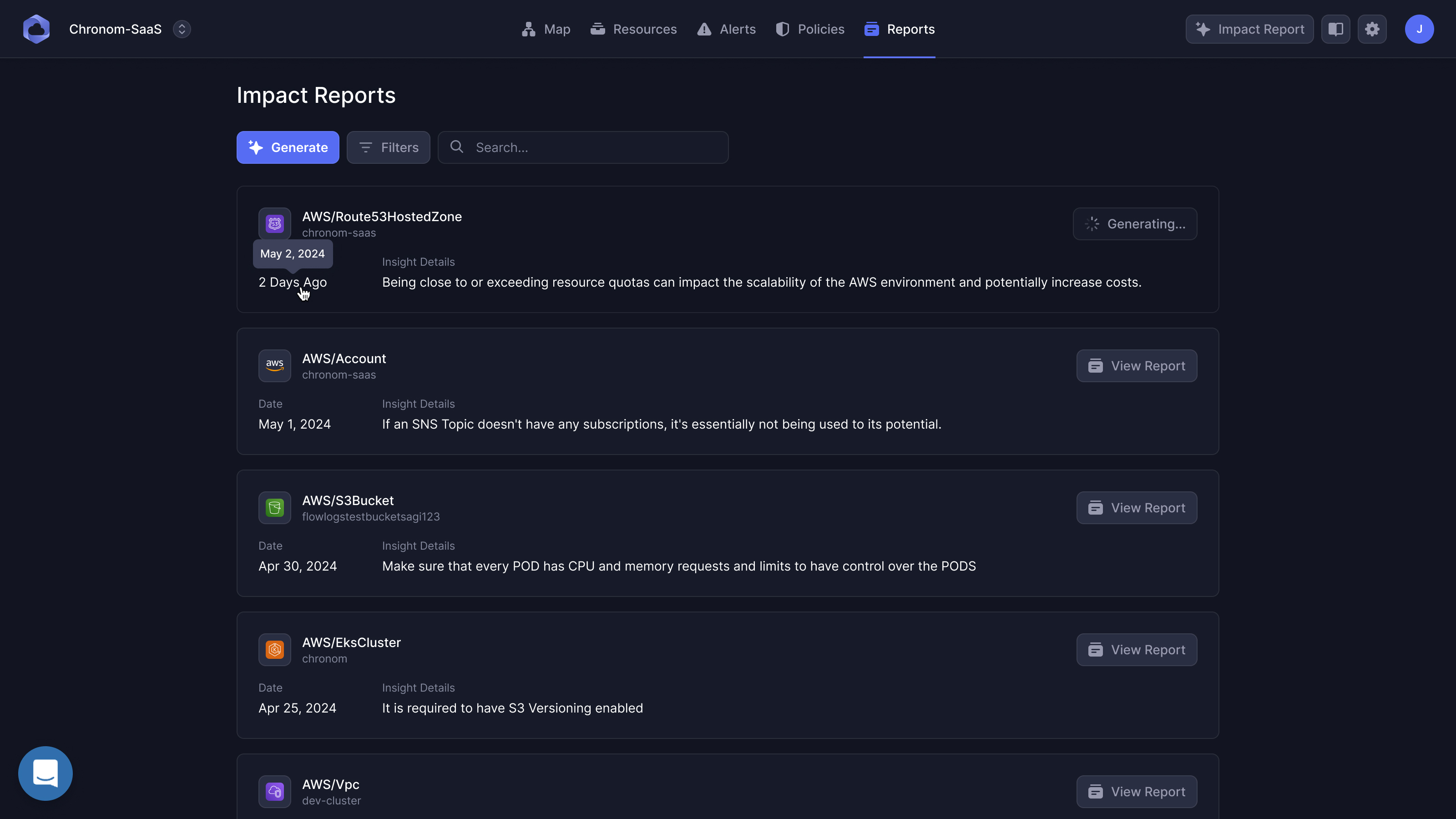
The generation time needed attention too. Reports took 60 to 90 seconds. Pre-generating reports someone might never open would waste computation, so we designed around leaving the report to run and returning when it was ready. The interface couldn't make the prediction faster, but it could stop that wait from blocking every other investigation.
Let the code editor break the panel pattern
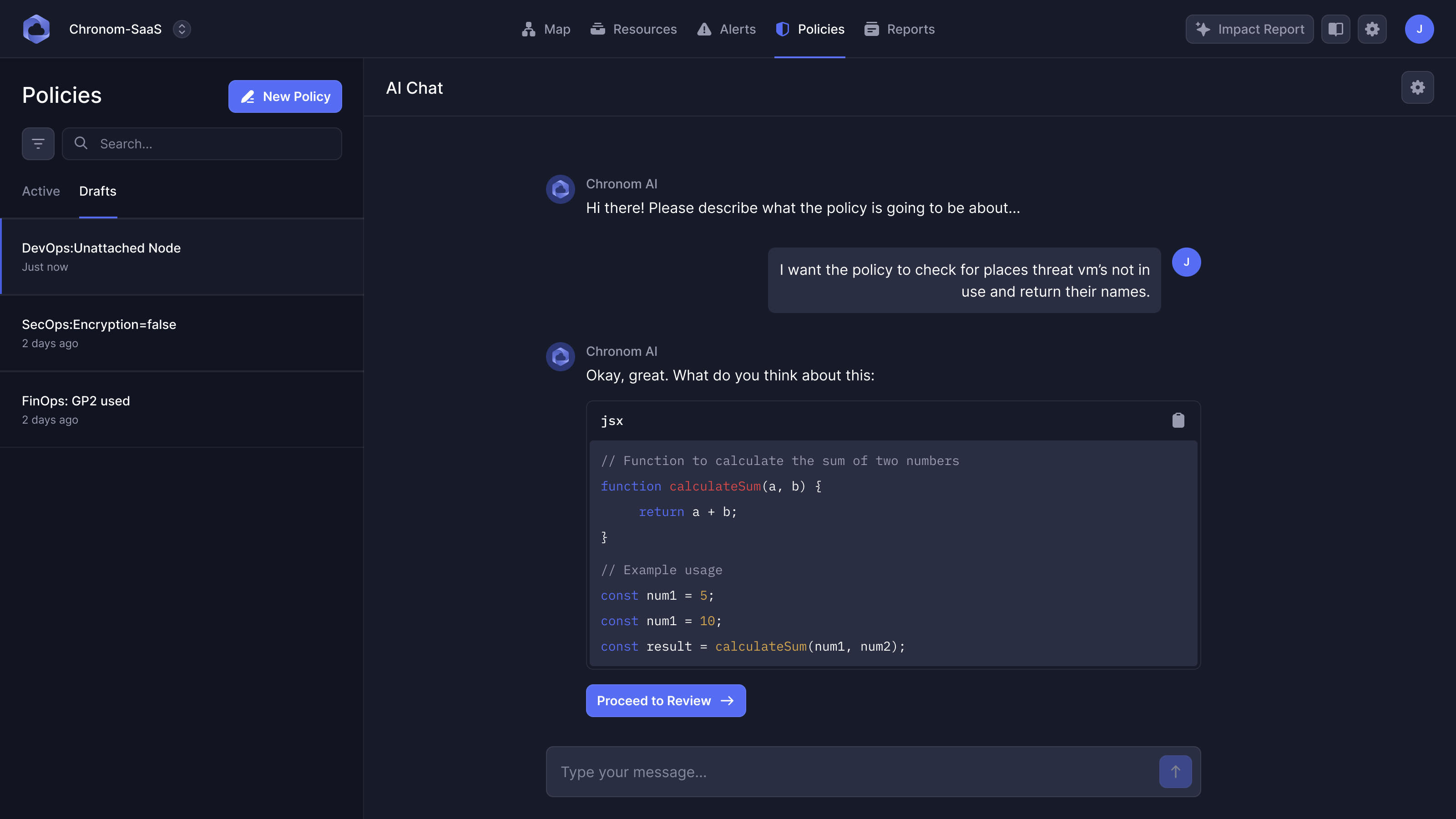
I initially proposed handling most interactions in the same side-panel pattern. Benny pointed out where that would fail: editing policies meant writing JavaScript. More vertical scrolling wouldn't give a line of code the width it needed.
So reviewing a policy and editing one use different amounts of space. The policy list can keep its detail panel, while the editor opens in a full-width sheet. Its settings sit on the left and the code on the right. The design system needed a consistent way of working, with room for this particular task to be different.
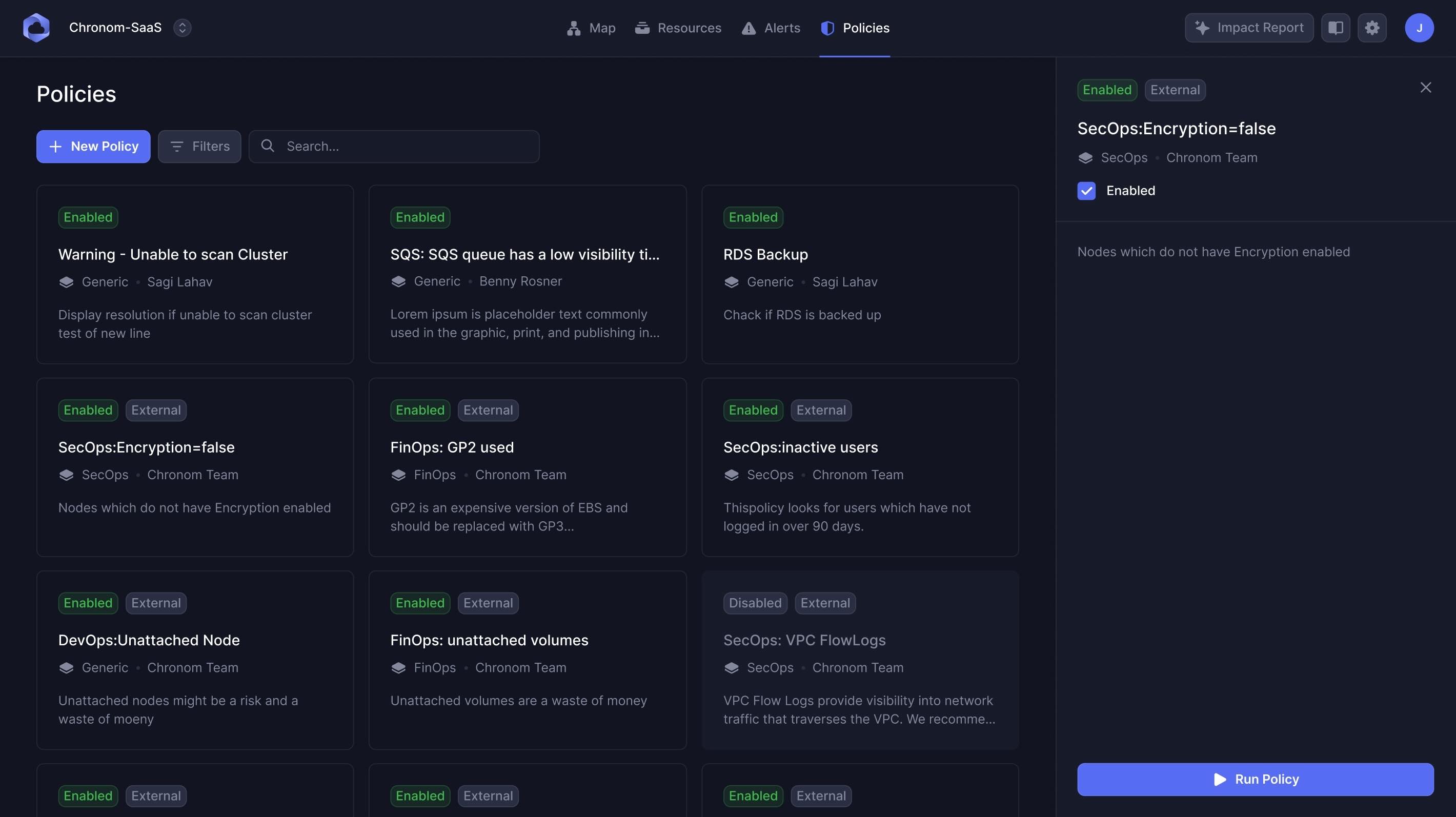
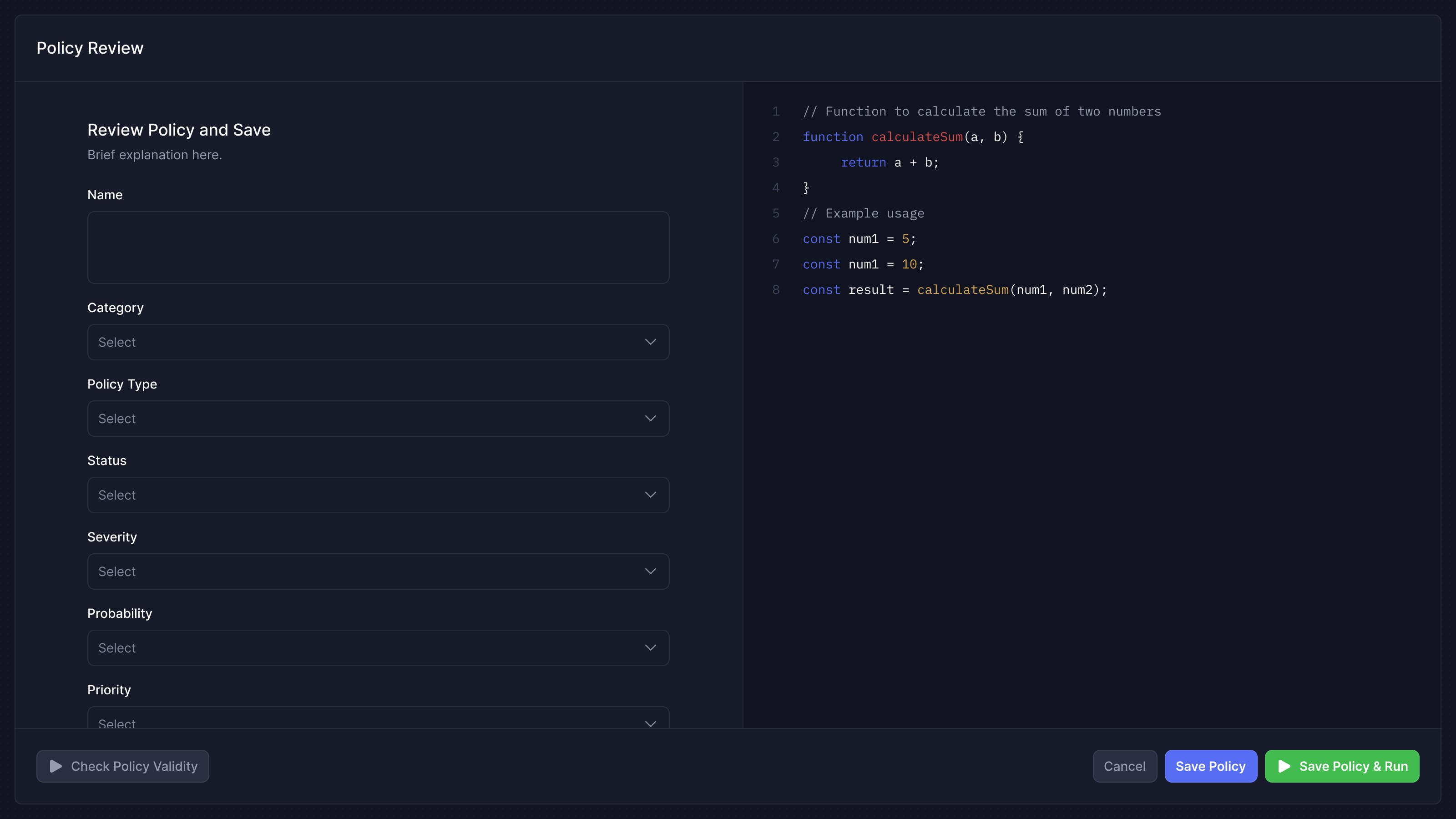
code needs width, not a taller side panel
One company's infrastructure became a portfolio of clients
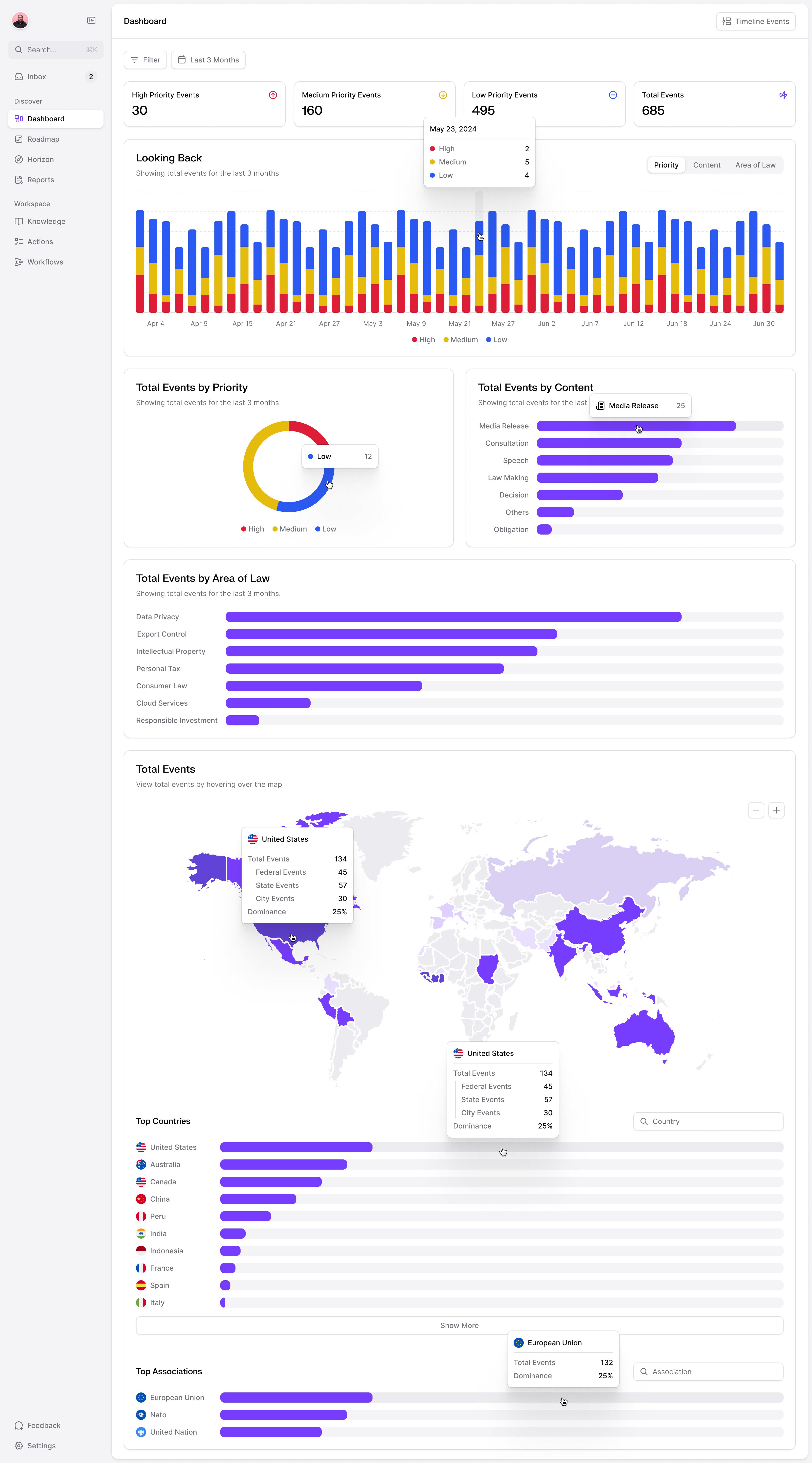
In June, Benny needed a dashboard for a meeting with a managed service provider the following morning. These firms operate infrastructure for other companies. A useful starting point for them was a view across their customers, followed by a way to inspect one customer's problems.
Our designer Prakash put together that dashboard: combined figures across the portfolio at the top, then a customer selector and a breakdown of security, cost and compliance issues. The first version was a presentation mock-up for the meeting. It made the change in audience concrete before the team built it out.
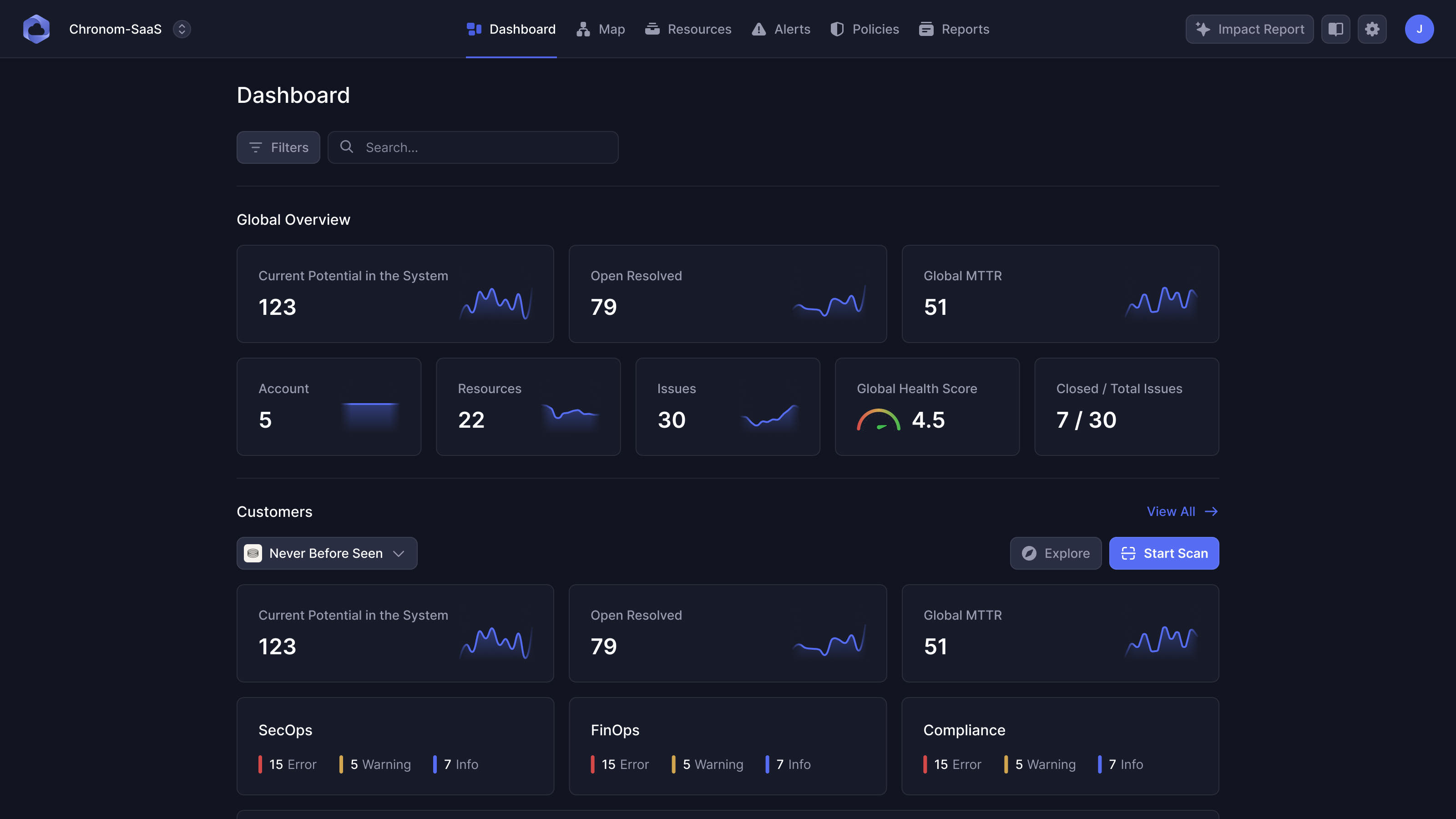
That direction carried into the website. We designed and built a new Webflow site ahead of a September conference, then reworked the pages around Benny's revised content after a survey of MSPs. The product's audience had changed, and the explanation of it needed to change with it.
In spring 2025, Prakash designed a further MSP dashboard and alerts view. Sagi's brief connected the two: dashboard widgets should point toward work worth investigating, with a preview of grouped alerts leading into the detailed list. We were working at a different scale again, helping someone decide which customer's problem deserved attention before opening its infrastructure.
.jpg)
"What really stands out is NBS' ability to grasp even the most technical assignments and nail them on the first go."
More from Chronom