-1744950506.jpg)
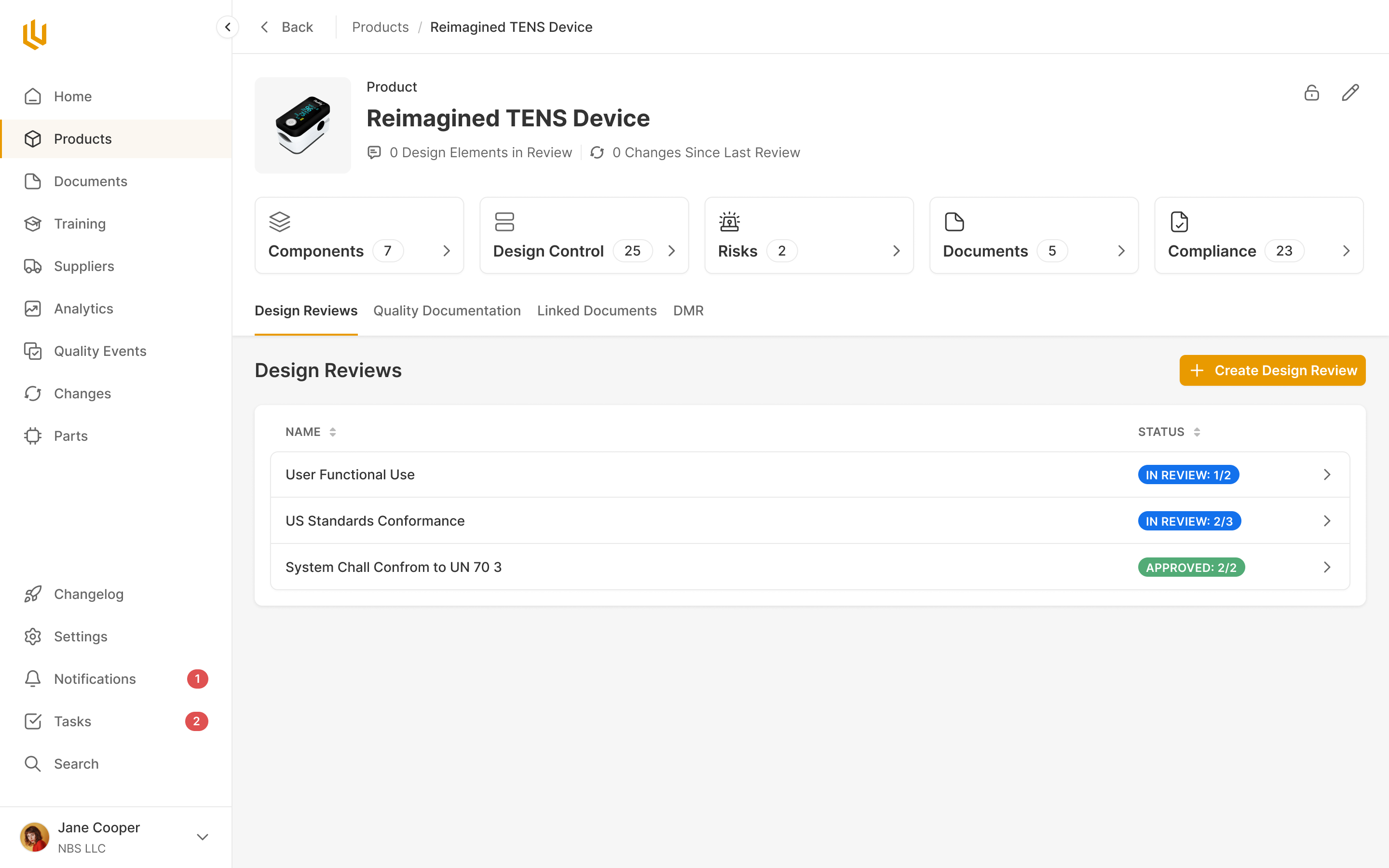
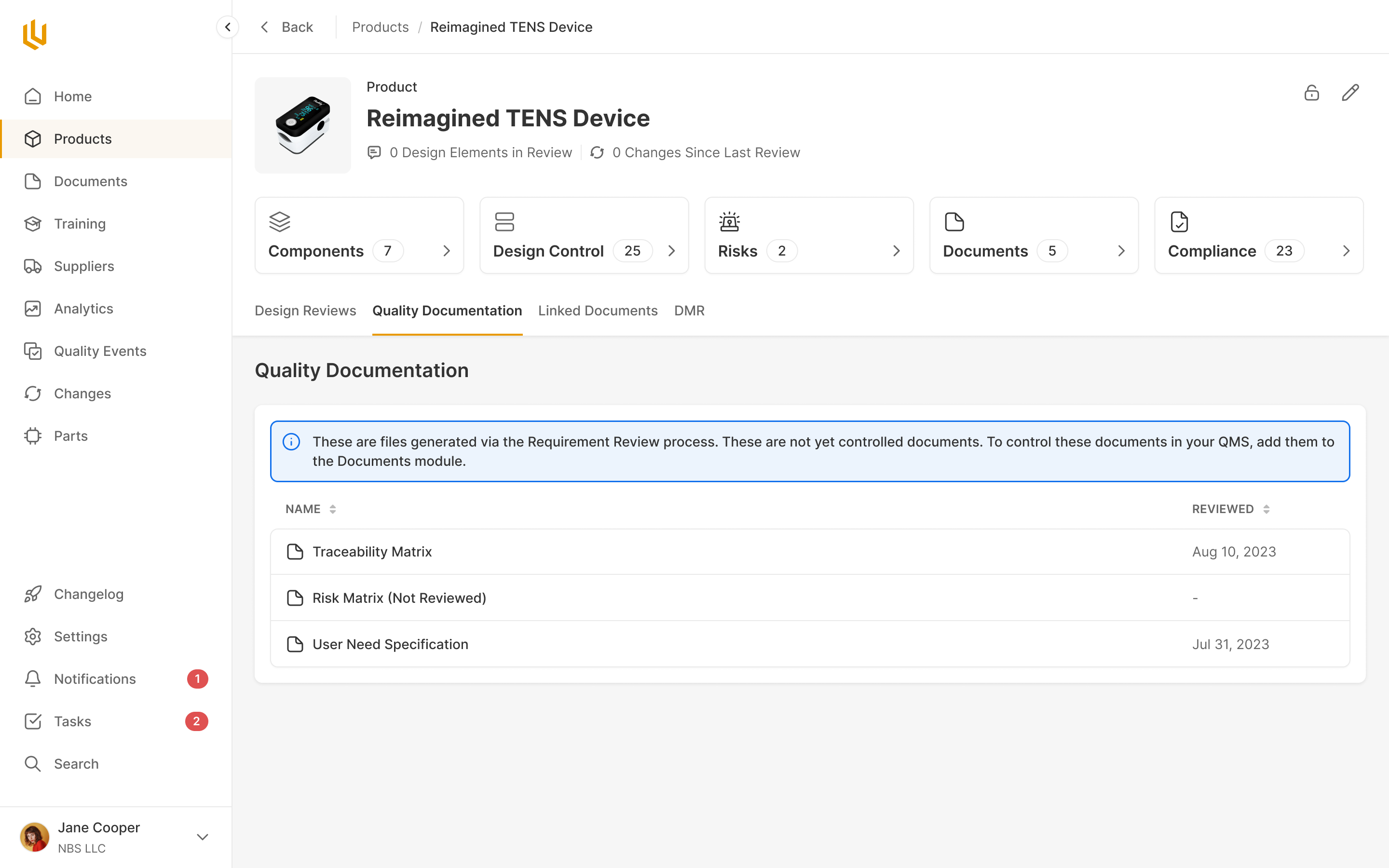
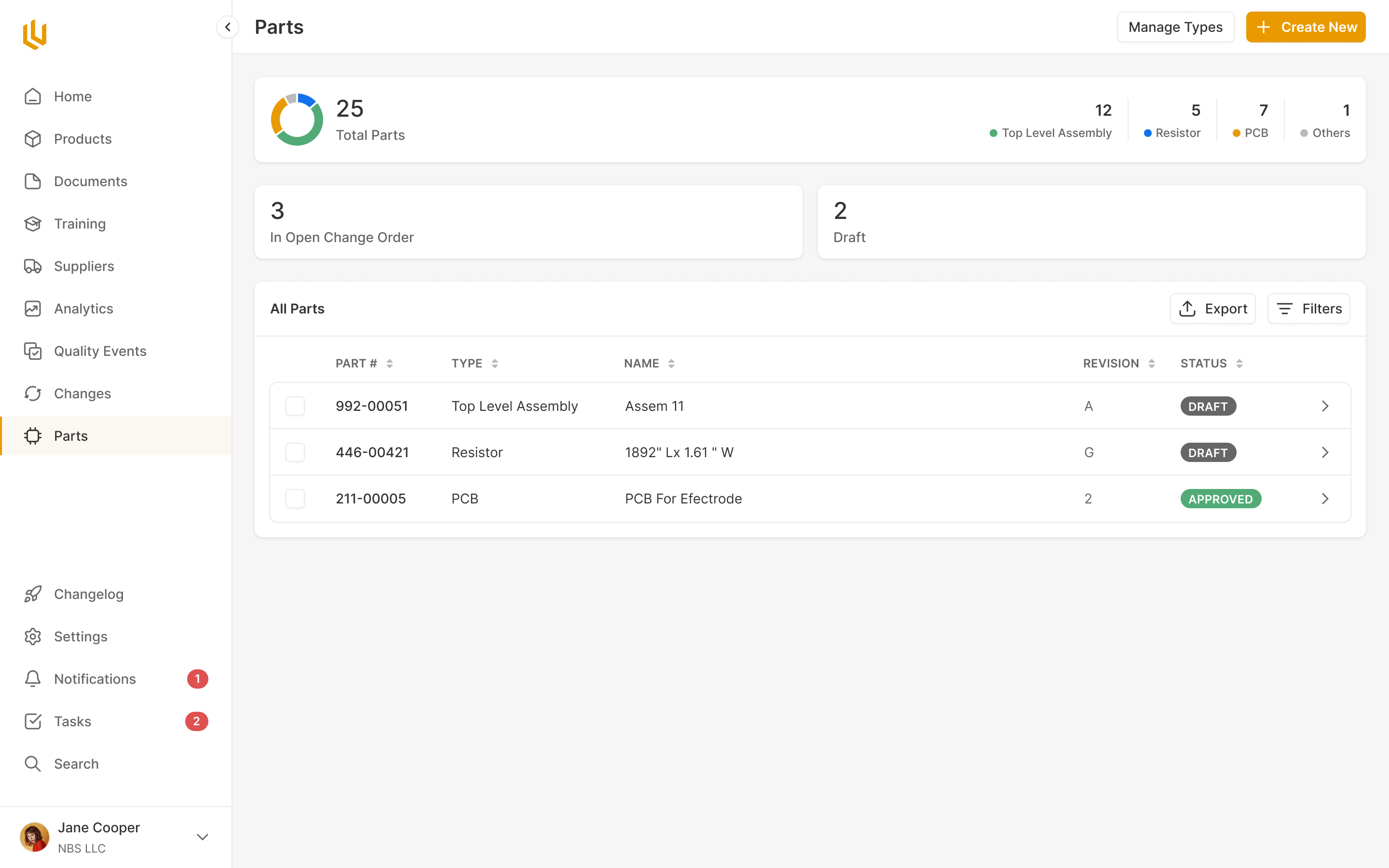
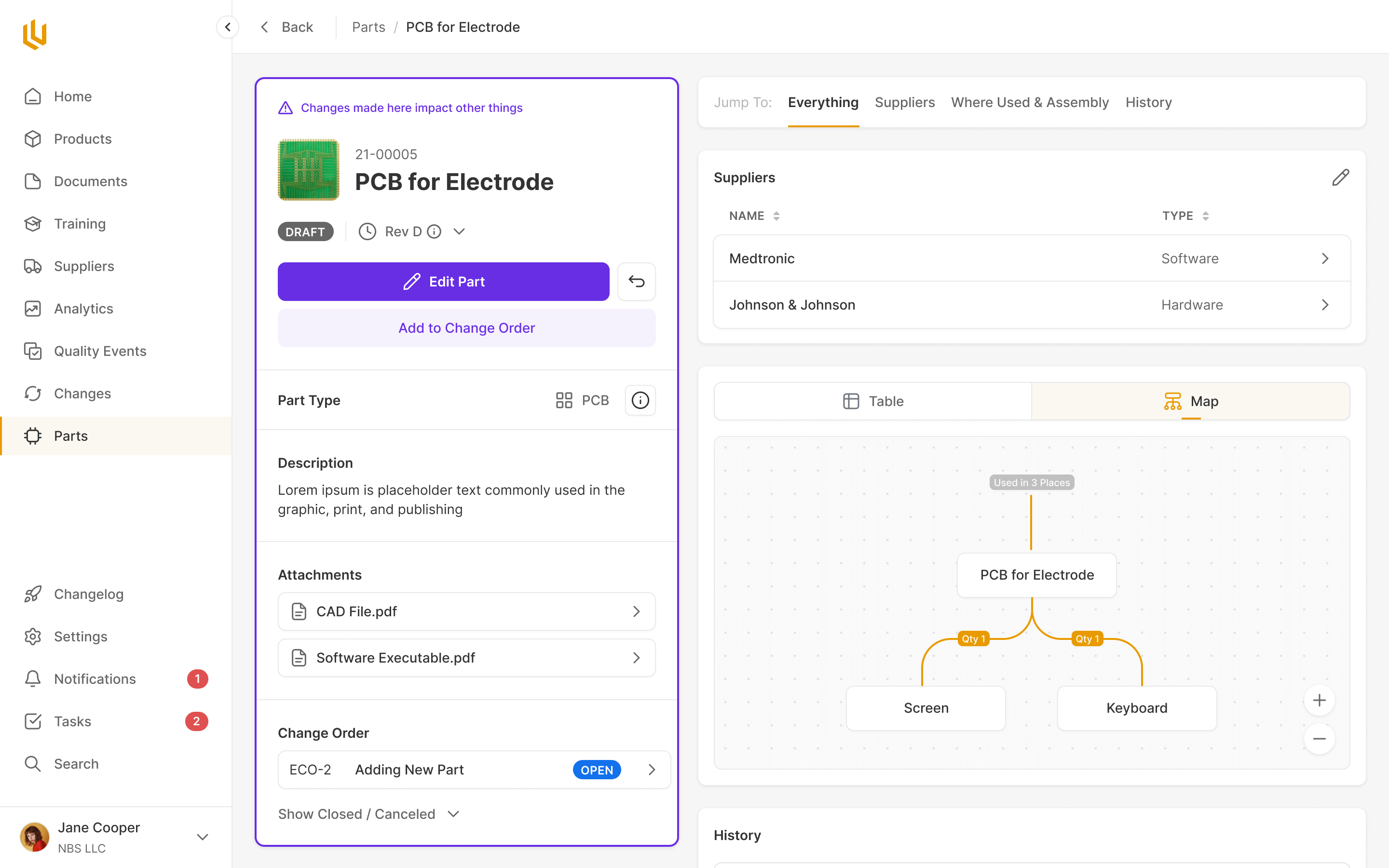
Ultralight is a quality management system for medical device companies. It holds the record of how a device was designed: the requirements, the tests that prove it meets them, and the people who reviewed and approved the work. Our job was to make that process understandable to the people building the device, while preserving the detail needed to check their work.
We started in Ultralight's first year, working with CEO Monik Sheth and CTO Shiv Ghai, and were their design partner for the next three years. They brought deep knowledge of the industry, rough wireframes and Looms explaining the workflows. We worked with them to turn those into the product and its design system.
Different records, a shared way of working
Working through the FDA's design control requirements and electronic signature rules, we had to separate what a company needs to record from how a person should work with it. The regulations describe obligations. They don't give you an interface.
A design specification, a supplier assessment and a training record contain different information. But much of the work around them repeats. Someone creates a record, links the supporting material and submits it for review. Other people approve it. The approved version needs to stay intact when work on the next version begins.
That gave us a way to make a large product learnable. The content could change between modules, while reviewing, approving and understanding the state of a record used familiar patterns. A person approving a document shouldn't have to learn a second interaction just because their last approval was a design review.
I also asked for examples of how people actually designed devices, outside the language of the regulations. Monik supplied examples and process knowledge. We needed to understand what an engineer was trying to do before deciding how much of the regulatory structure to put in front of them.
Design Control made the challenge especially clear. A device begins with user needs. Those lead to design inputs, which specify what it must do, and design outputs, which describe how it does it. Verification checks that the outputs meet the inputs; validation checks that the device meets the user's needs. The relationships matter as much as the individual records.
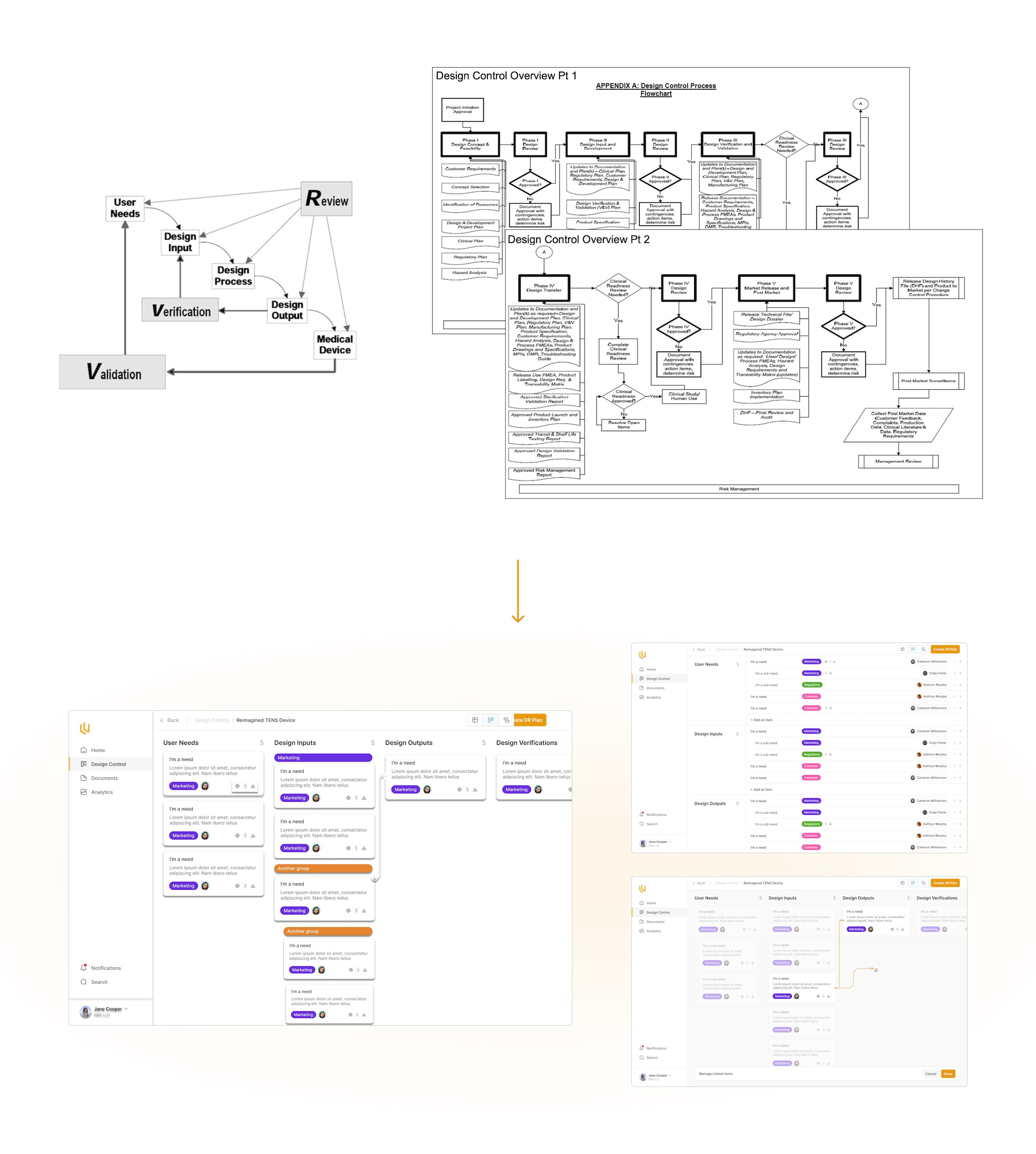
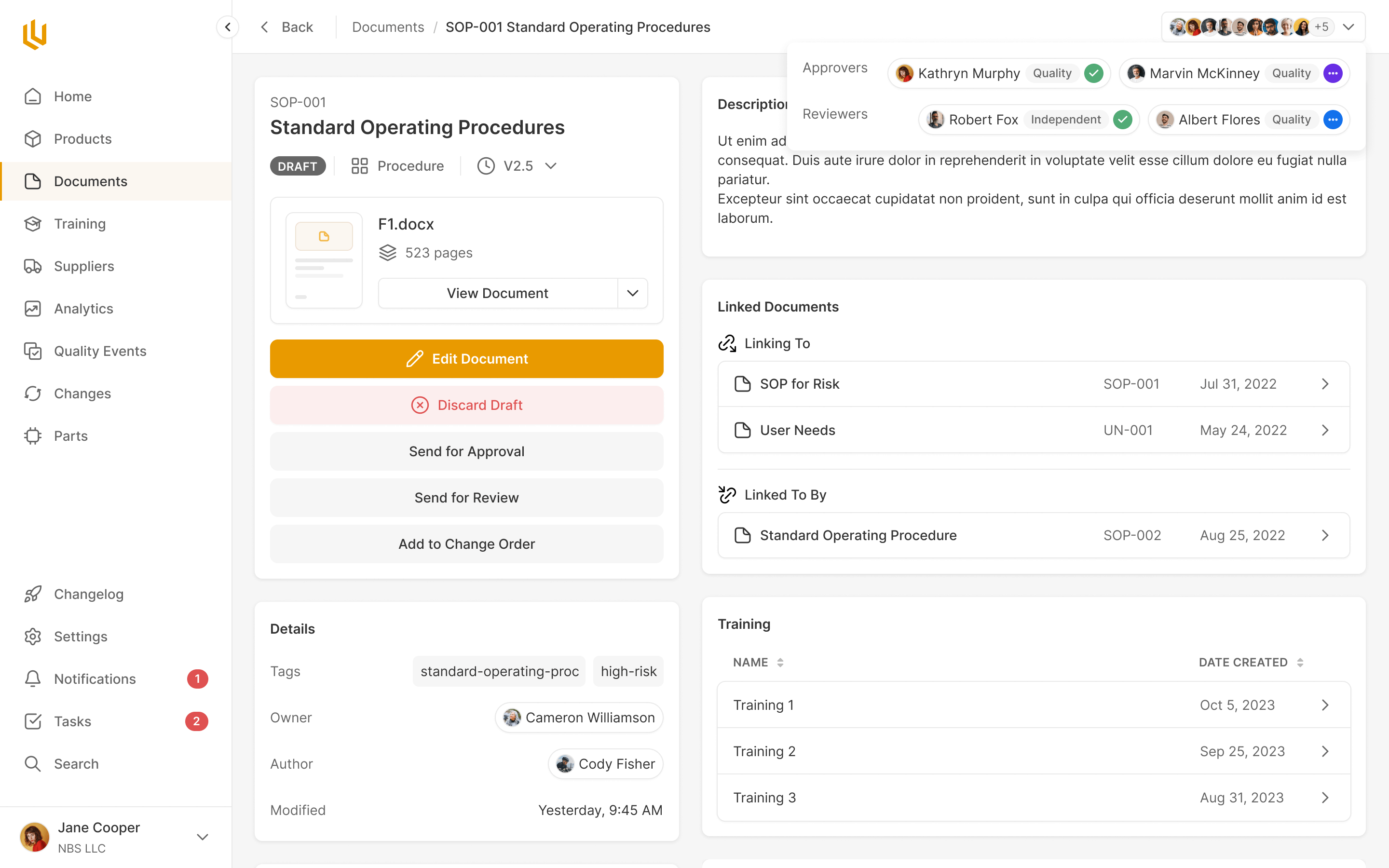
A board that still works with hundreds of requirements
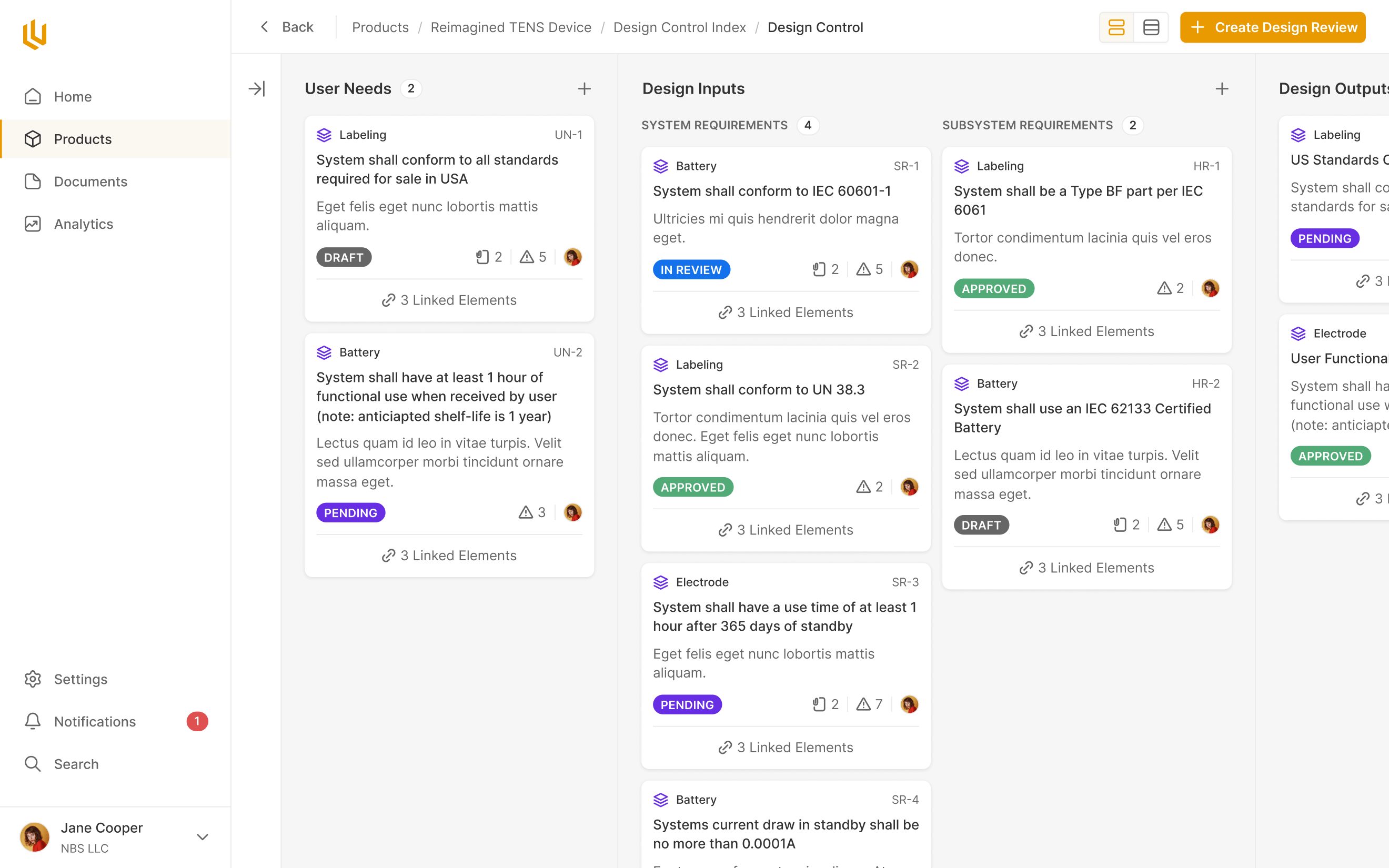
We arranged the design elements in columns so the chain could be read across the screen. Each card shows enough to understand its state before opening it: its status, a description, and indications of its links and risks. The hard part was showing how the cards relate without making a whole device impossible to read.
My early exploration joined cards with arrows and let people drag between them to create links. It made the relationships explicit in a small example. With hundreds of cards, though, two linked elements could be a long scroll apart. Drawing the connections and creating them by dragging would both become awkward.
I dropped that approach in favour of link counts on the cards, with a click opening a view of the connections. The board could show the structure and state of the device; someone investigating a particular requirement could follow its links without finding the other end of a line across a huge canvas. Cards with no links didn't need a zero-count icon, and a compact view could hide descriptions when the team needed to see more of the board.
link counts keep connections visible without drawing lines across the board
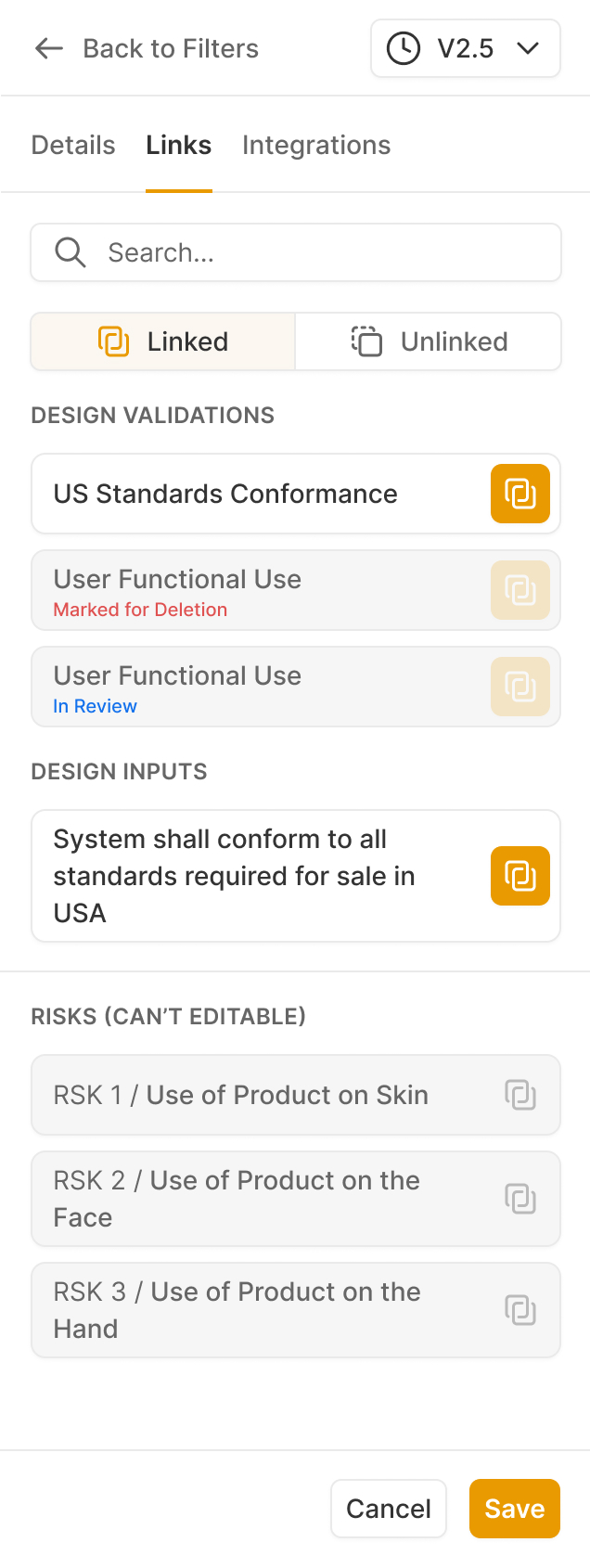
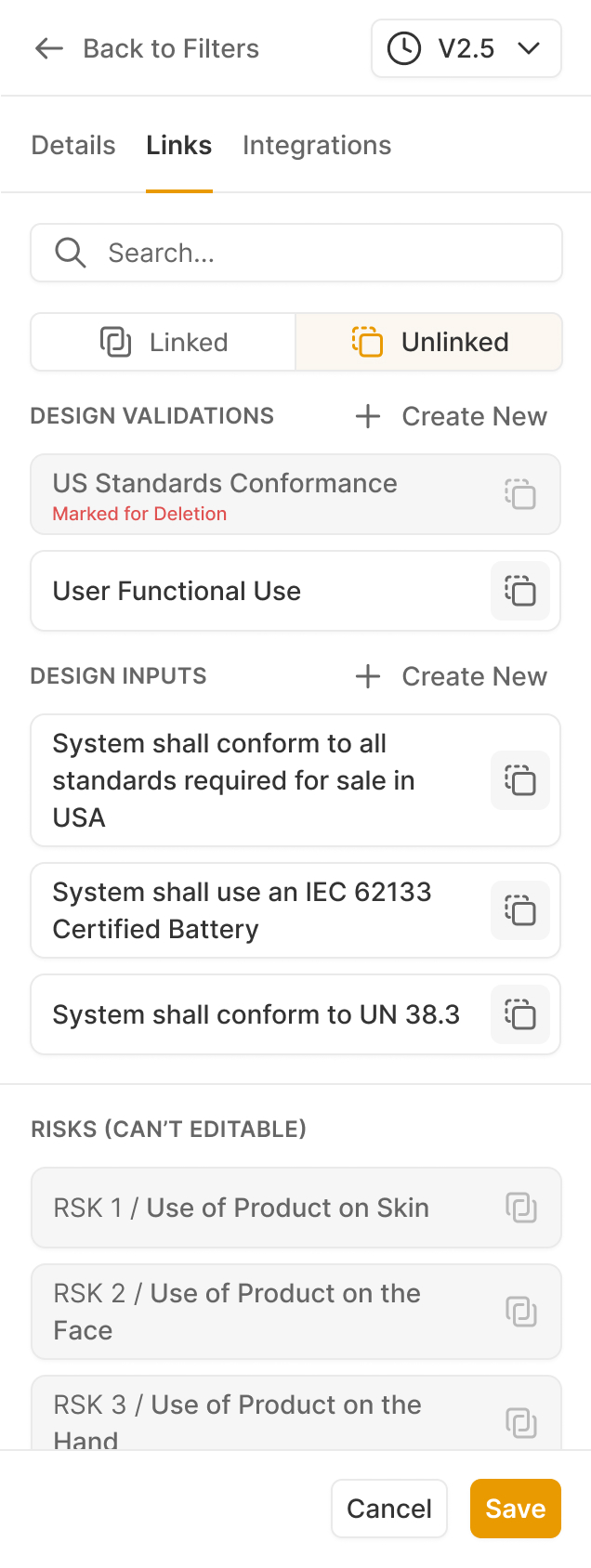
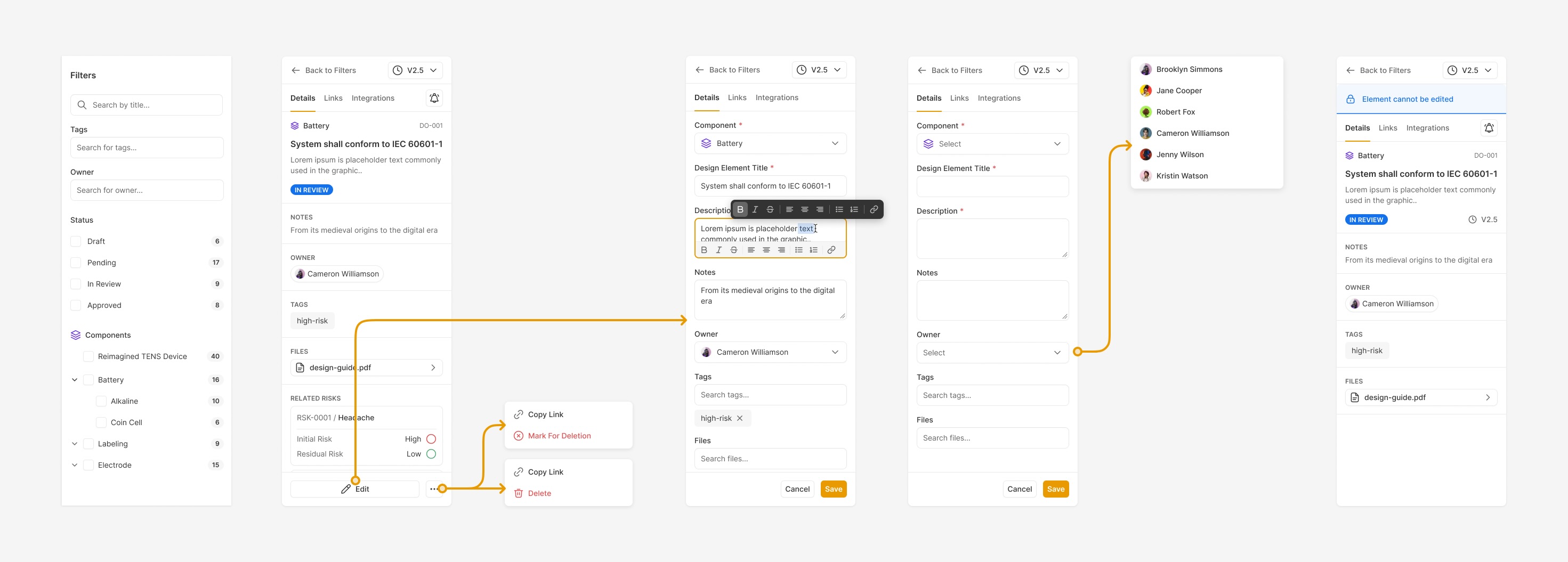
The same concern carried into editing. I asked for the element editor to become a side pane, keeping the board in view while someone worked on a requirement. Details, links, ownership and attachments could live together without making every card carry the full form.
That pane also had to communicate when editing was no longer allowed. Shiv asked for elements under review to lock. Our designer Prakash worked through those states: disabled controls, removed delete actions and a banner explaining the restriction. Someone could inspect a record under review in the same place they had edited it, with the boundary made visible.
Make an approval deliberate
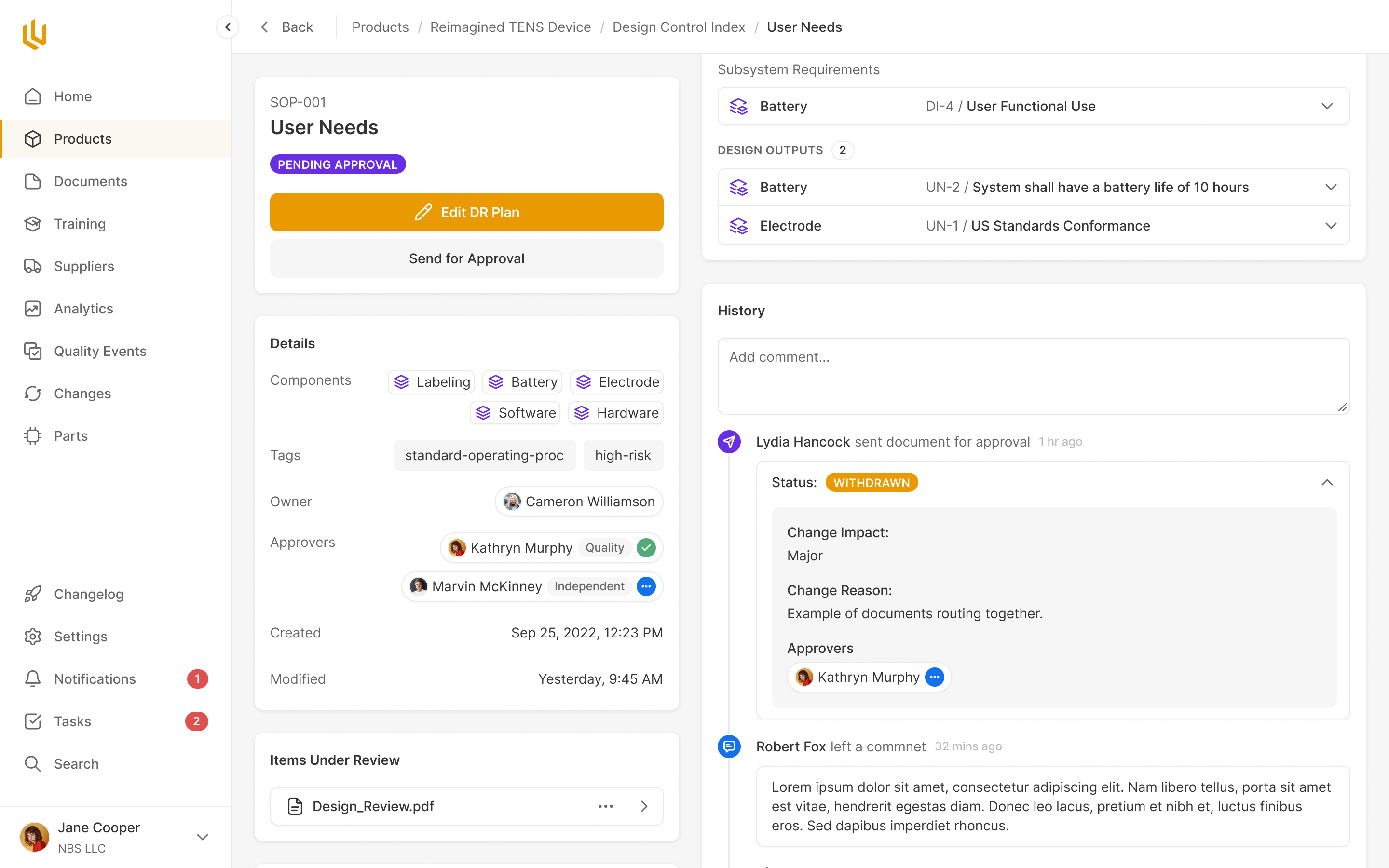
Locking an element is one part of a larger problem: the product has to distinguish work in progress from the exact version somebody agreed to. A review needs to bring the relevant material together, collect the required decisions and preserve who approved what.
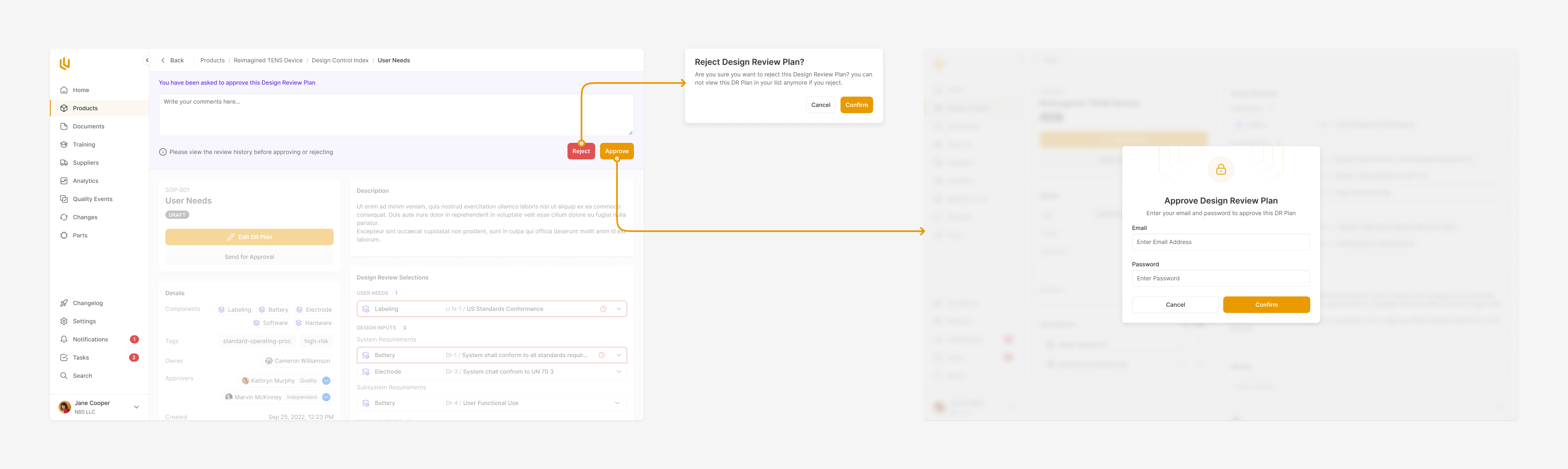
We designed Design Review around that complete job. Reviewers see the elements under review together, and their approval or rejection is recorded against that work. The review can notify the people whose decisions are still outstanding.
Electronic signatures introduced a useful limit on how fast this interaction should feel. We separated choosing to approve from authenticating the signature. The reviewer first makes the decision, then confirms their identity with email and password in a separate step. The interface makes clear that this action carries more weight than changing a status.
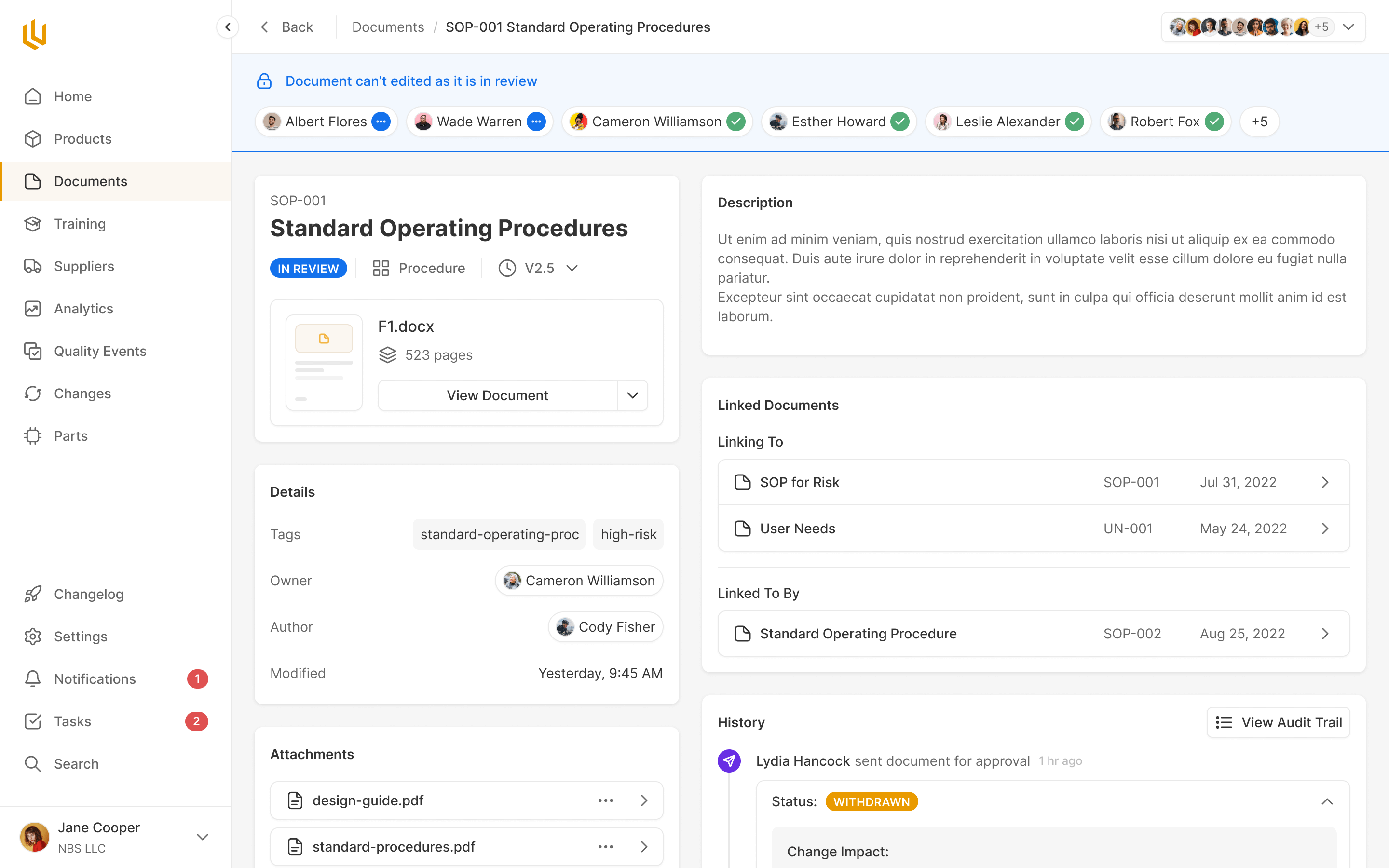
Documents use the same review and approval pattern. Elsewhere, the shared approach takes a different form: a procedure keeps its training assessment with it, and the home screen gathers pending reviews and document approvals so people can find the work waiting on them. Each module still has its own job. The surrounding interactions don't need to start over.
Changing the risk scale changes the record
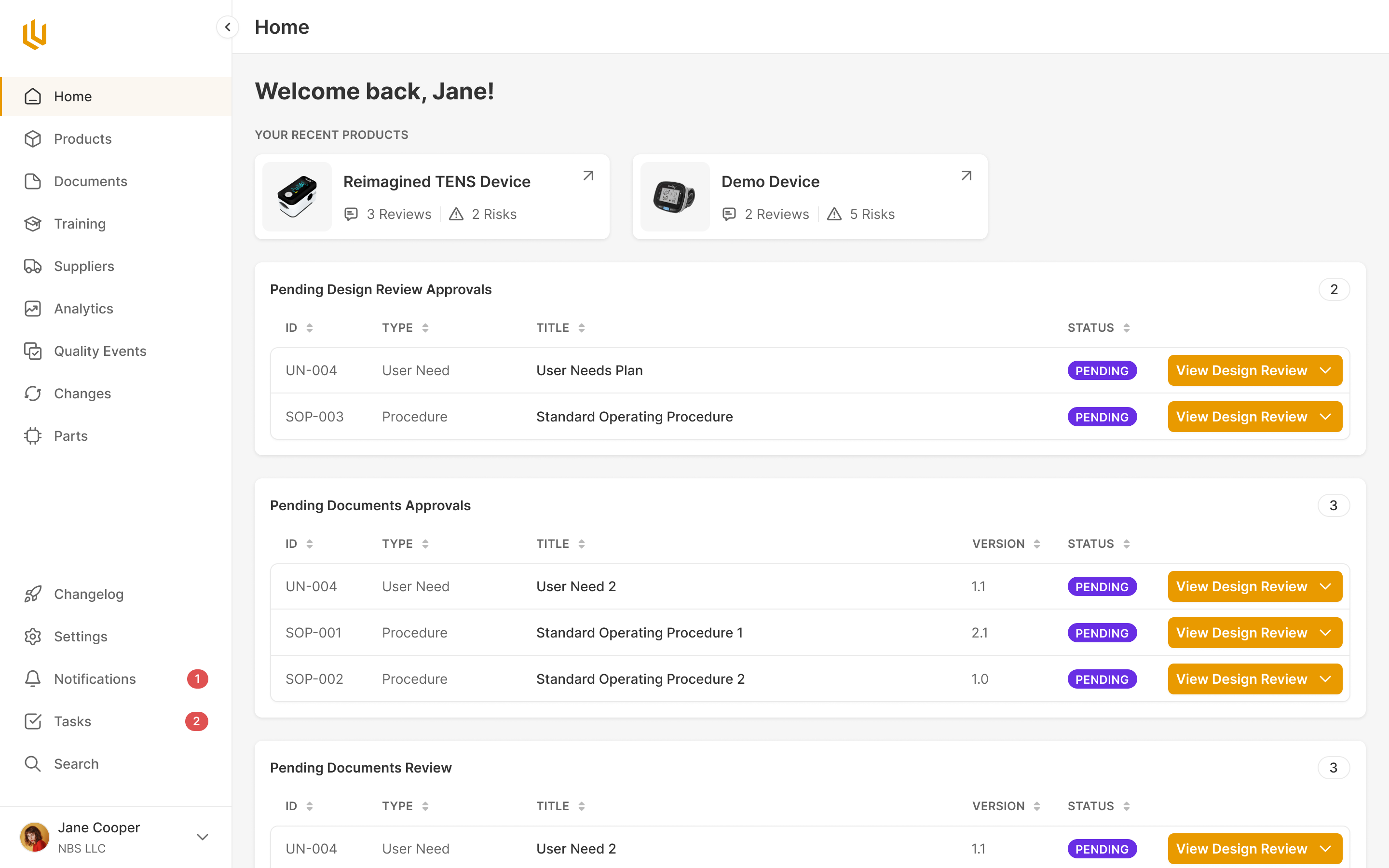
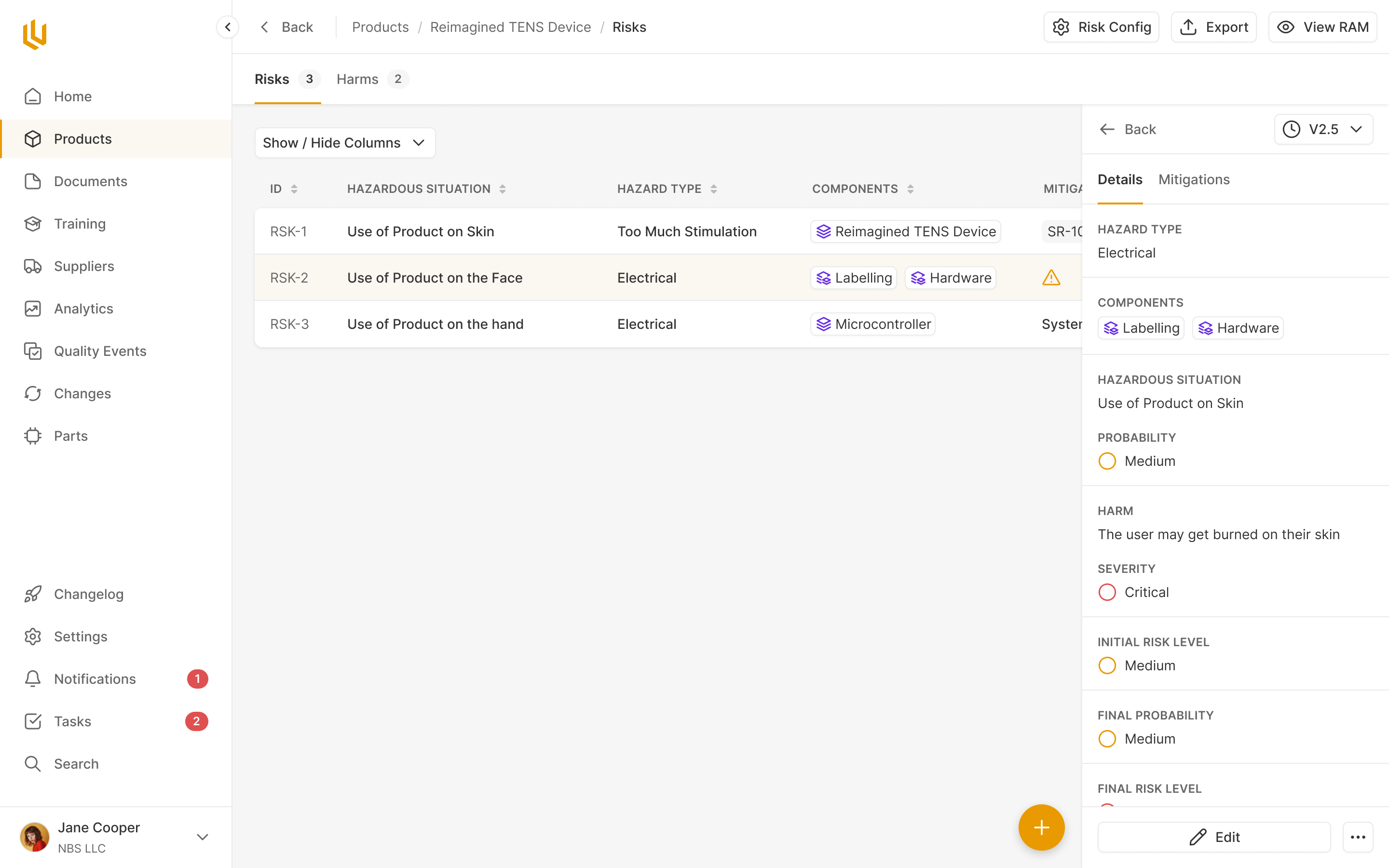
Risk management needed its own kind of care. A team records a hazard and the harm it could cause, then assesses the risk using probability and severity. The risk acceptability matrix defines what those combinations mean for that product, including which ones require mitigation. Those definitions affect the work that follows.
Ultralight's team wanted each product to have its own matrix. That mattered because the assessment belongs to the device being designed. We made setup available without forcing every product through it, since some teams wouldn't use the risk feature.
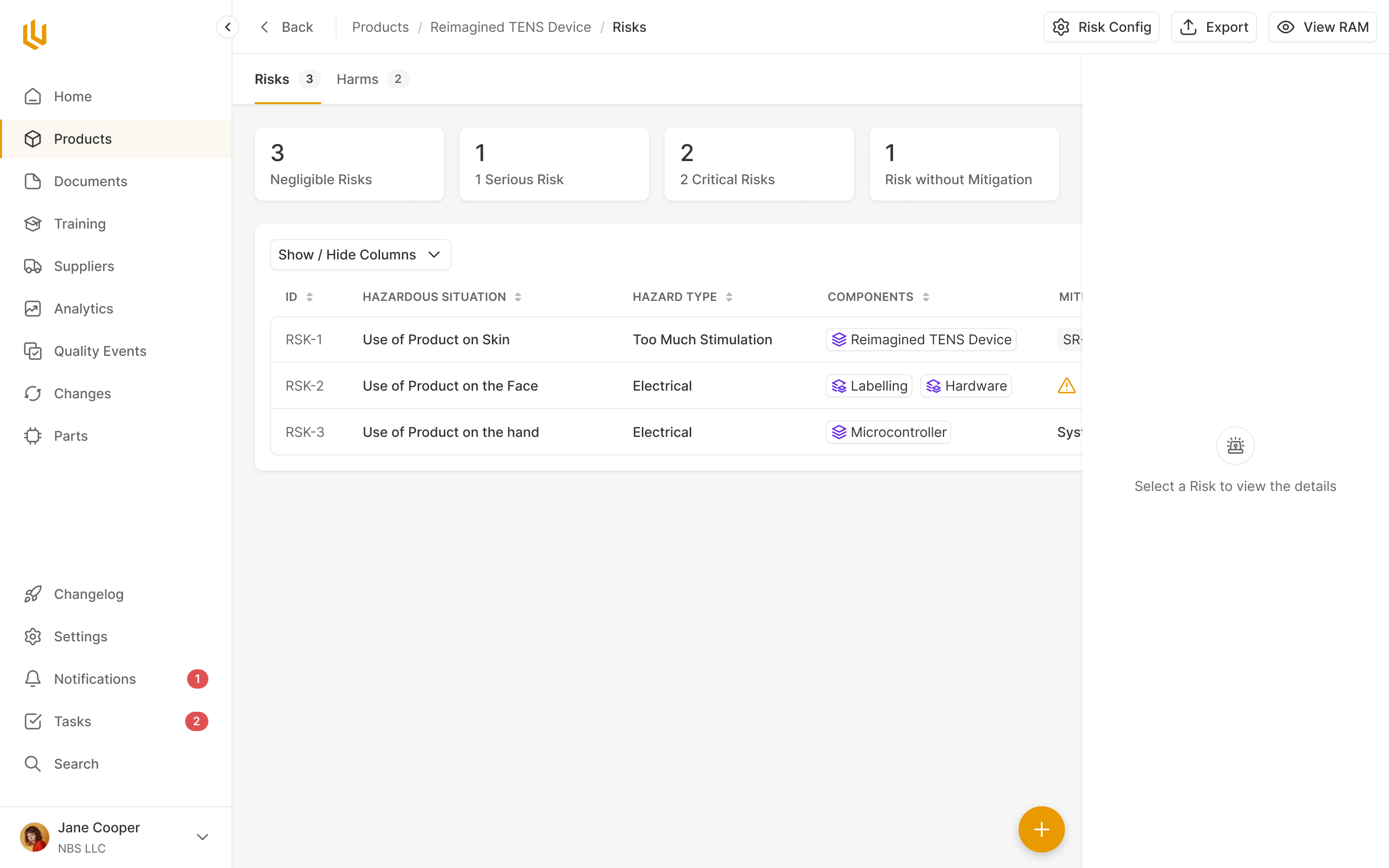
The difficult decision was whether a matrix could change after people had started using it. Keeping it immutable would protect the meaning of existing assessments, but Ultralight's team knew people would need to make edits. We had to account for what those edits did to the records already linked to the matrix.
Changing a probability or severity definition could turn an existing high-risk assessment into a low-risk one without anyone reassessing the hazard. The underlying record would look as though something had improved, even though only the scale had changed.
a new risk scale must not silently rewrite old assessments
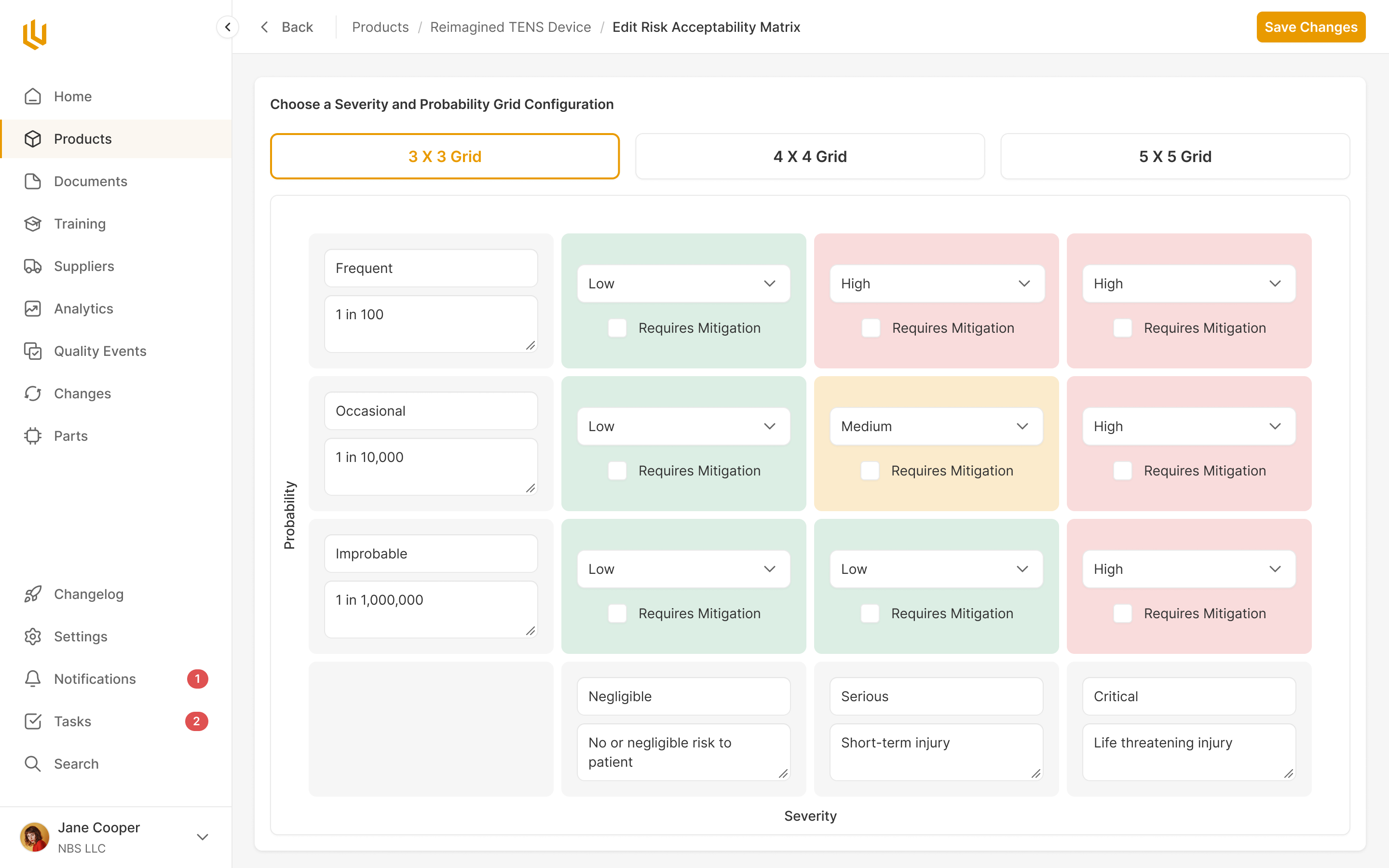
We designed the edit behaviour to clear the affected risk-level assignments while preserving the hazards and harms. The team would keep the work describing the problem, but would have to assess it against the revised definitions. I specified a warning so an administrator understood the consequence before making that change. Regular users could inspect the matrix in a read-only view and contact an administrator when it needed editing.
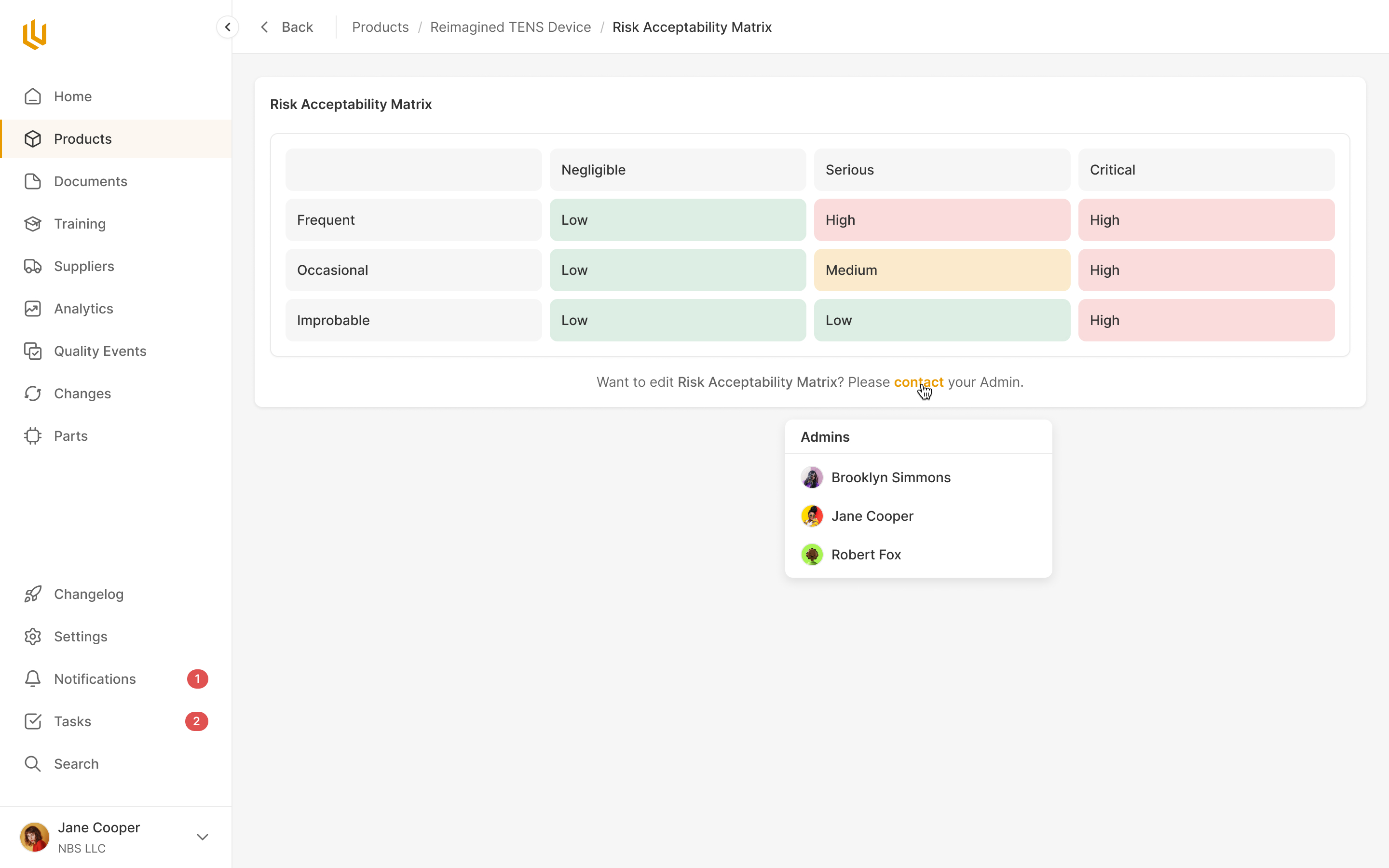
Even setting up the matrix had a small interaction problem worth correcting. A one-off onboarding button would teach people to create it through a control that disappeared afterwards. I asked for the introduction to point at the permanent Create RAM control instead. Once the guidance was dismissed, the person would still know where that action lived.
We could also keep the risk editor smaller by being precise about its relationships. Each risk had one harm, so I proposed selecting an existing harm with the option to add one when needed. A more elaborate interface for managing several harms would have added controls for a relationship the product didn't have.
At the individual risk level, the interface also had to connect assessment to action. If a selected level required mitigation, a warning beside the input needed to say where to do that work. Mitigations lived in another tab, so I asked for the warning to point people there. Otherwise we would be telling someone their record was incomplete while leaving them to search for the way to complete it.
Give the learner one document at a time
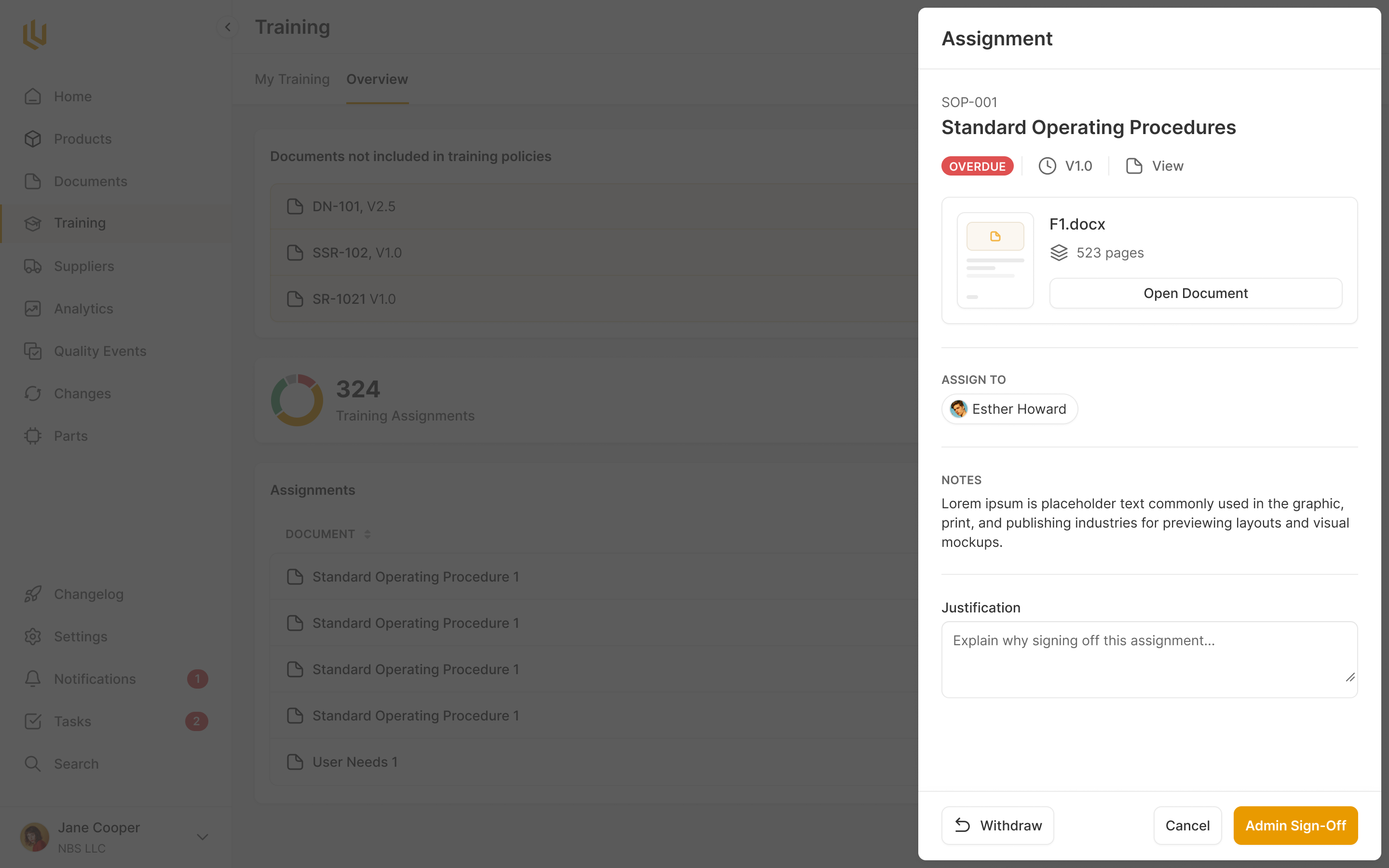
Training brought together two jobs with very different levels of complexity. An employee needs to know what they have to read and complete. The person managing training needs to know who requires it, which version they completed, and whether a document change means they need to do it again.
We started from Shiv's wireframes and the existing Documents module. Training materials already belonged in Documents and went through its approval process. Creating a second place to store and approve the same material would leave people managing two copies of the procedure.
Permission also affected how we organised the module. Everyone needed My Training, including the administrator, who still had their own procedures to learn. Only people with management access saw Manage. We kept personal obligations in the same place for everybody, rather than making administrators navigate the management view to find their own work.
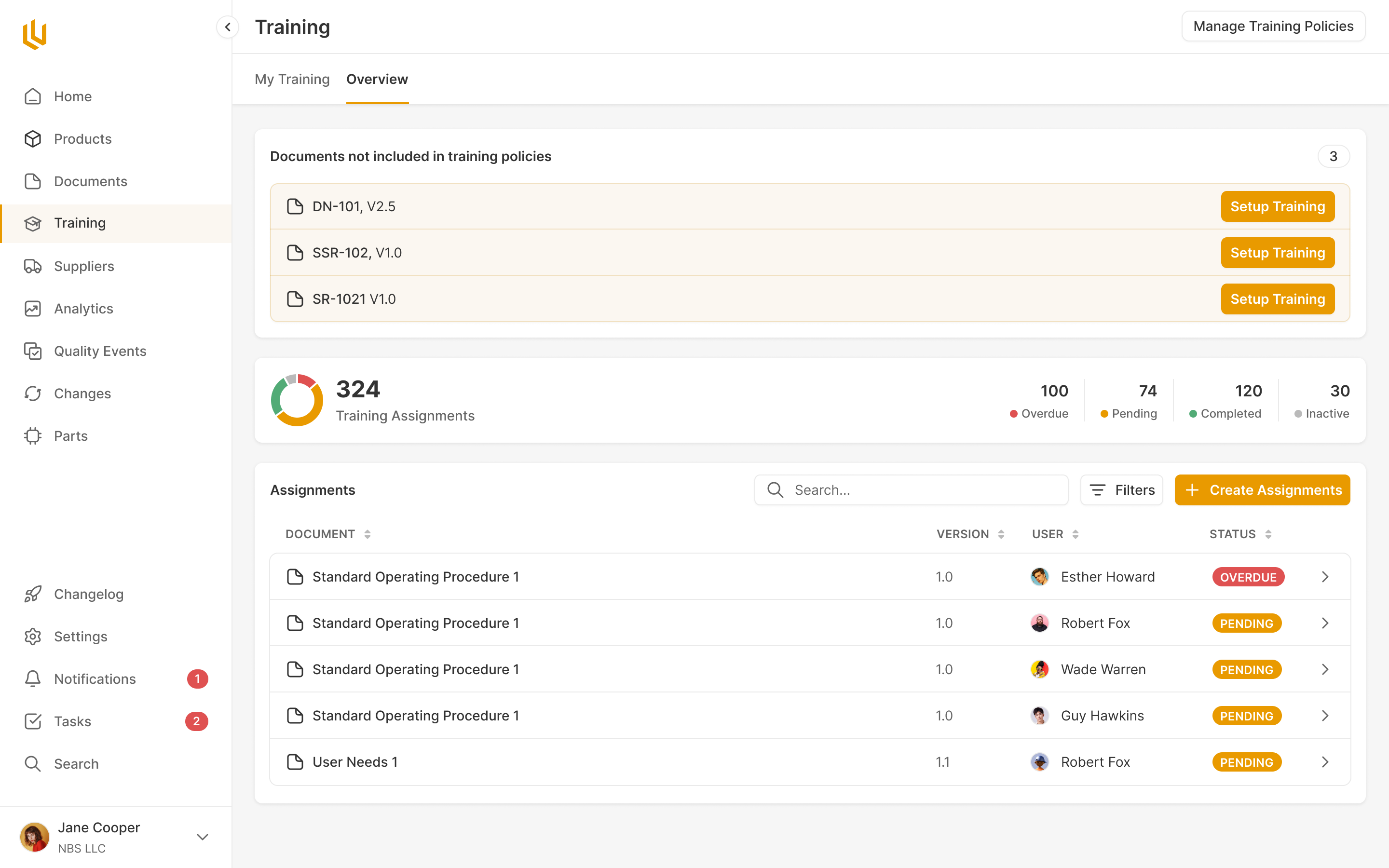
Our first training structure grouped several documents into a training. After working through it in a workshop, we changed what the learner saw: each document became an individual item to complete. They could open their list, read the procedure and confirm it. The larger grouping stayed on the management side.
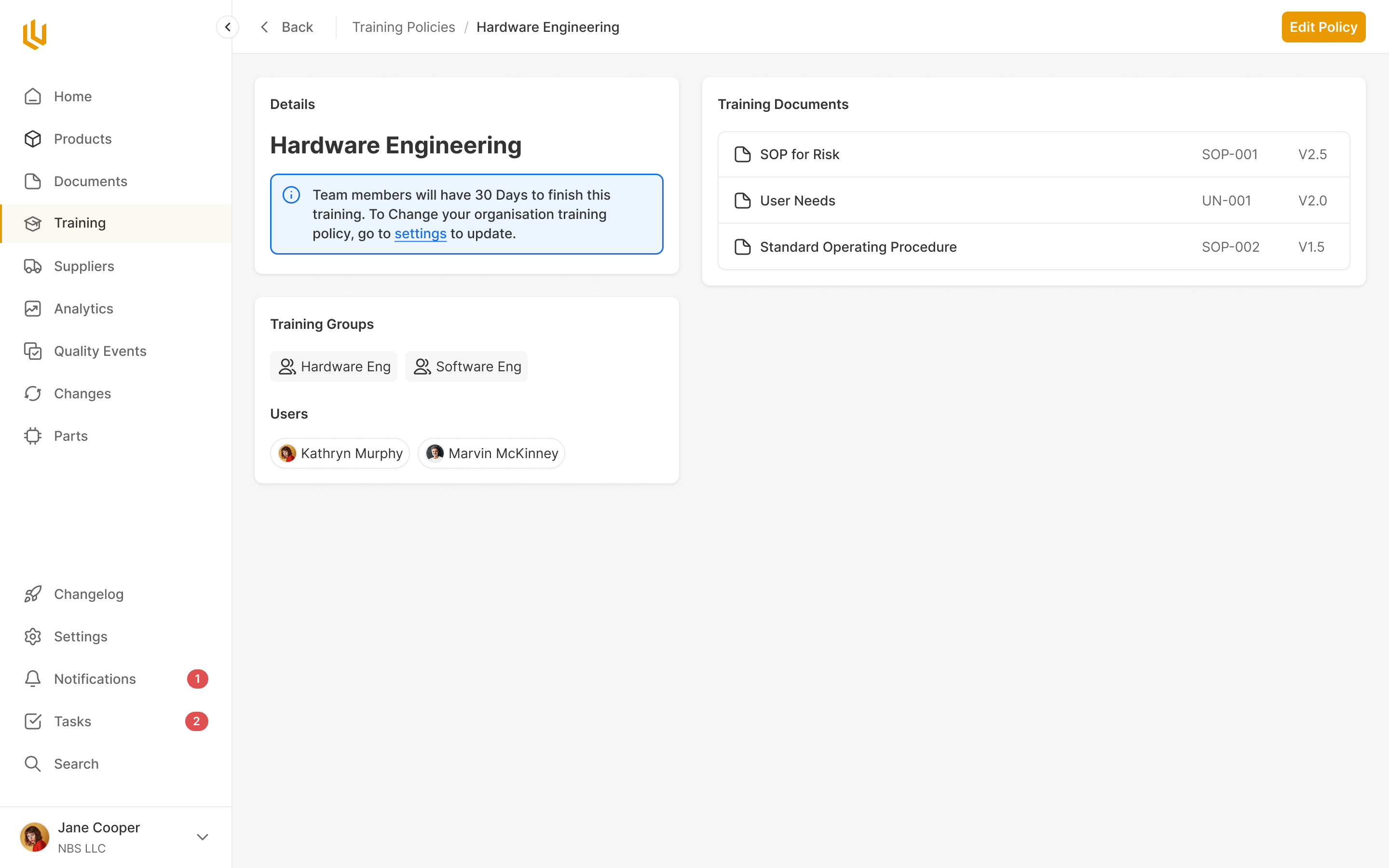
I questioned whether that management grouping needed to exist at all. We already had job roles. It seemed possible to connect those roles directly to the documents each person needed to learn.
The distinction became clearer when we considered training that crosses job boundaries. A software engineer might need hardware training. If training groups were identical to job roles, that person would need individual exceptions to receive the right material. Keeping the groups separate let administrators assign a body of training across roles, and include particular people where needed.
That extra structure earned its place in management. Employees still saw the individual documents they needed to complete. Administrators had the groups, people and assignments behind those tasks, with documents awaiting training setup visible separately from the ones already configured.
The completion record needed to be version-specific. Someone who learned the previous procedure hadn't necessarily learned the current one. Equally, every document edit didn't justify making everyone train again. We put Require Training into the document approval flow, so the person sending a new or revised document for approval could explicitly trigger the training work. Management could then distinguish completion on an earlier version from completion on the version now required.
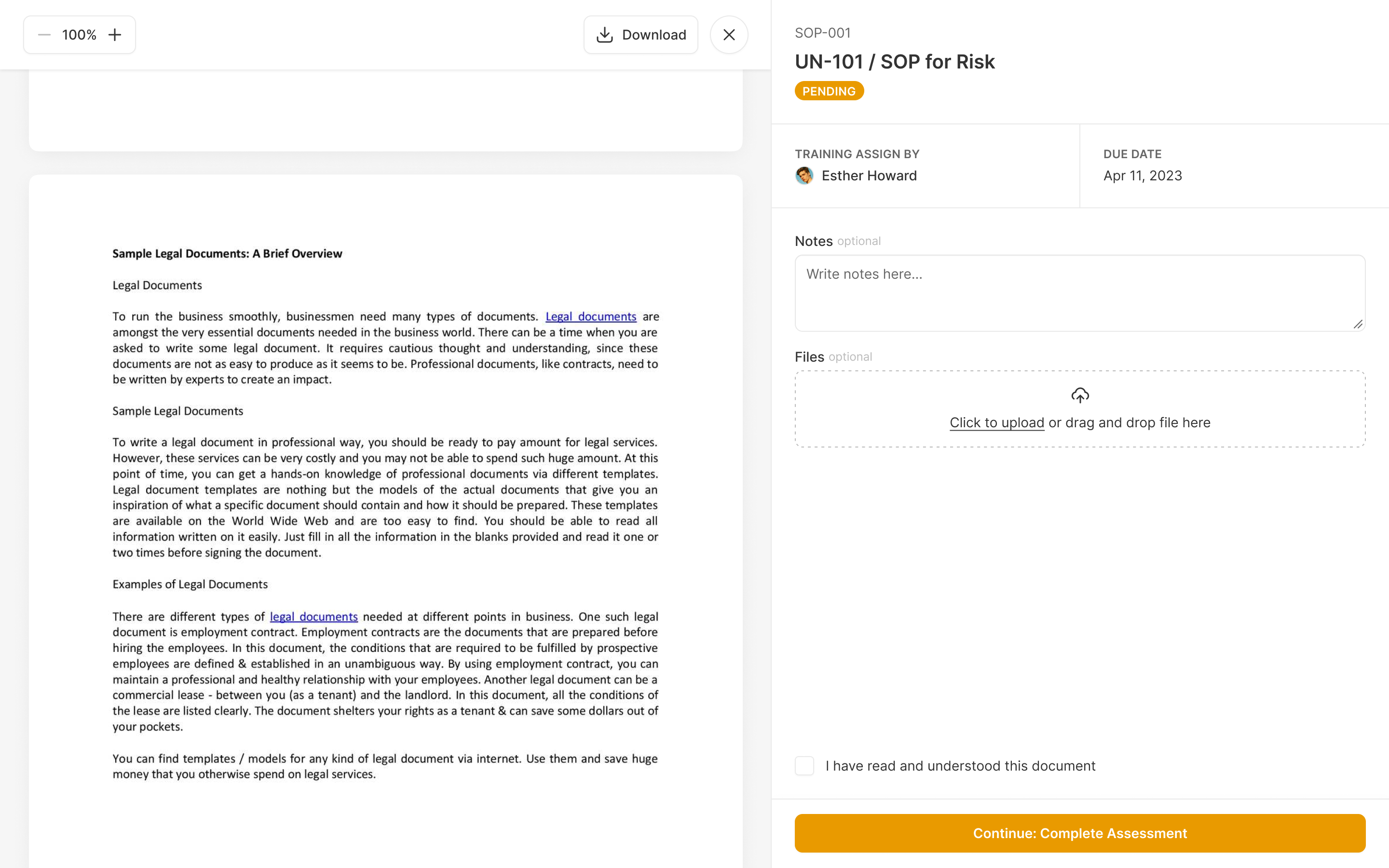
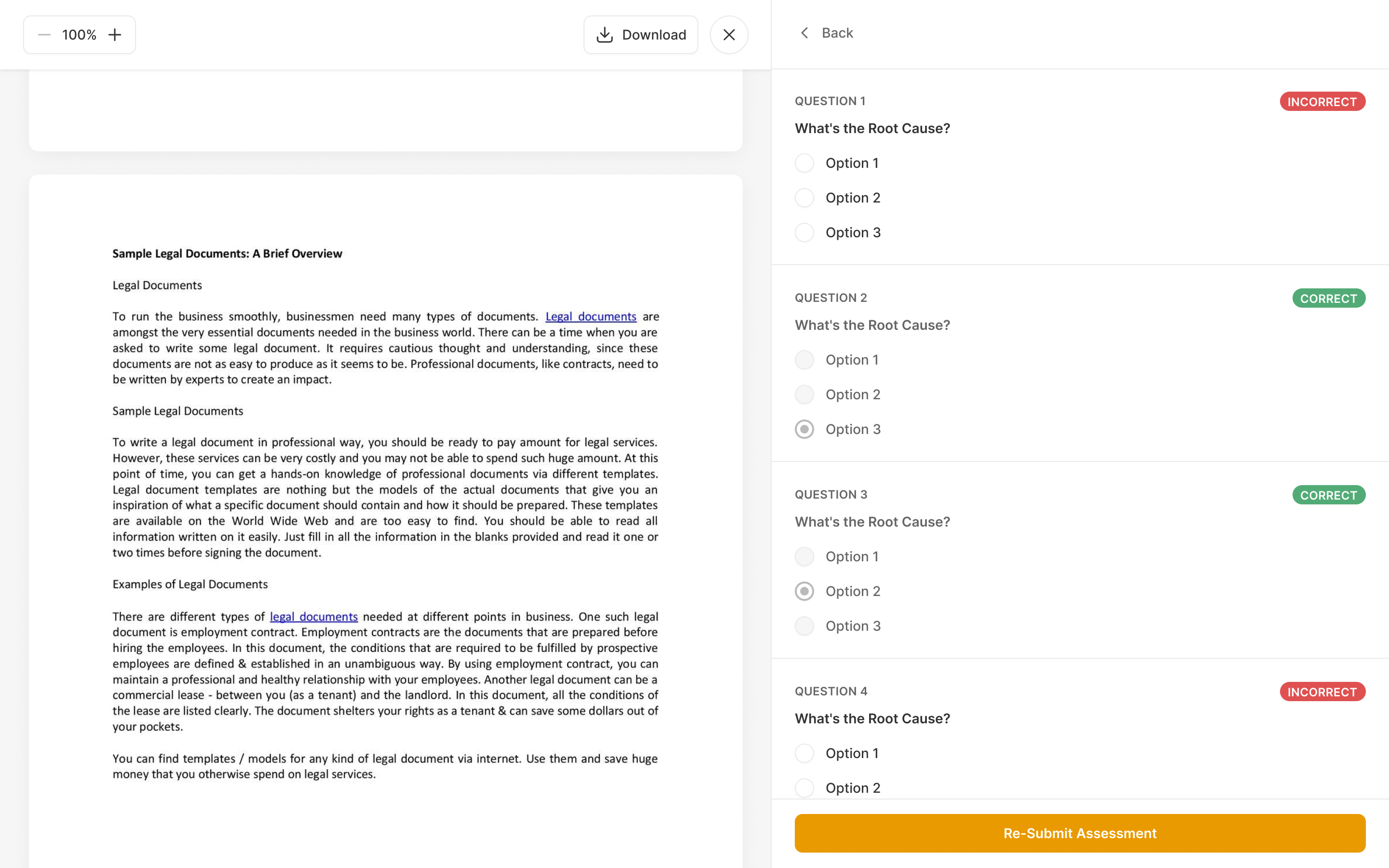
Later, we added assessments to the reading flow. The author configured the questions with the document, where the material and its correct answers belonged. For the learner, reading and answering happened on separate screens. Incorrect answers were identified and had to be retried until every answer was correct.
That also simplified the manager's result. Since passing required every answer to be correct, a percentage score added little. The meaningful information was whether the assignment had been completed, against the required document version.
A quality event needs different work at each stage
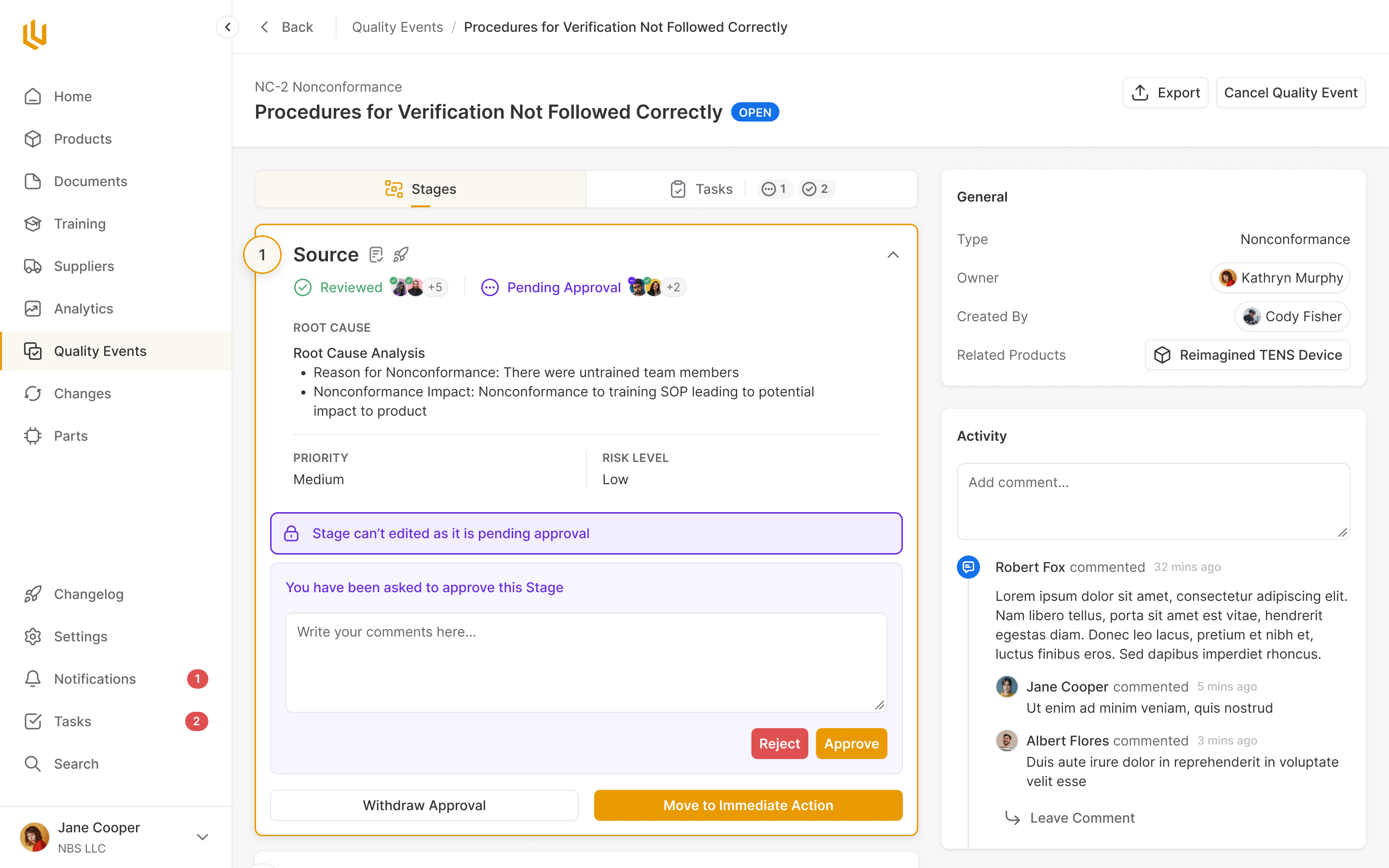
A quality event moves through a process: describing its source, taking immediate action, investigating it and verifying the response. Our early design treated this as one body of information moving through different statuses. Working through Shiv's wireframe and example documents showed that each stage actually needed different questions answered.
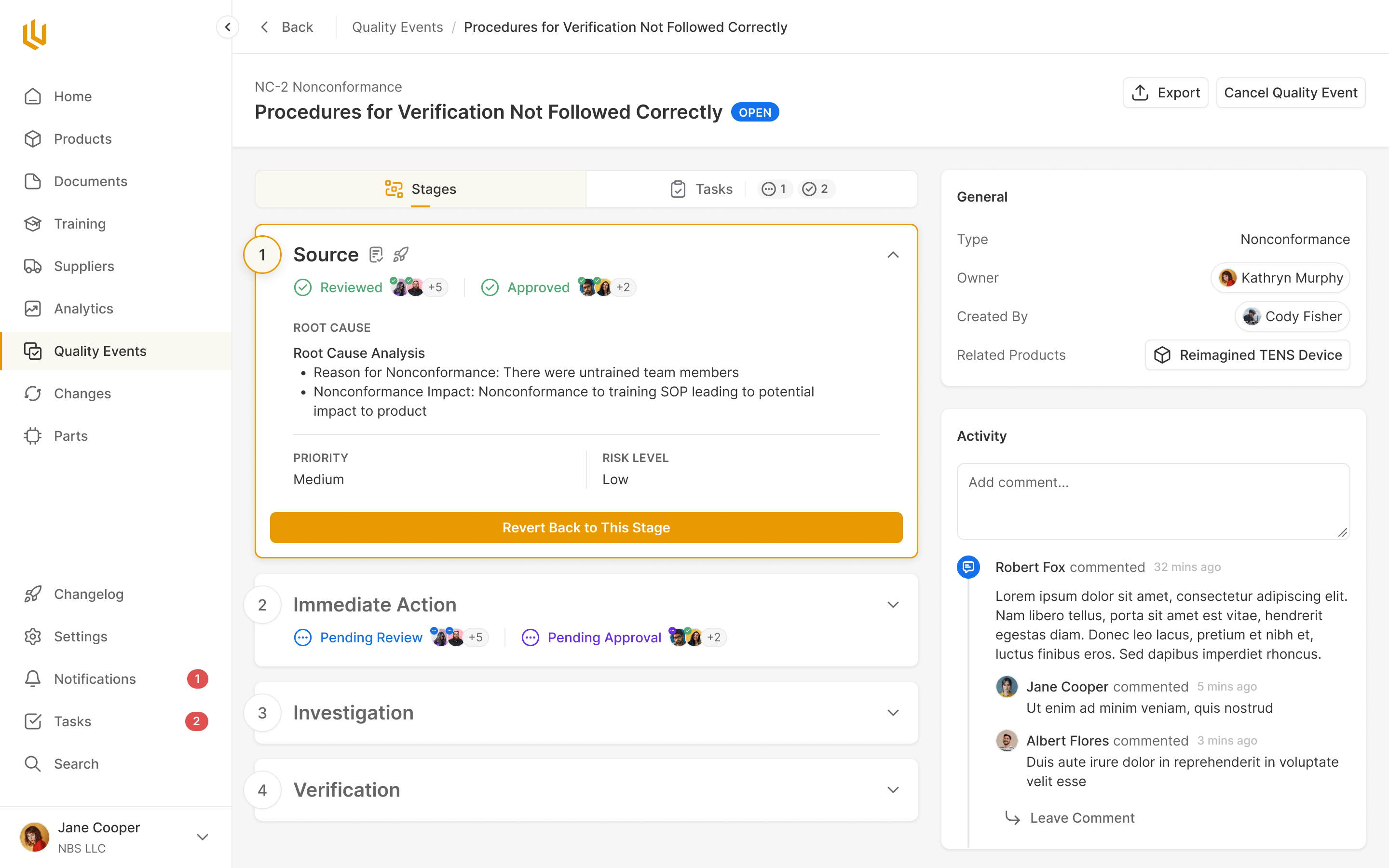
I proposed a stepped layout with the questions inside each stage. The active stage could expand for the work happening now, while the rest of the process stayed visible. Someone investigating an event could see where they were going without filling the screen with every later question.
Approvals belonged to those individual steps as well. An approval on the Source stage needed to sit with the information being approved, showing its status and the people responsible. A single approval control at the event level would lose that relationship between the decision and the work it covered.
Tasks behaved differently. They stayed with the event as it progressed, rather than changing with every stage. The layout needed both: stage-specific questions and decisions, alongside work that continued across the process. Treating everything as part of the current step would make the ongoing tasks disappear into earlier stages.
Follow the code all the way to release
In 2025 our release-management work centred on engineers building software and software-enabled medical devices. Their work already happened in development tools, and a release could include changes to several products. Shiv proposed putting releases beside products, rather than nesting them inside one.
The initial plan included a configurable, multi-stage release workflow. Ultralight's team proposed a smaller approach: use a configurable form for the release, and let existing Change Orders carry the staged approvals. We developed the release experience around that division. It avoided giving teams two places to configure the same approval process.
My concern was following what happened to each code change. In our discussions I worked through how a change reached an audit record, where approval happened, and what stopped someone merging code before it had been approved. A release page could look complete while leaving a gap between the software people reviewed and the software they shipped.
The release model ties a software part version to a pull request, with its commit hash, link and description. Teams can keep their own version labels. Change Orders hold the approval work. Ultralight exposes an API so teams can connect checks to their own development workflow and block merges when the required links are missing. Once a version has shipped in a release, it is frozen wherever else it appears. Further changes need a new version.
We also had to be careful about what the interface claimed to know. It could check whether required fields were filled in, but that didn't prove someone had finished their work. We used red to identify missing requirements without turning the rest of the page green and implying a judgment the system couldn't make.
required fields filled does not mean the work is finished
In June 2025 Ultralight was acquired by Greenlight Guru. The product continues as Greenlight Guru Ultra. We wrote a few words for the team.

"While they’ve certainly got the UI chops for modern SaaS work, we’ve been most impressed by their ability to collaborate on complicated UX decisions and deeply understand our customer needs."
More from Ultralight