Wayland is software for machine shops, the small manufacturers who turn a customer's drawing into finished parts on lathes, mills and five-axis machines. It follows a job through quoting, work orders, material purchases, time on the shop floor and the shipment that leaves with a packing slip.
A part's drawing has to mean the same thing to the person pricing it, the operator making it and the person shipping it. But each needs different information. We designed Wayland's office software and shop-floor iPad app around those handovers, working as its design partner from April 2022 to January 2024.
Harry Moore, Wayland's founder, introduced us to how a shop runs. His team, including David Brett, Adam Coll, Addison Dolido, Maha and Steve Guerin, brought the workflows, challenged the designs and built the product.
A part, an operation and a run of a thousand
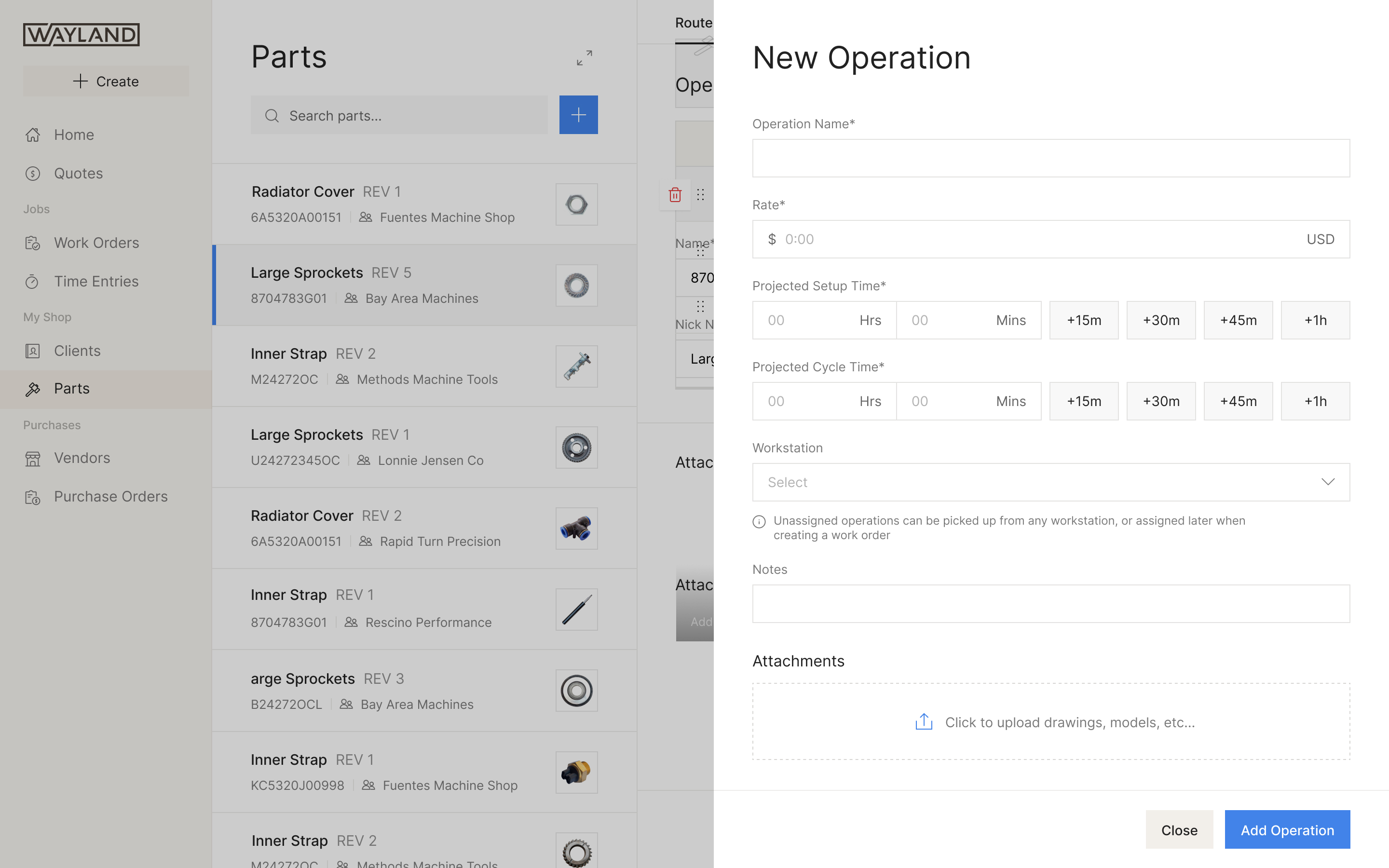
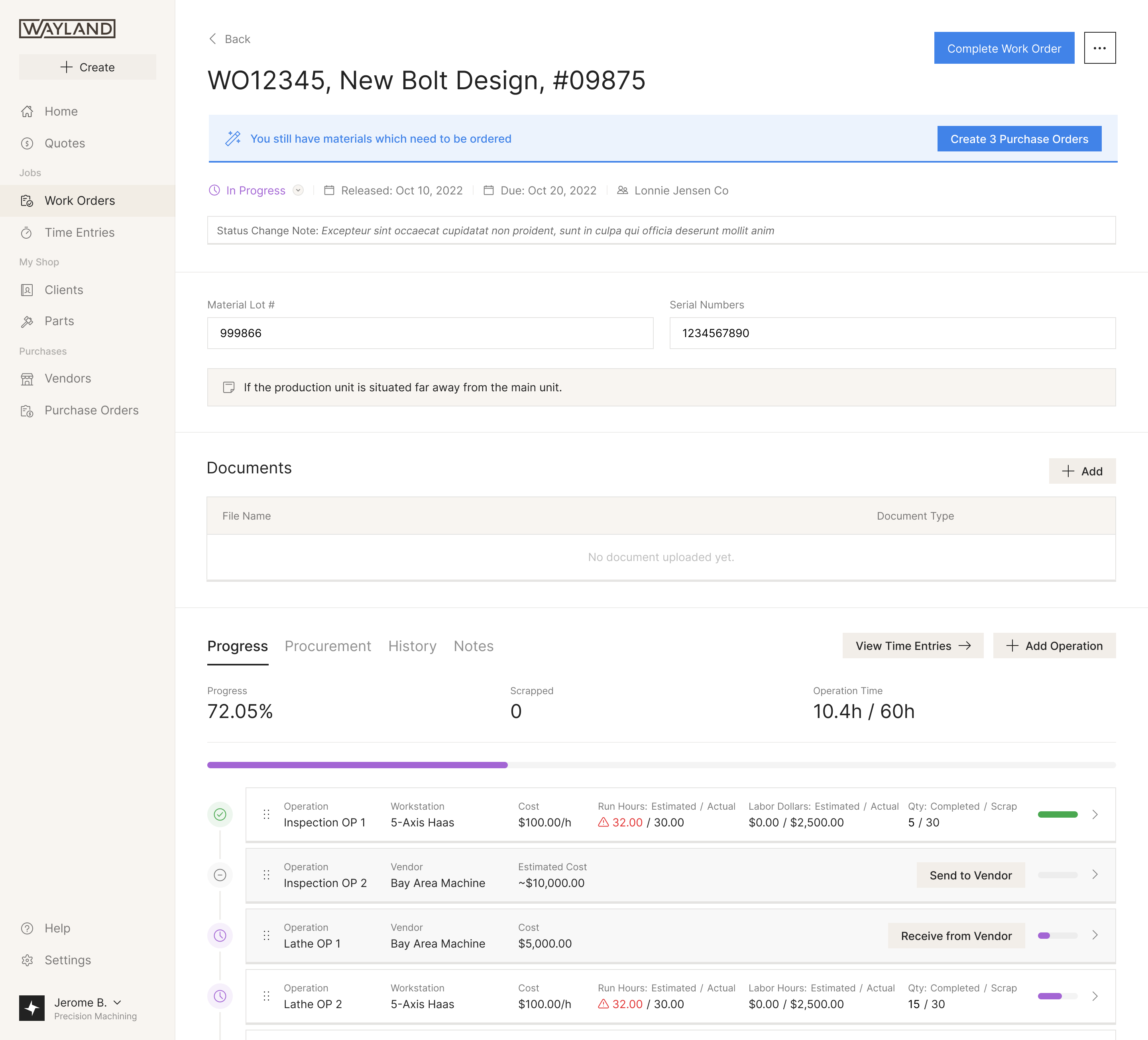
A job starts with a customer asking what a part will cost. Its router is the sequence of operations needed to make it. Each operation has a workstation with an hourly rate, a setup time and a cycle time. Setup happens once per run; cycle time happens once per part. With an hour of setup and two minutes per bolt, a bolt in a run of ten costs far more than one in a run of a thousand.
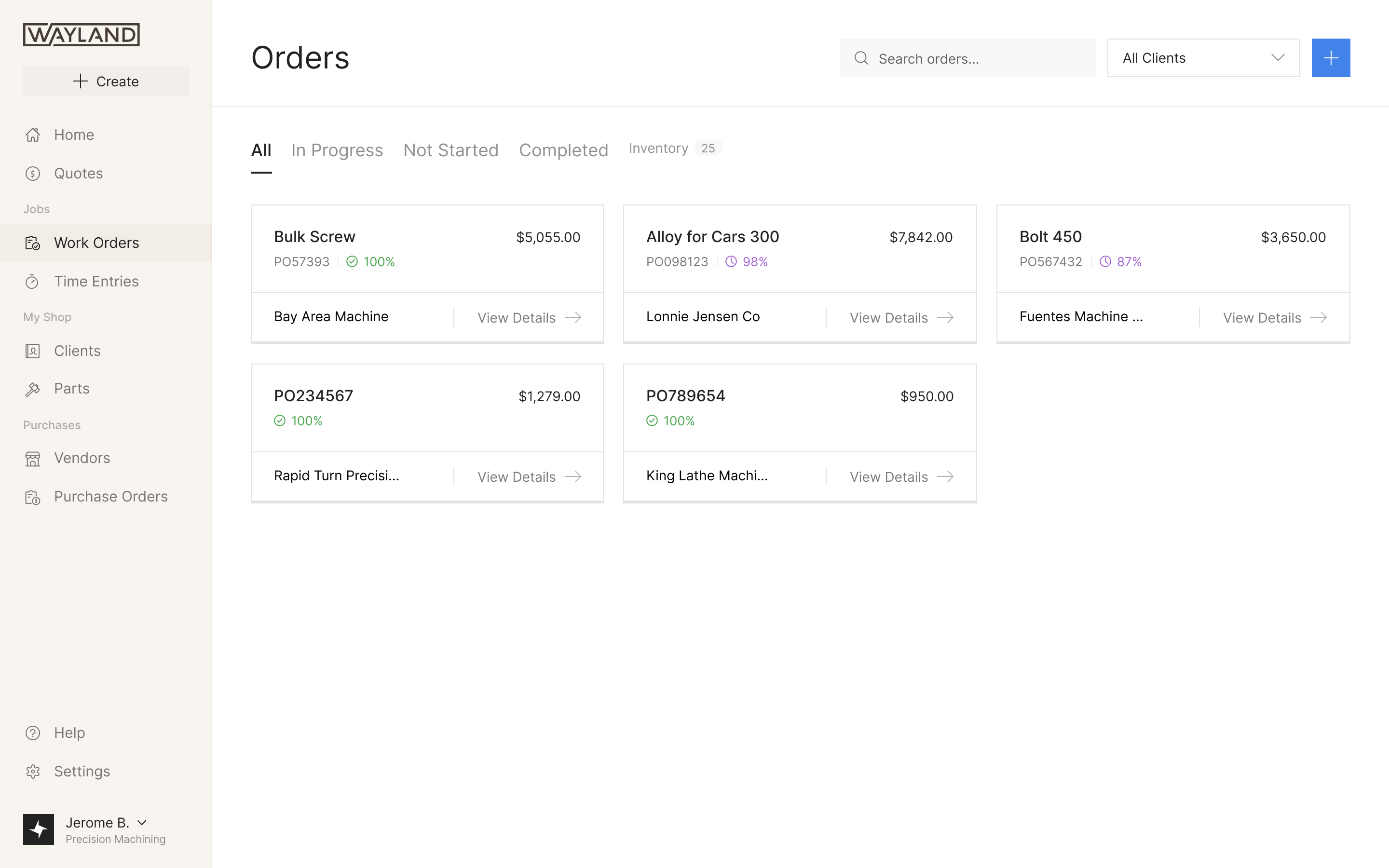
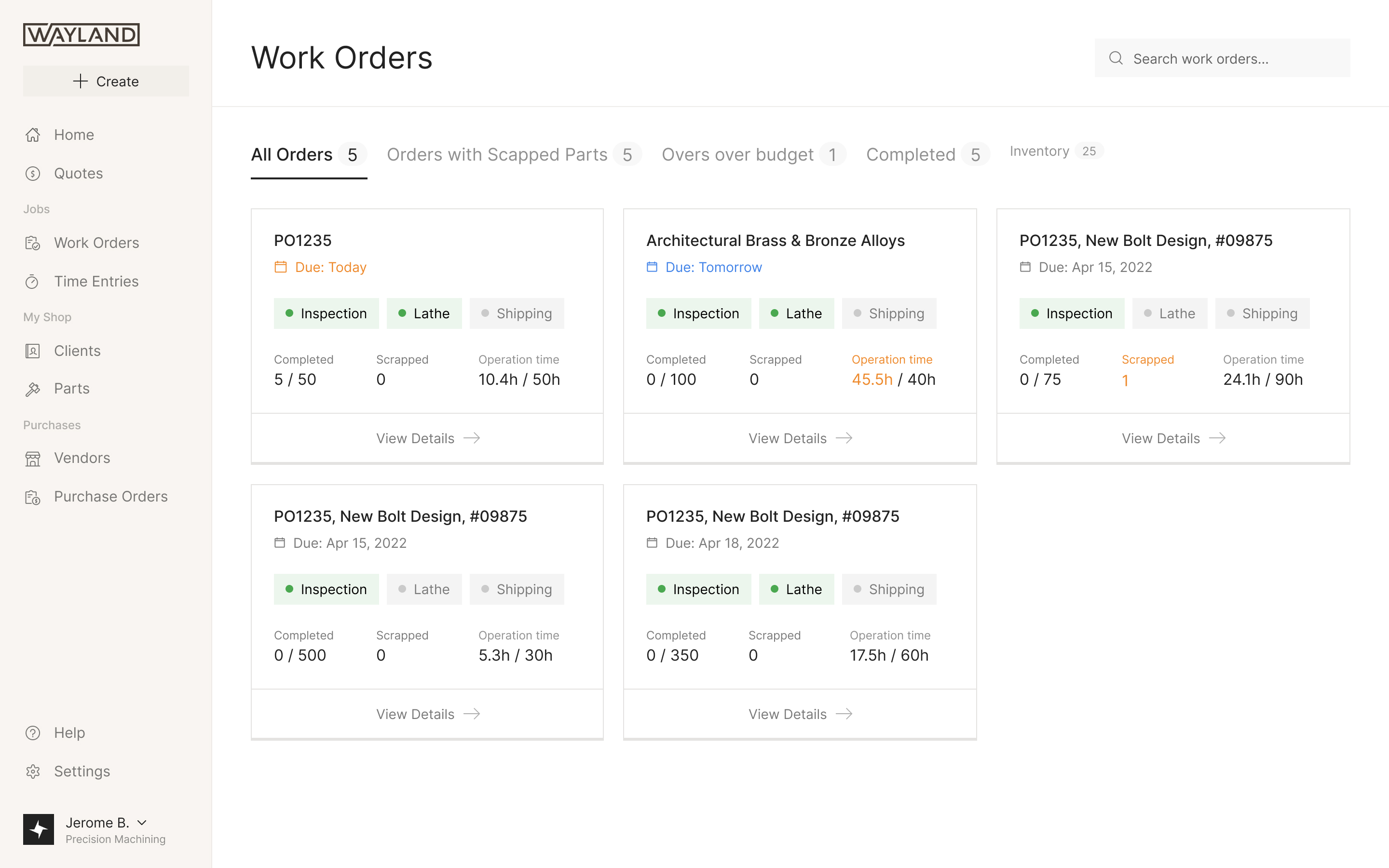
If the customer accepts, the order produces work orders. The shop buys material, operators record time and finished quantities, and the parts ship with a packing slip and a certificate of conformance.
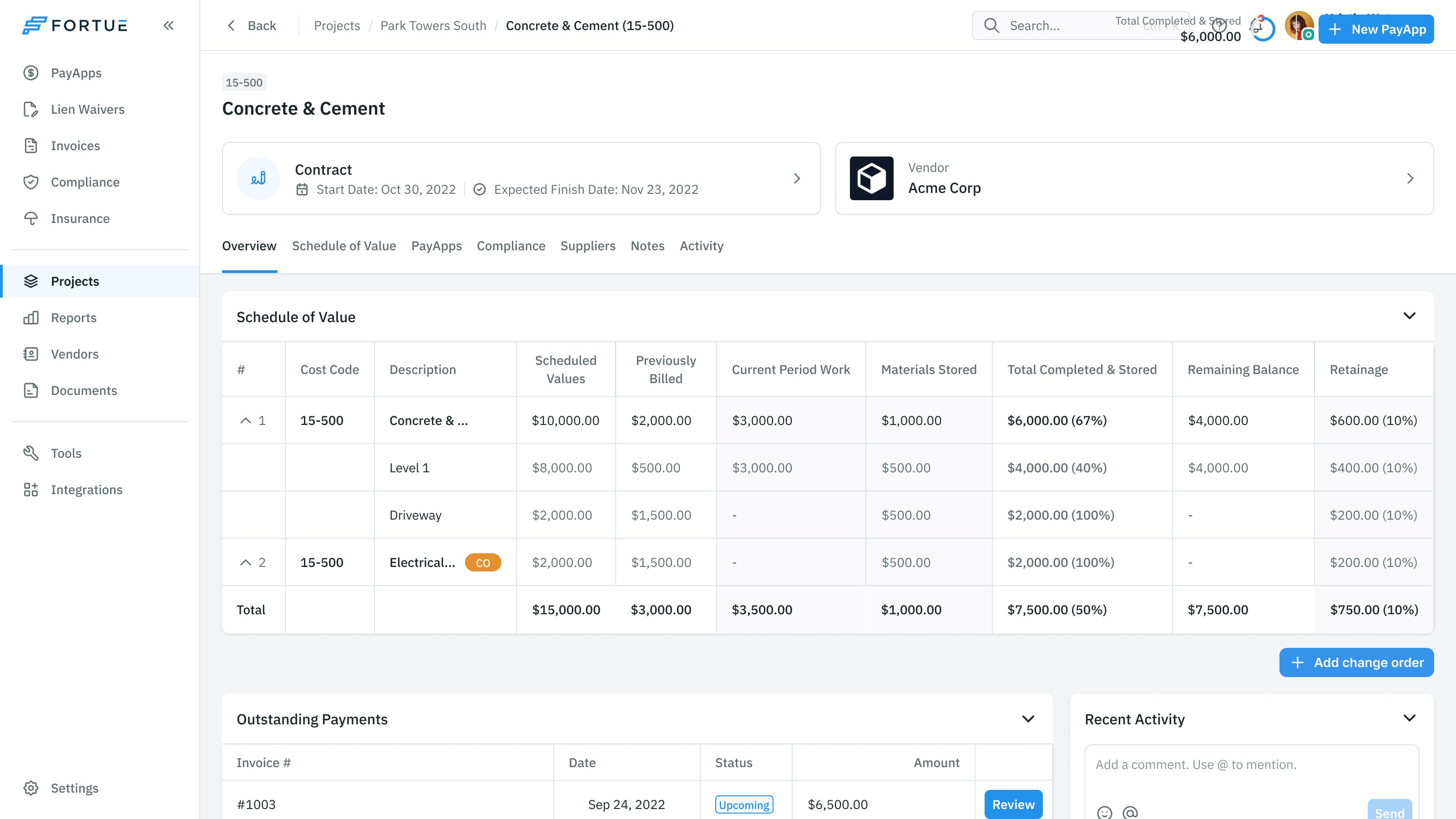
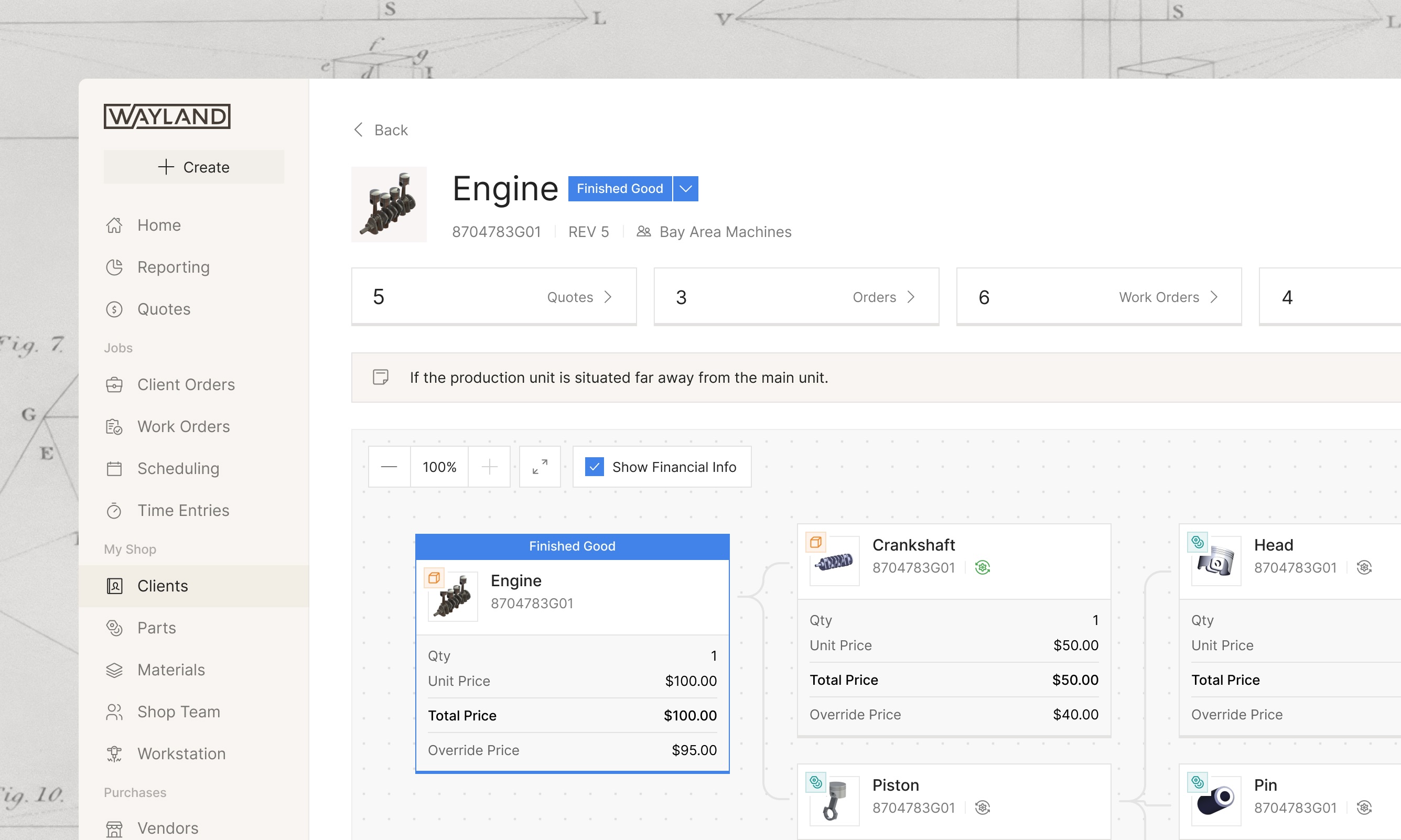
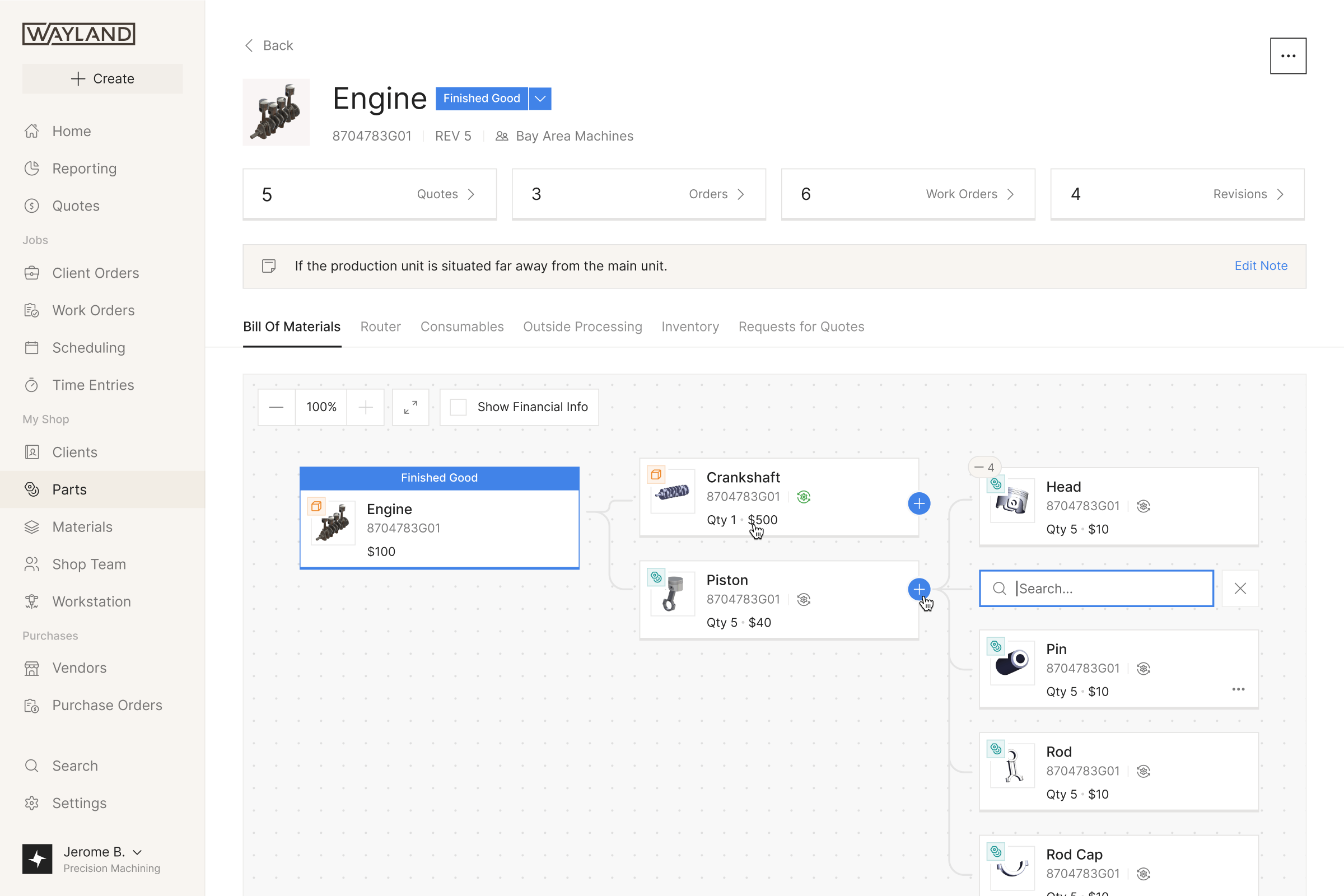
Those records need to stay connected. A part may contain sub-parts, have several revisions, appear in quotes and be made for different orders. We designed its page to hold those relationships together: a bill-of-materials tree alongside the drawing, with its quotes, orders and work orders accessible from the same place.
Terminology needed a decision too. One shop called its purchase orders Jobs. Wayland chose to use consistent terms across customers and teach them: Work Orders for jobs, Router for the operations that make a part, Operators for the people assigned to them.
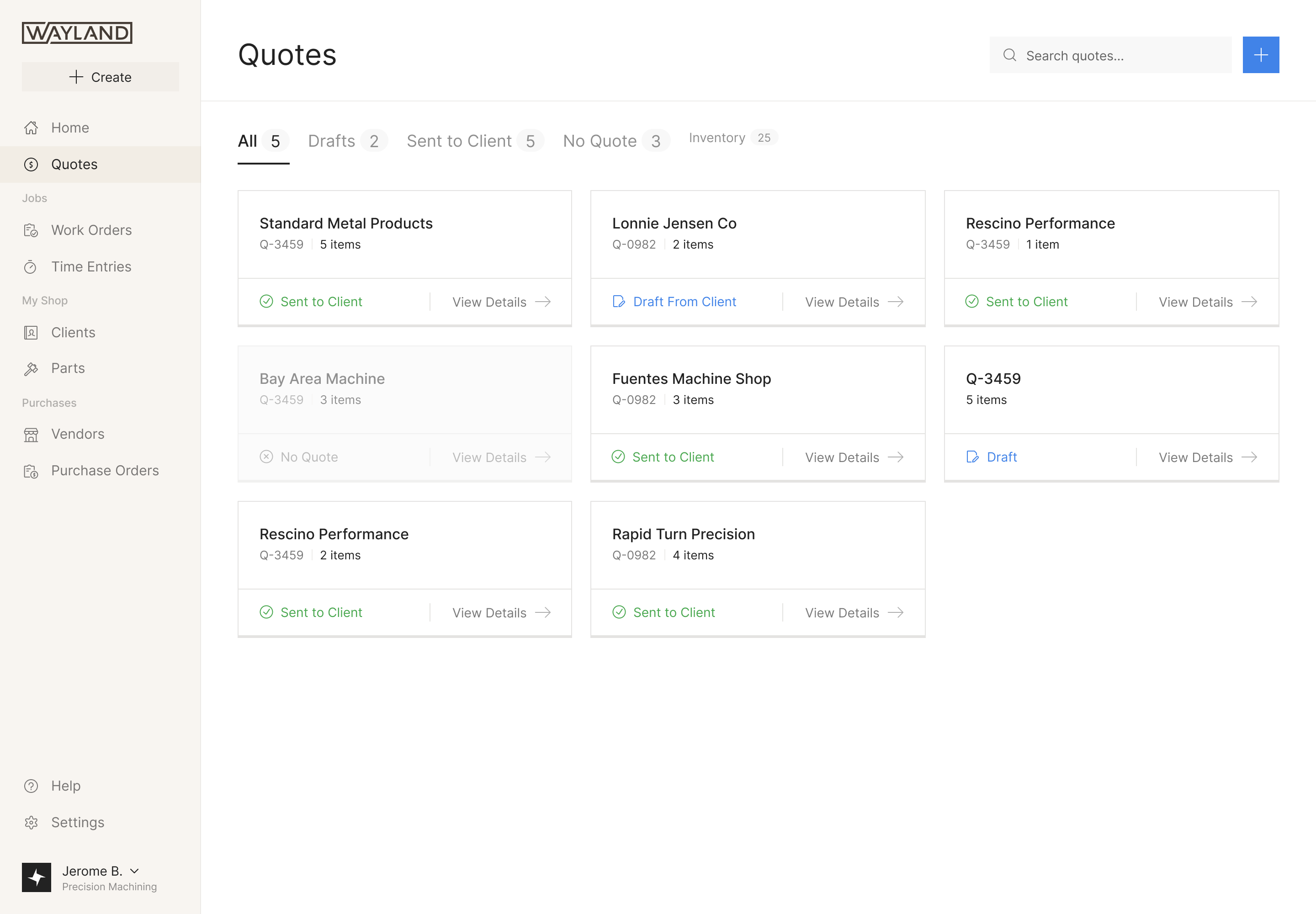
A quote is a set of choices
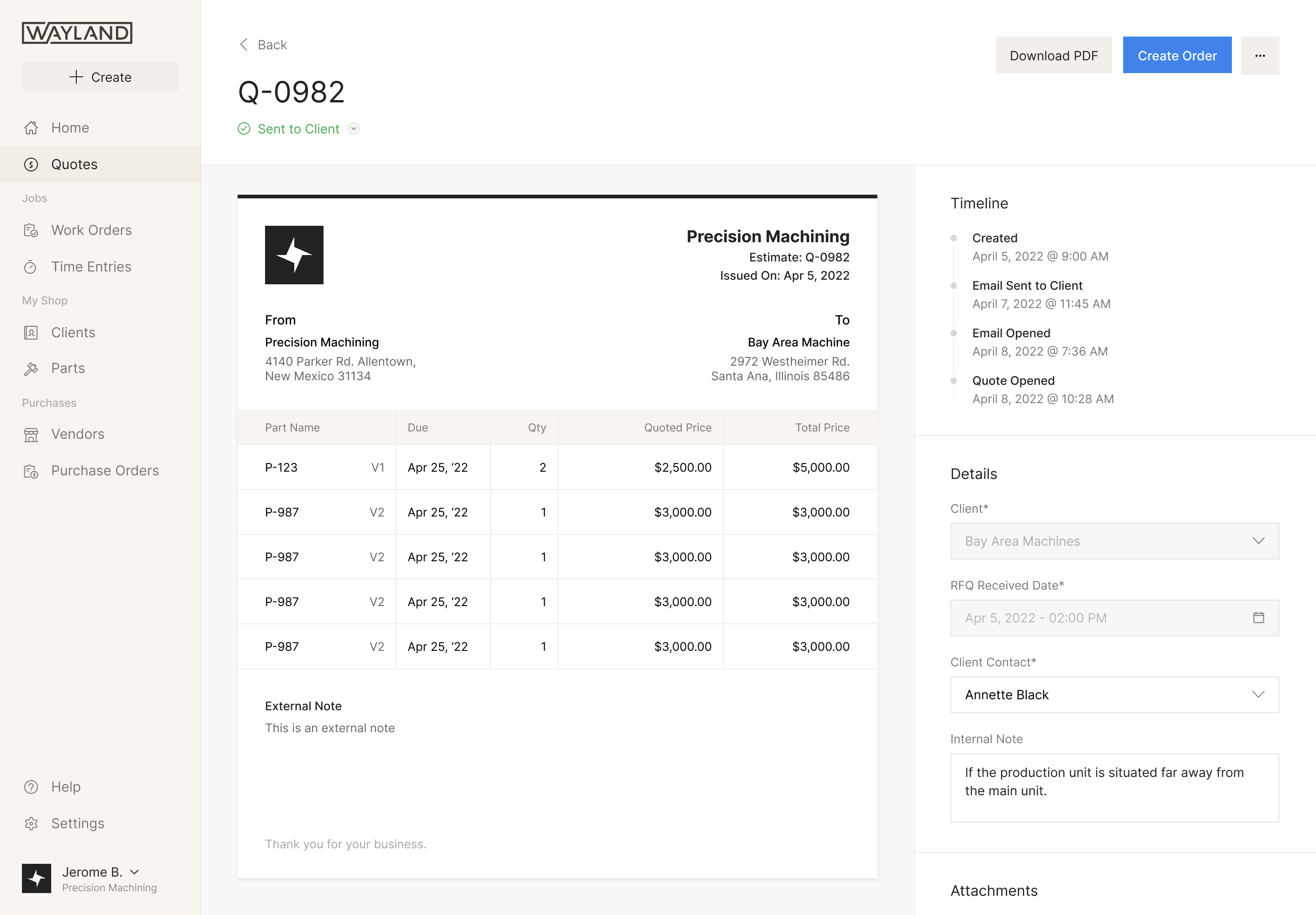
Shops often quote the same part at several quantities so a customer can compare the unit price of a short and a long run. Adding those alternatives together produces a number the customer will never pay. Adam raised this in the quote designs, and the total came out.
The estimator works from the router's setup and cycle times, but the shop still chooses what to charge. We kept the suggested price in smaller type beneath the quoted price. The estimate remains available as a reference after someone overrides it, and the amount being offered to the customer stays prominent.
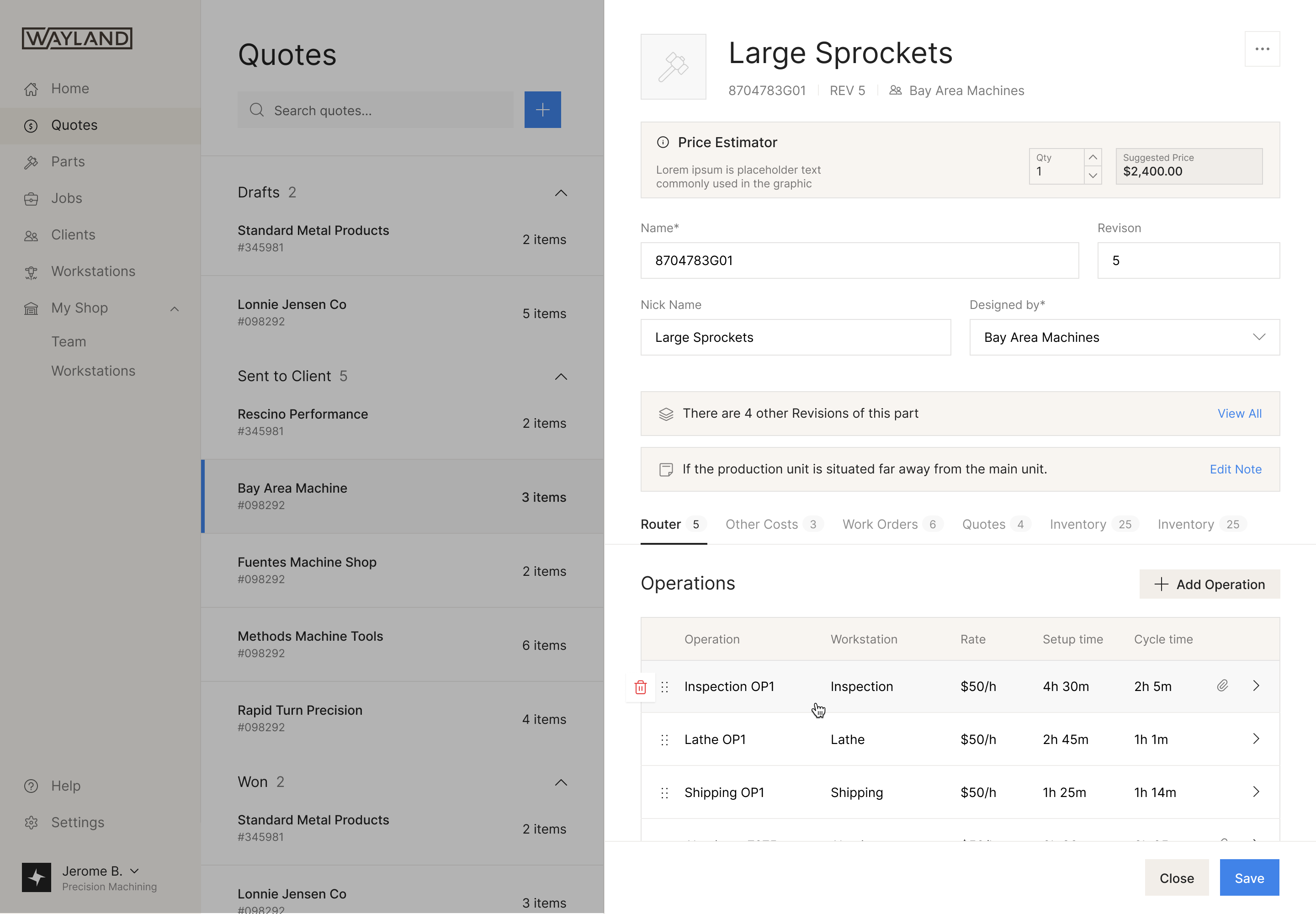
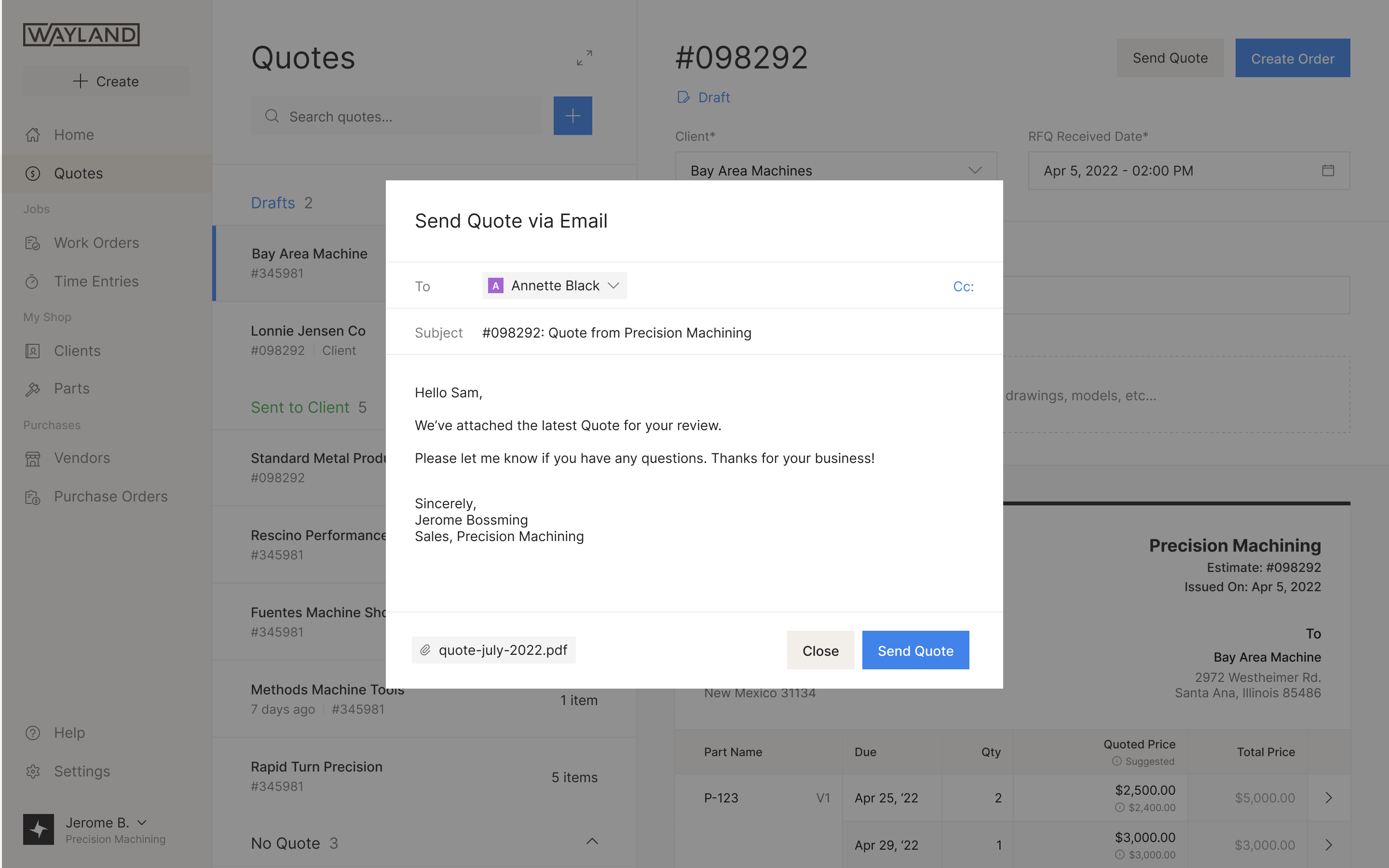
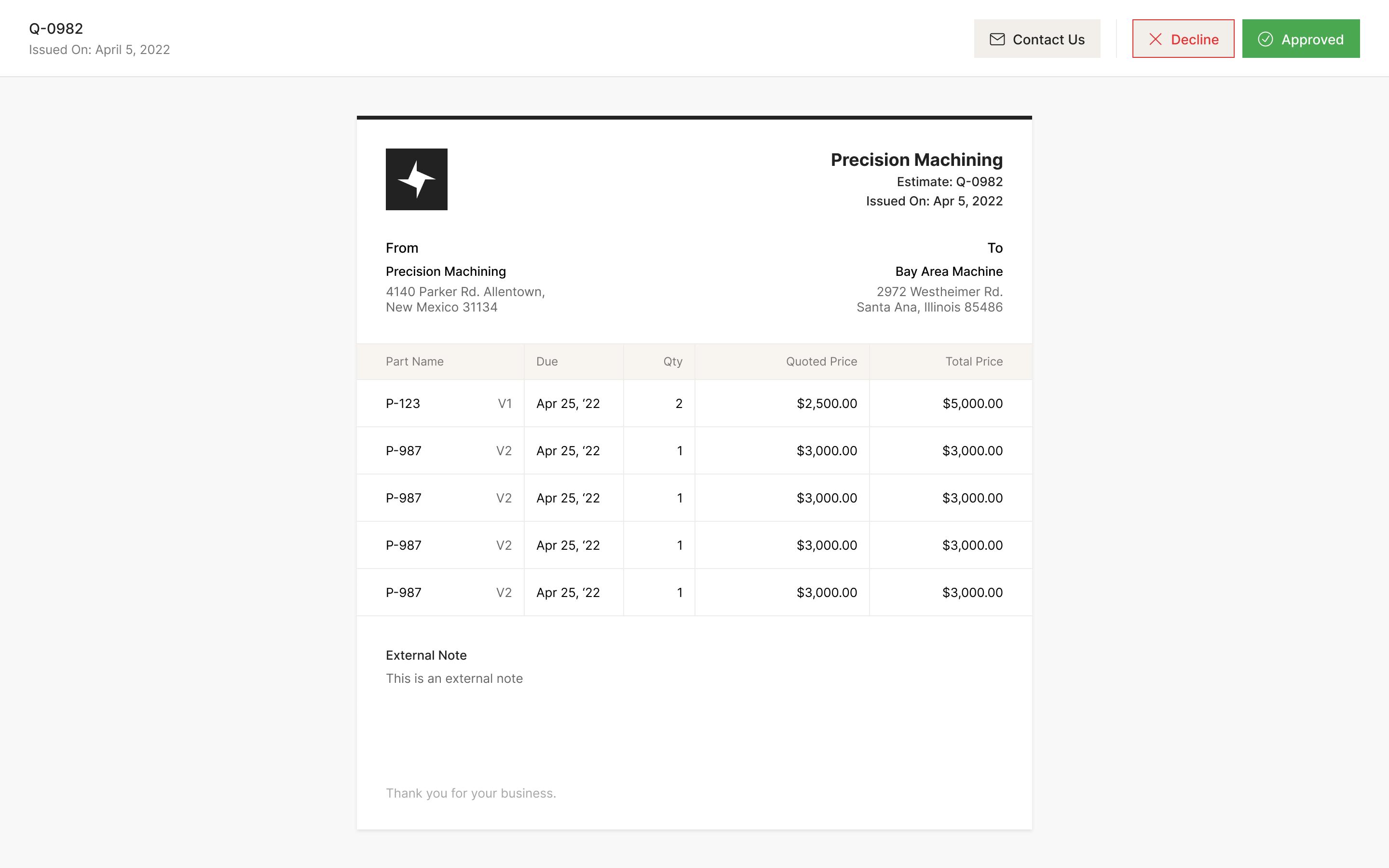
The customer receives a document with Approve and Decline actions. Following up that document required another distinction: delivery, opening and acceptance are separate events.
When Wayland added email-open tracking, Adam didn't want fourteen identical entries because a customer kept returning to a quote. I suggested showing the first open only. That would have hidden useful follow-up information, though: repeated interest in an unanswered quote still matters to the shop. We kept the first open in the feed and rolled subsequent opens into a count.
the first open gets an event; later opens get a count
Suggested material isn't ordered material
Once work orders exist, Wayland knows what material is missing. Automatically filling those quantities into an order would be convenient until someone working down the table bought material they meant to leave alone.
We left the order quantity empty and placed a clickable suggestion next to it. An operator could accept the suggested quantity without typing it again, while leaving the other materials unselected.
the system suggests a quantity; a person commits to buying it
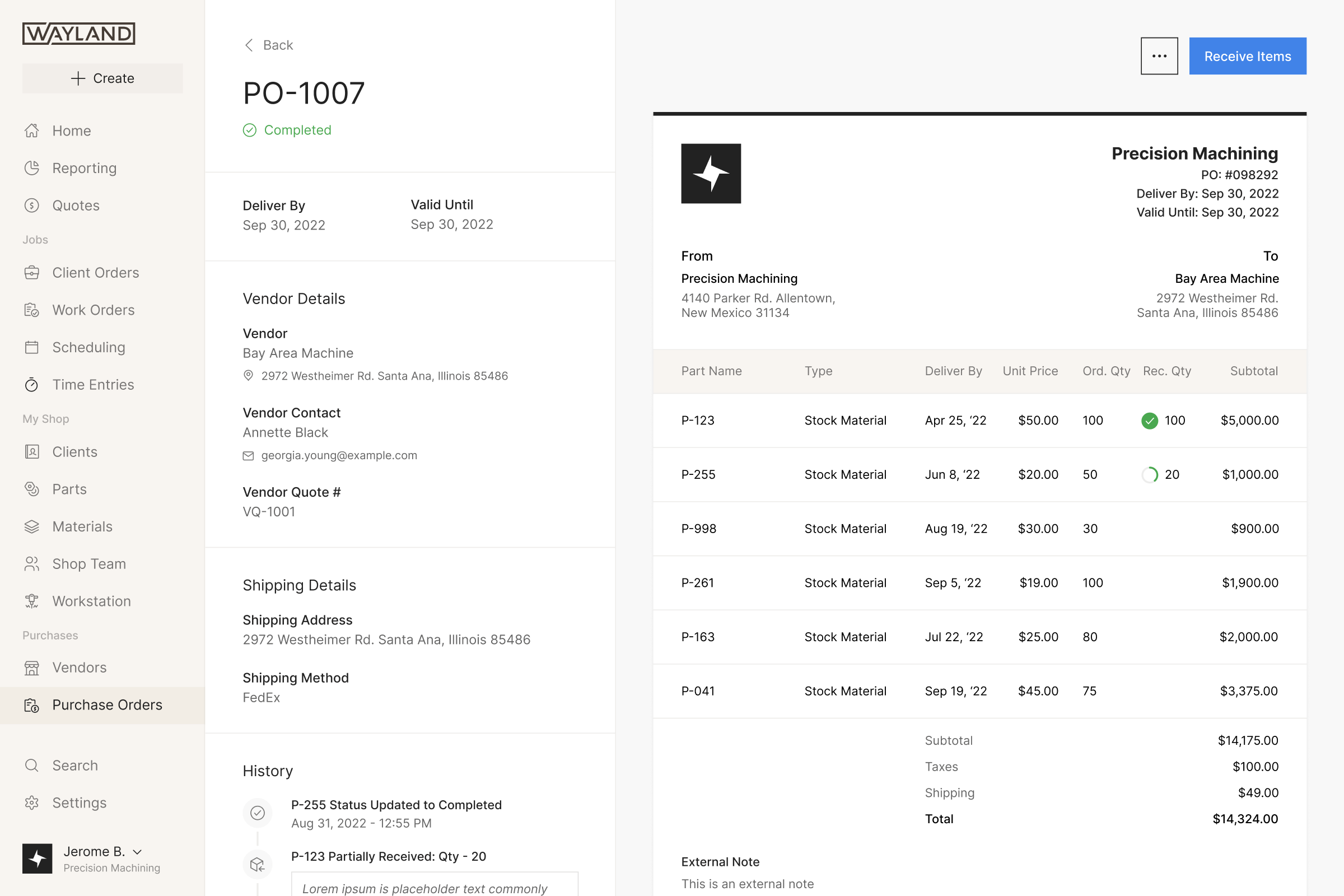
Receiving has to be recorded just as carefully as ordering. A vendor purchase order holds the ordered quantity and the amount received against each line, so partial delivery can be understood without treating the whole order as either present or missing.
We later designed requests for vendor quotes. Addison told us a shop would typically approach three to five vendors. That was few enough to step through individually and personalise each email, rather than design a bulk-send interface.
One shared iPad, several operators
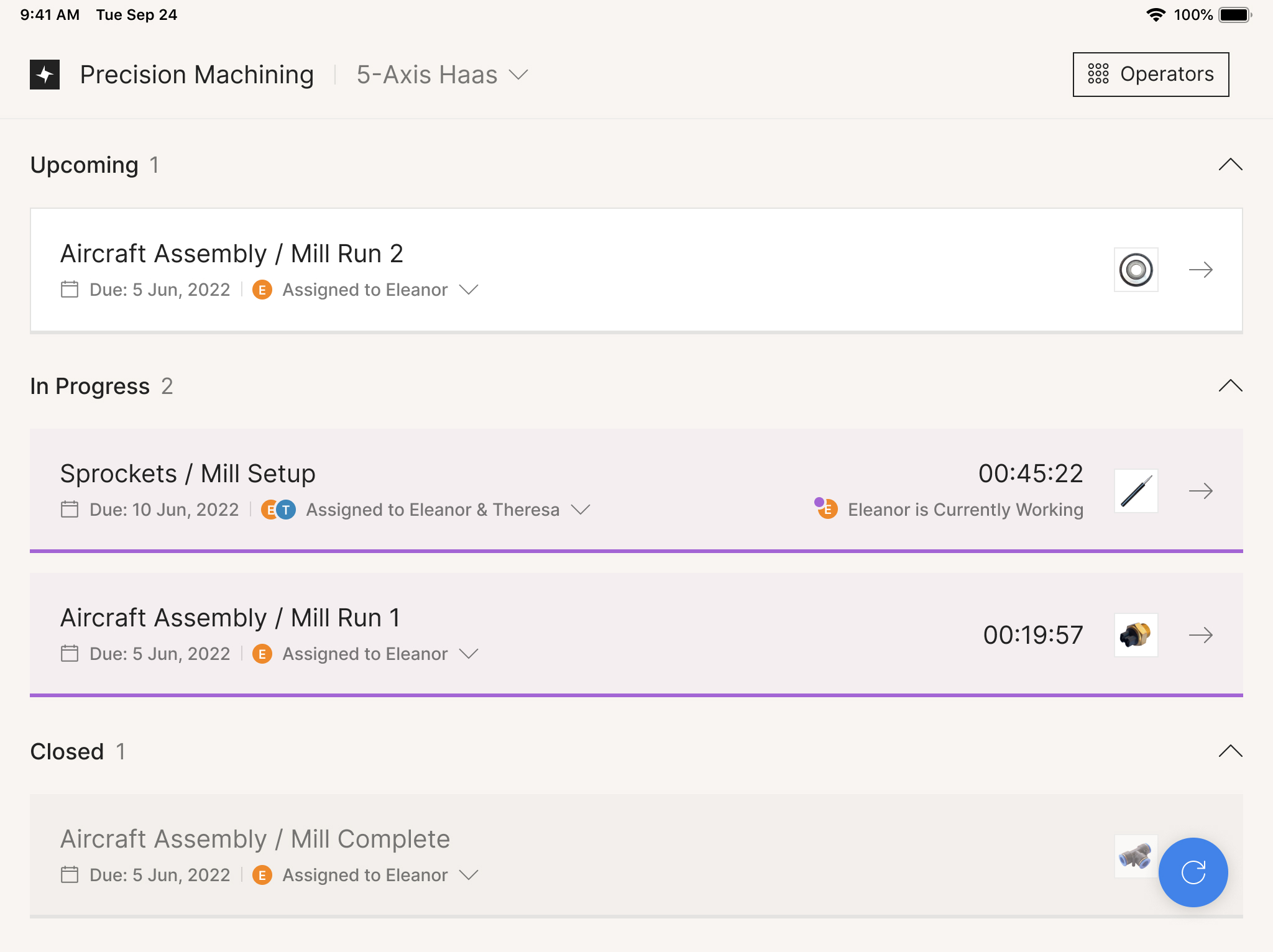
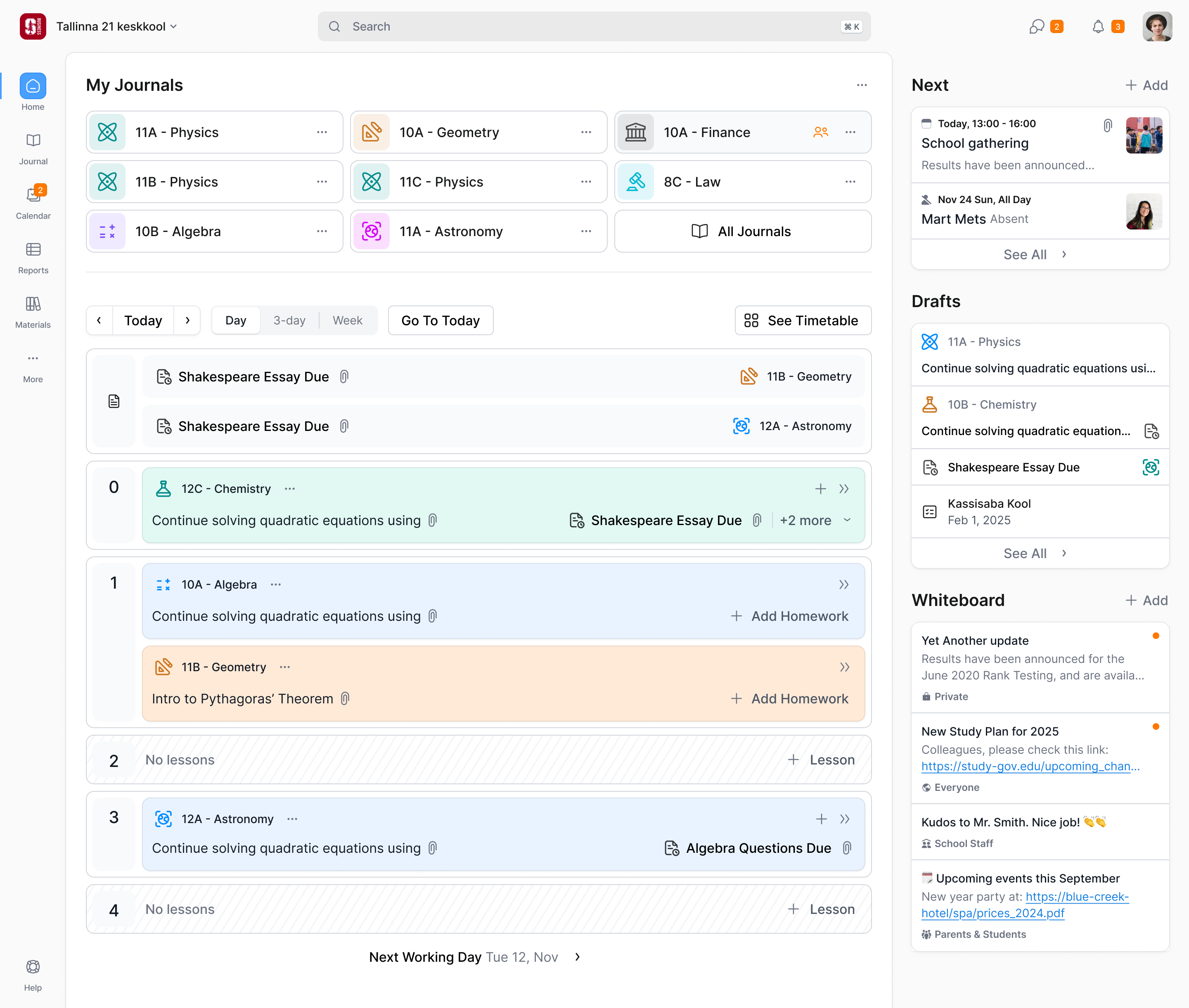
The shop-floor app is attached to the shop with a provisioning login. Operators identify themselves when they clock in or out, or log finished quantities. They don't have to make the shared tablet their personal device just to look at the work.
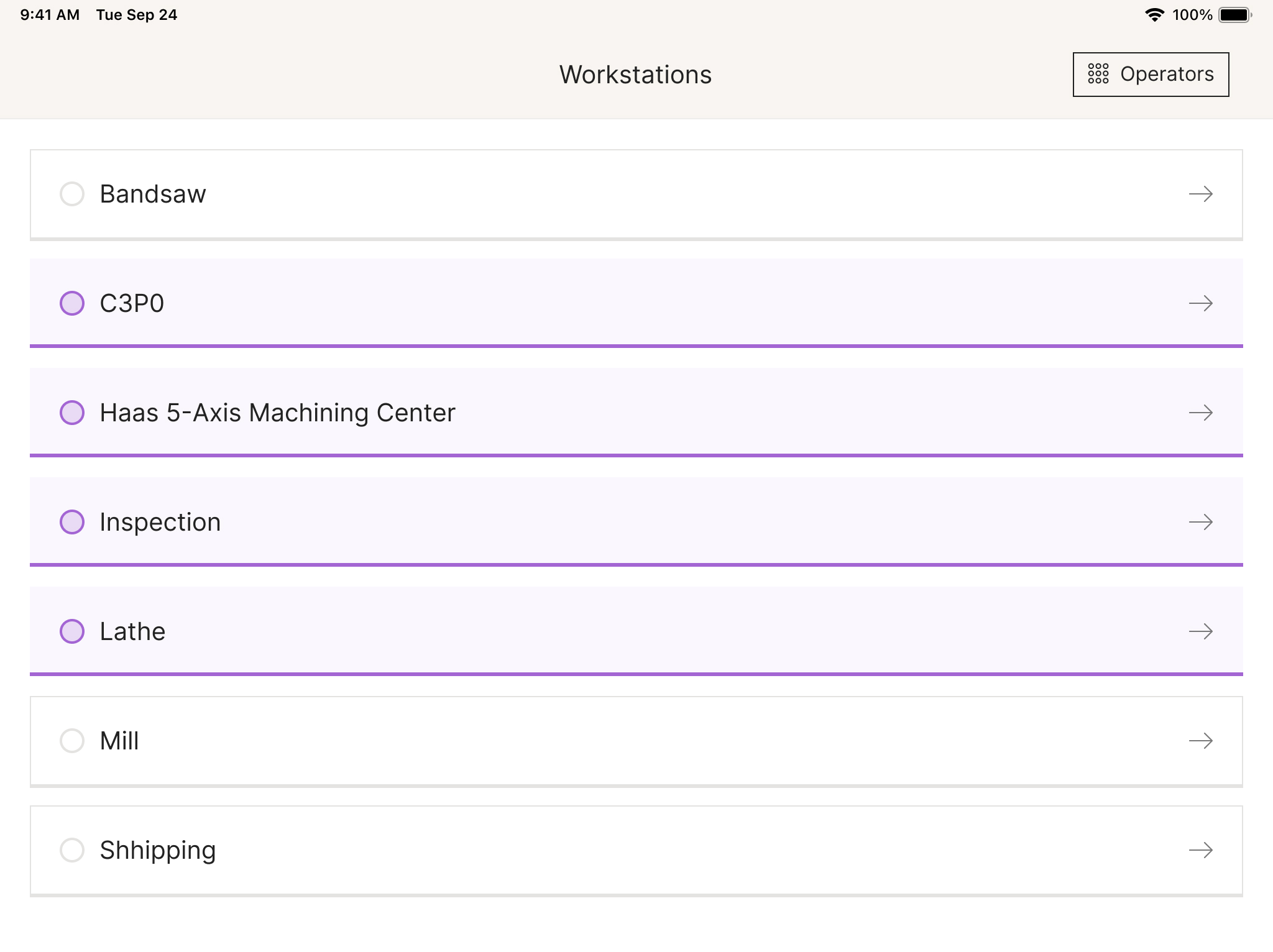
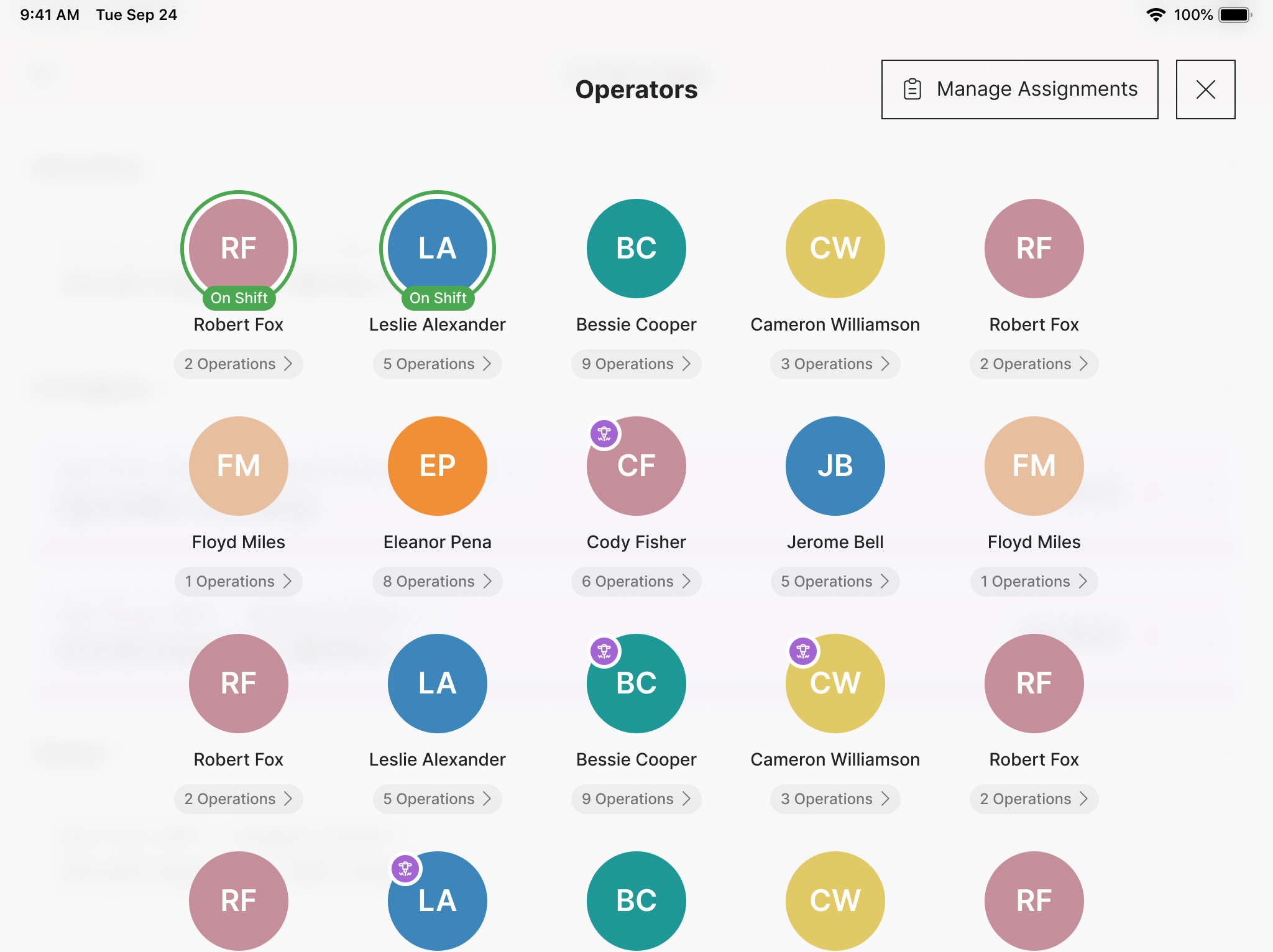
Addison pointed out that typing a search on the tablet was a poor fit. Machines are chosen from a list, and operators from a grid of names and avatars. Both make selection possible without opening a keyboard.
The more difficult question was what the app should organise the work around. An operation can span several people's time. Organising everything around the operation became awkward when two operators worked on it, so I proposed sessions: one operator's period of work on one operation.
A session gives the operator their own timer and quantities while preserving the operation's overall progress. Setup and run are separate stages, because a machine that hasn't finished setup isn't ready to make parts. The screen keeps that state visible alongside the work.
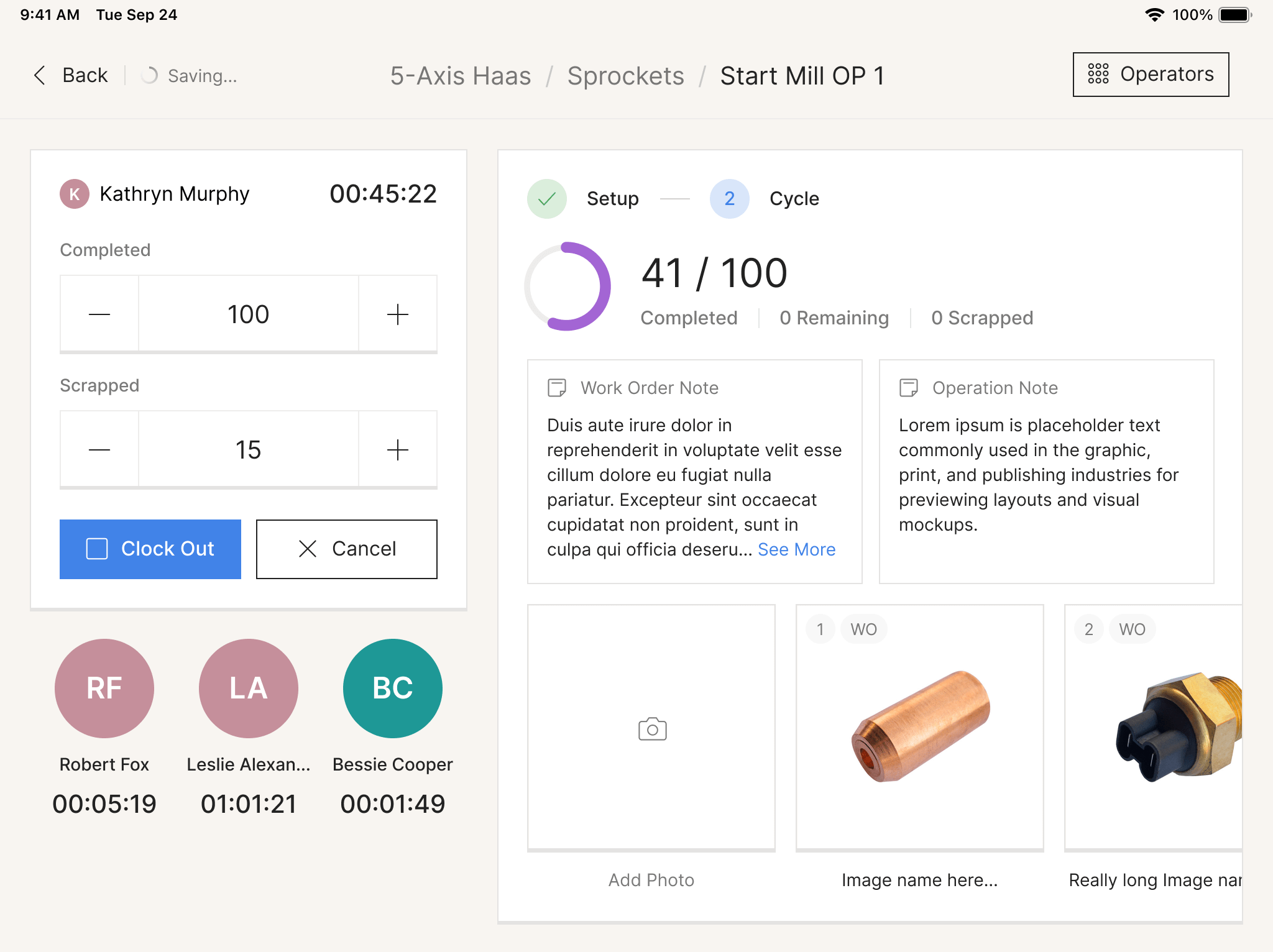
Harry pushed us to distinguish the count entered in this session from the total completed over every session. A person joining partway through needs to know how much work remains, not only what they've personally done. We gave the operation totals prominence alongside the timer and kept the operator's completed and scrapped inputs separate.
one person's session is only part of the operation
A timer running overnight needs attention
Operators forget to clock out. The office view needed to make those records repairable. Time entries show individual sessions against an operator's day, and a timer running for more than 24 hours is flagged. Managers can correct a session or add one that was never recorded.
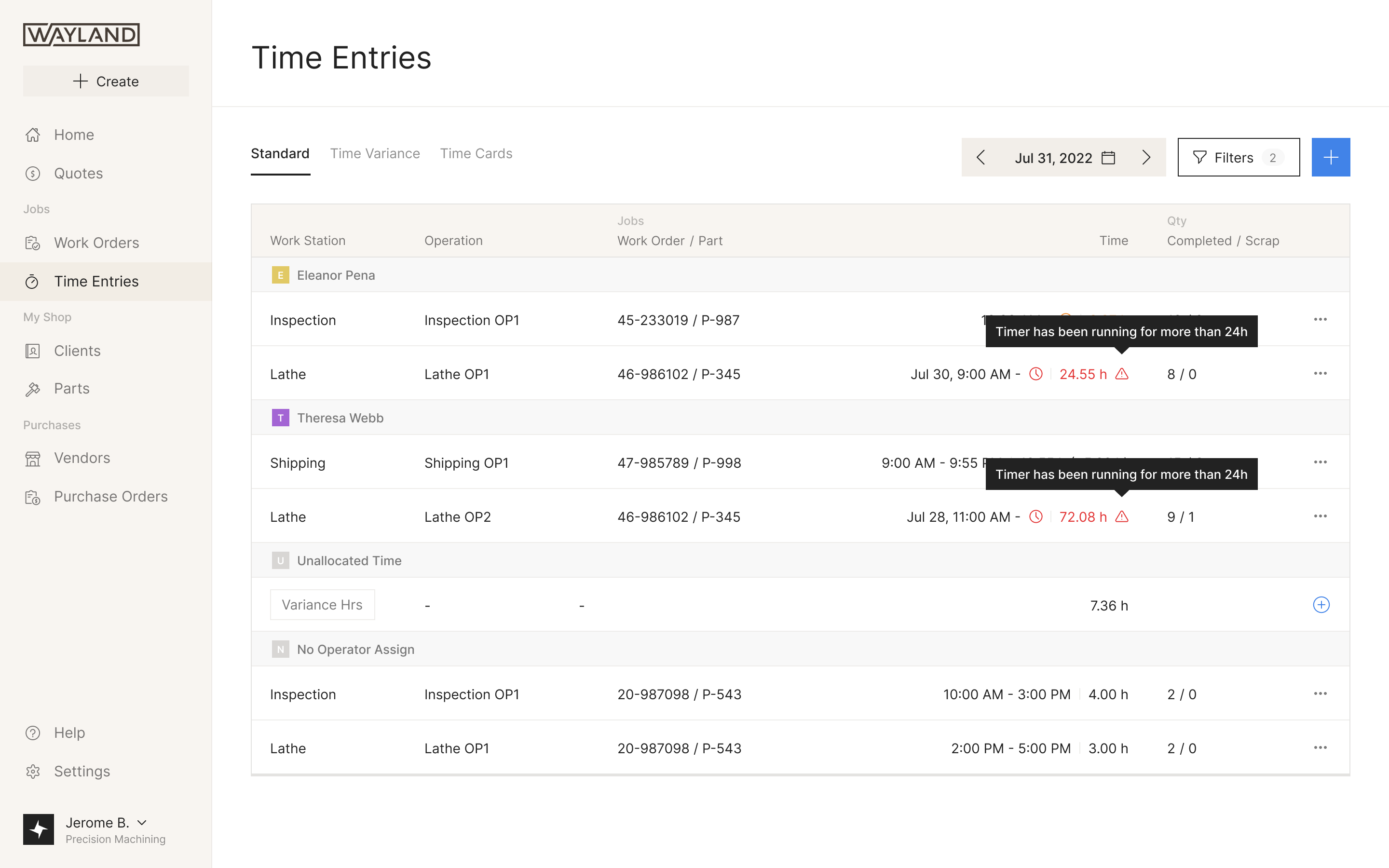
The chart and table also had to agree on what a click meant. Addison considered showing every session for an operation when one bar was selected. Harry pointed out that the manager might be investigating a single unusually long session or a batch of scrapped parts. Selecting one session therefore isolates that entry, making the chart a way into a specific problem.
Ship the quantity, then produce the paperwork
Our first packing-slip flow started directly from the order. David's feedback sent us back to the model: a shipment is the event, and the packing slip is a document it produces. An order can have work still in progress while some parts have already left the shop.
We reworked the flow around creating the shipment first. Harry asked for shipped quantities to come before the paperwork because those numbers feed both the packing slip and the certificate of conformance. Entering them once keeps the two documents tied to the same shipment.
Quantity shortcuts needed to work selectively here too. Prakash explored checkboxes with one Populate button below the table. I asked for per-row actions instead, because a shop might want the remaining quantity on some lines while leaving others unchanged.
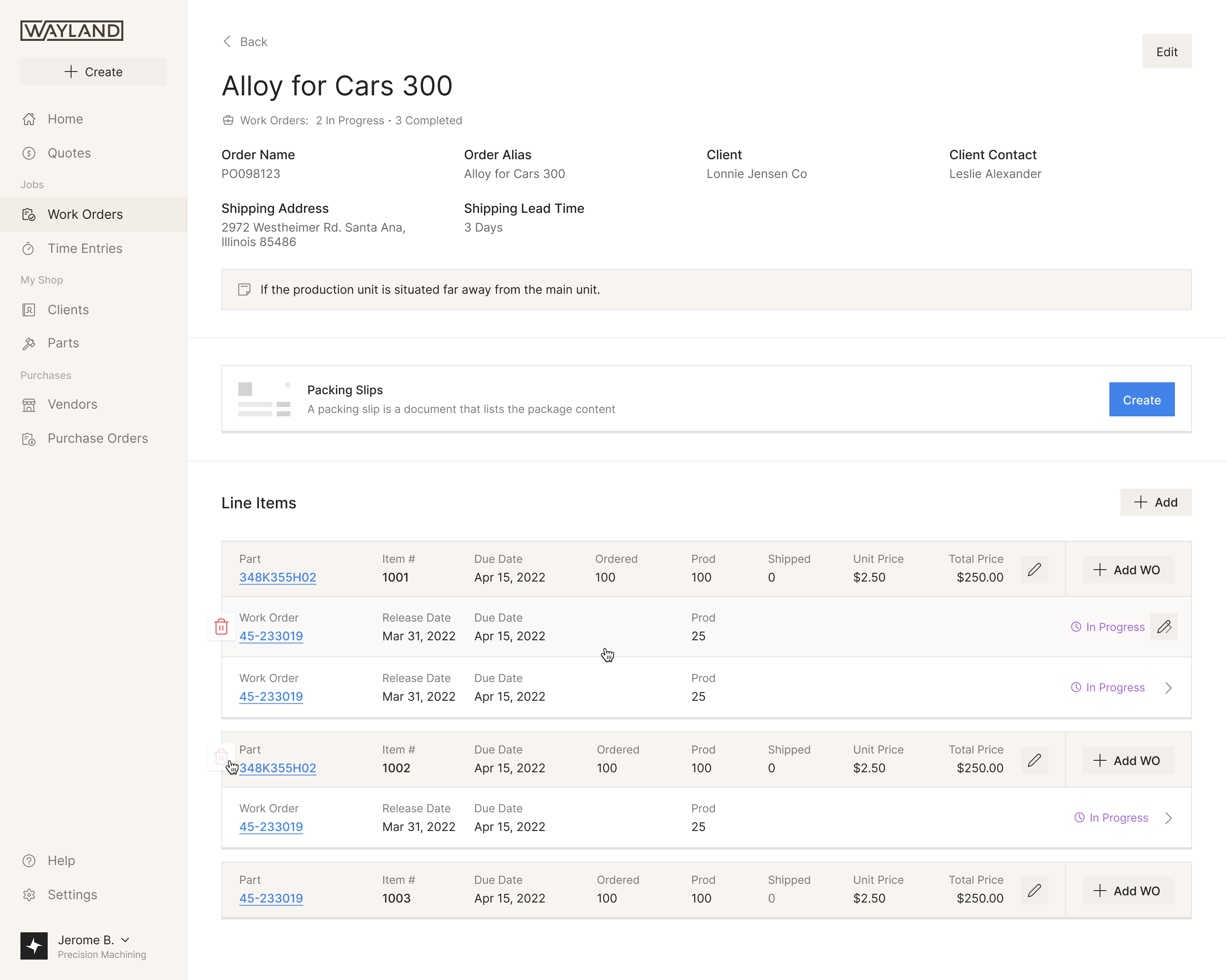
the shipment produces the packing slip and certificate
Colour follows the work through the shop
When Wayland introduced a new brand in 2023, we worked with David and Maha on how it should appear in the product. Each part of the workflow got a colour: green for clients, purple for work orders and the shop floor, yellow for purchasing, navy for parts and inventory, grey for reporting and settings.
The brand's main colour was red. We kept it out of the interface's everyday actions, where it would compete with errors and warnings. It stayed in the logo.
Our final work in January 2024 covered vendor quote requests. Later that year, Wayland was acquired by Fulcrum, which makes manufacturing software for smaller shops.

"A remarkably smooth and rewarding experience. They bring a wealth of knowledge to the table, offering insights from past projects that enhance the present one."
More from Wayland