.jpg)
Programa is software for interior designers. Every project ends in a list of every product that goes into it: each chair, tap and tile with its size, finish, quantity, supplier and price. Designers call it the schedule, and most of them kept it in Excel. Programa replaces the spreadsheet and connects the designer to the brands on it.
Traviss Orr and Claudio Oyarce founded Programa in Melbourne. Claudio had run the Denfair design trade show. We were their design partner from 2019. We designed the first version, which launched in July 2020 with Melbourne in lockdown, and after the $2m seed round in 2021 they asked us back for Programa 2.0. A lot of 2.0 was work we'd cut the first time round. We continued working with their team into 2022, including the schedule and invoicing flows. I worked with our designer Prakash and Programa's team, including Zoe Lowres, on those later flows.
A schedule is a spreadsheet three people need to read
Designers told Traviss they hadn't gone through years of university to spend their days on "Microsoft Excel, searching Google and chasing quotes". Claudio put a number on it: one project can mean hundreds of products from dozens of suppliers, every one typed in by hand.
What struck us was that every line of that spreadsheet is doing three jobs at once. For the designer it's a specification. For the client it's a price waiting for a yes. For the brand it's an order, if the brand ever hears about it. In Excel the designer sits in the middle and translates between the three by email, all day.
We designed around the schedule. Each product needed a stable place for its specification, with the client's approval and the supplier's quote attached to it. A designer could then work on the same item through selection, pricing and approval, instead of maintaining a separate list for each conversation.
Keep the specification and its cost connected
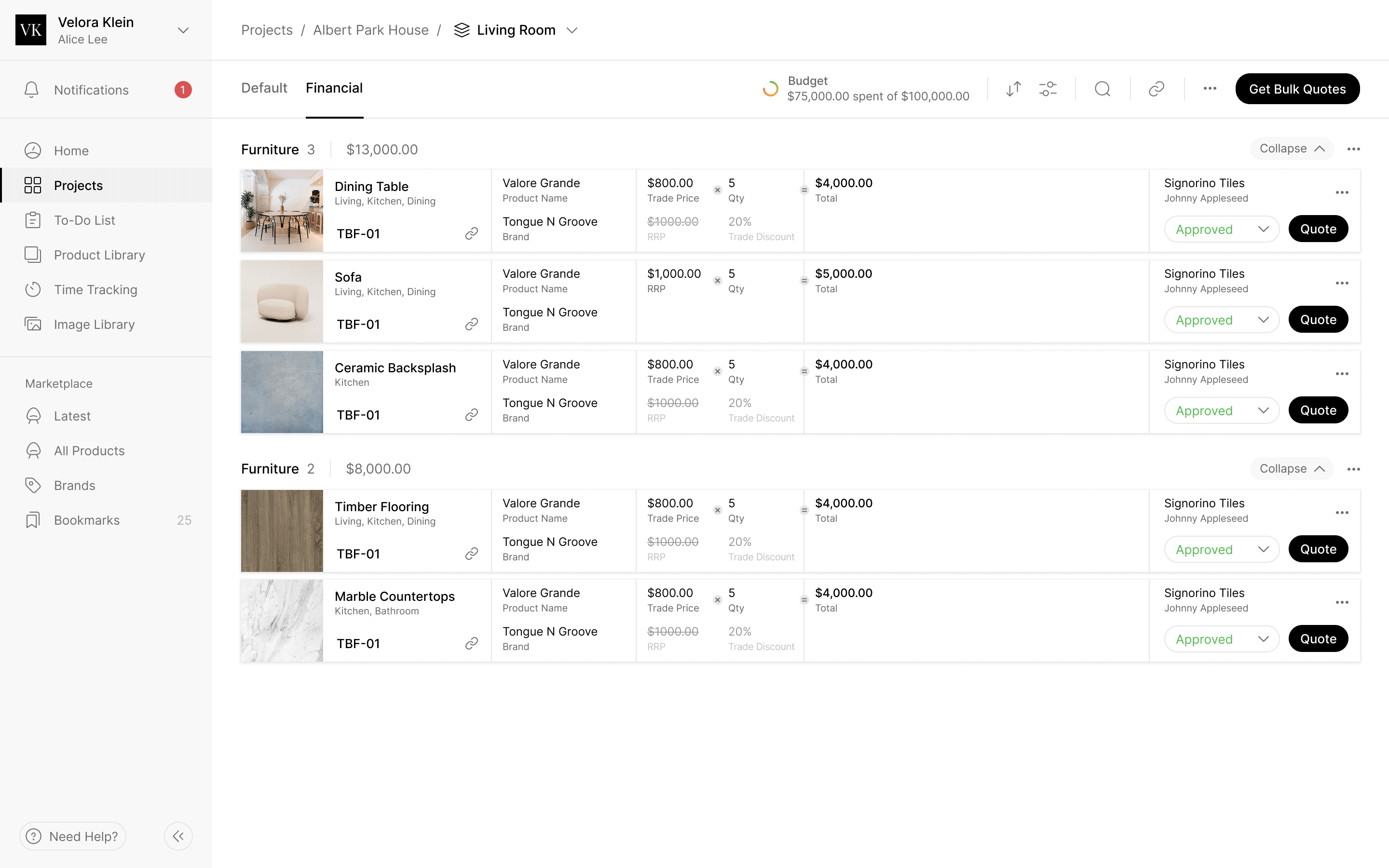
Each row carries the product's photo, dimensions, finish, lead time, supplier and whether the client has approved it. A designer can get quotes on one row or on the whole room.
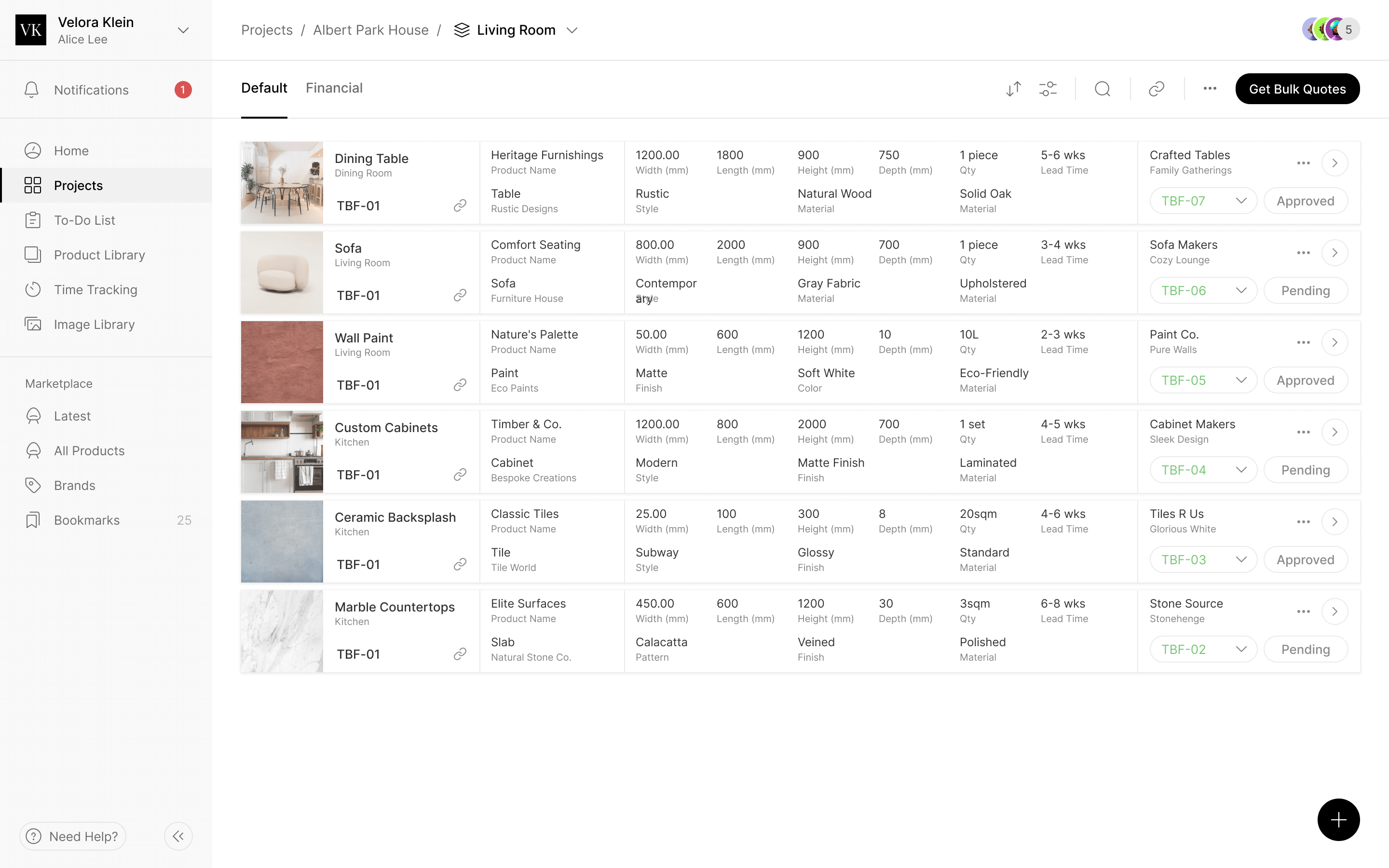
The default view gives the specification room: dimensions, materials, finish and lead time. Switch to the Financial view and the rows stay put, with trade price against retail, quantities beside totals, and the room against its budget. The person checking the cost is still looking at the products they selected.
A row still has more detail than the schedule should show at once. Open it and the full specification has room alongside the supplier's contact and a log of who changed what. Requests for samples and quotes start here, next to the product they refer to.
Give the supplier the specification, too
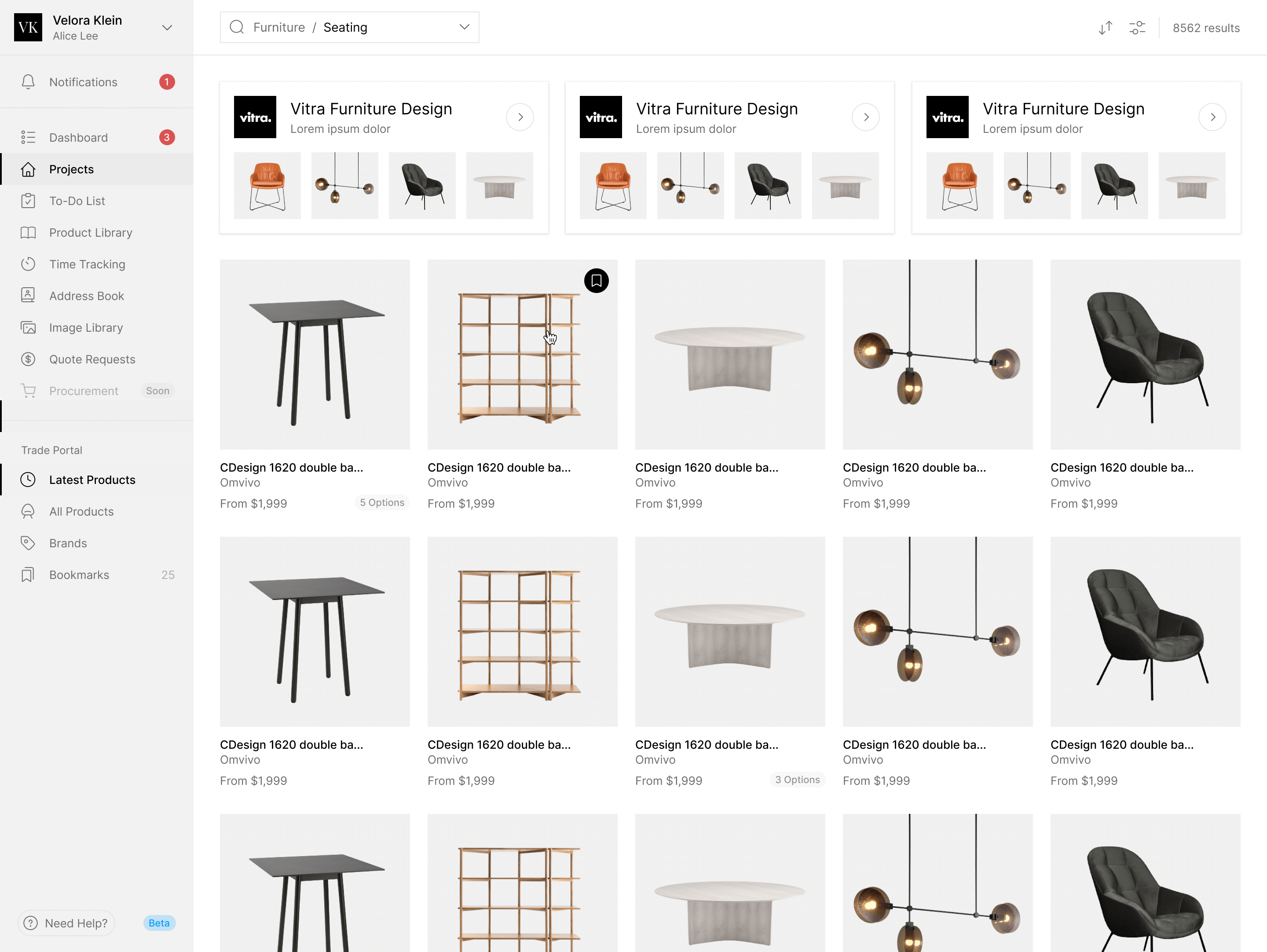
Programa's bet was the connection between designers and the brands they buy from. The designer's half is the marketplace, where a product goes straight from a brand's page onto a schedule.
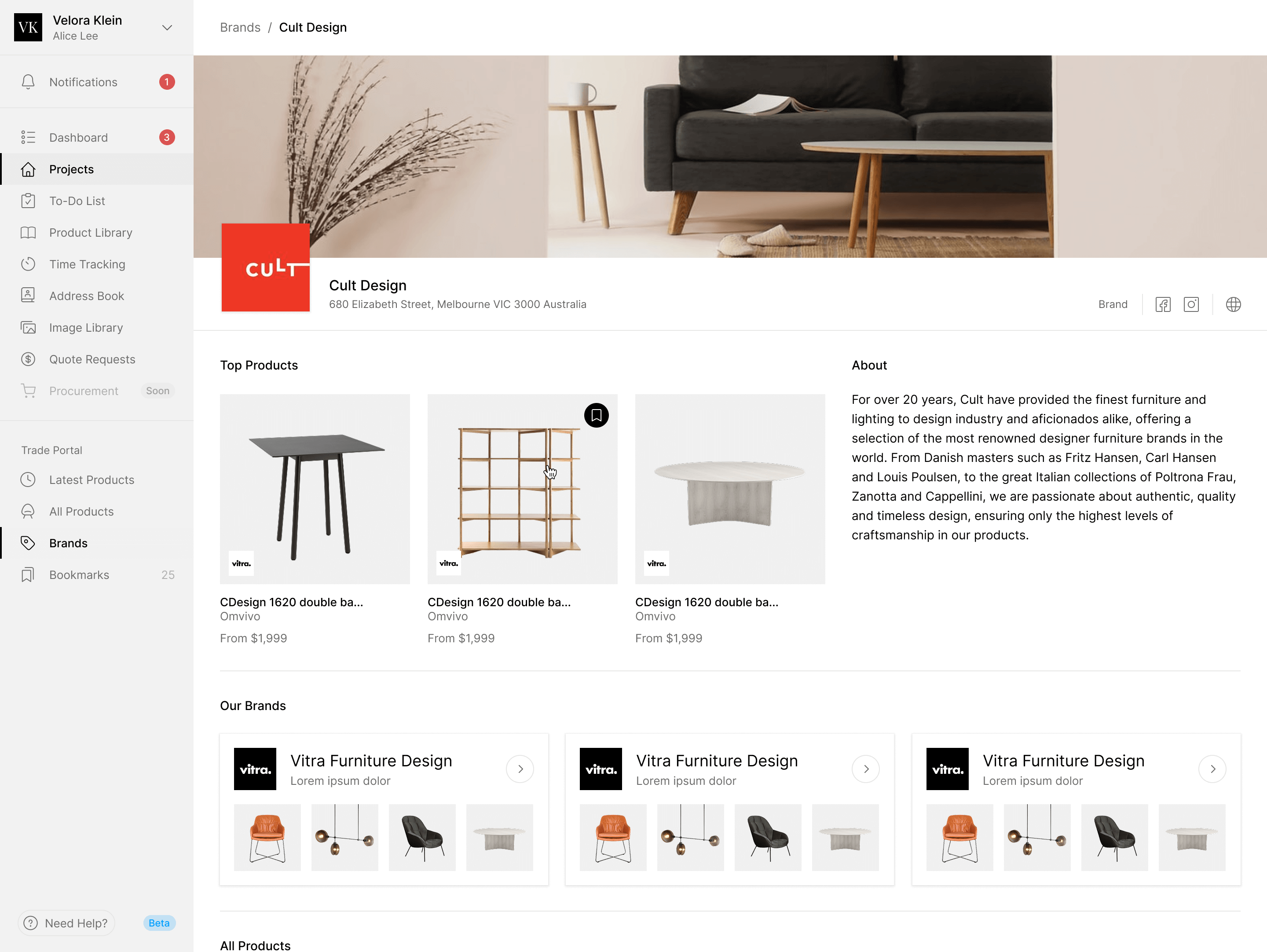
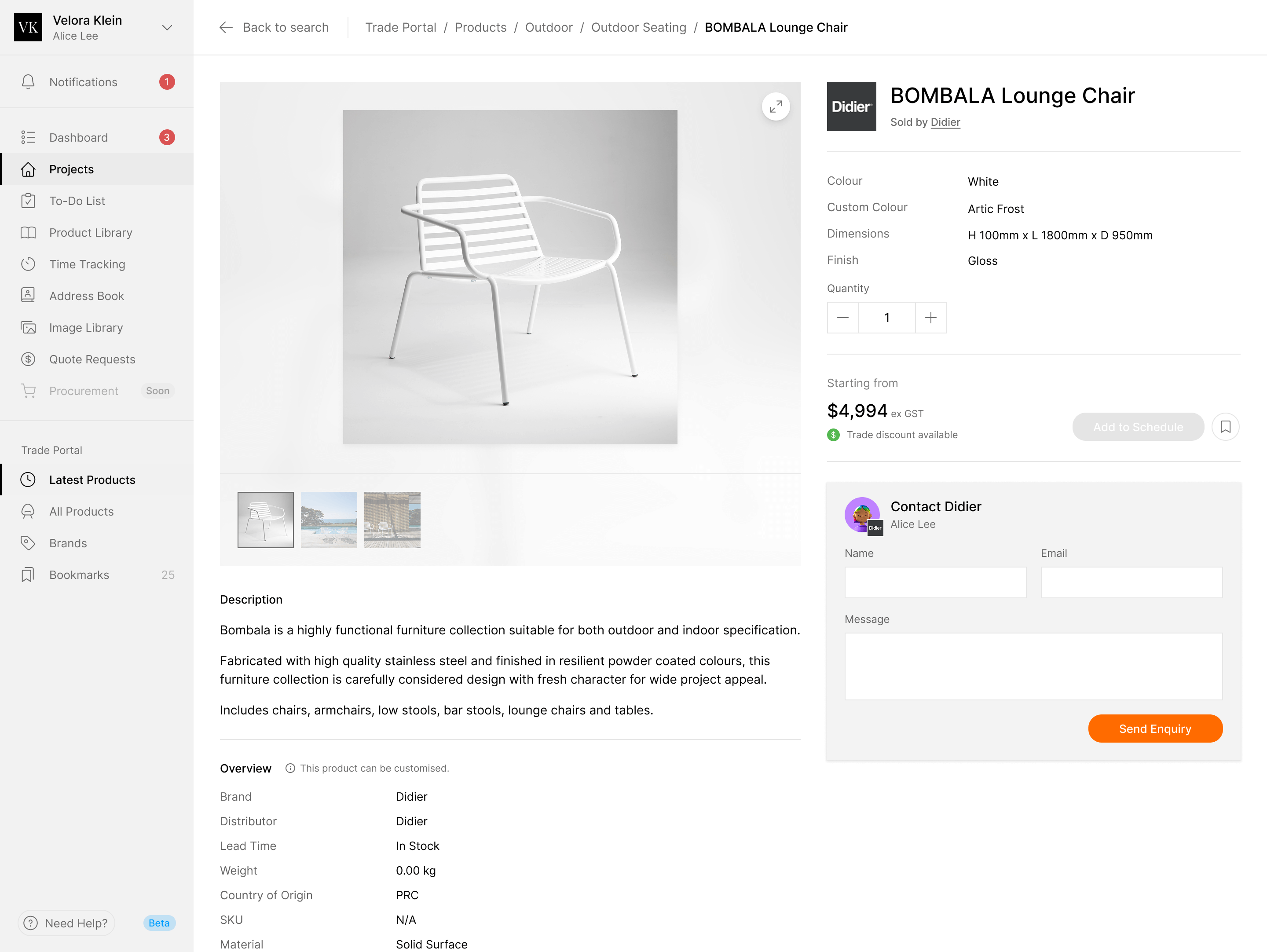
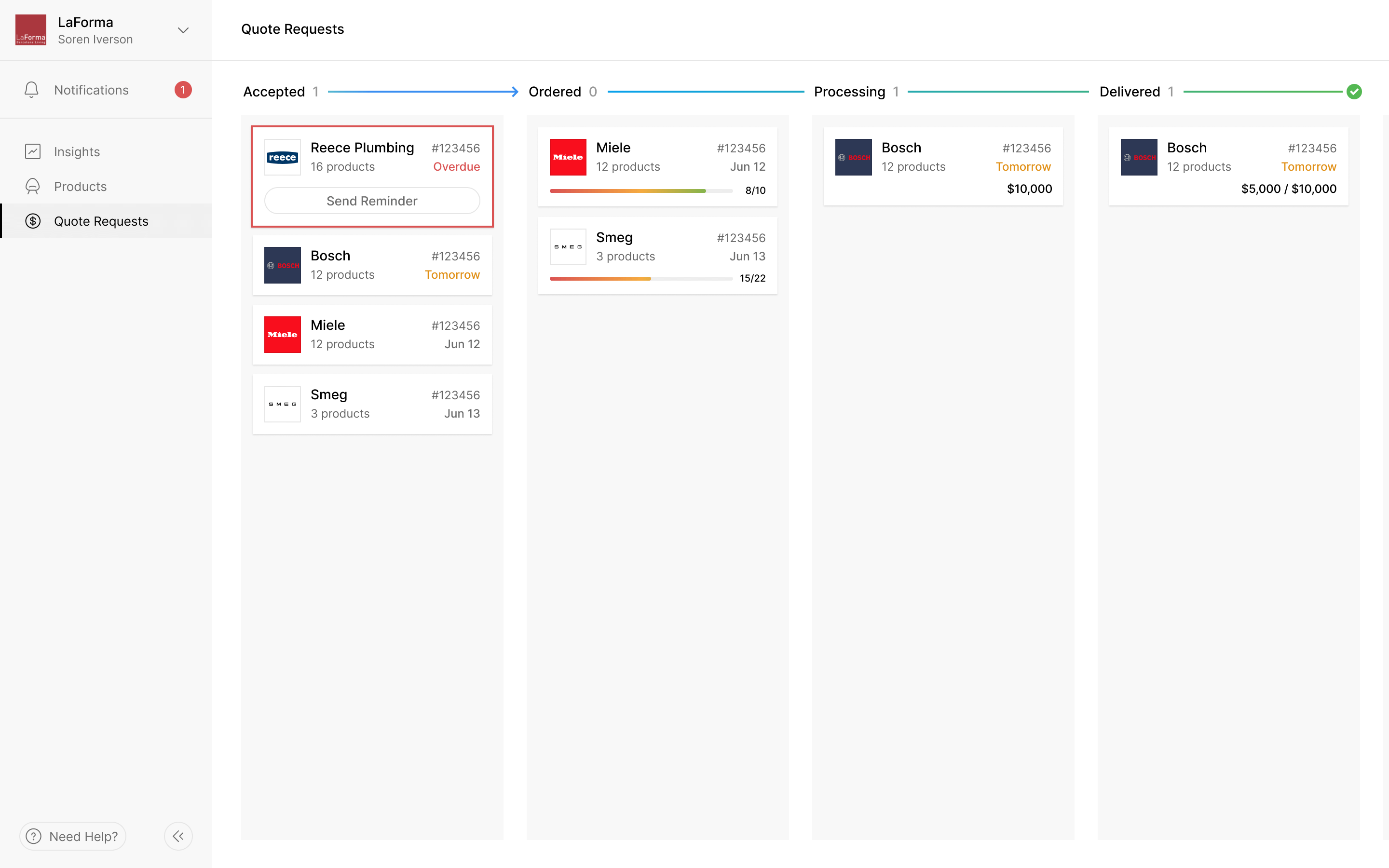
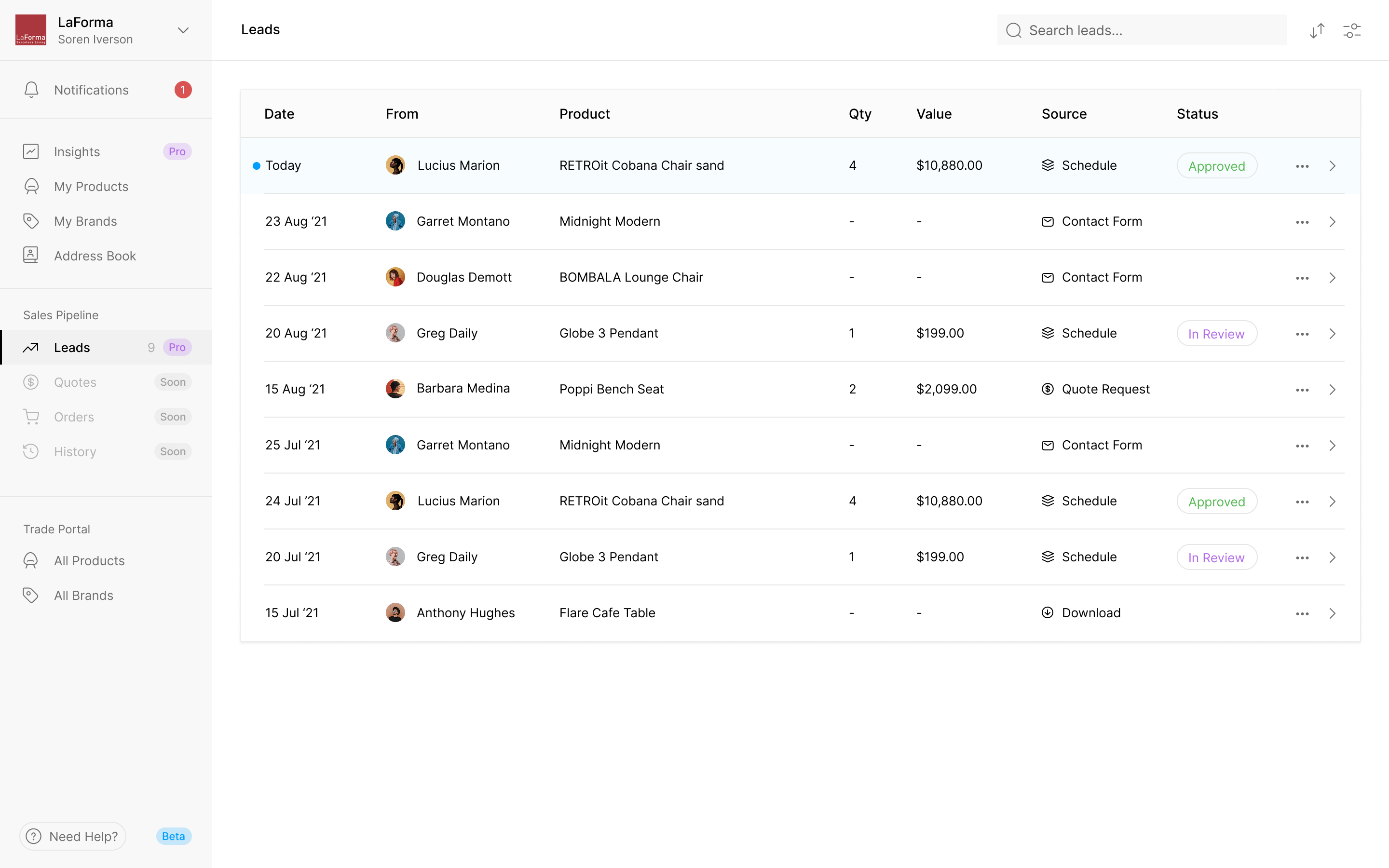
The brand's half is the portal, and it runs on the same rows. Every lead says where it came from: a quote request, a download, or a designer adding the product to a schedule. A quote request arrives with the exact products down to size, colour and finish. The brand can see what it has been asked to price, rather than having to reconstruct the specification from a separate conversation.
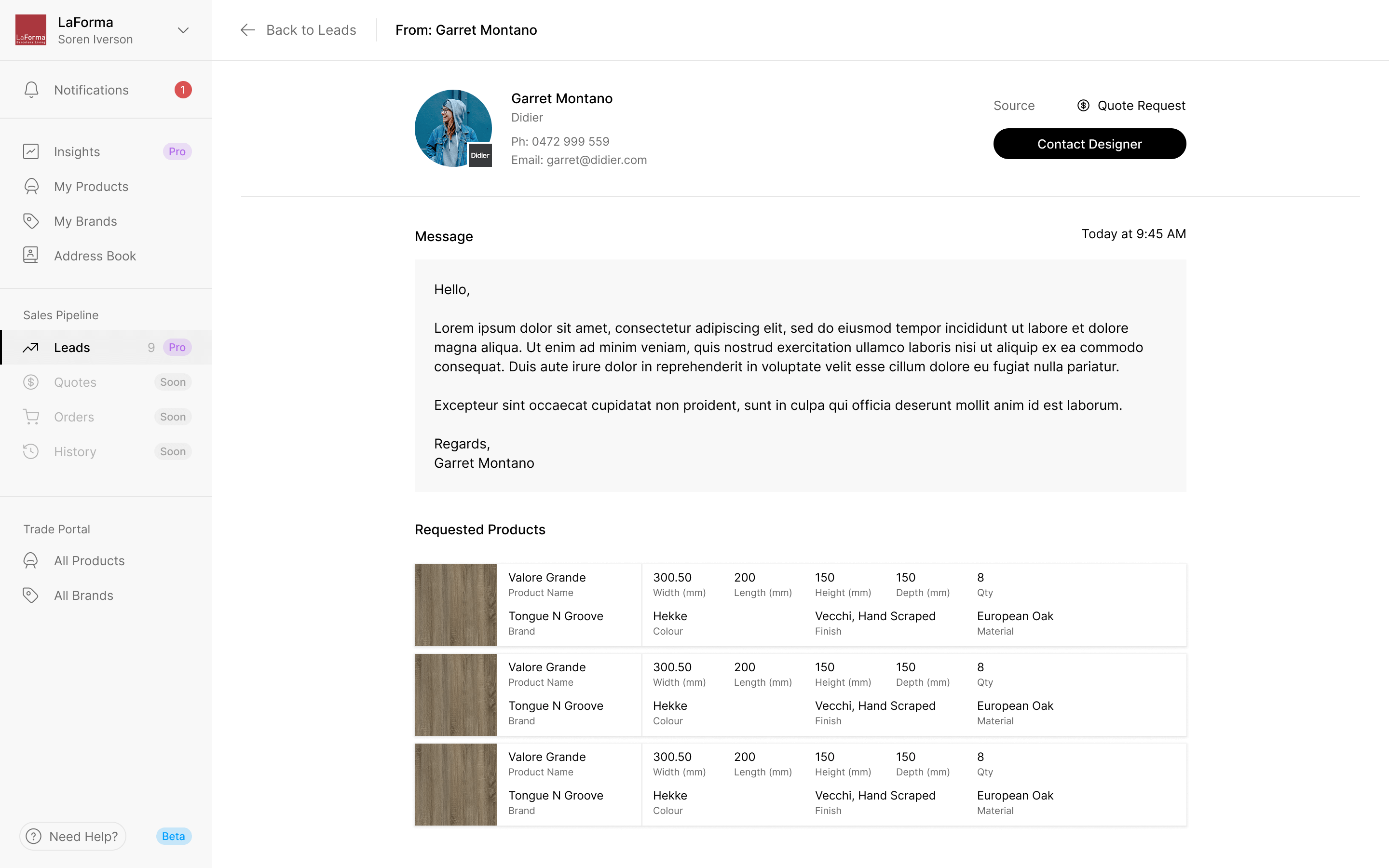
the request carries the product specification across to the supplier
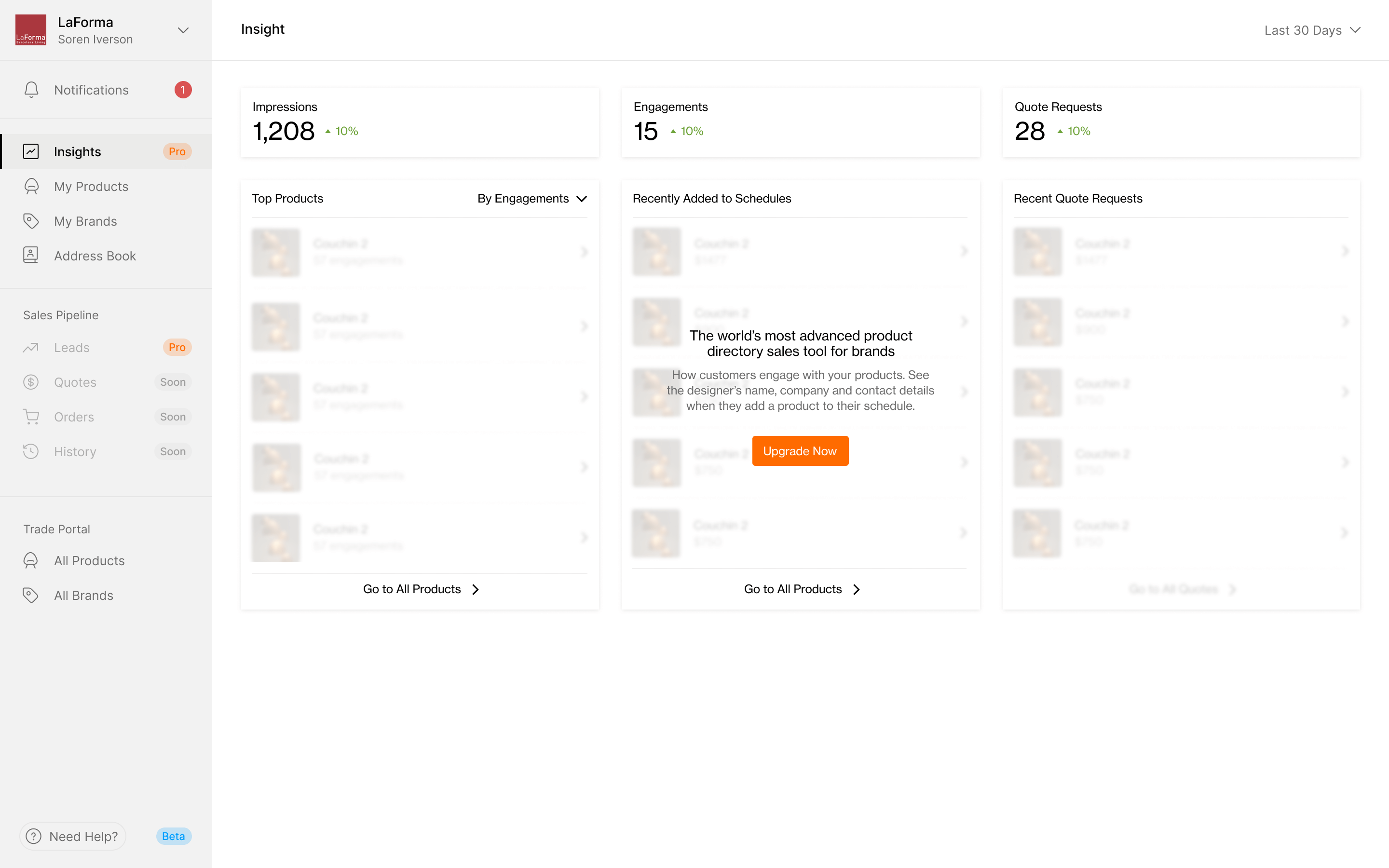
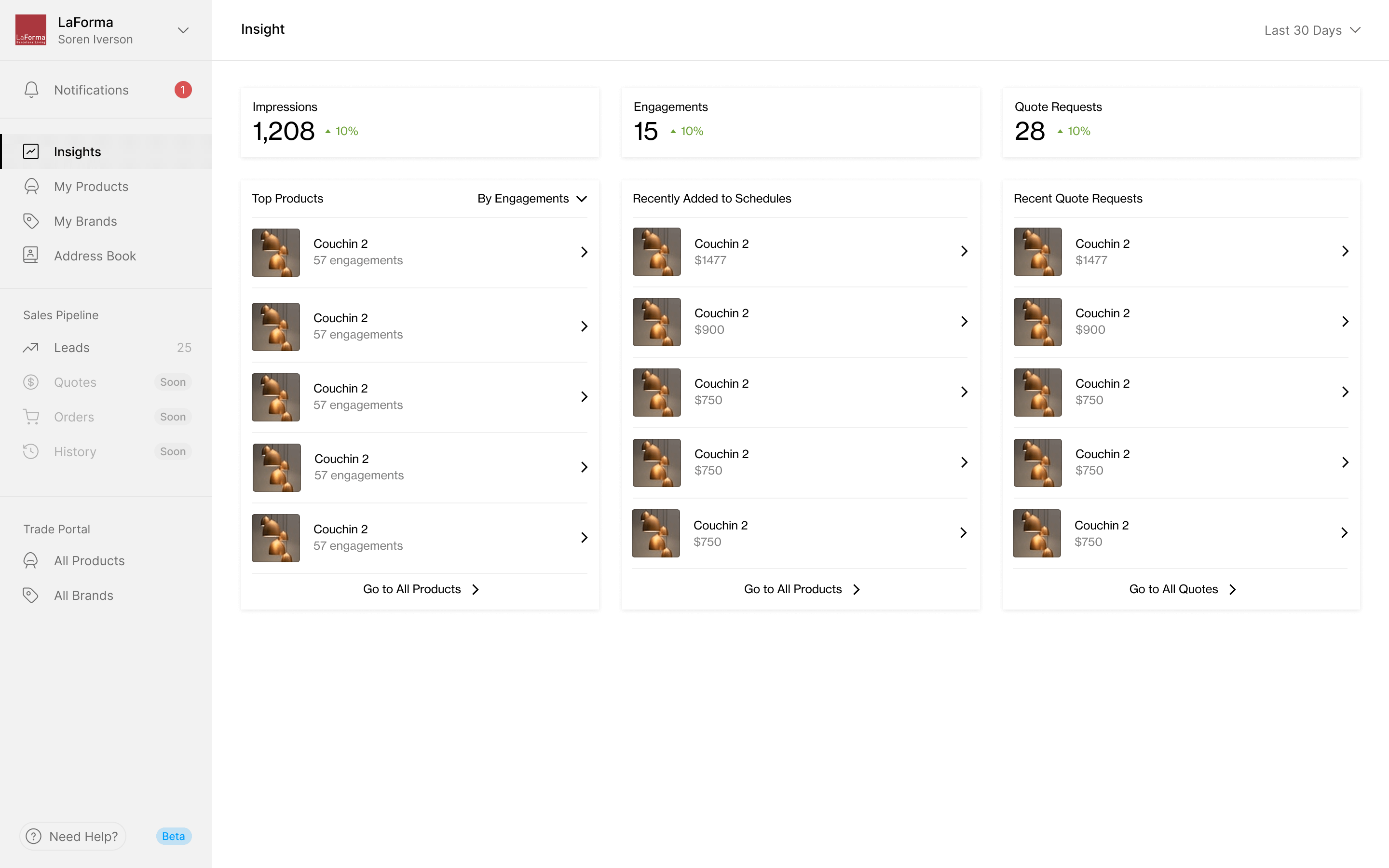
Insights tells a brand which of its products designers have been adding to schedules lately. The free tier shows the shape of those reports but blurs the lists behind an upgrade prompt. The paid view reveals the product activity and quote requests.
Enter a product once, with every variant
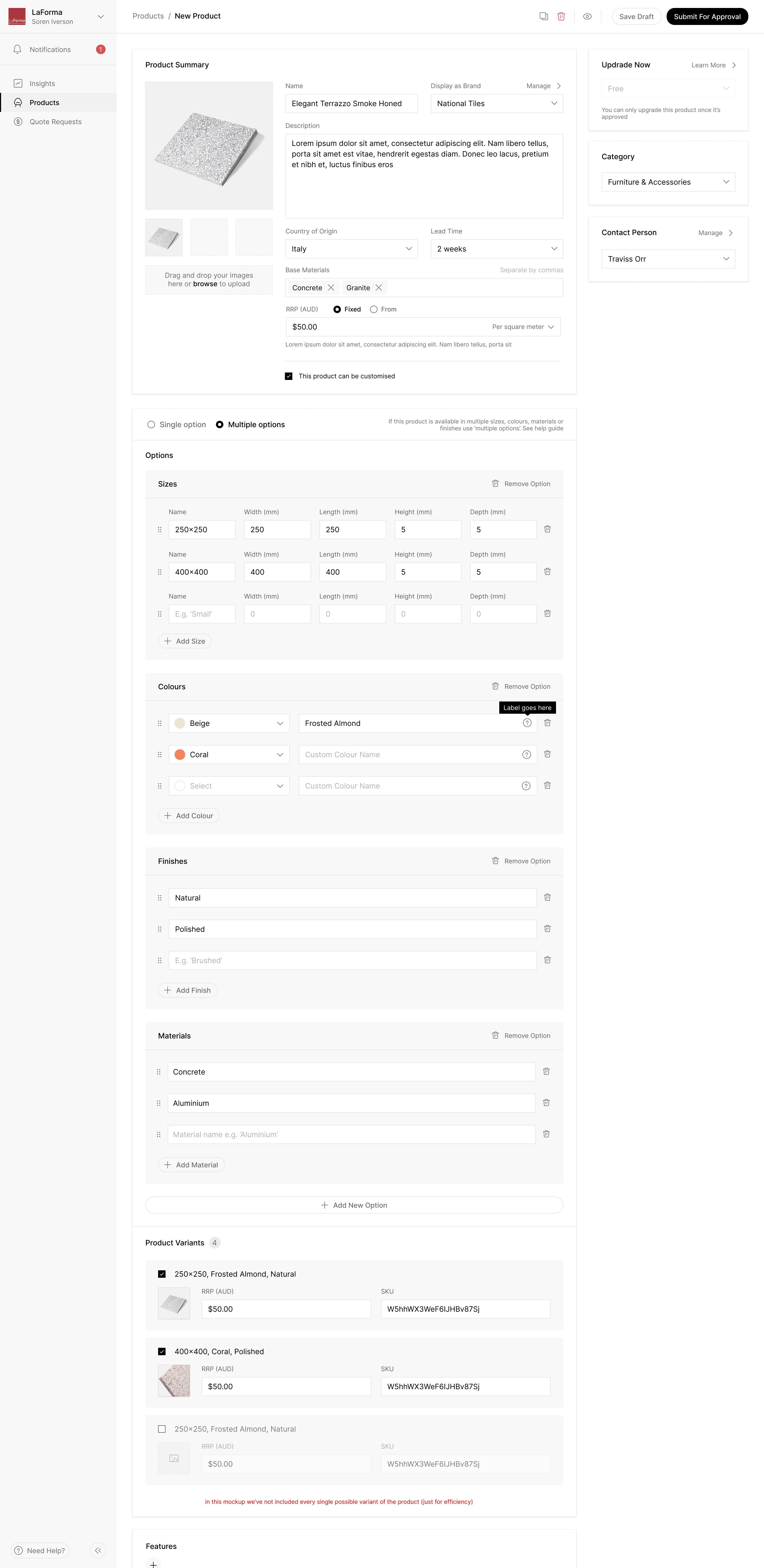
A product name alone isn't enough to order furniture. The same chair can have several sizes, colours and finishes, and each combination may need its own price and stock code. Asking a brand to re-enter the whole product for every combination would repeat most of the form.
We separated the shared product information from its options. The brand enters the sizes, colours, finishes and materials once. Programa generates the combinations with their price and SKU fields, and the brand unticks the ones it doesn't make. The specification can be precise without requiring a separate product page for every variant.
Put follow-up beside the quote
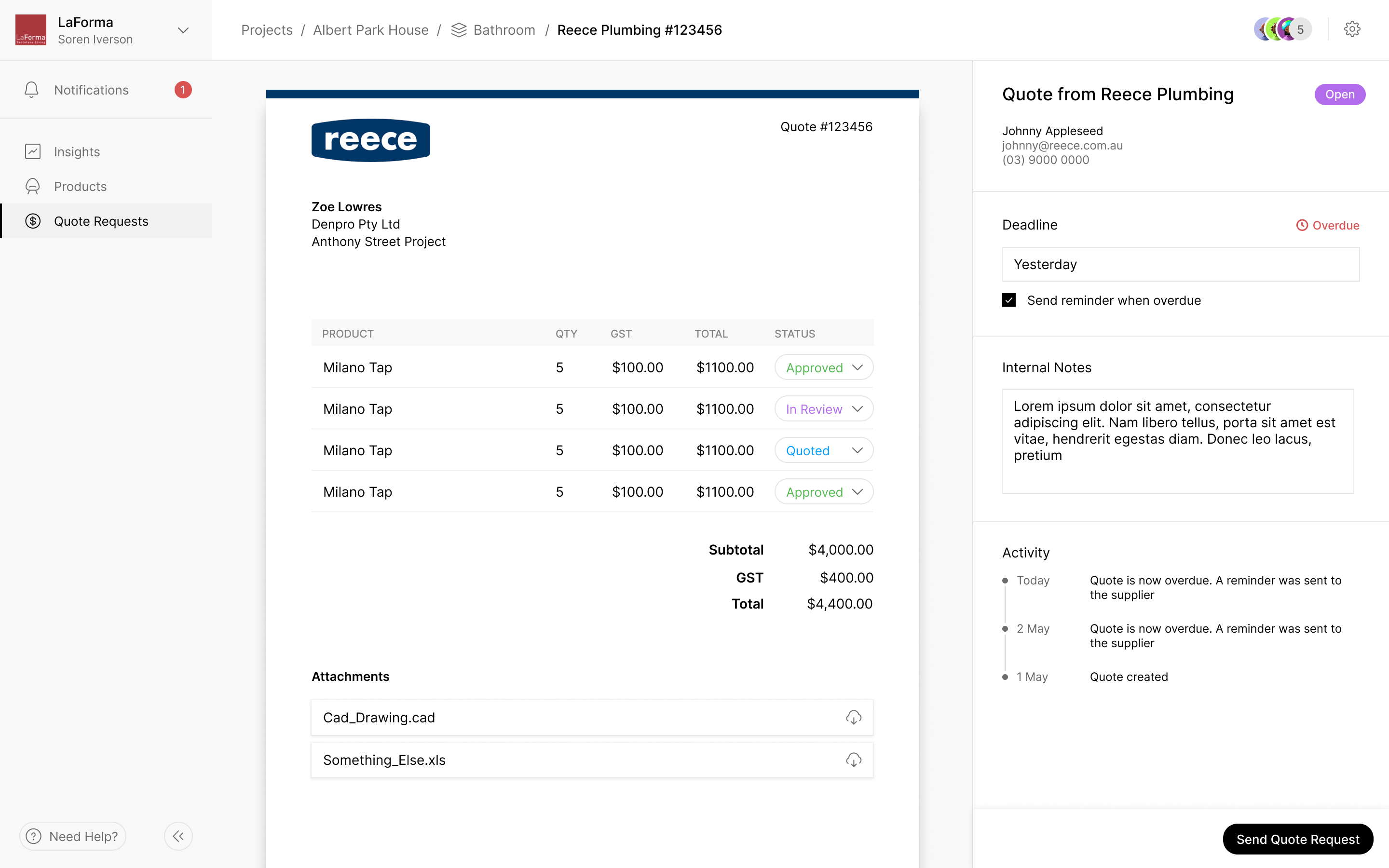
A quote request needs follow-up as well as an initial message. We kept its deadline beside the quote and put the reminder setting directly beneath it. The same panel holds internal notes and the activity log, so someone returning to a request can see what happened and whether it still needs attention.
Separate the project from the studio's workload
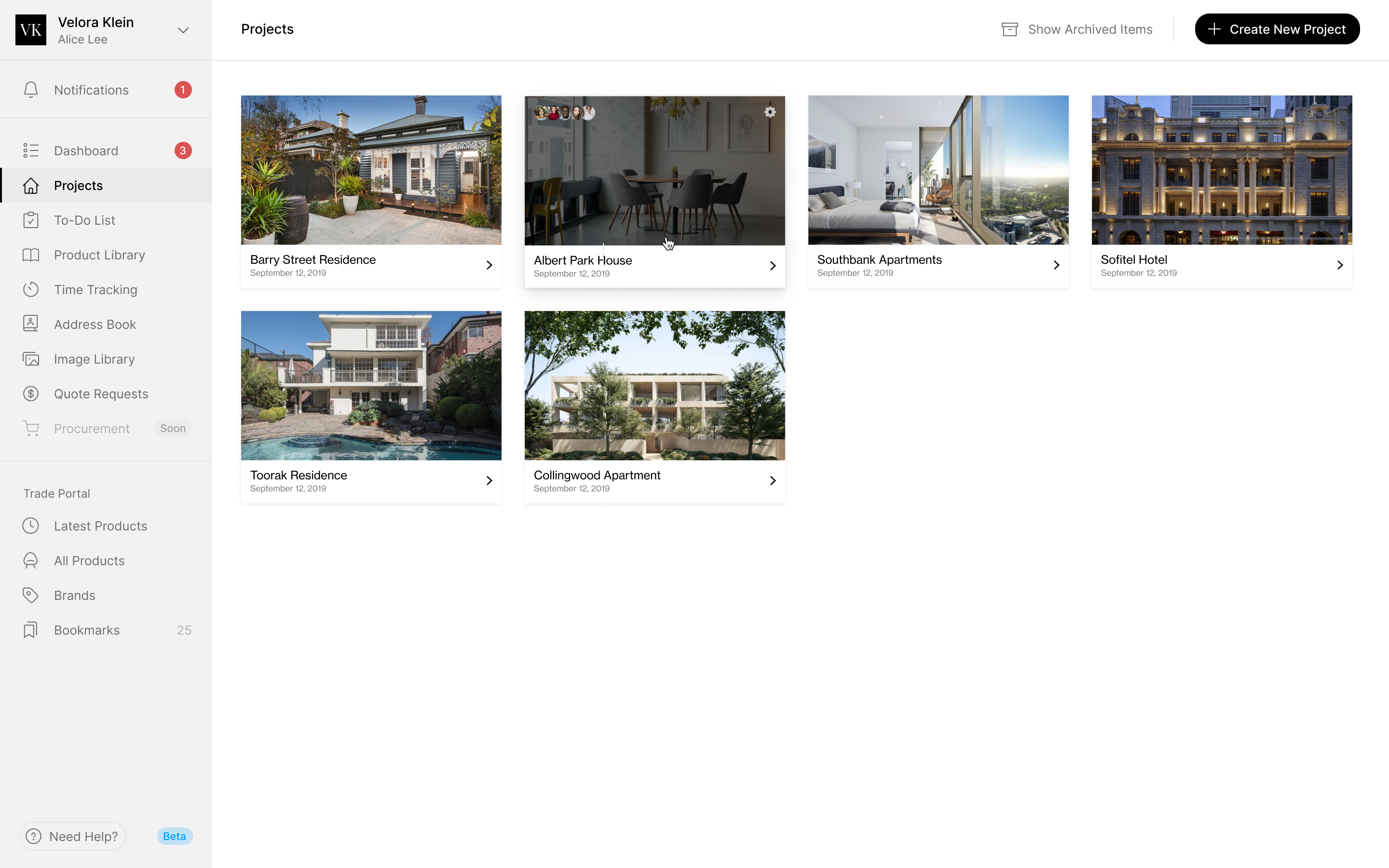
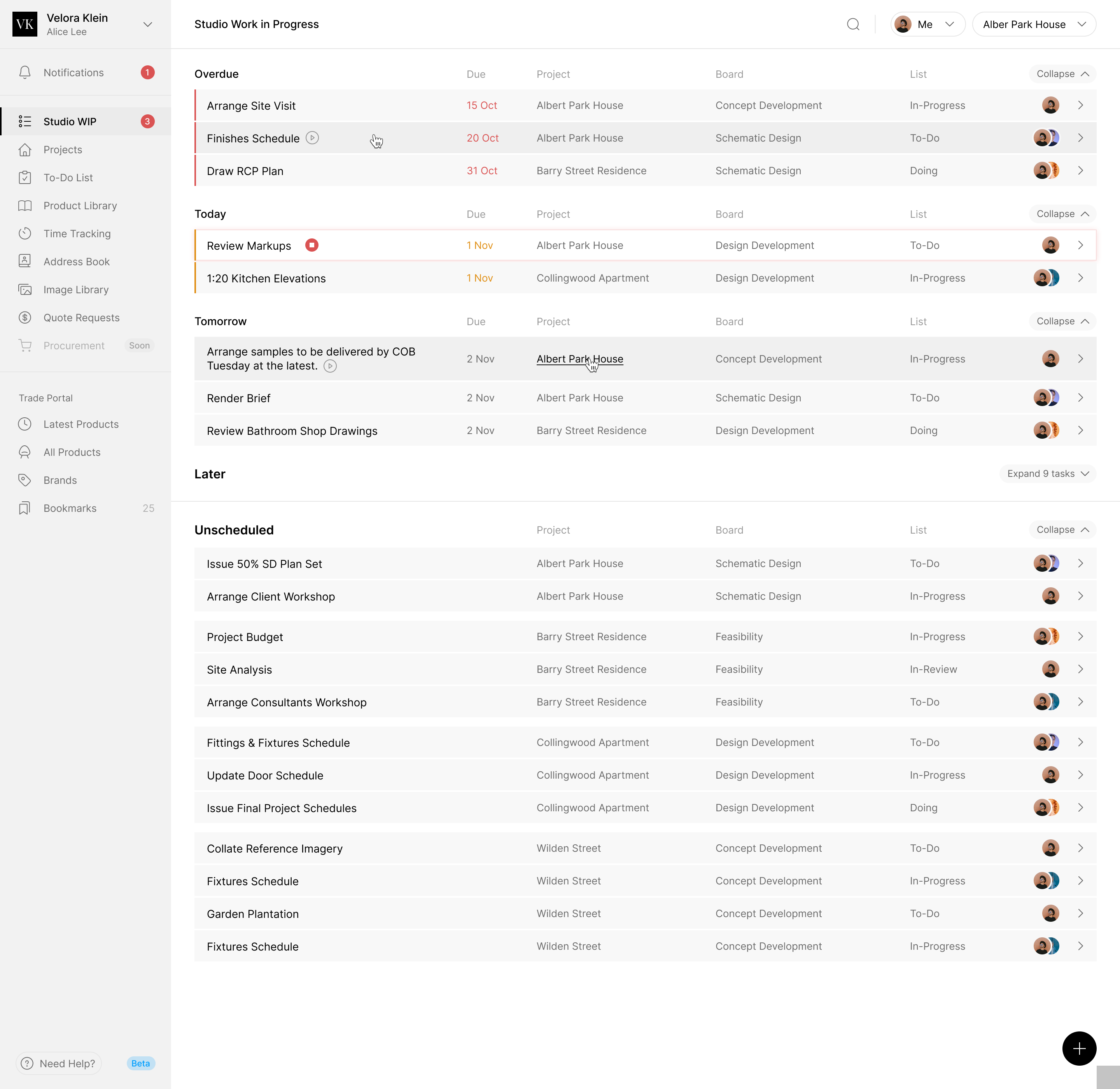
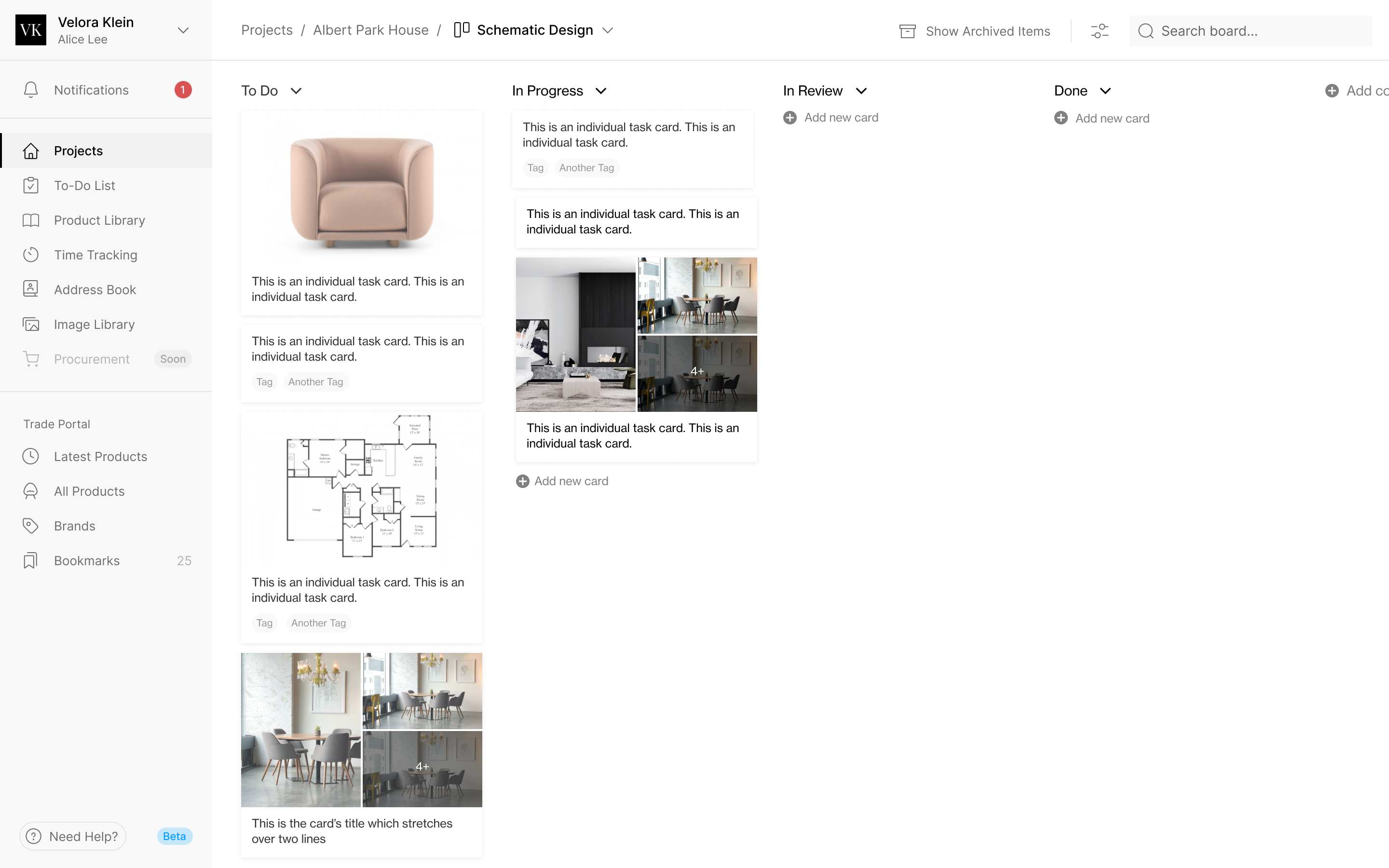
A designer also needs to know what to work on next. Inside a project, boards group tasks by stage and status. The studio-wide view gathers work from across those projects and groups it by when it is due. A person planning their day shouldn't have to open every project to find the tasks waiting for them.
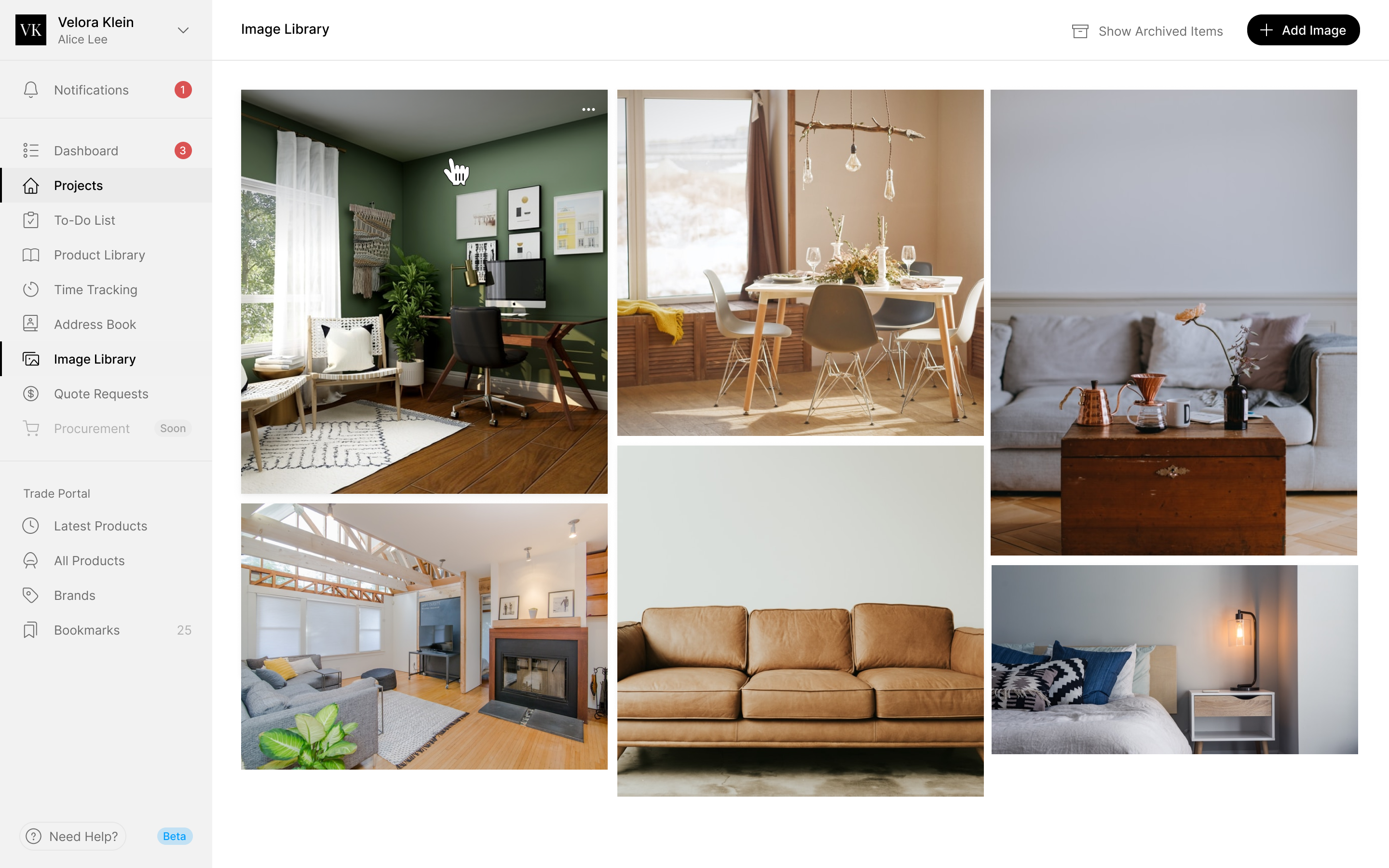
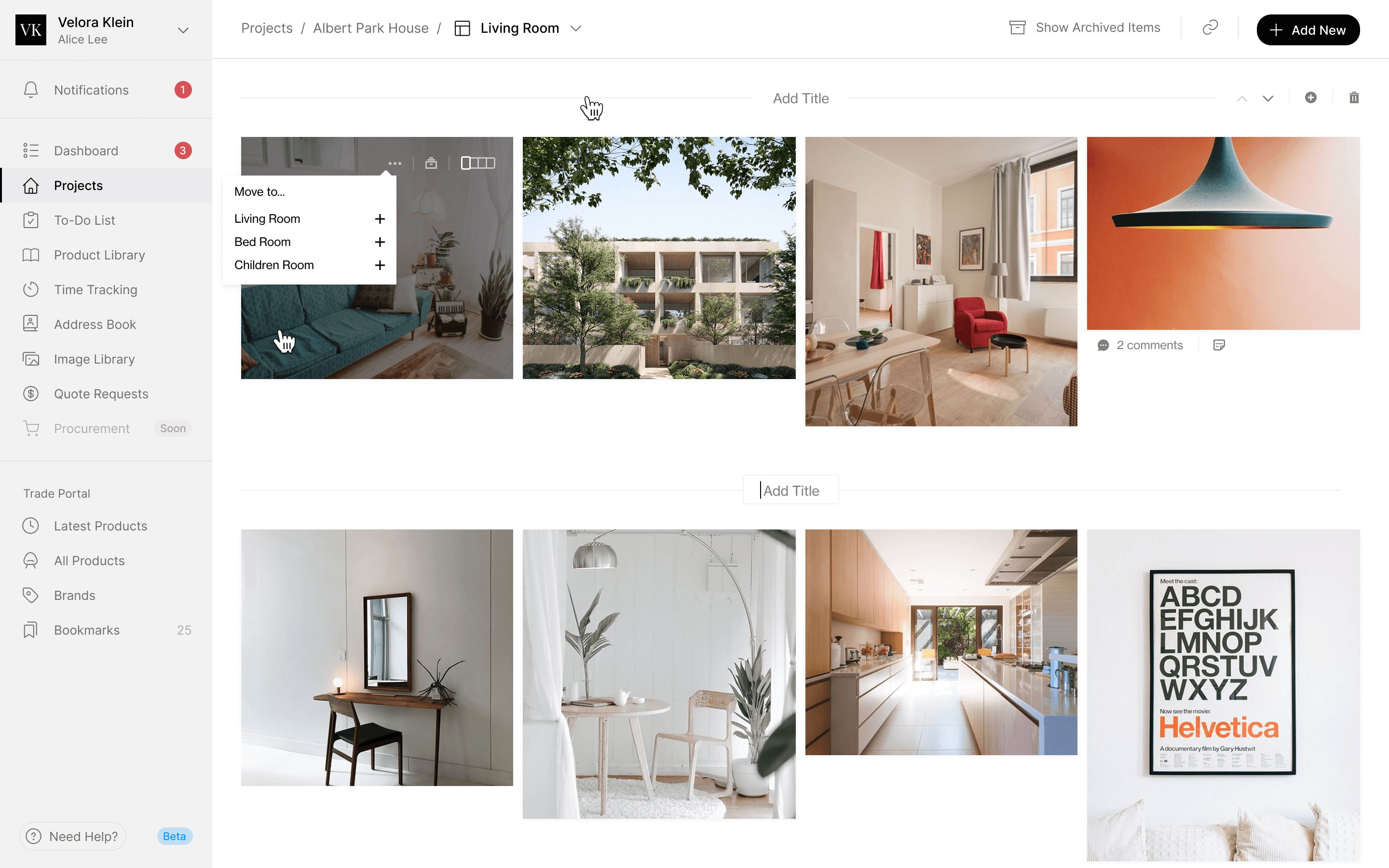
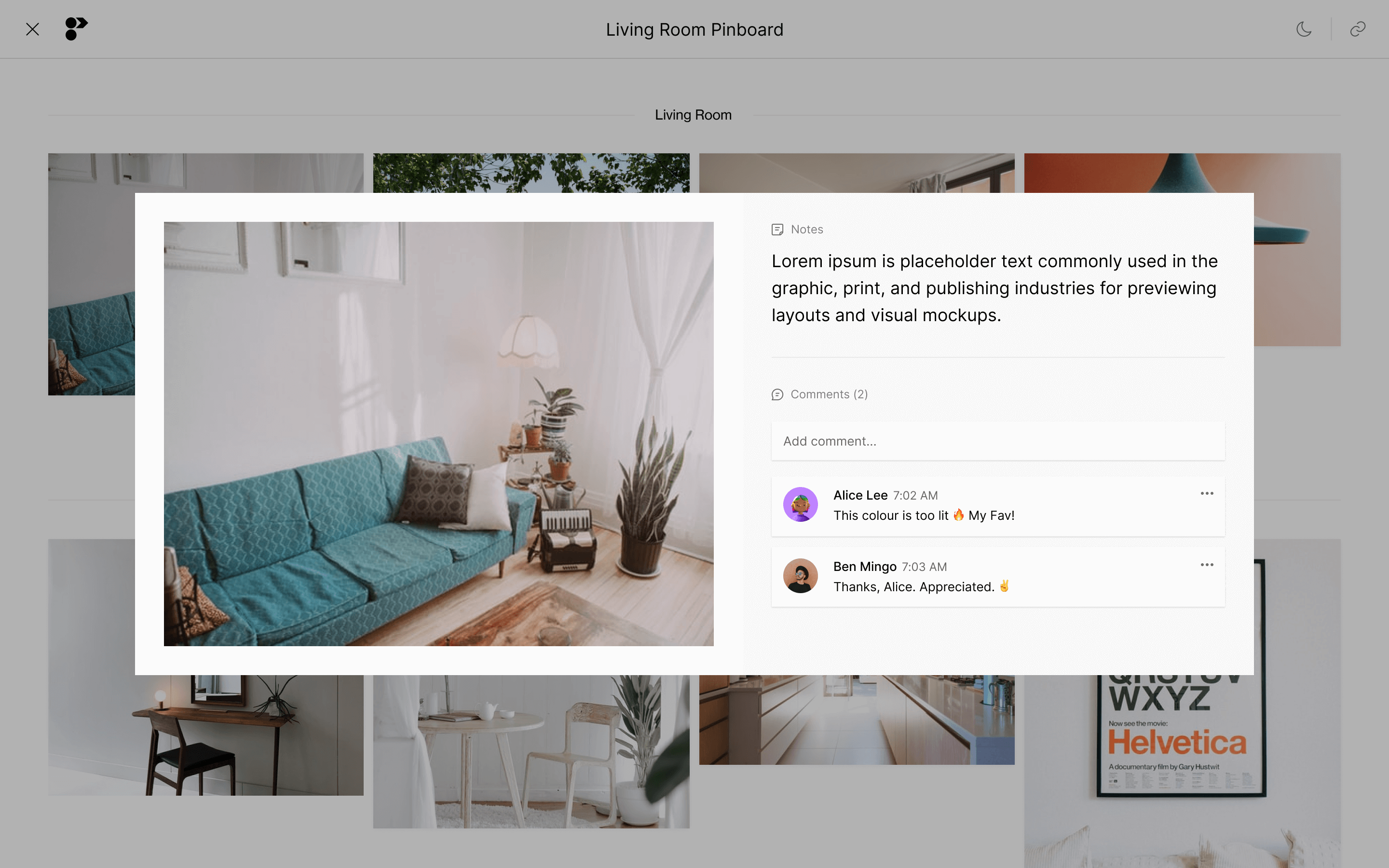
Pinboards keep the visual discussion with the project too. A designer can arrange references into titled sections, then open an image with its notes and comments for the client. The presentation gives the image room while keeping the conversation attached to it.
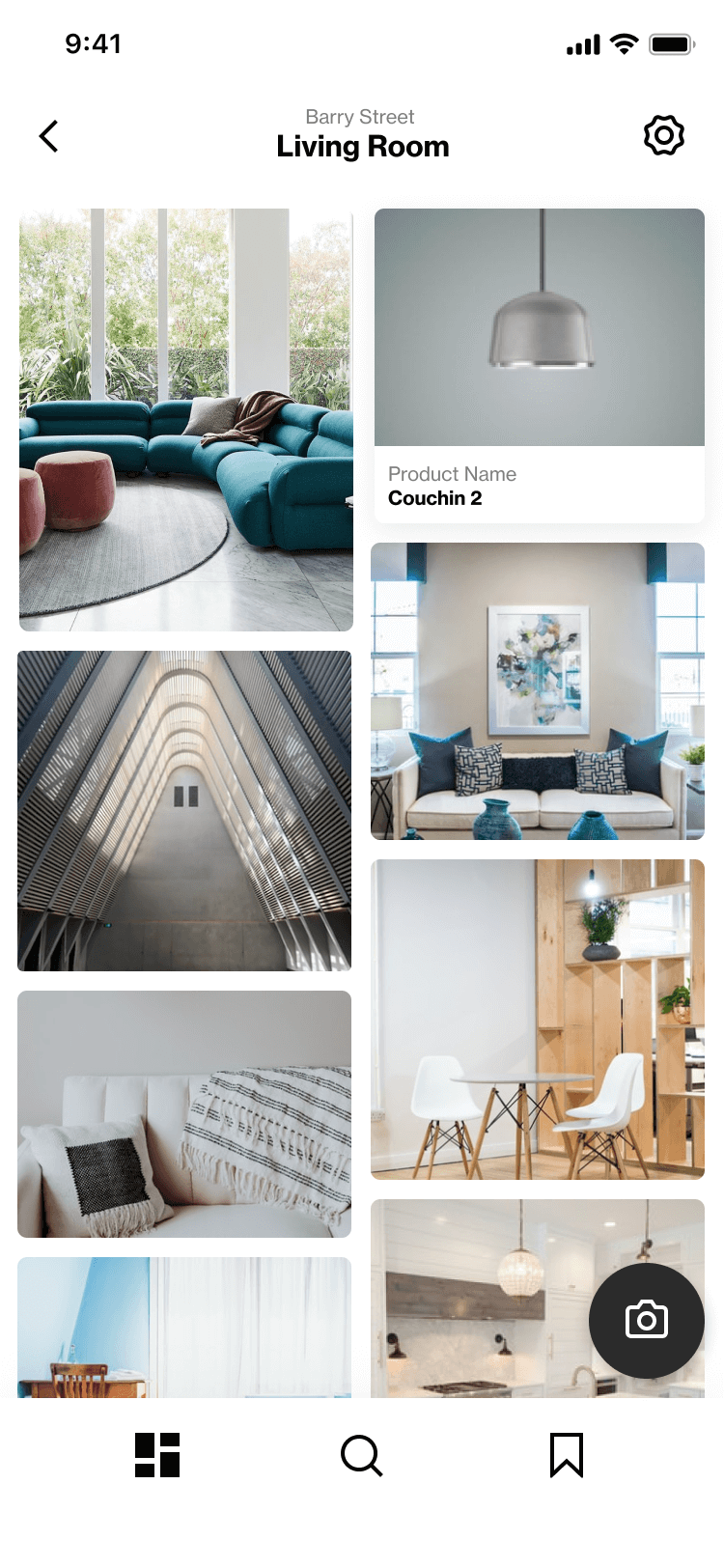
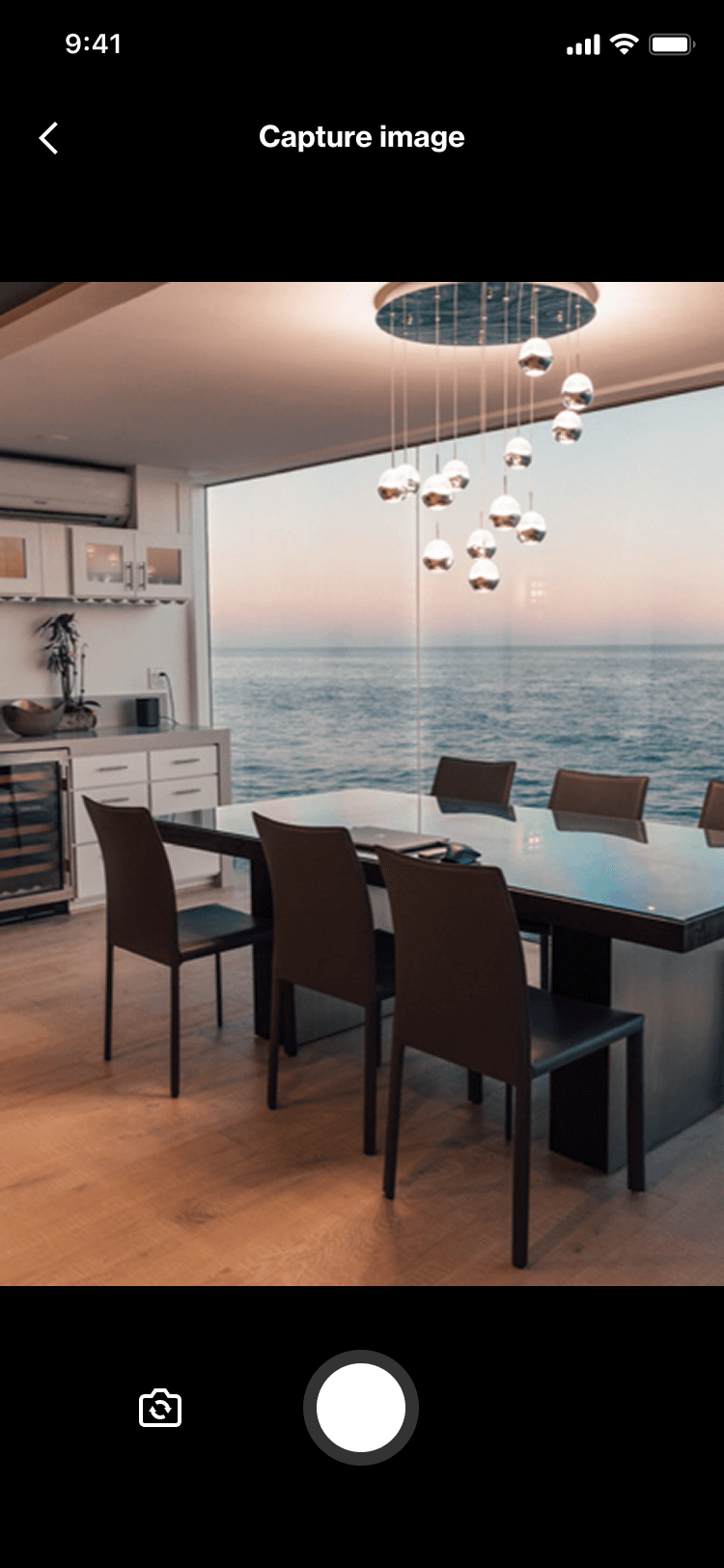
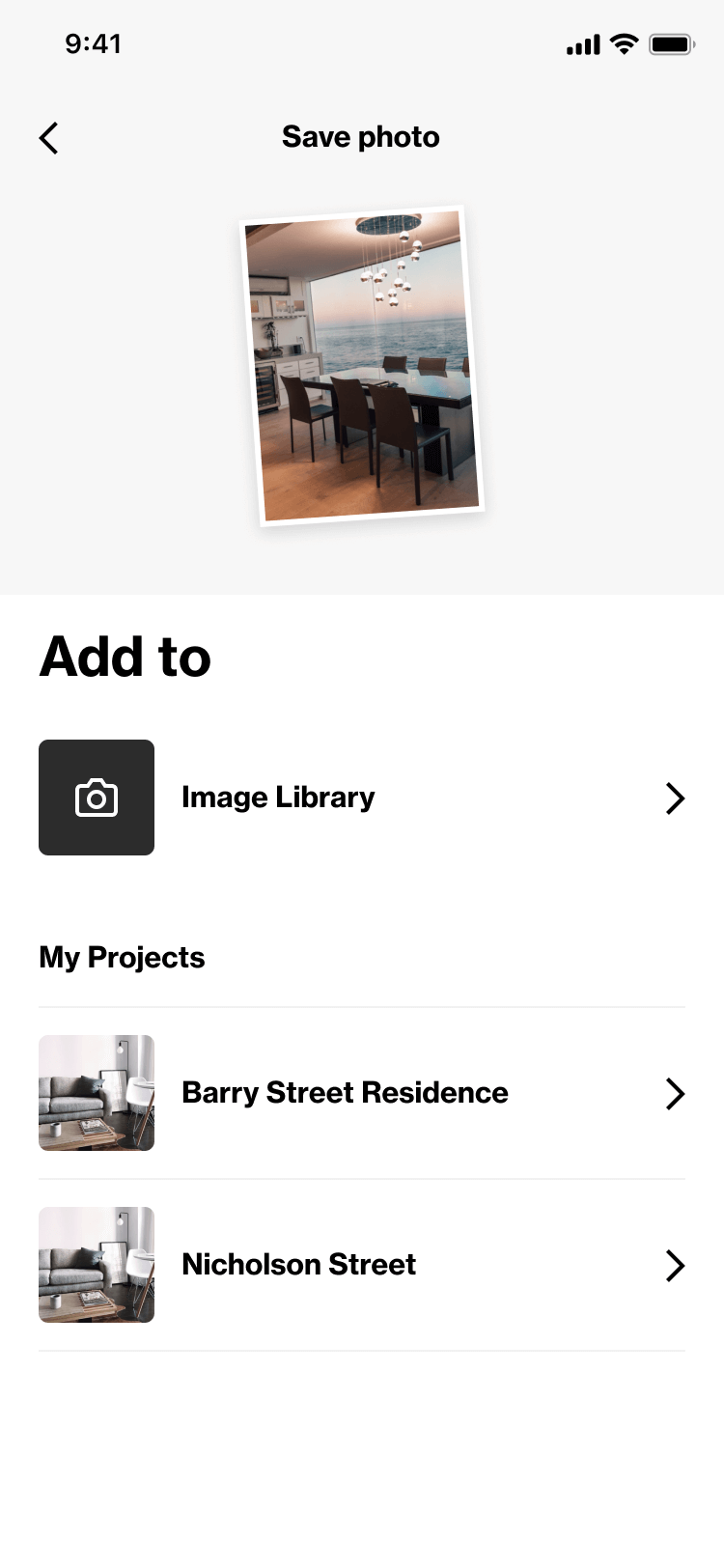
The mobile capture flow handles an earlier moment: seeing something in a showroom or on a site visit. After taking a photo, the designer chooses between the shared image library and a particular project. That filing decision happens while they still know what the image is for.
Keep the invoice's client editable
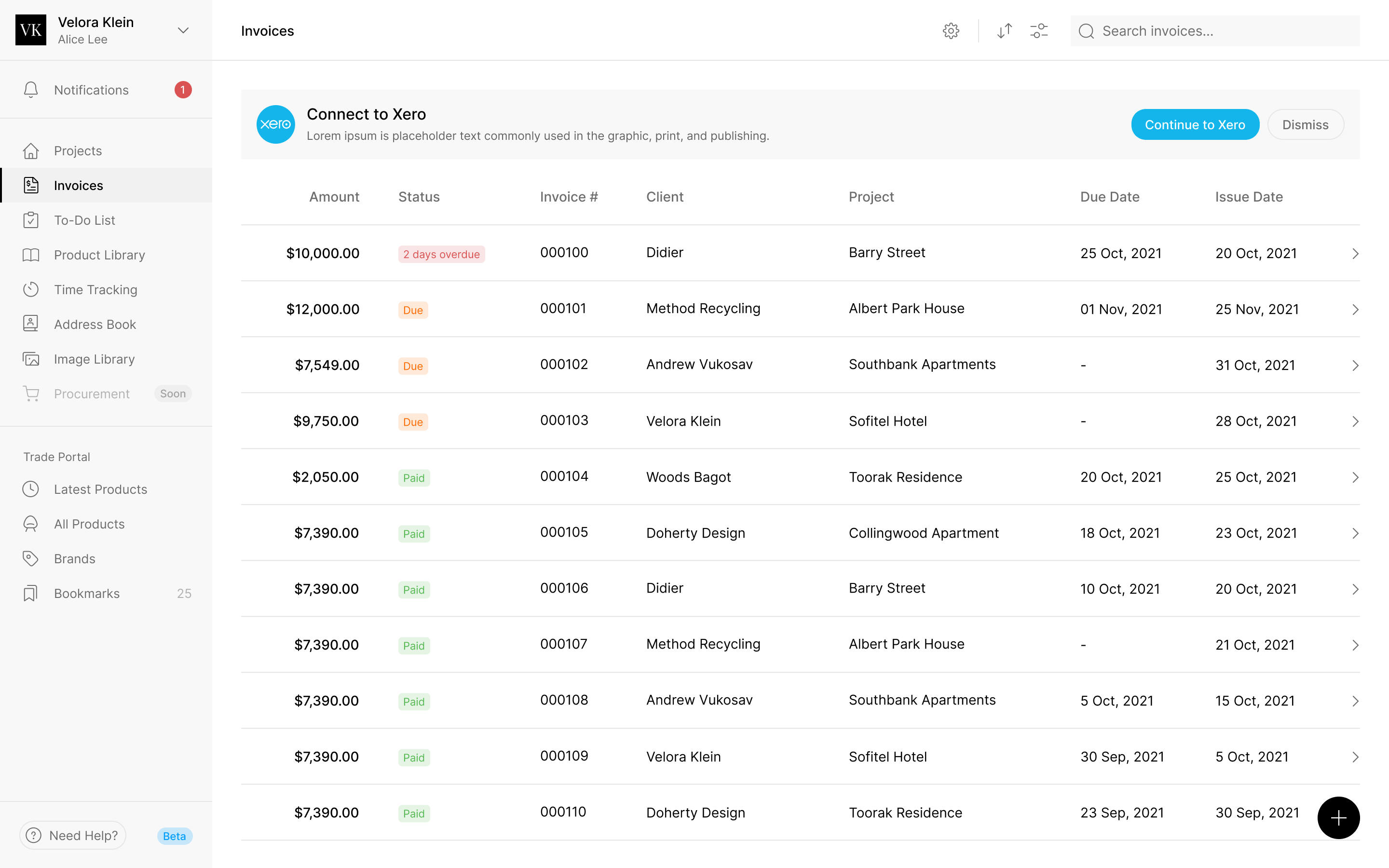
Invoicing added a different relationship to resolve. An invoice belongs to a project, but the person being billed can change. Programa's Steve pointed out that projects and clients weren't yet directly associated in the product. The design needed to let someone correct an invoice's client after creating it.
I wanted people to be able to add a missing project while creating an invoice, so they wouldn't have to abandon that flow. Steve argued for keeping the first version smaller: create the project first, then invoice it. We worked through that narrower flow while keeping the client selector on the editable invoice, where the billing details could still be changed.
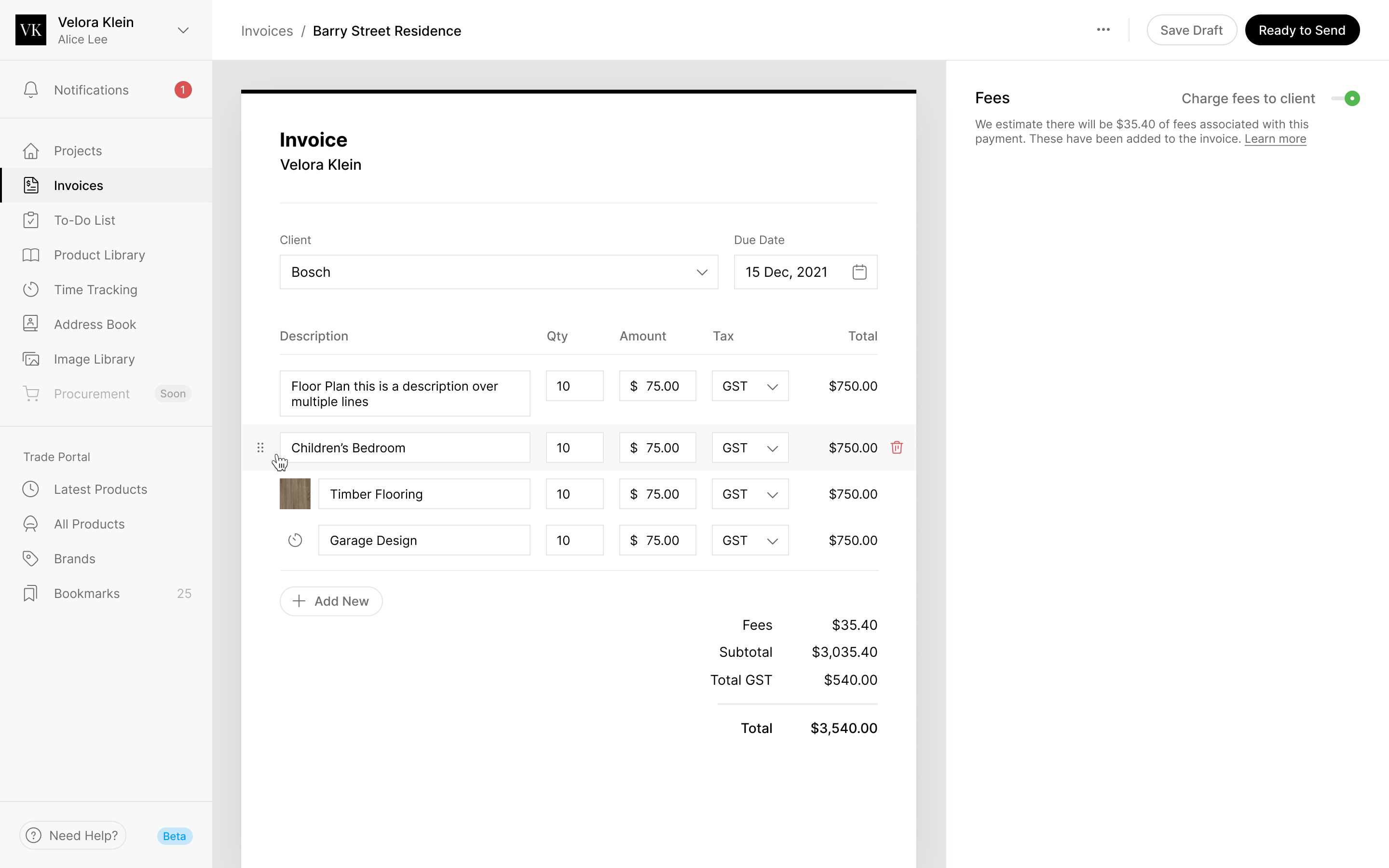
The wording needed to distinguish what the client would receive from what stayed inside the studio. After Steve clarified that the memo appeared on the invoice, I moved it into the send step and renamed the other field Internal Notes. A designer shouldn't have to guess which message they are about to share.
a client-facing memo and an internal note need different names and places
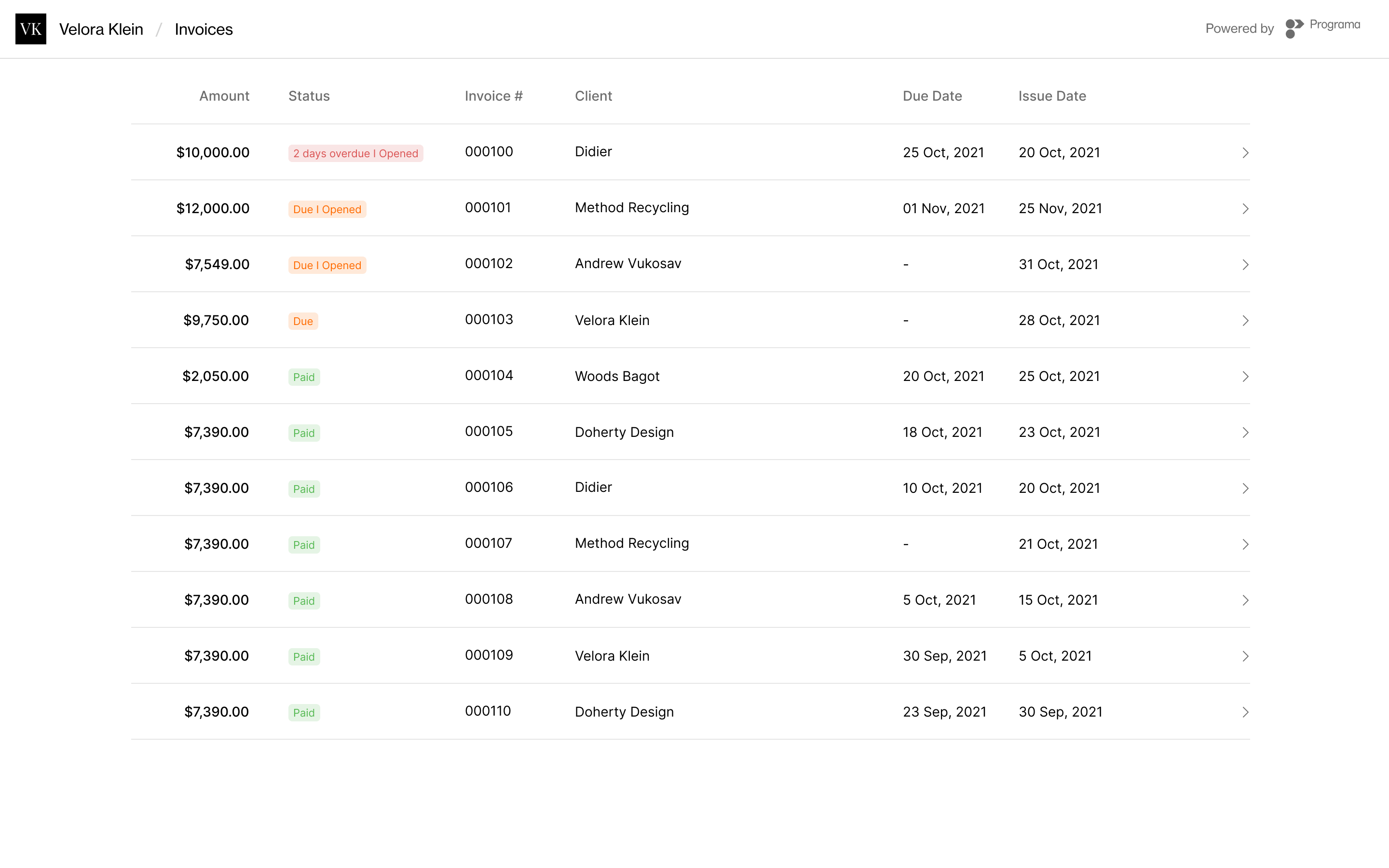
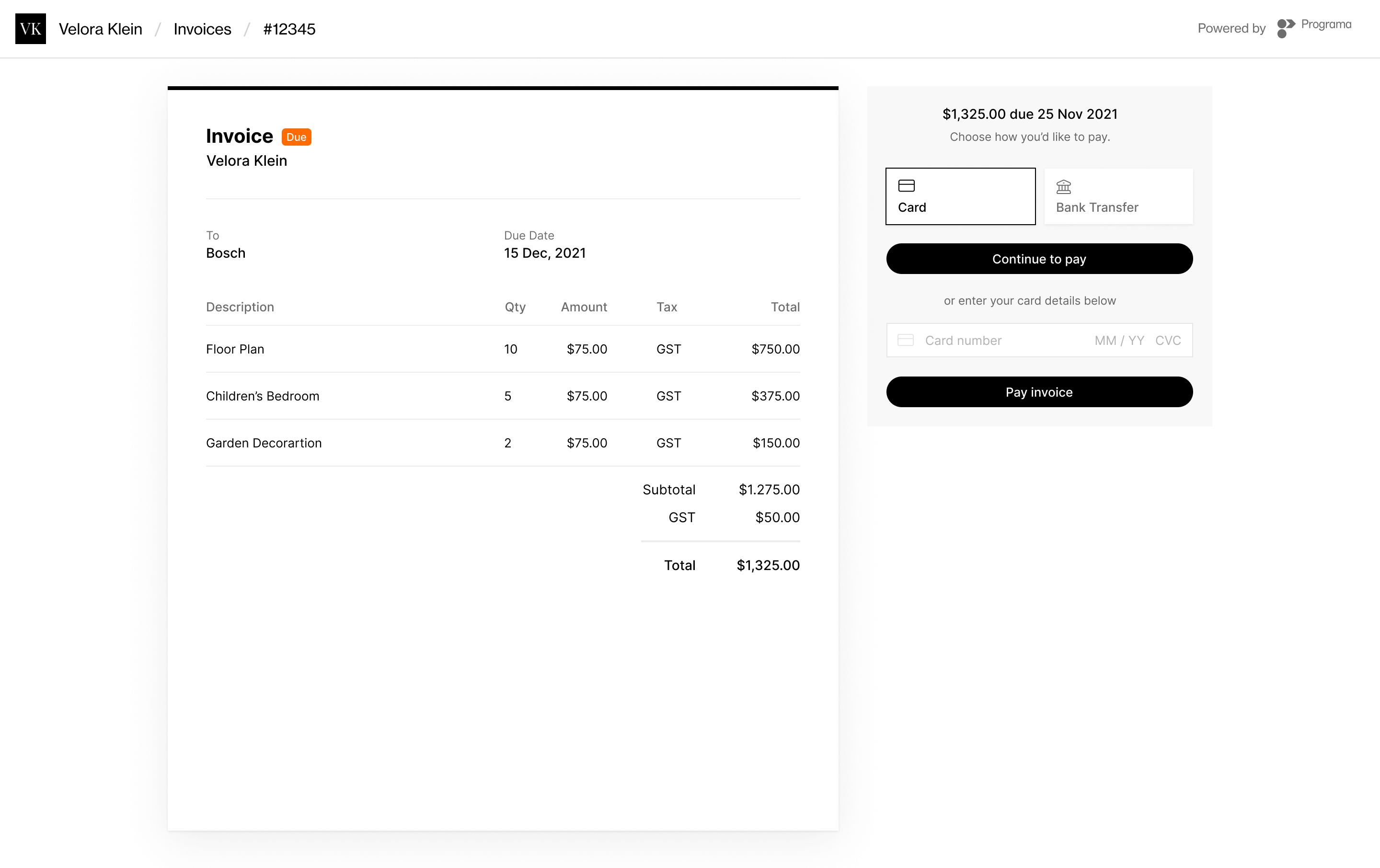
The studio could connect Xero and choose whether to pass payment fees on. On the receiving side, the client saw the studio's name and logo, with Programa credited at the bottom, and could pay by card or bank transfer.
Where it went
In August 2021 Programa raised $2m in a seed round co-led by Equity Venture Partners and Investible. By then more than 2,000 interior designers and 350 brands had signed up, and designers had specified more than $20m of products through it. Read the funding announcement.

"Highly skilled, reliable and combines strategic insights with great design. They’ve been fundamental to our success."
More from Programa