Bluejay made software for self-managed homeowners associations. A homeowner wants to pay their dues. Their homeowners association needs to know which charges that payment covers, what remains outstanding and how it appears in the accounts. These are different views of the same money, and both have to make sense.
We worked with founder Ethan Kalm on the homeowner portal and the administration behind it, from payments and recurring charges to financial reports and architectural requests. Prakash Ghodke designed the detailed screens, with my direction and review.
The difficult part was deciding how much of the association's machinery each person needed to see. Removing financial detail everywhere would leave administrators without the information to do their work. Putting it everywhere would turn paying a bill into a lesson in association accounting.
Pay several bills without creating another bill
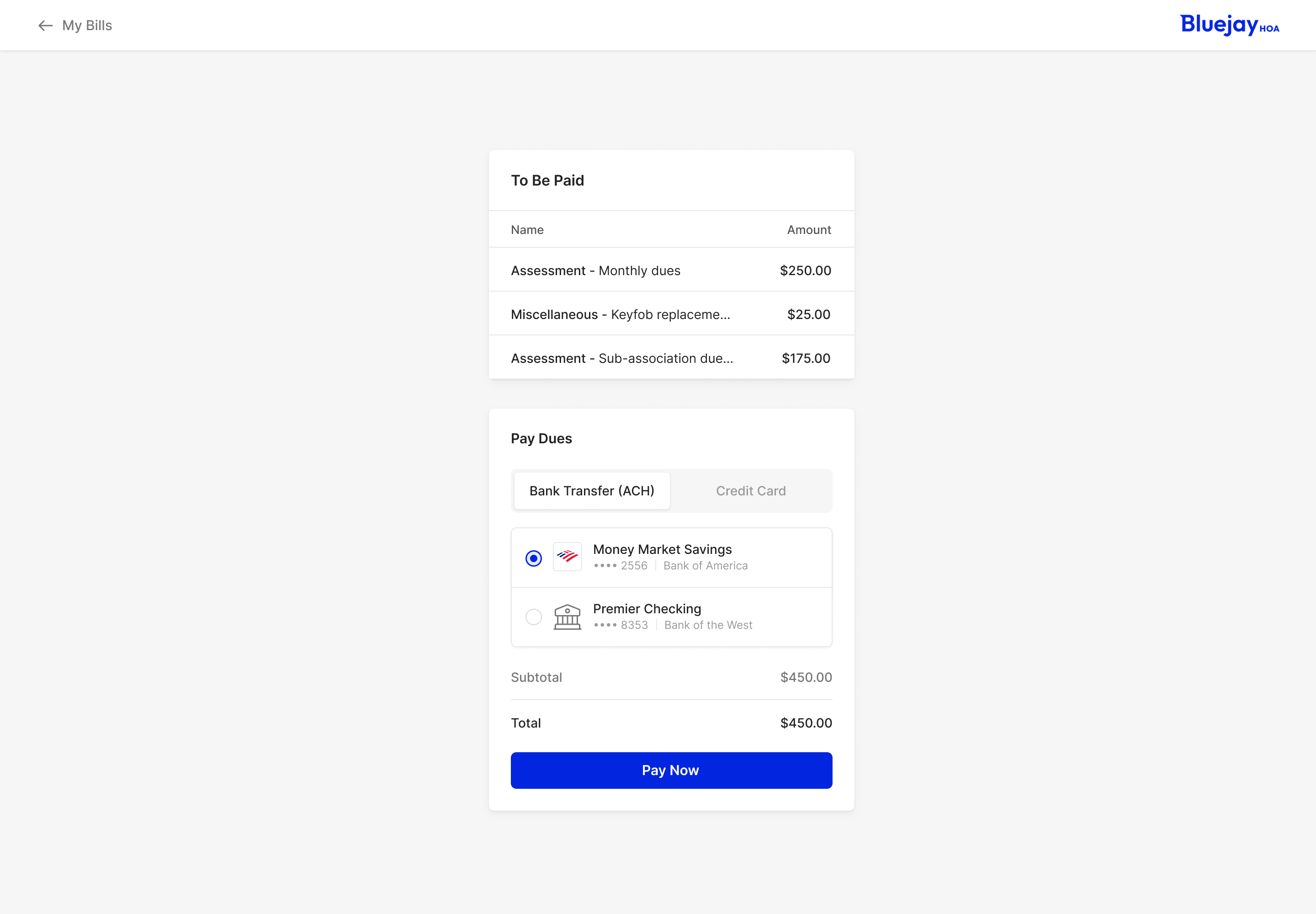
The payment flow exposed that distinction early. Someone might have monthly dues, a replacement keyfob charge and a separate assessment outstanding. From the association's side, those charges need their own records. From the homeowner's side, the immediate job may simply be to pay everything they owe.
An early approach would dynamically create a new bill combining all the outstanding bills. Ethan questioned that extra work. He mocked up a drawer for paying them together, without generating another bill just to make the payment possible. We developed the payment design around that simpler approach.
The homeowner sees the items being paid and their amounts together, followed by a choice of bank transfer or credit card. Saved accounts are selectable in the same flow. The total stays immediately above Pay Now, so the person can check the amount against the action they're about to take.
one payment can cover several charges without replacing their records
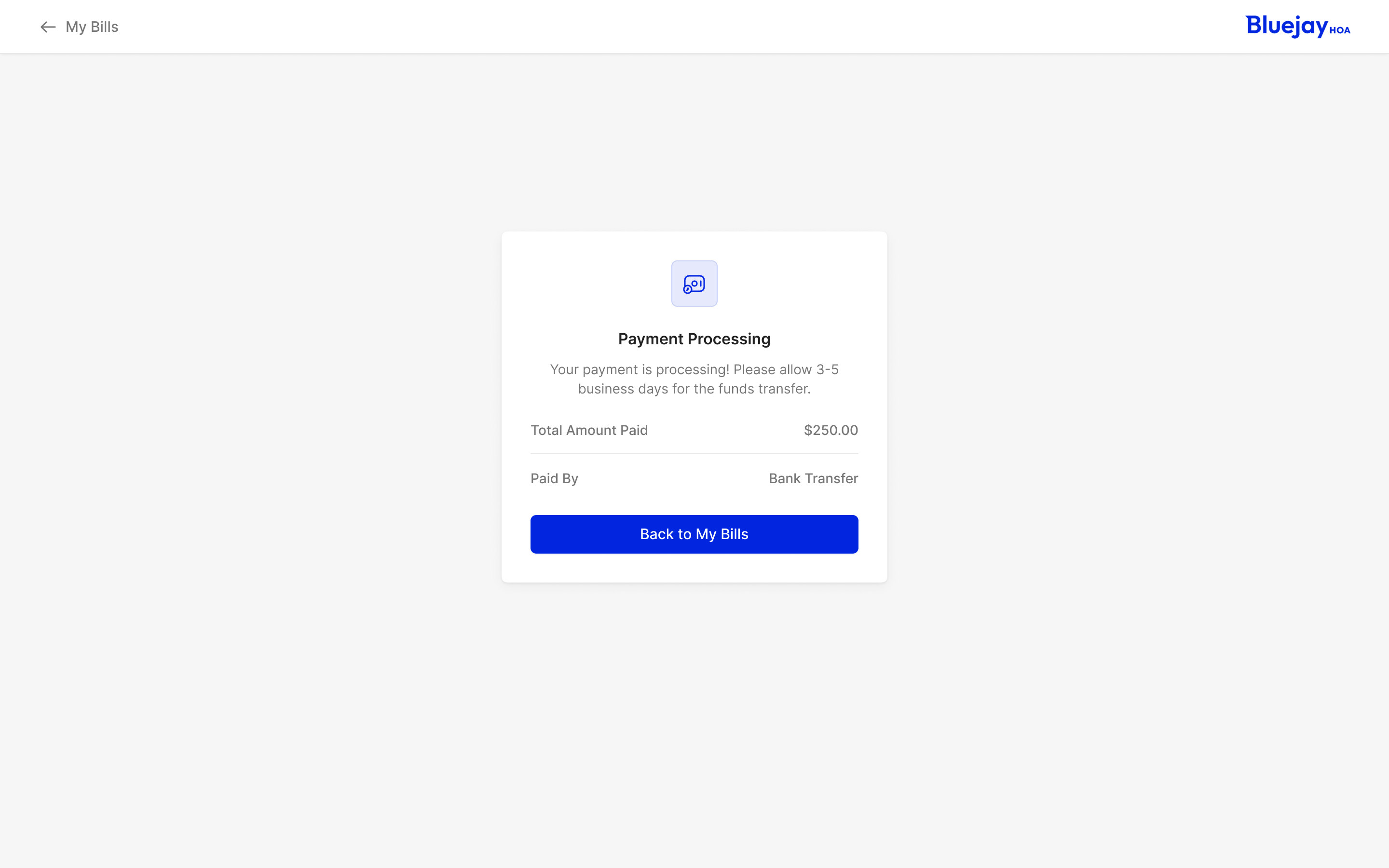
Completing that action also needed an accurate response. The bank-transfer confirmation says Payment Processing and explains that processing takes several business days. The person has finished the submission, but the money is still moving. Calling both stages paid would make the interface less useful precisely when someone wants reassurance about what happened.
Elsewhere in the payment work, Ethan pointed out that the fields for a completed transaction should no longer be editable. We carried that restriction into the design. Viewing a historical payment and changing a payment are different jobs, even when the information uses the same layout.
A recurring charge is different from permission to pay it
The administrator needs to define what the association charges. The homeowner needs to decide how to pay. Both involve repetition, but a recurring charge and autopay mean different things: one creates an obligation, while the other authorises a payment.
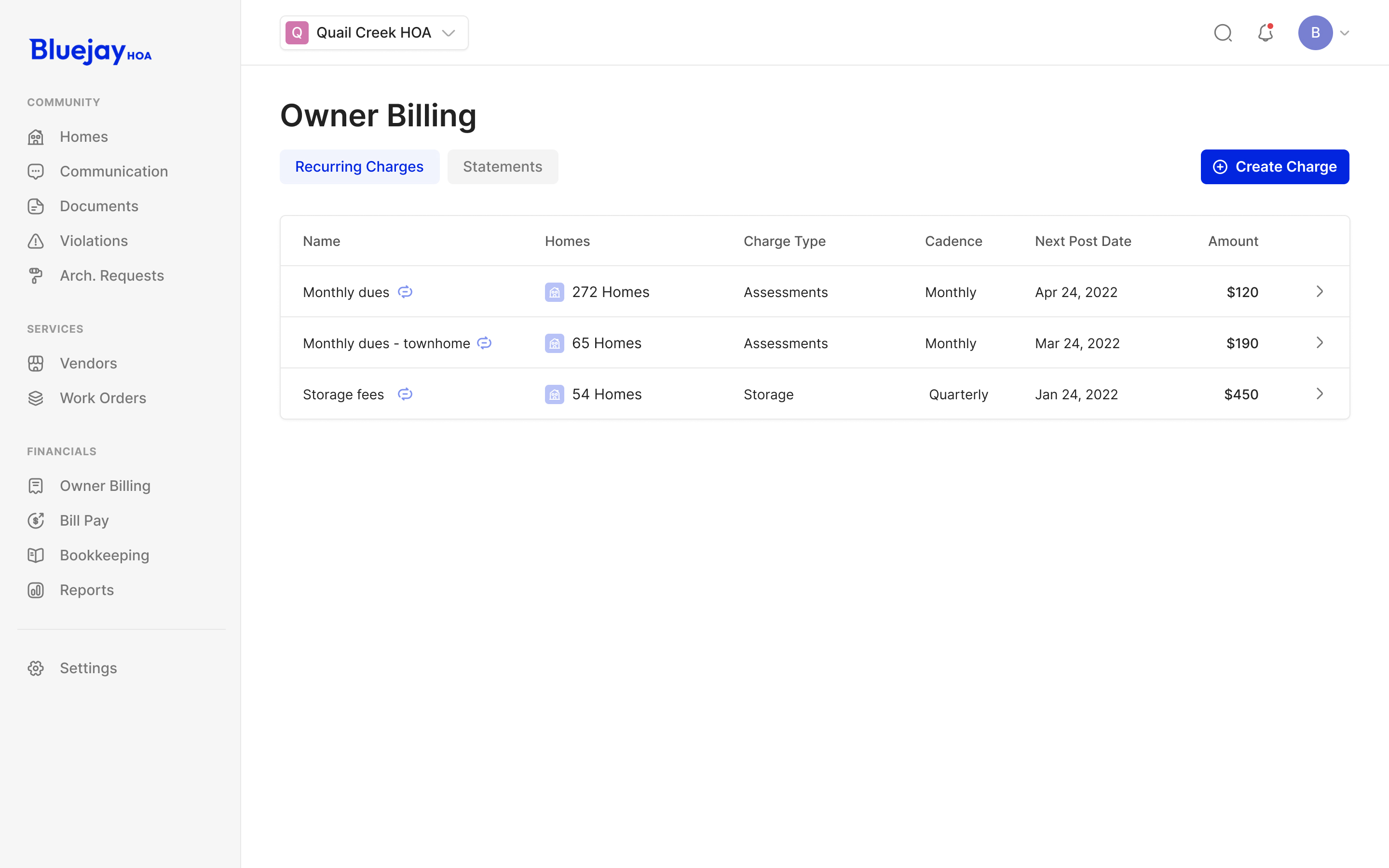
In the billing area, recurring charges have their own list. Each row brings together the affected homes, charge type, cadence, next posting date and amount. A board can inspect the rule that will create the next charge without opening an individual homeowner's account and trying to infer it from past transactions.
In reviewing the homeowner settings, I asked for space to explain autopay. A toggle alone couldn't do the whole job of describing an automatic payment commitment. We also worked through the distinction in the iconography, so recurring billing and autopay wouldn't be represented as the same thing.
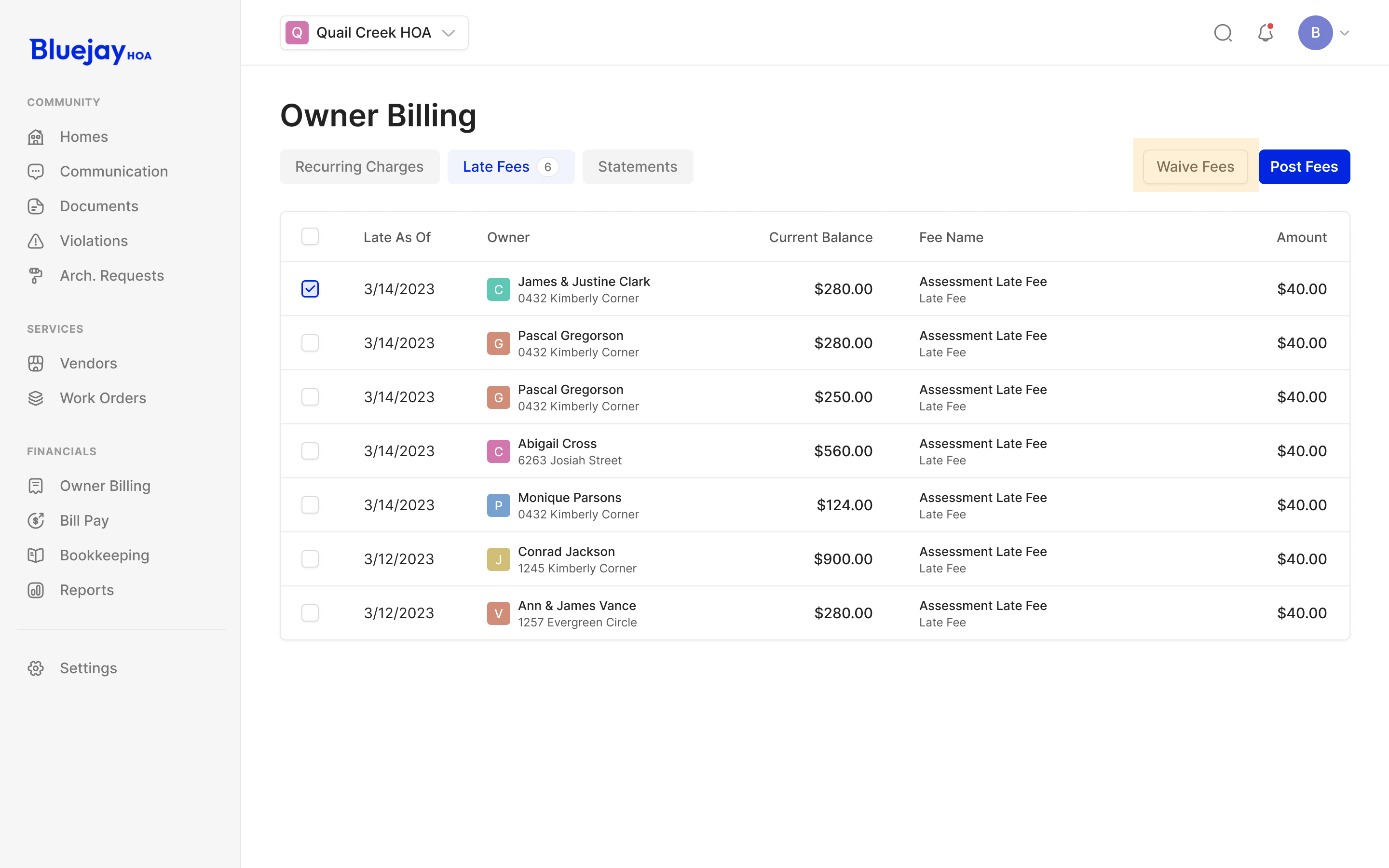
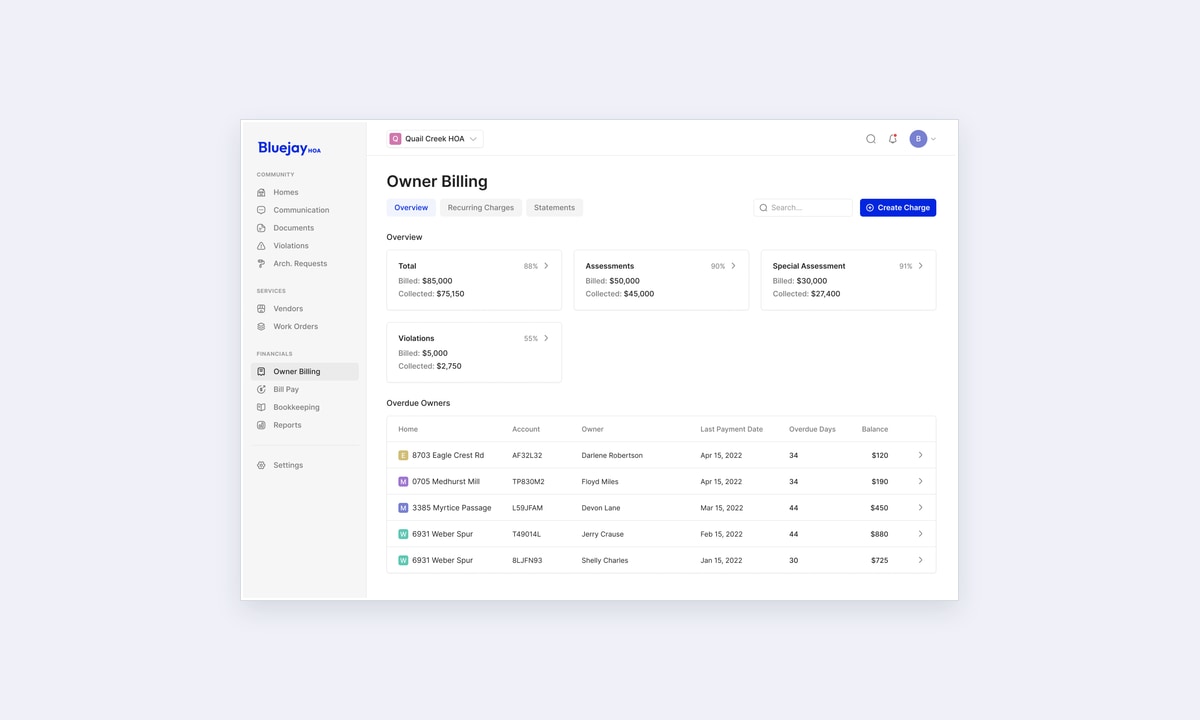
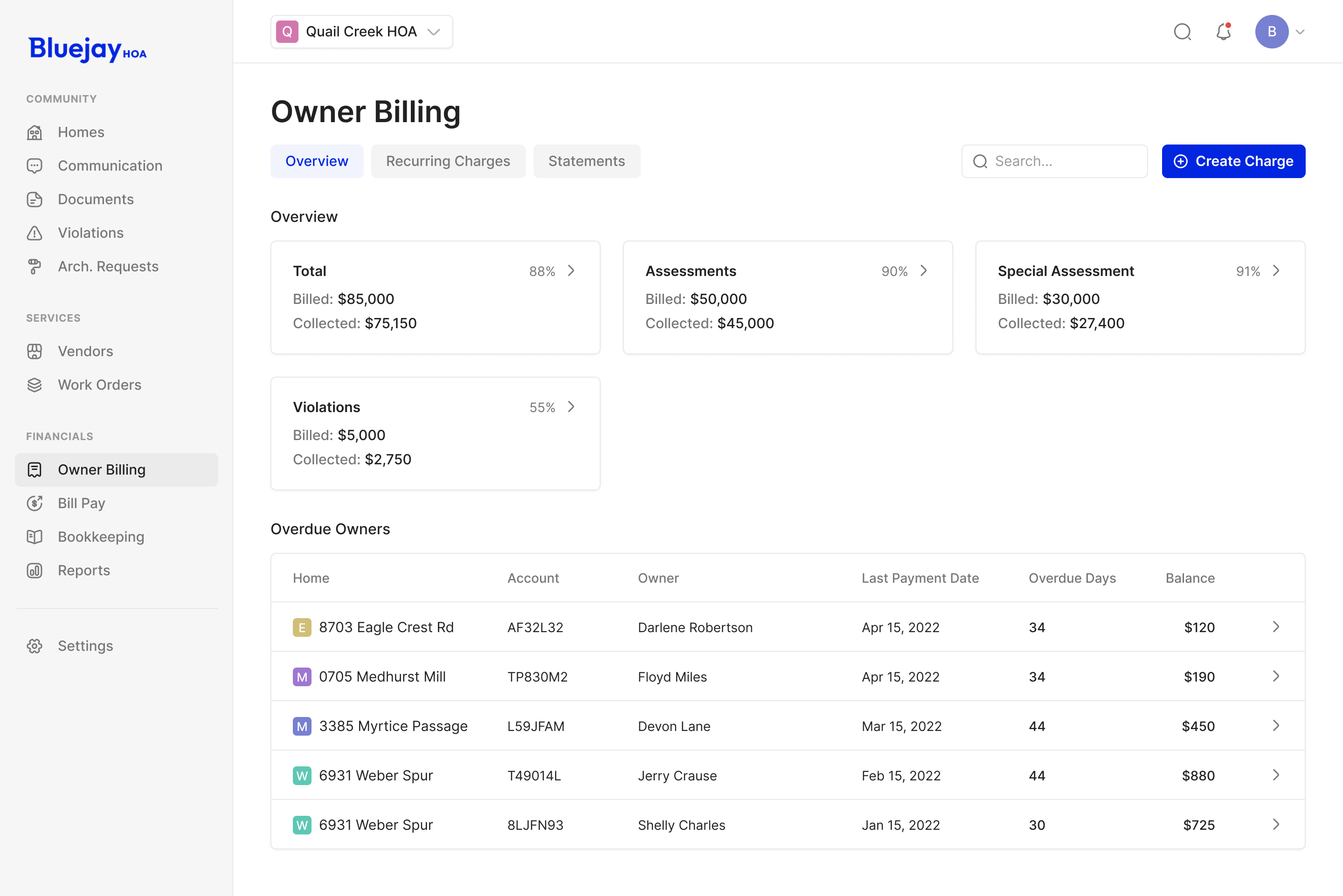
The owner billing overview takes a broader view again. It shows billed and collected amounts above the accounts needing attention. An administrator can read the association's position, then move into a particular overdue account. The interface doesn't require them to add up a list before understanding whether there is a collection problem.
An approval needs its conditions beside it
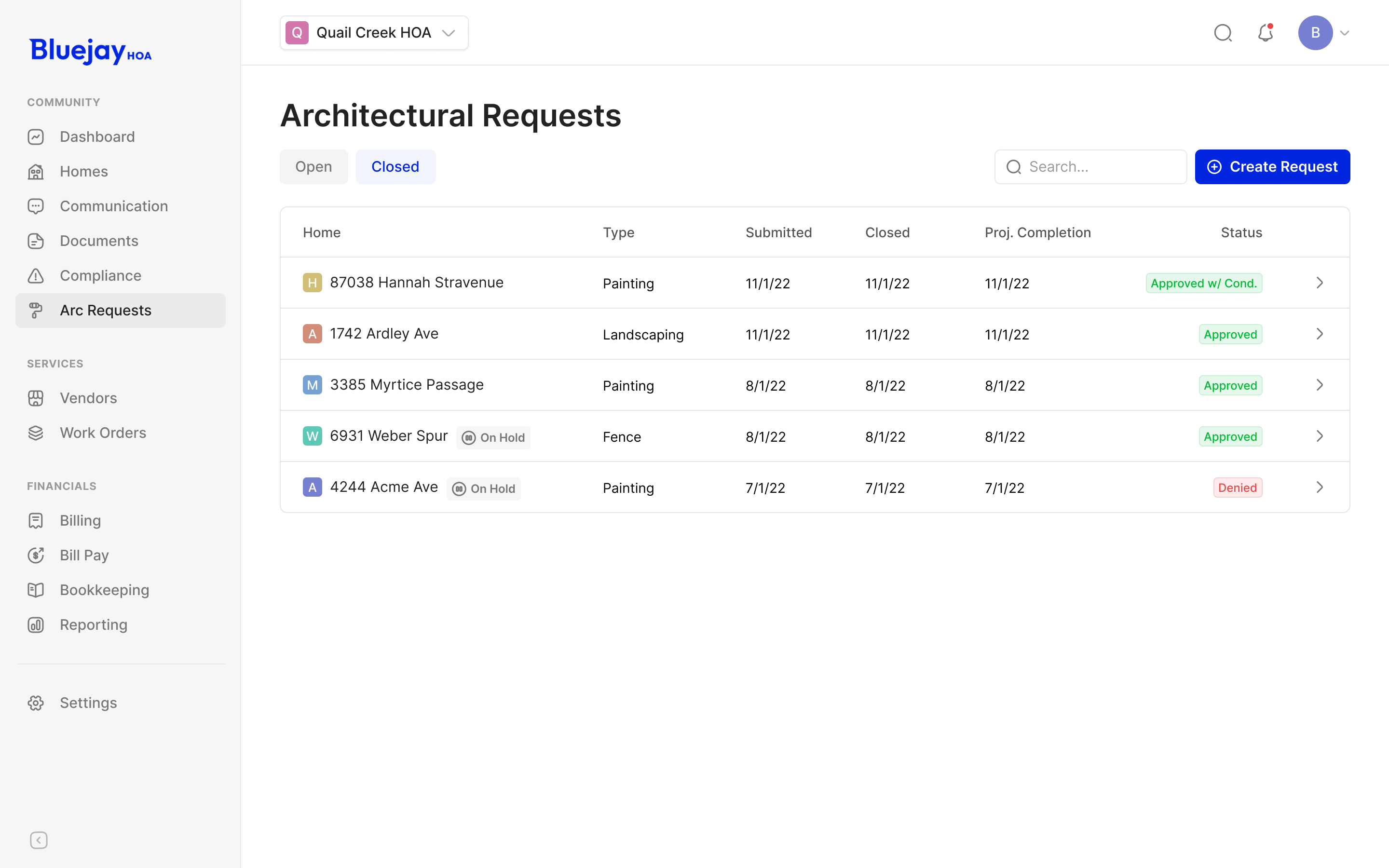
Architectural requests brought a different kind of record into the same product. A homeowner might want to replace a fence. The association has to review the proposal, inspect the supporting documents and record its decision, including any conditions.
We narrowed the administration area to Architectural Review while leaving it as Requests for homeowners. The homeowner doesn't need to learn the board's organisational language before asking about work on their house. The board does need the more specific category when managing its queue.
The request opens into a large panel, with the project, contractor and attachments together. Its activity history sits alongside them. That gives a reviewer both the current proposal and the sequence of decisions without moving between separate pages.
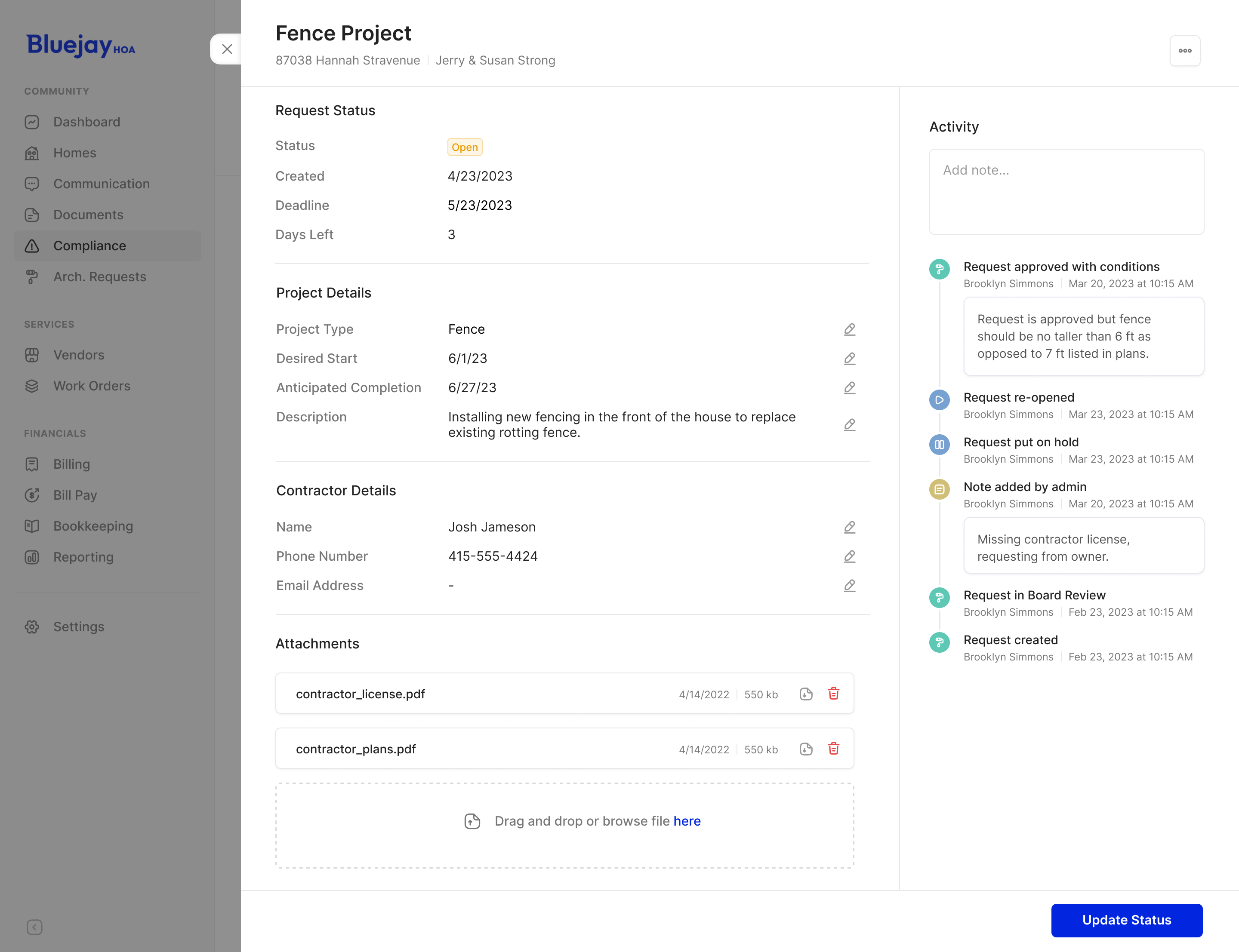
The example shows why a status badge isn't enough. An approval can require a lower fence than the one originally proposed. That condition needs to remain attached to the decision. The activity column has room for the explanation, as well as entries for requests put on hold, reopened or returned to review.
approved with conditions needs more explanation than a green badge
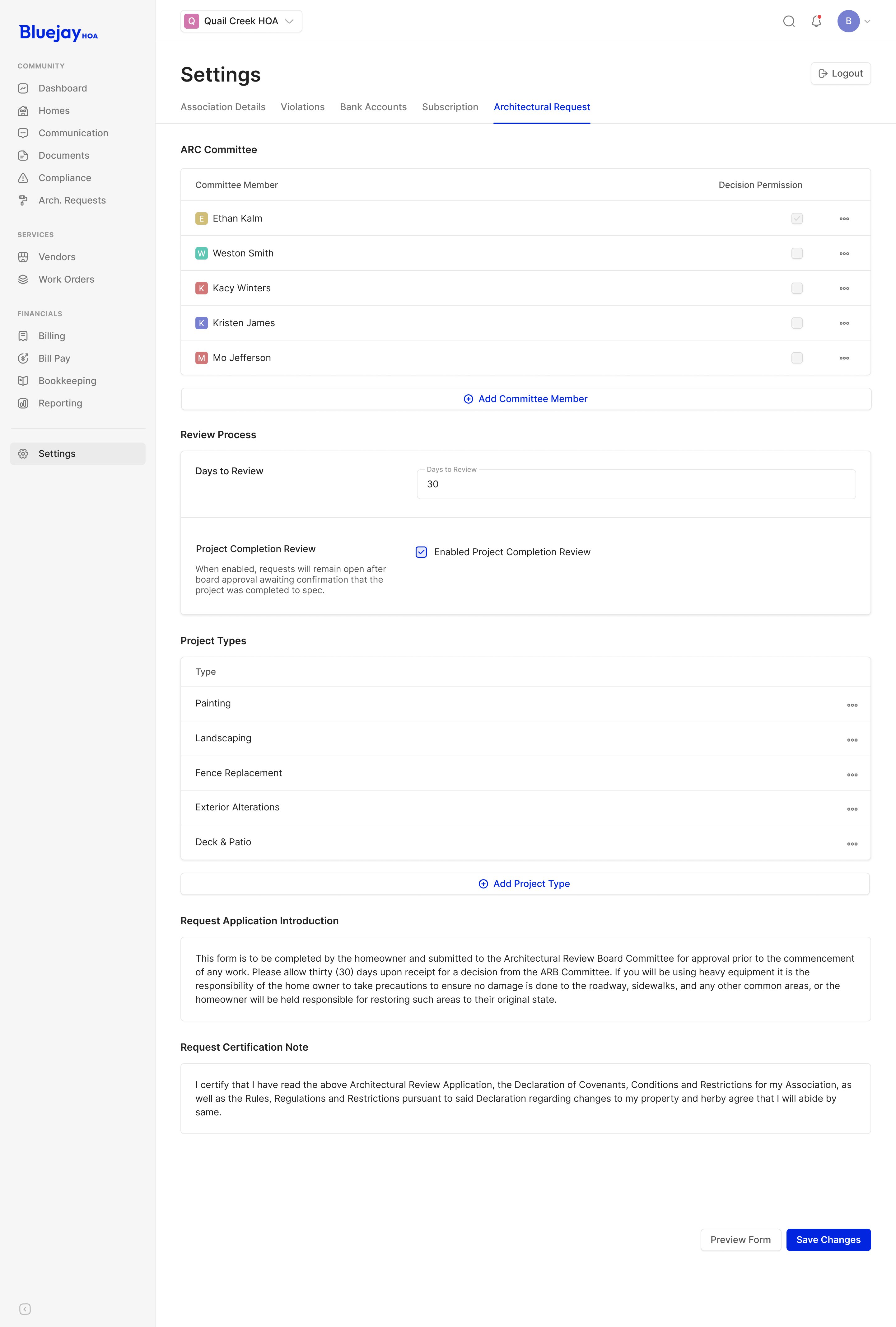
At the settings level, the association can configure its committee, review period and project types. Those controls belong to the people running the process. The homeowner's request can stay focused on the proposed work and the material the committee needs to assess it.
Give financial work the room it needs
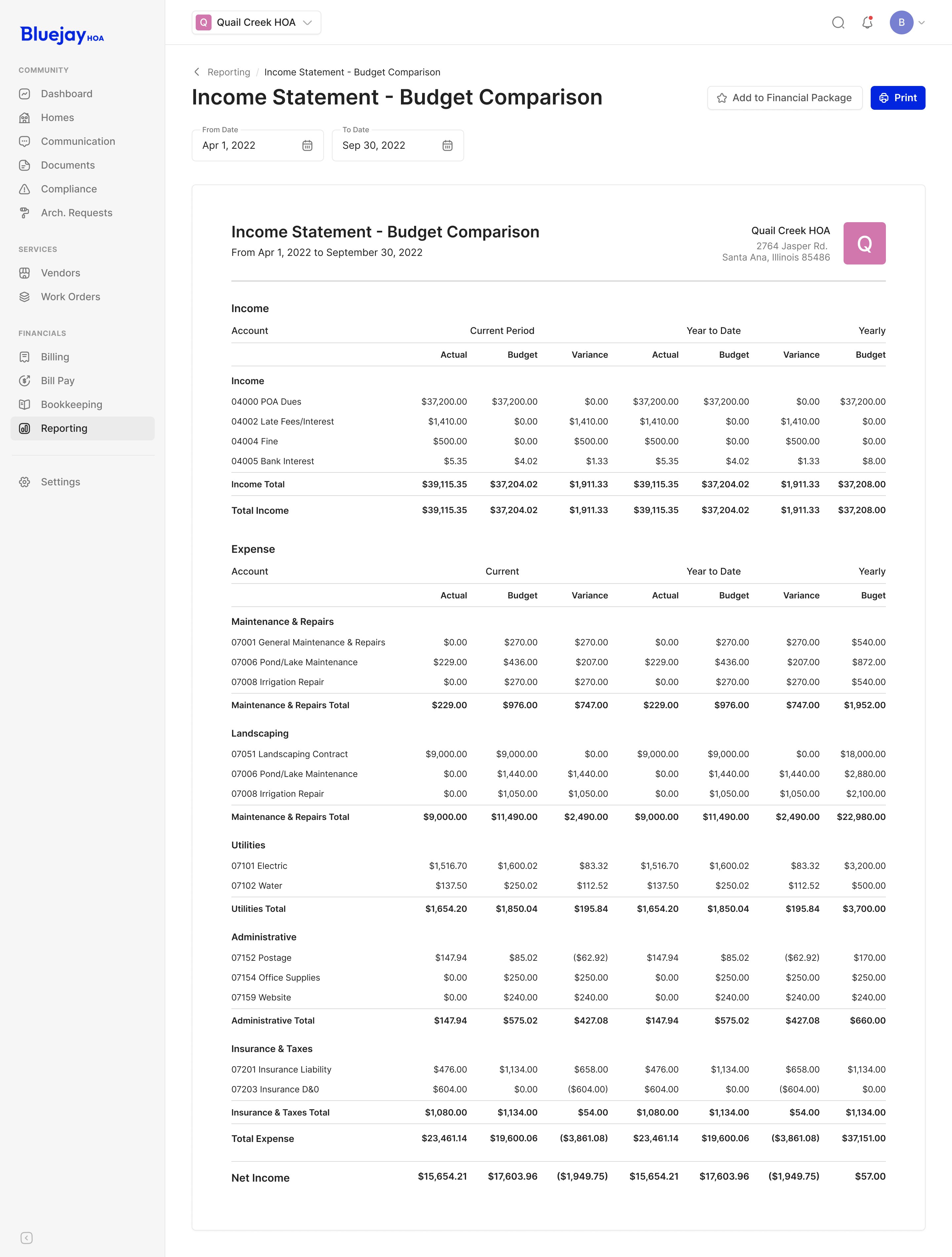
The reporting screens are deliberately denser than the homeowner payment flow. A general ledger needs account codes, transactions and balances that can be compared across rows. A budget comparison needs actual, budget and variance values across its reporting periods.
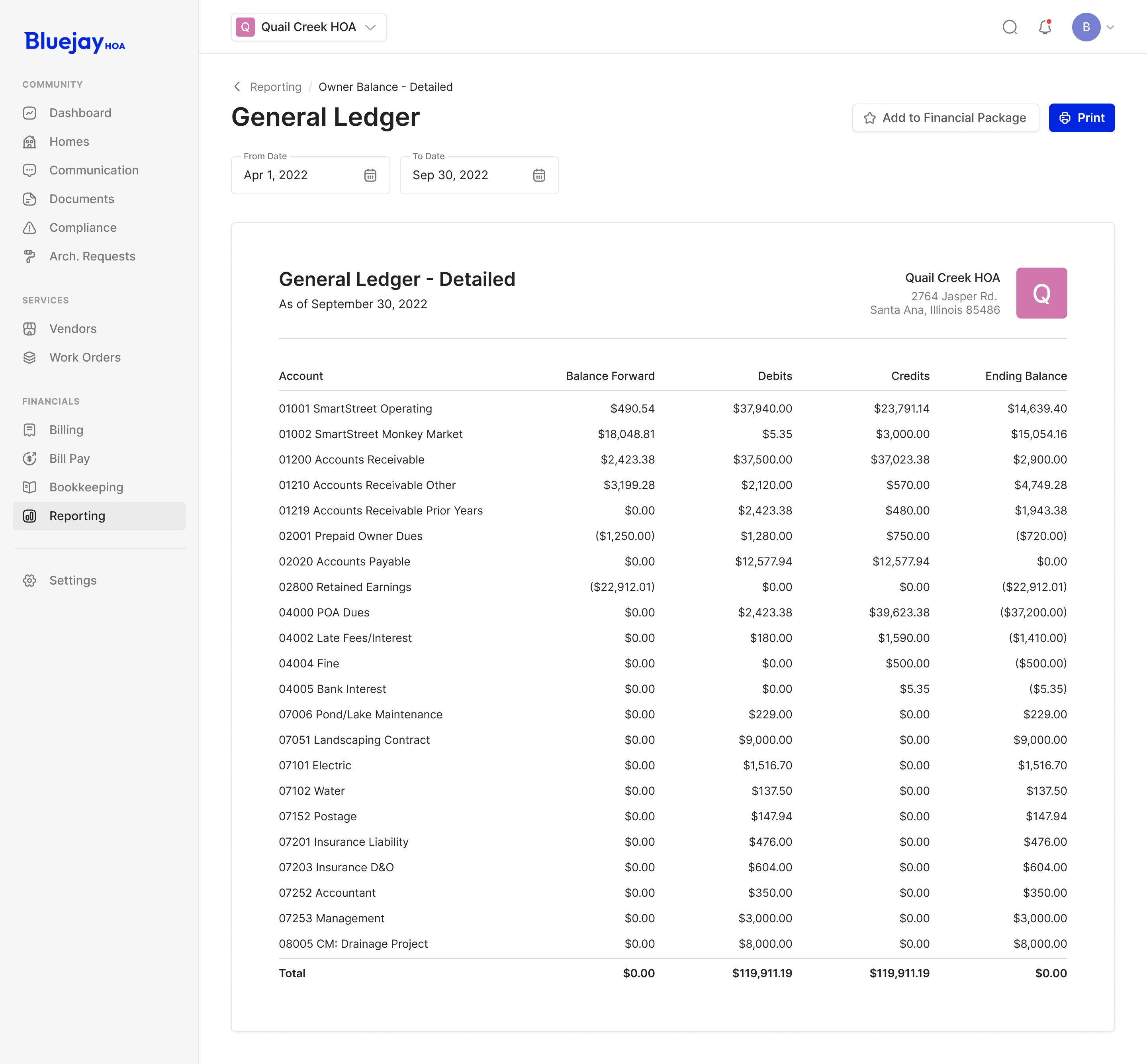
We kept those structures visible rather than hiding every account behind a card or a drill-down. The page supplies the date controls and actions around the report, including printing and adding it to a financial package. Someone preparing the association's accounts can work with the complete statement.
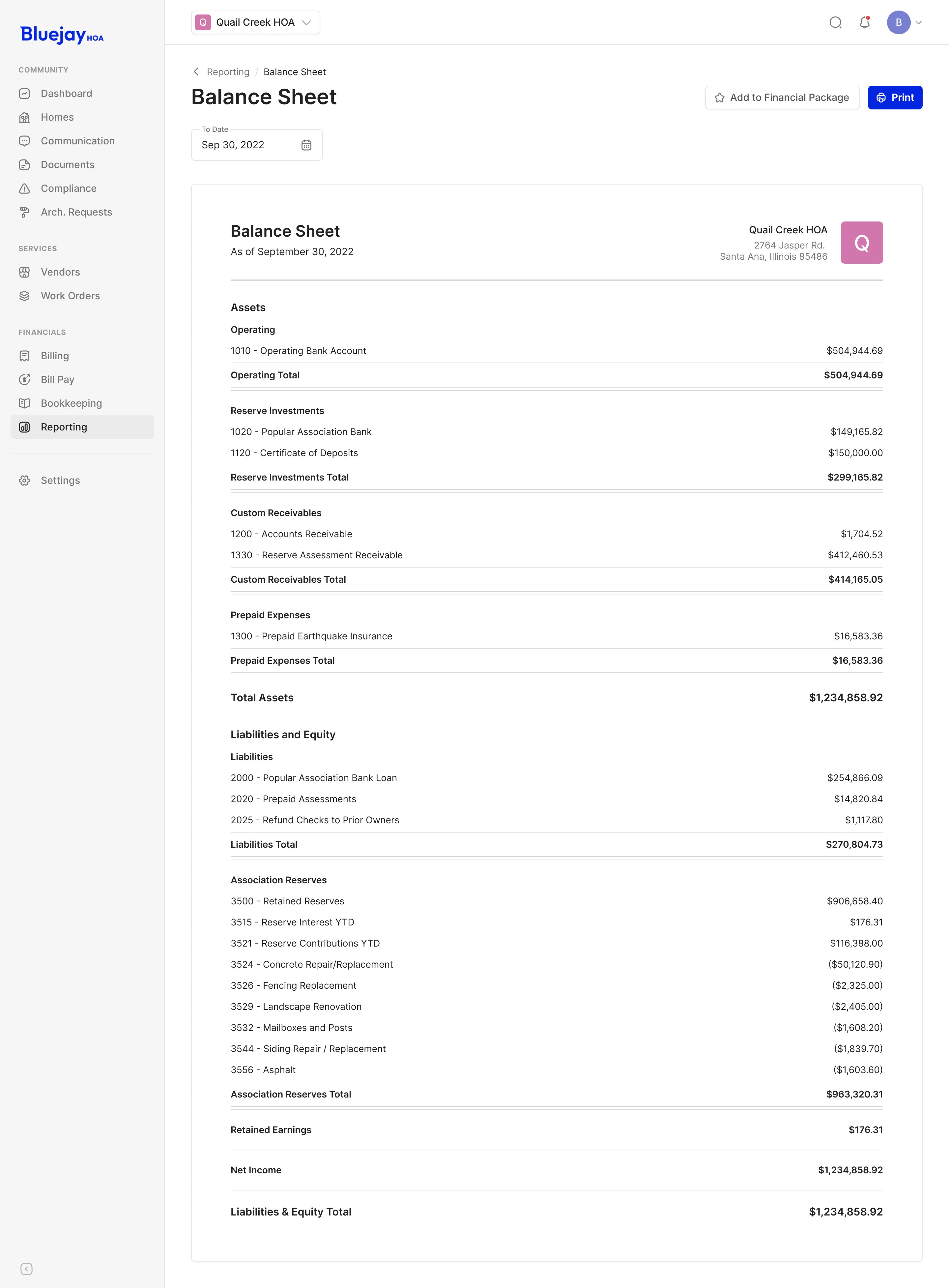
The balance sheet has a different shape again: assets, liabilities and equity at a single date. The surrounding report controls stay familiar while the statement itself keeps the hierarchy needed for that accounting view.

"We have a complicated product and we were impressed with their ability to create an intuitive UX out of complex workflows."
More from Bluejay