Neudesk is where a creative freelancer writes a proposal, turns it into a contract and sends the invoice, and where their client accepts, signs and pays. On our first call, in March 2025, Aaron Chapman described the job it replaces: six Google Docs on one laptop, a contract lost somewhere in his email, and calls to friends to ask what they'd charge.
Aaron is a director who runs a production company, and Neudesk was his idea. We designed the first version in a four-week sprint that March, then the iPhone app in June.
The value was in what happened around the document
On the first call I pointed out how much of the product would be familiar. A proposal wins the work: what you'll make, by when, for how much. The contract makes it binding, the invoice asks for the money, and most of what's in the second and third is already in the first. Ninety percent of this product was going to look like every other proposal tool. The work was in the last ten.
Aaron drafted his own proposals in ChatGPT, a page and a half, sent the night before, and they won him work. We concentrated on the parts a chat window can't do: carry the facts from proposal to contract to invoice, tell you when your price is low, and give the client something better than a PDF.
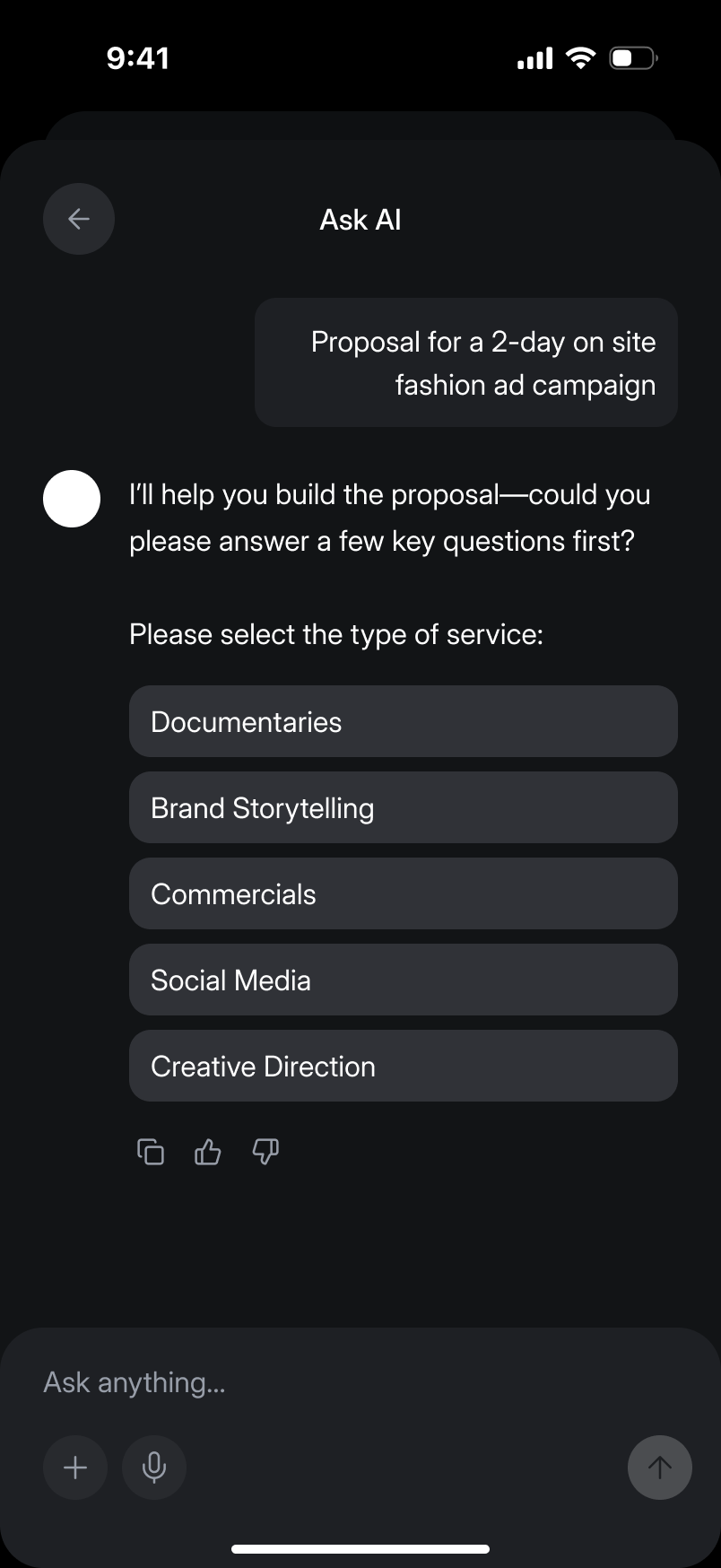
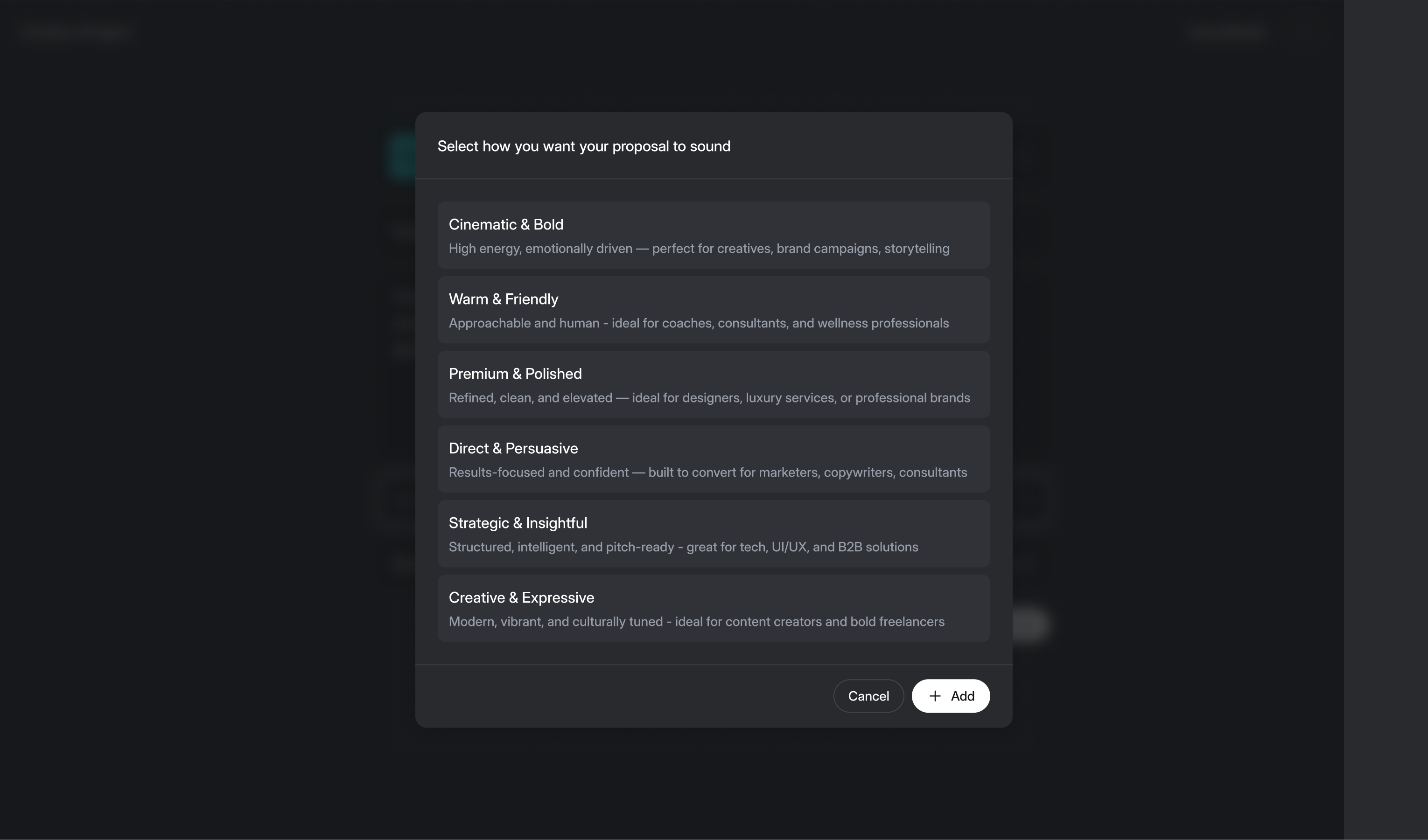
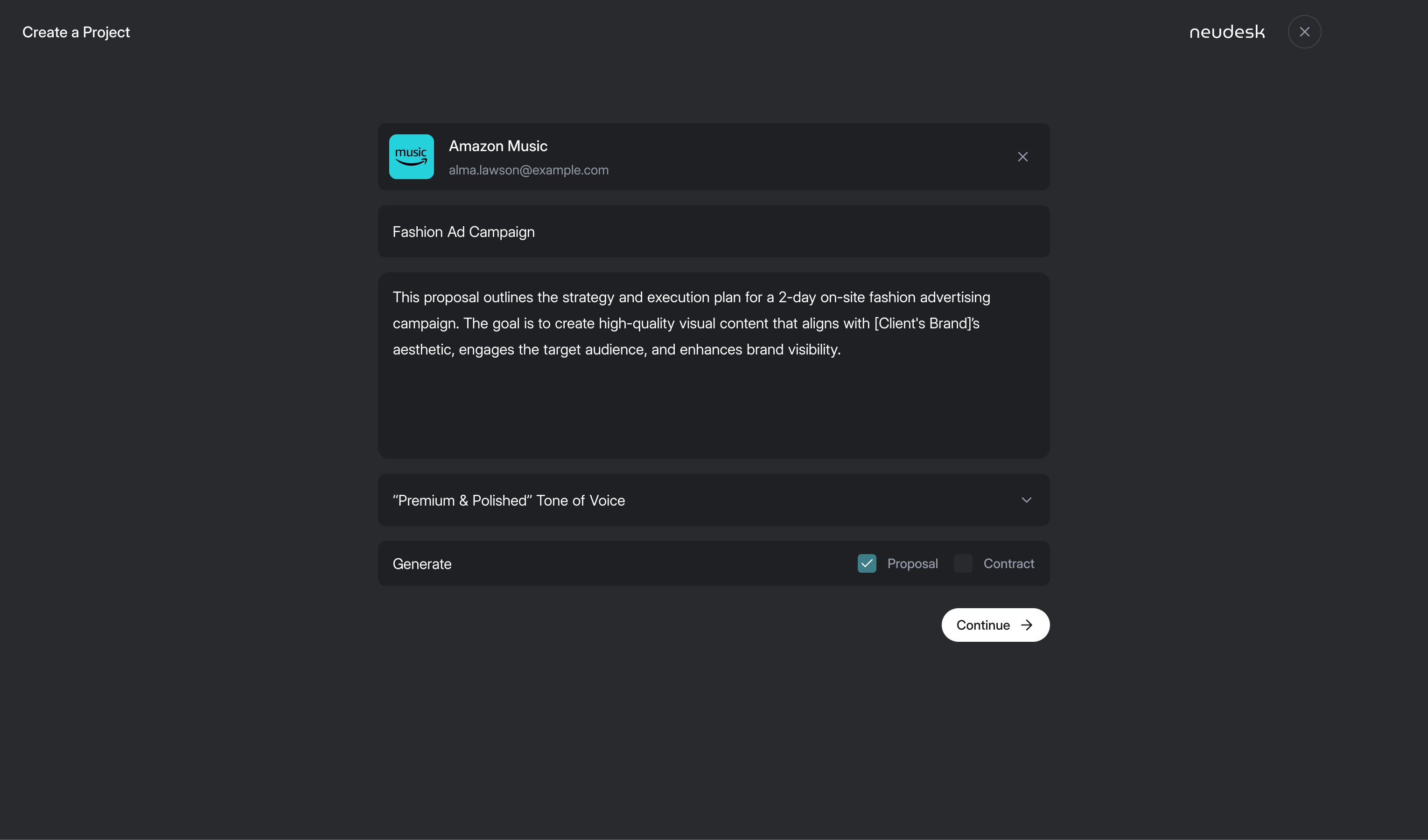
Aaron's first list of customers was five industries. I argued for one: creative freelancers, the people he knew, or we'd be competing with every generic proposal tool and half the accounting software on the market. So the setup questions ask about documentaries and commercials, and the tone options run from "Cinematic & Bold" to "Warm & Friendly".
Not every job needs all three
Nobody writes a proposal for a one-minute event video, Aaron said. Some jobs never get a contract either, and a big one might want a proposal now and a long contract weeks later.
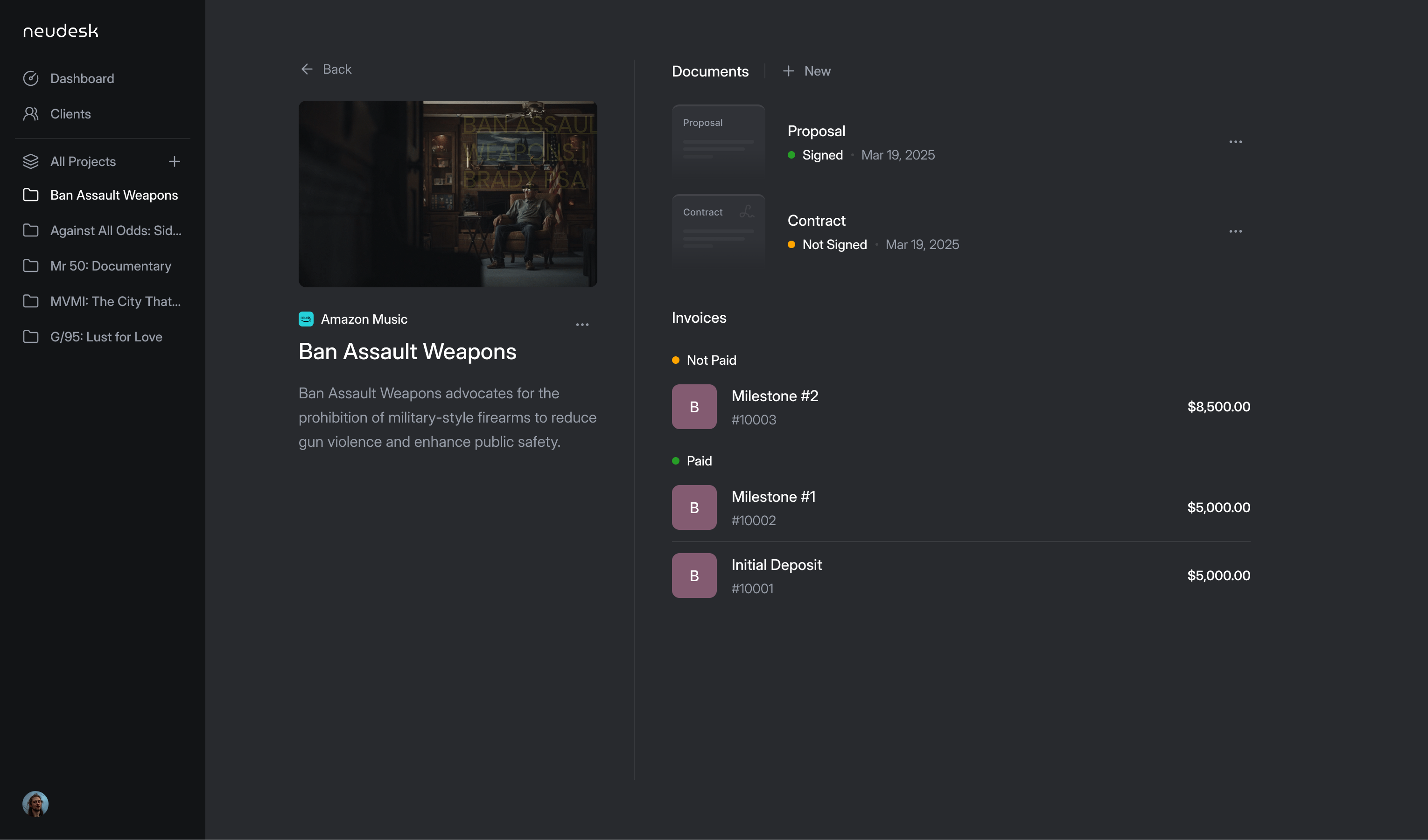
That ruled out a fixed wizard which forced every job through proposal, contract and invoice. A project needed to hold the documents together without making all three compulsory. I worked through that model with Aaron: start with a proposal and carry its details into the contract and invoice, or start with a contract, or send a one-off invoice. The documents sit as tabs along the top of the editor.
The distinction also matters when someone comes back later. Editing a contract shouldn't break its relationship with the proposal, and an invoice added weeks later still belongs to the same job. A project gives those documents a home that survives the individual send actions.
keep the documents connected without forcing every job through all three
Price help sits inside the proposal
Pricing was half of Aaron's original idea. He asked whether it should be its own tab. No: every proposal has a pricing block, so the help belongs next to the number it's about. The first editor gave that block the full kit, a gauge scoring the proposal's strength, a checklist of tasks to raise it, and two sliders placing your price against a market range and local projects.
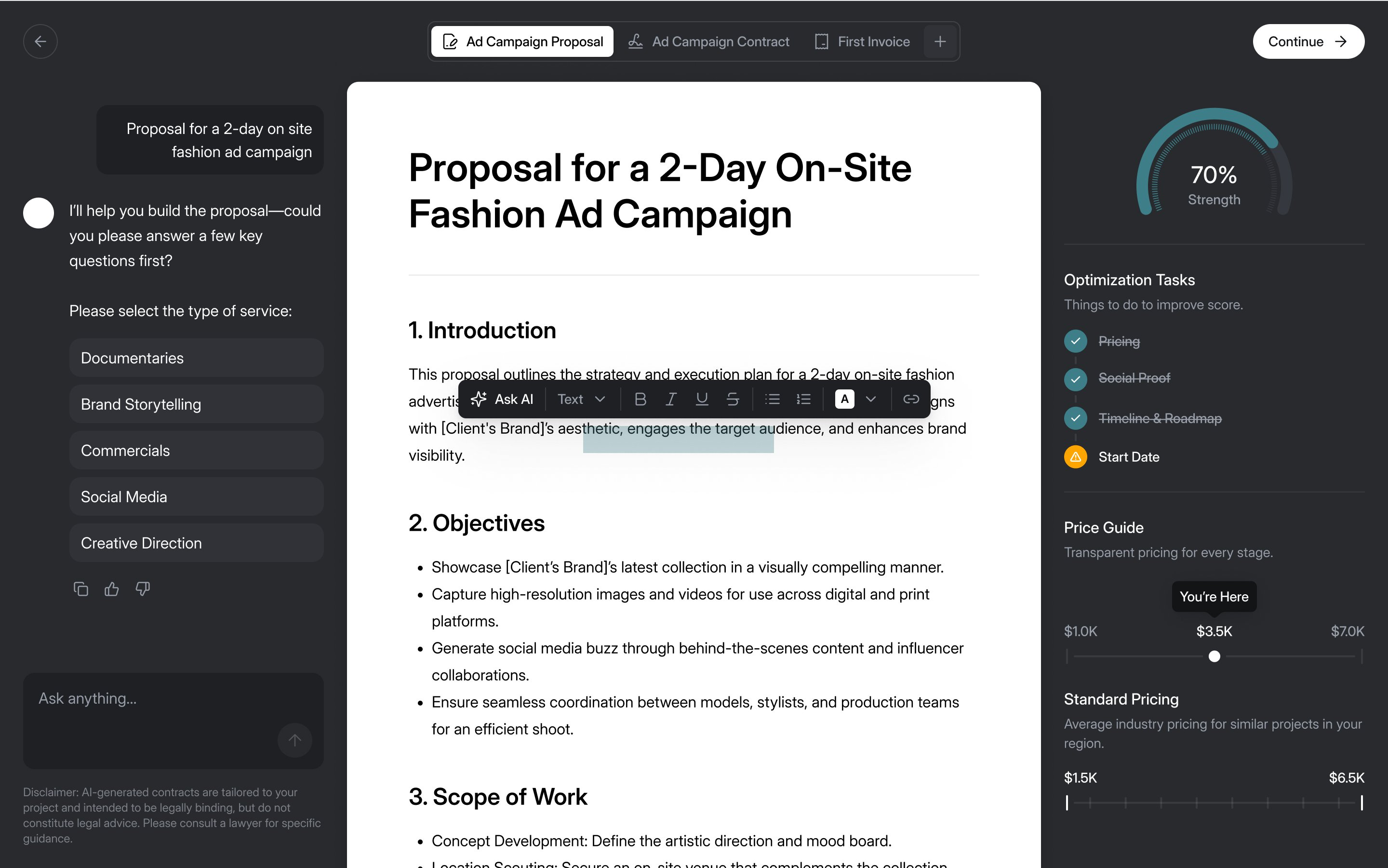
In June Aaron challenged that panel. The strength gauge, checklist and pricing sliders were difficult to build on a phone, and he questioned whether they added enough. The video, layout and drafting were already meant to improve the proposal. He proposed a plain pricing insight instead, and we redesigned the panel around it. It gives a suggested range with what it's based on ("$3,000 to $5,500, based on Creative Direction, 2-Day Shoot, Los Angeles market"), a sentence on why, and three quick wins.
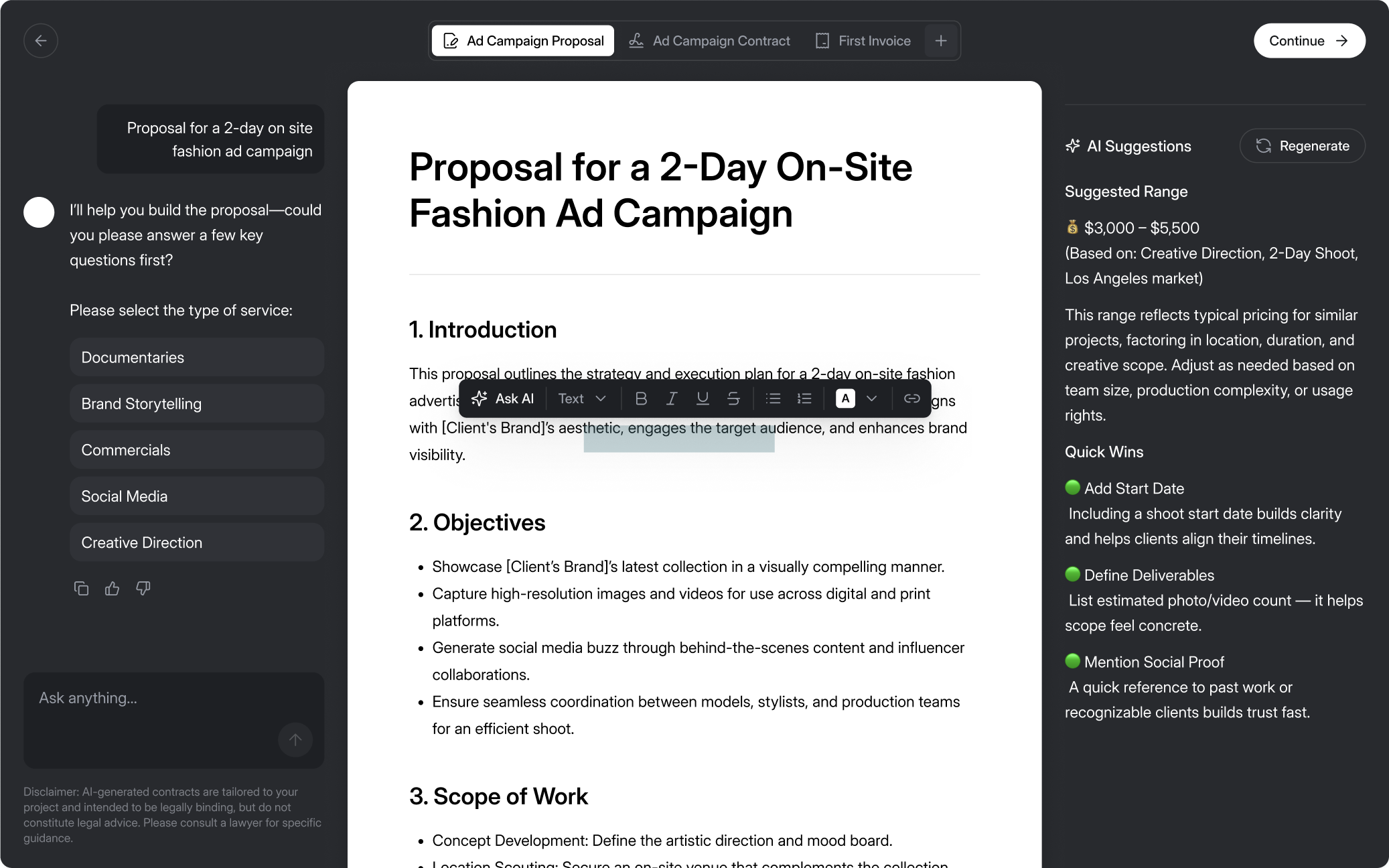
"AI Suggestions" became "Suggestions" too. In a product built on AI, I argued, a sparkle next to the AI parts is a marketing badge. Nobody using it cares which bits are the model.
The client gets a link with a person on it
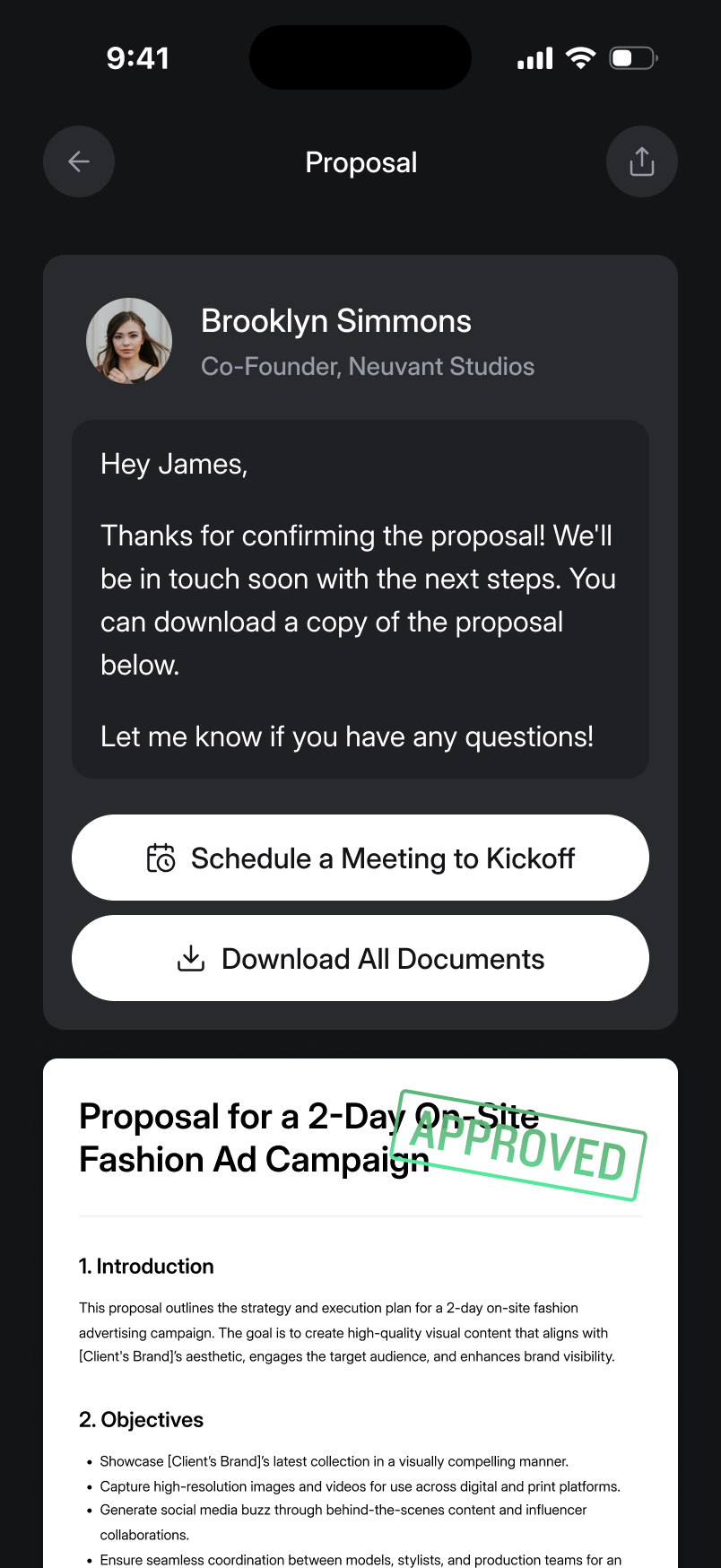
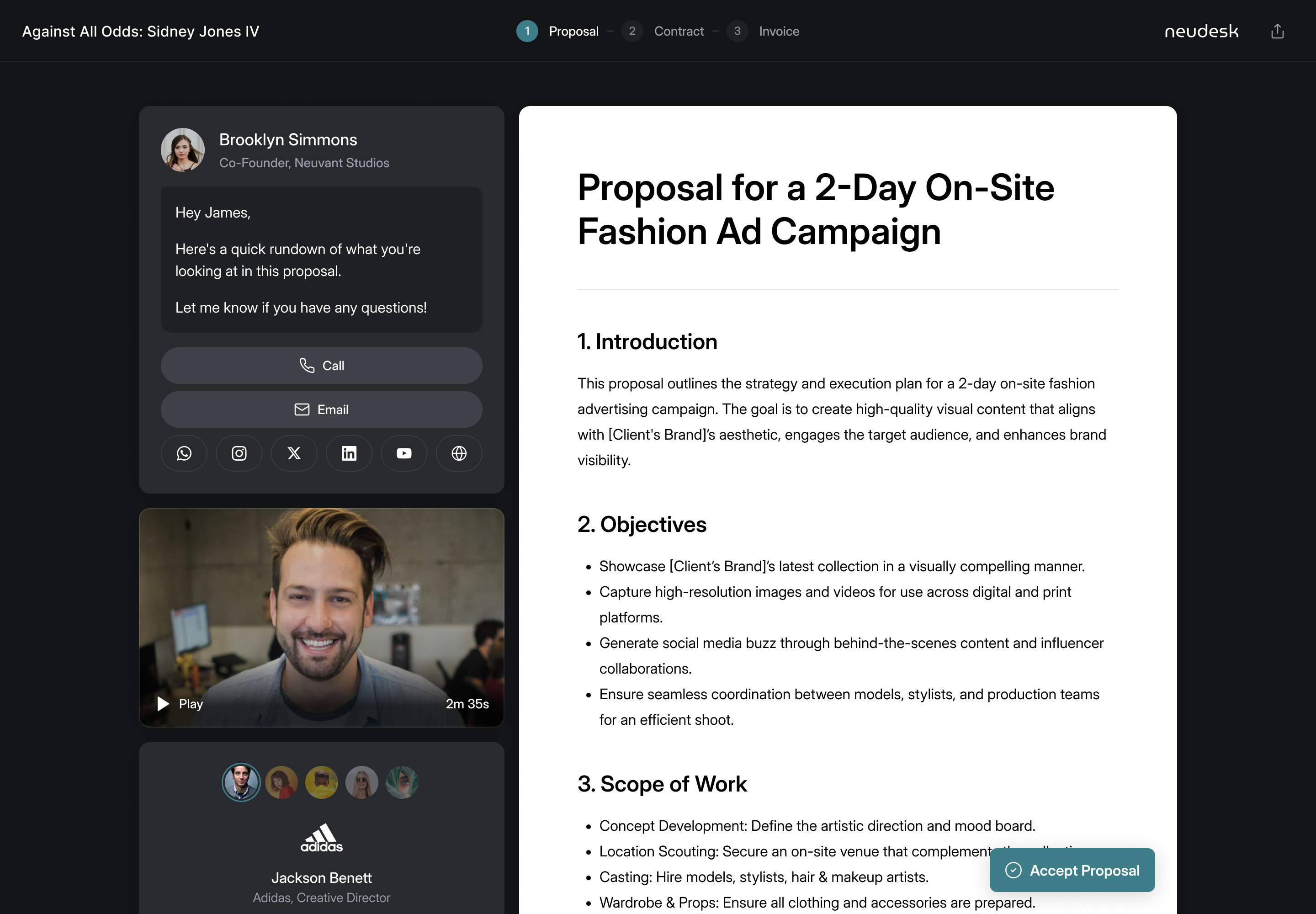
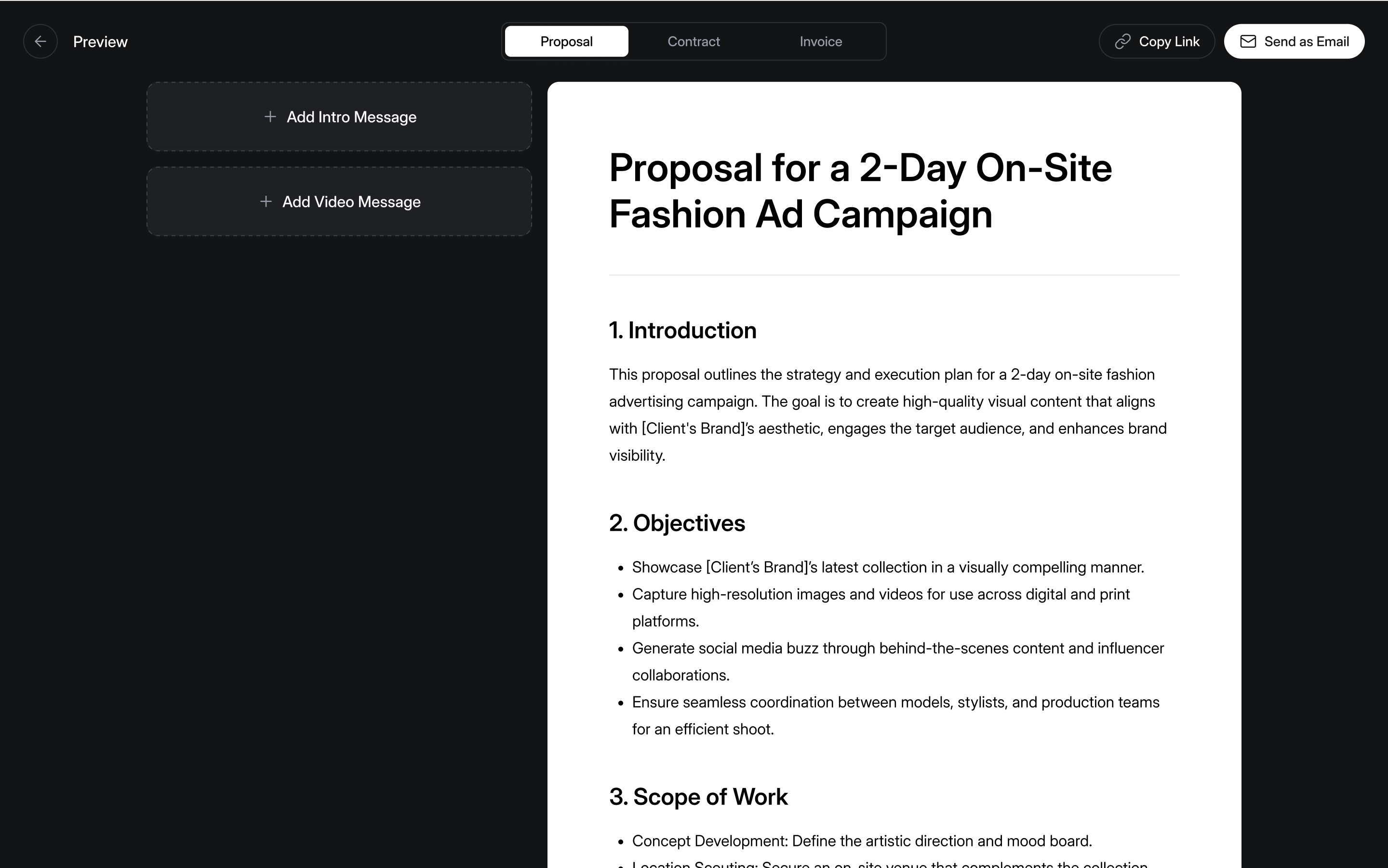
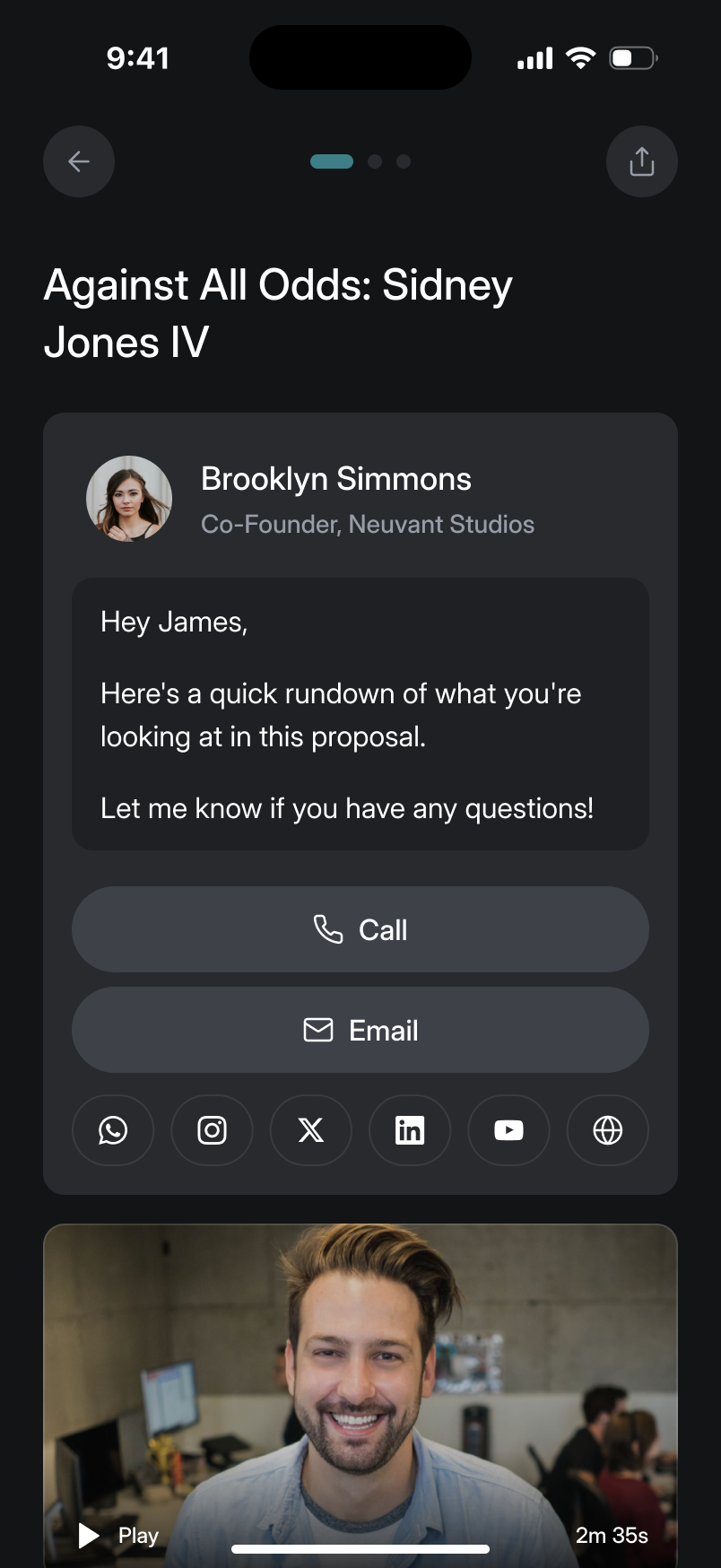
A proposal goes out as a link, which can be tracked, hold a video, and be accepted, signed and paid in one place. The first client view looked a bit dead to me. We wanted the feeling of a person handing you something, so the freelancer adds an intro message and a video, through Loom or an upload, and the client sees them beside the document with the sender's name and a call button.
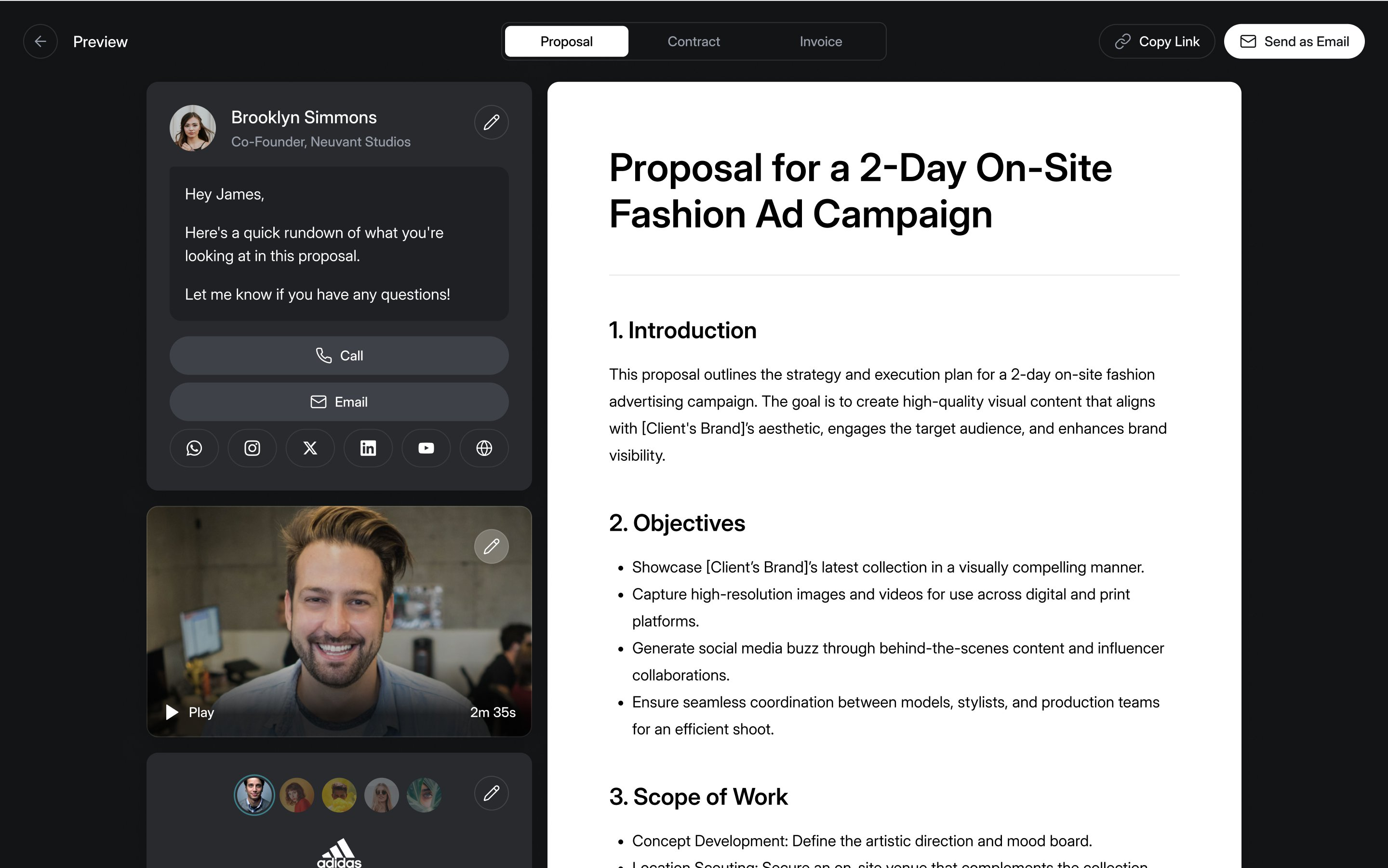
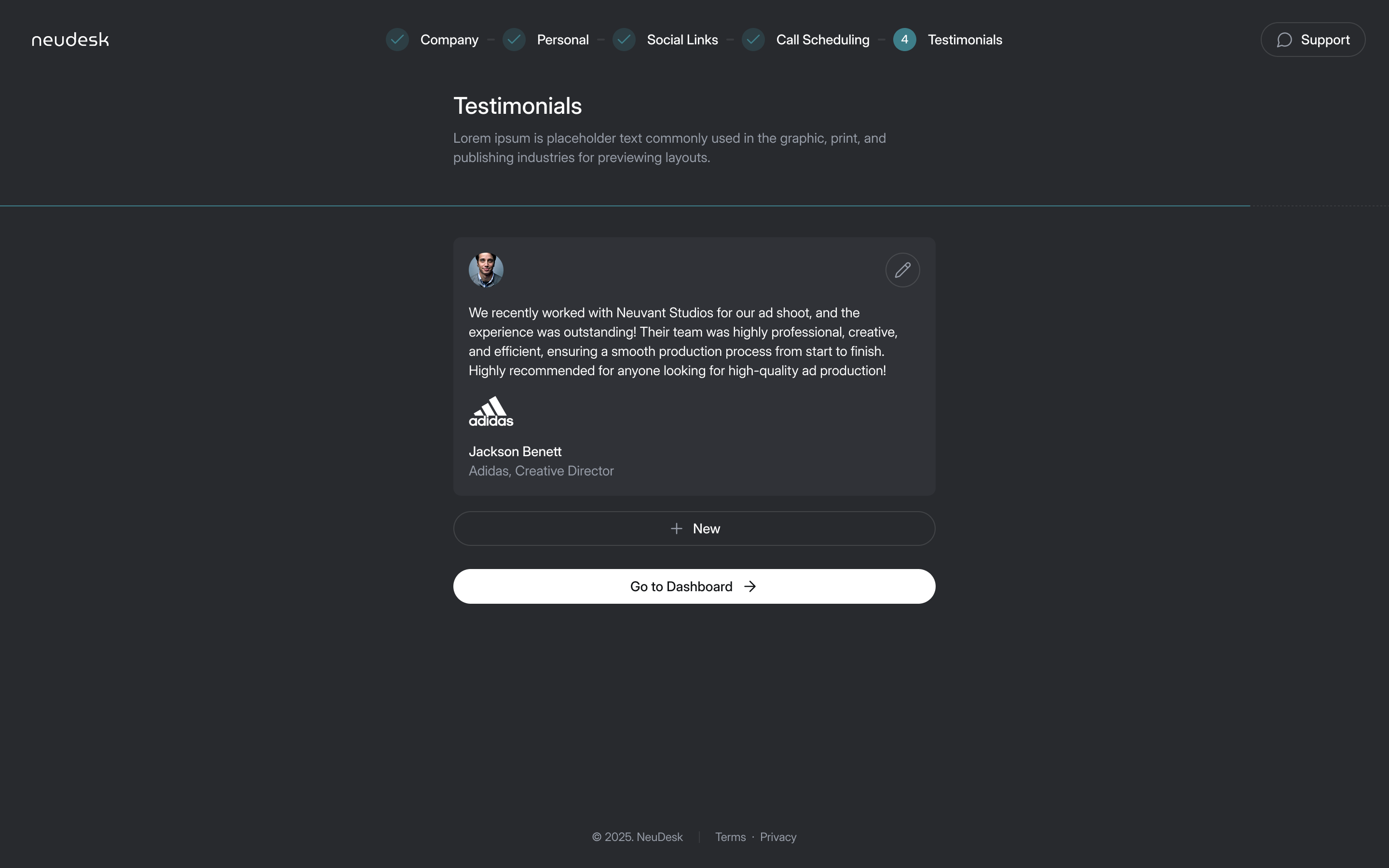
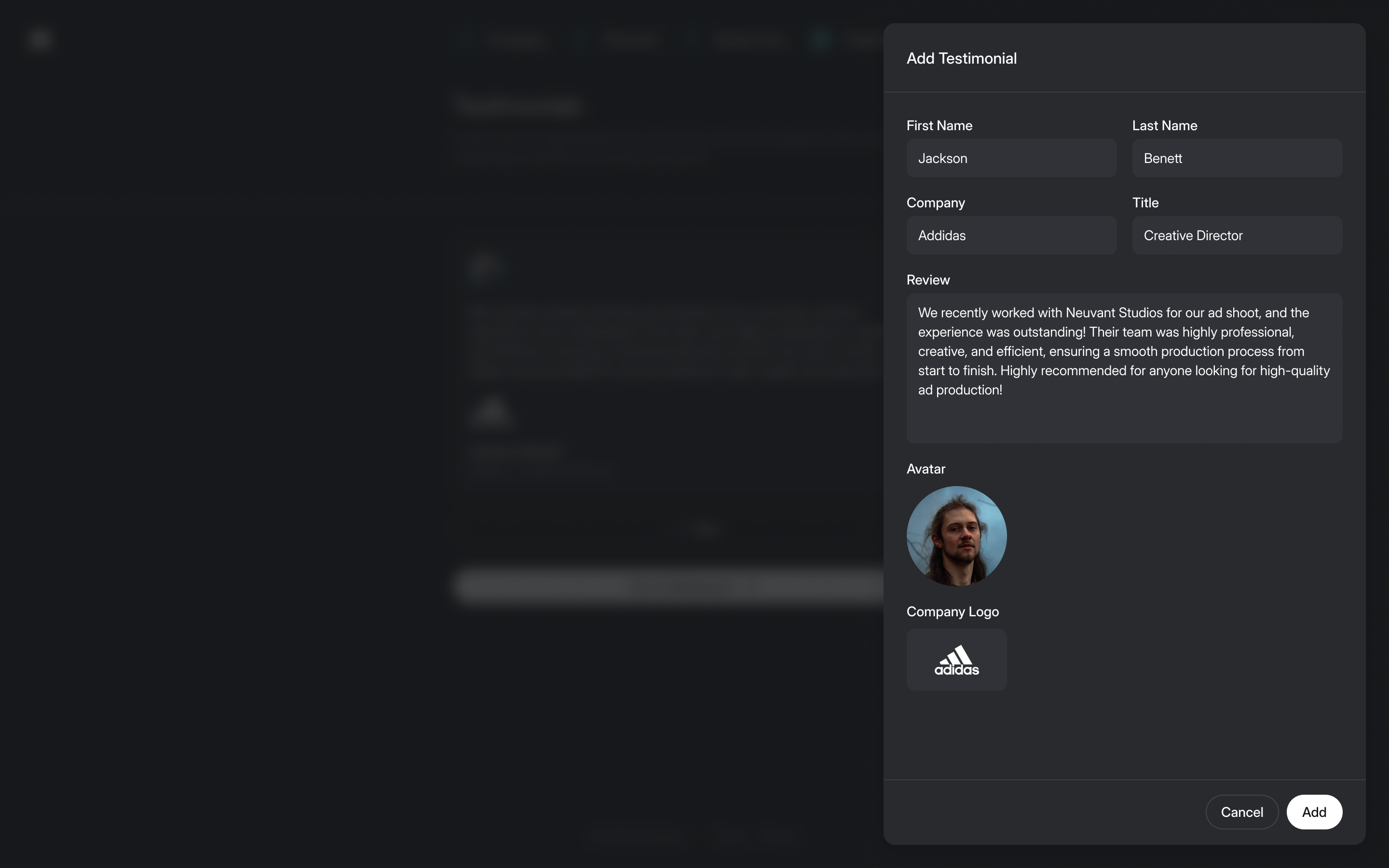
That first client view had star ratings. Aaron asked what they'd look like once every freelancer had given themselves five stars. The stars went, and freelancers add testimonials during sign-up instead. That gives a prospective client words from an identifiable person to evaluate, rather than a score that looks independently earned when it was entered by the freelancer.
Accepting is one click, and the contract does the signing
Aaron wanted a client to accept the proposal and sign the contract in one go: two buttons, two minutes, job won. My hesitation was whether an AI could draft a contract a freelancer would be happy to have signed unread. Aaron's answer was to draft the contract while the proposal is being written, so the freelancer checks it before either goes out.
He also talked us out of signing the proposal. The client presses Accept Proposal, and the signature lives on the contract, which appears only once the proposal is accepted. They sign, then move to the invoice and payment. Change requests go to email, where the two of them were already talking. We kept the sender's contact details prominent rather than building another conversation thread inside Neudesk.
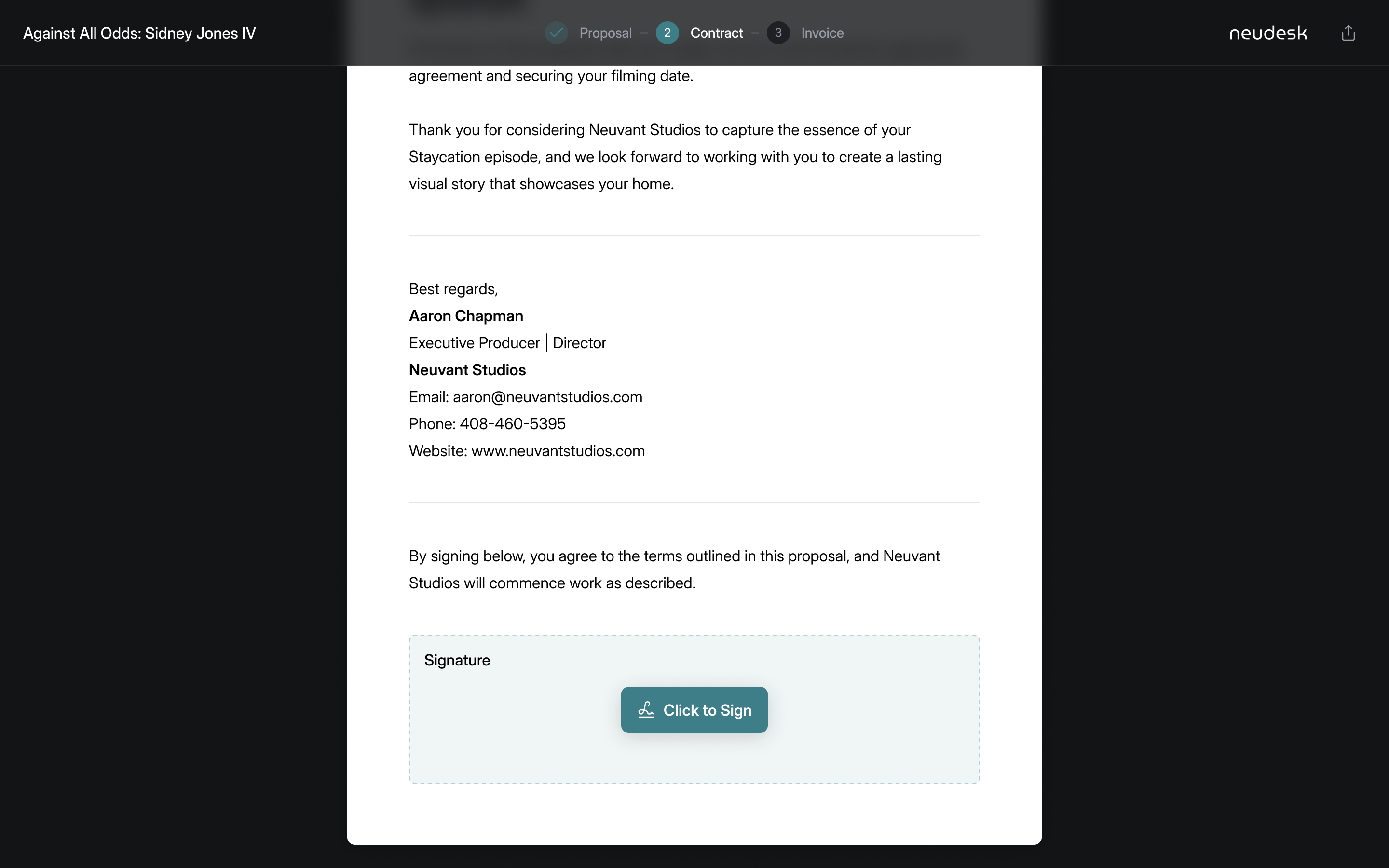
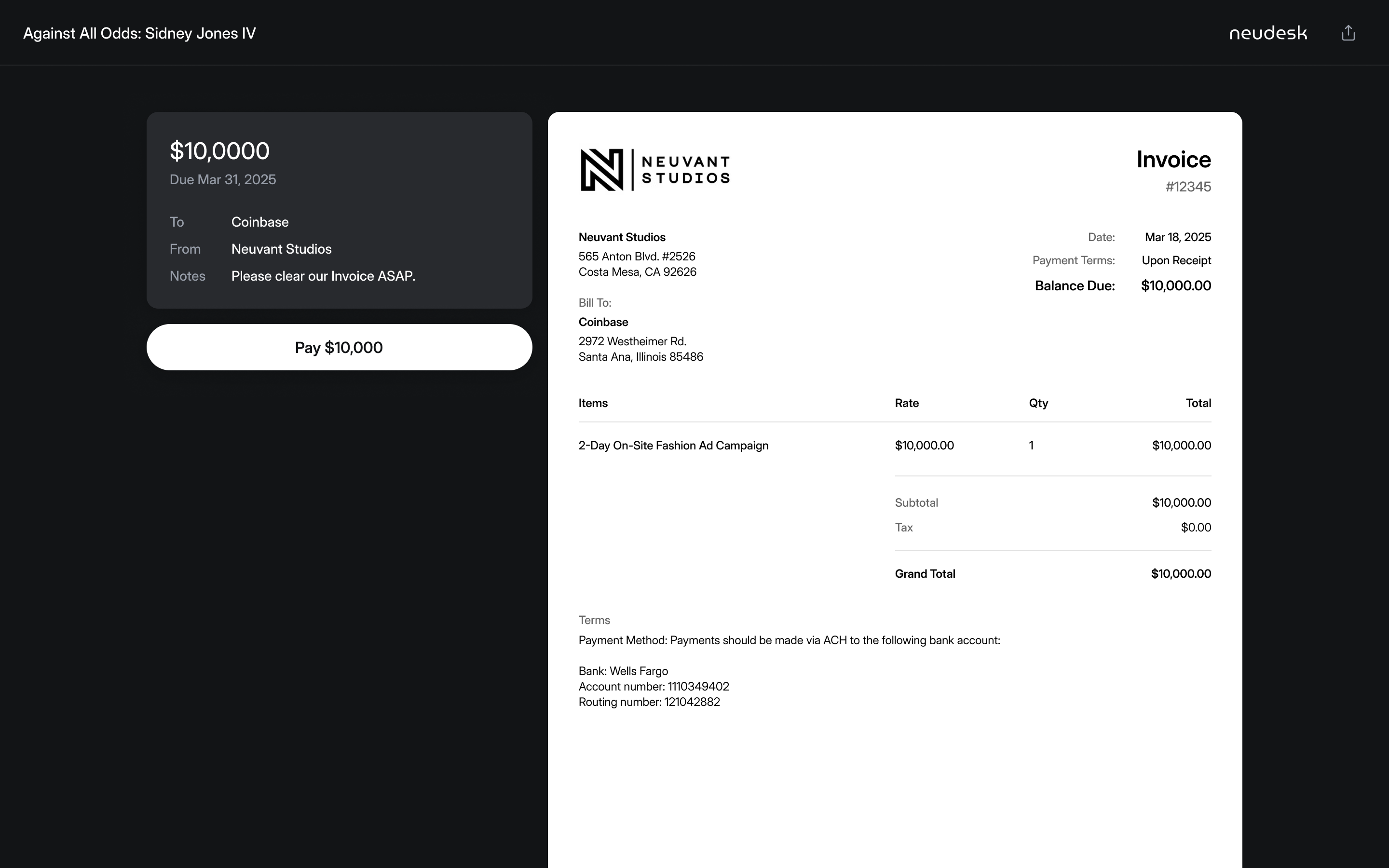
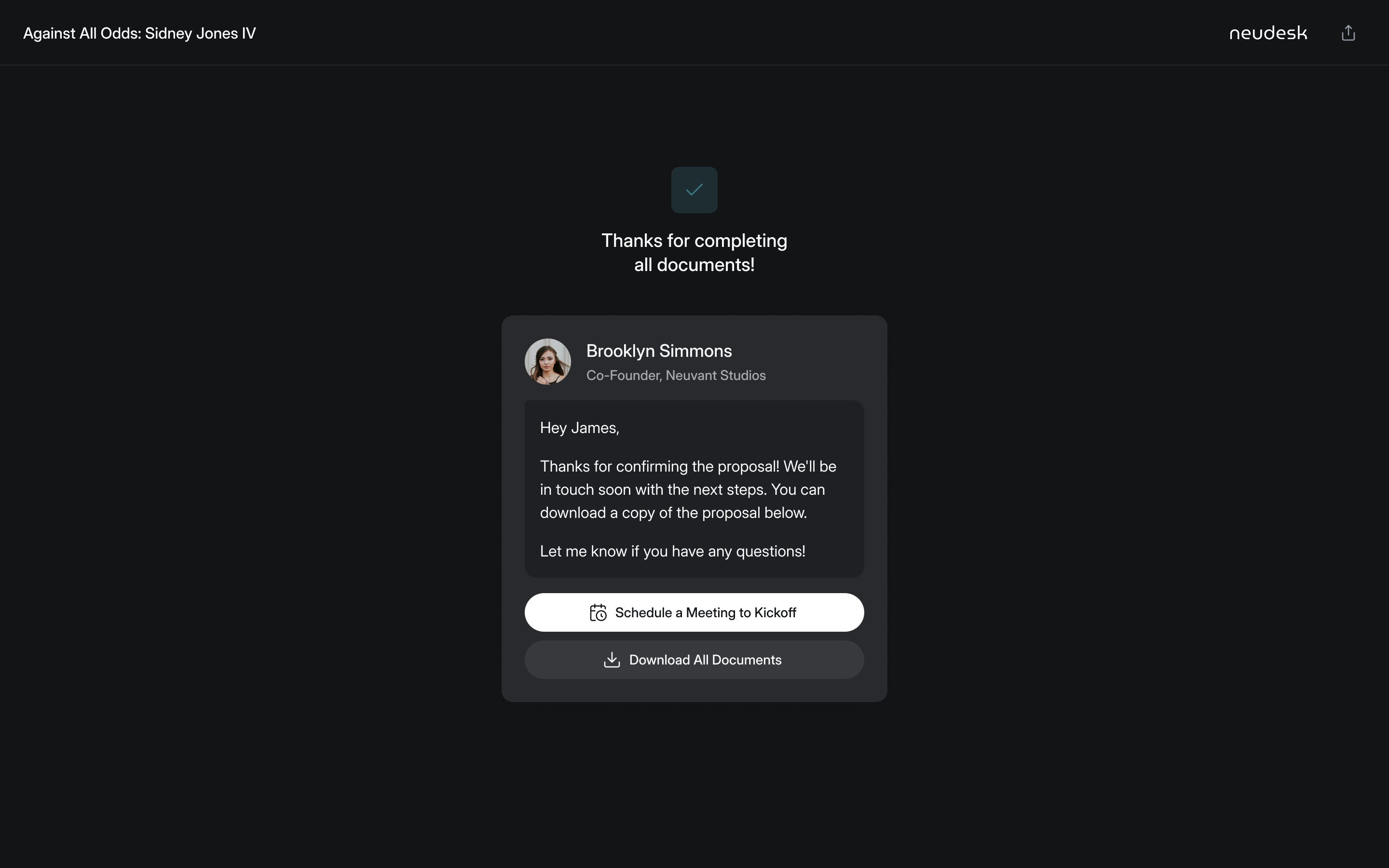
the freelancer reviews the contract before the client can sign it
The dashboard shows what still needs attention
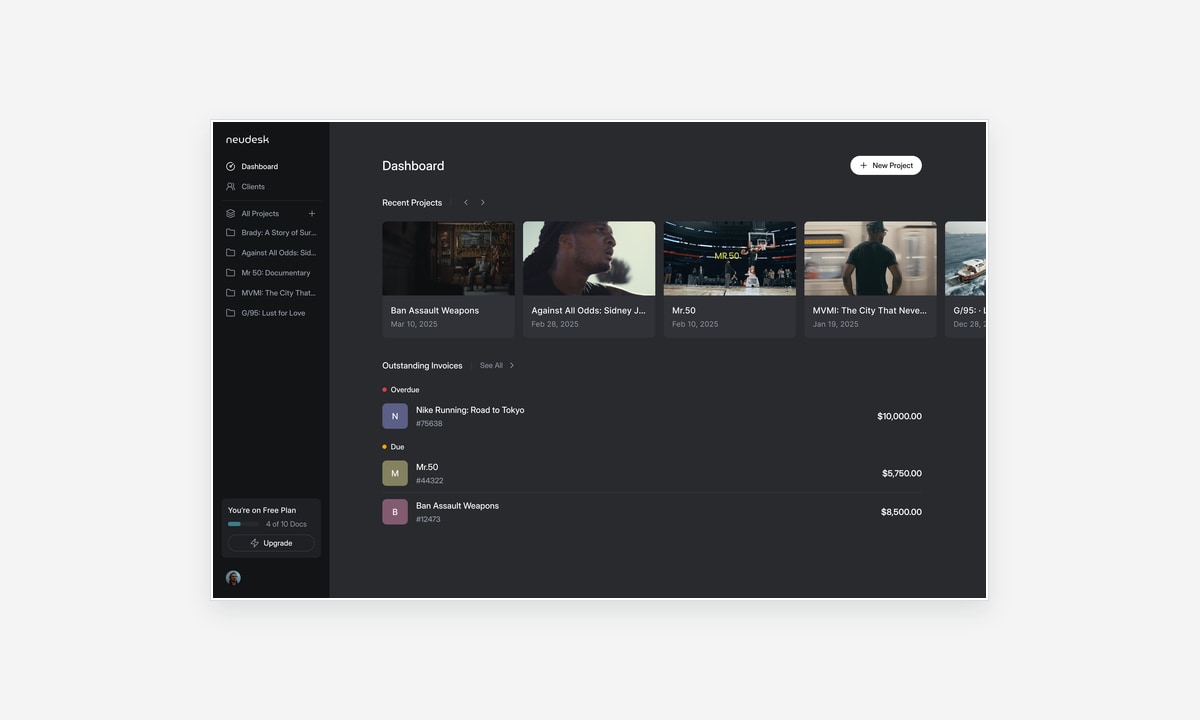
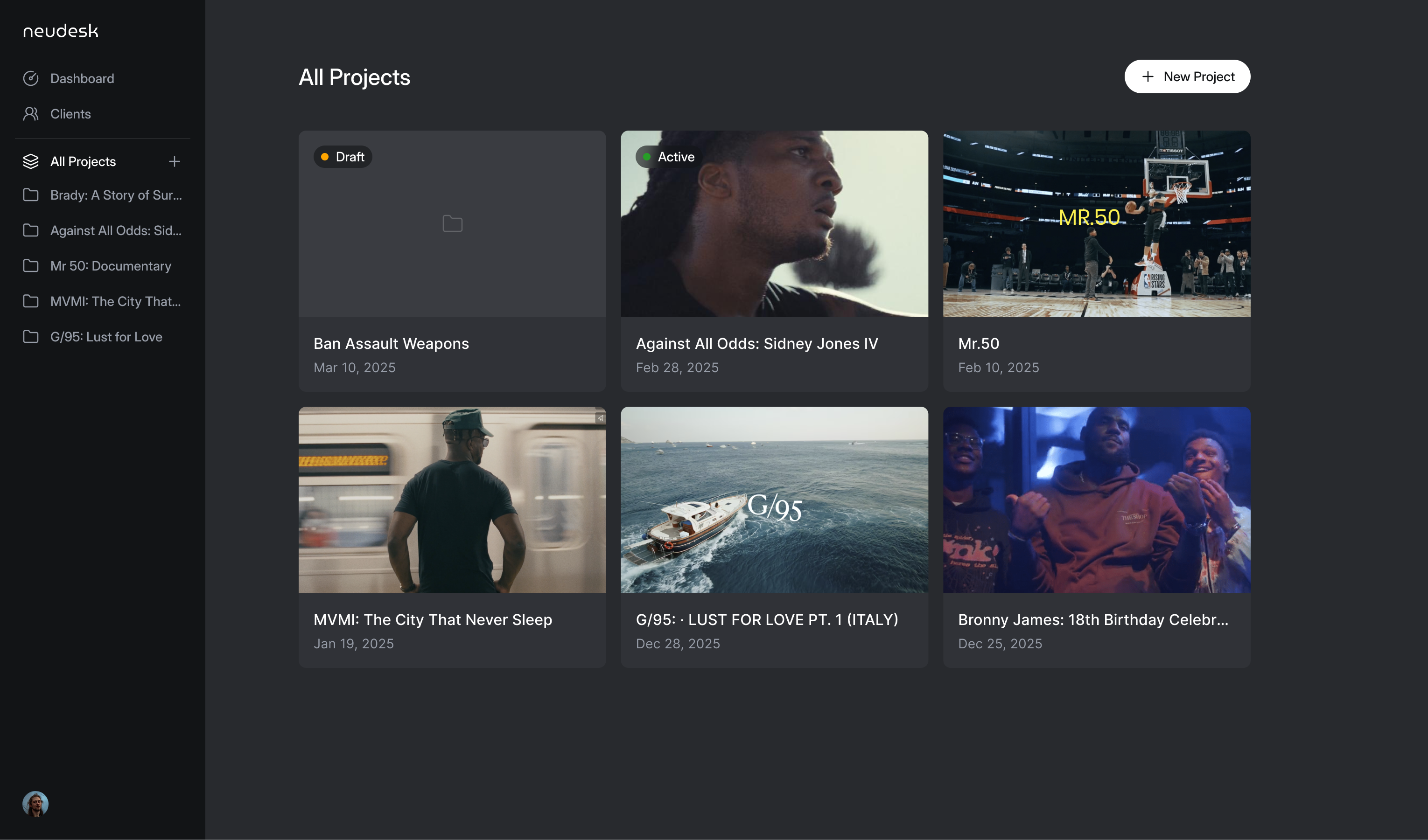
Dark mode was for the audience, and Aaron held us to it: when a lighter client view turned up he asked for the black back. The documents are the one white thing on screen, and colour is saved for moments like a proposal being approved.
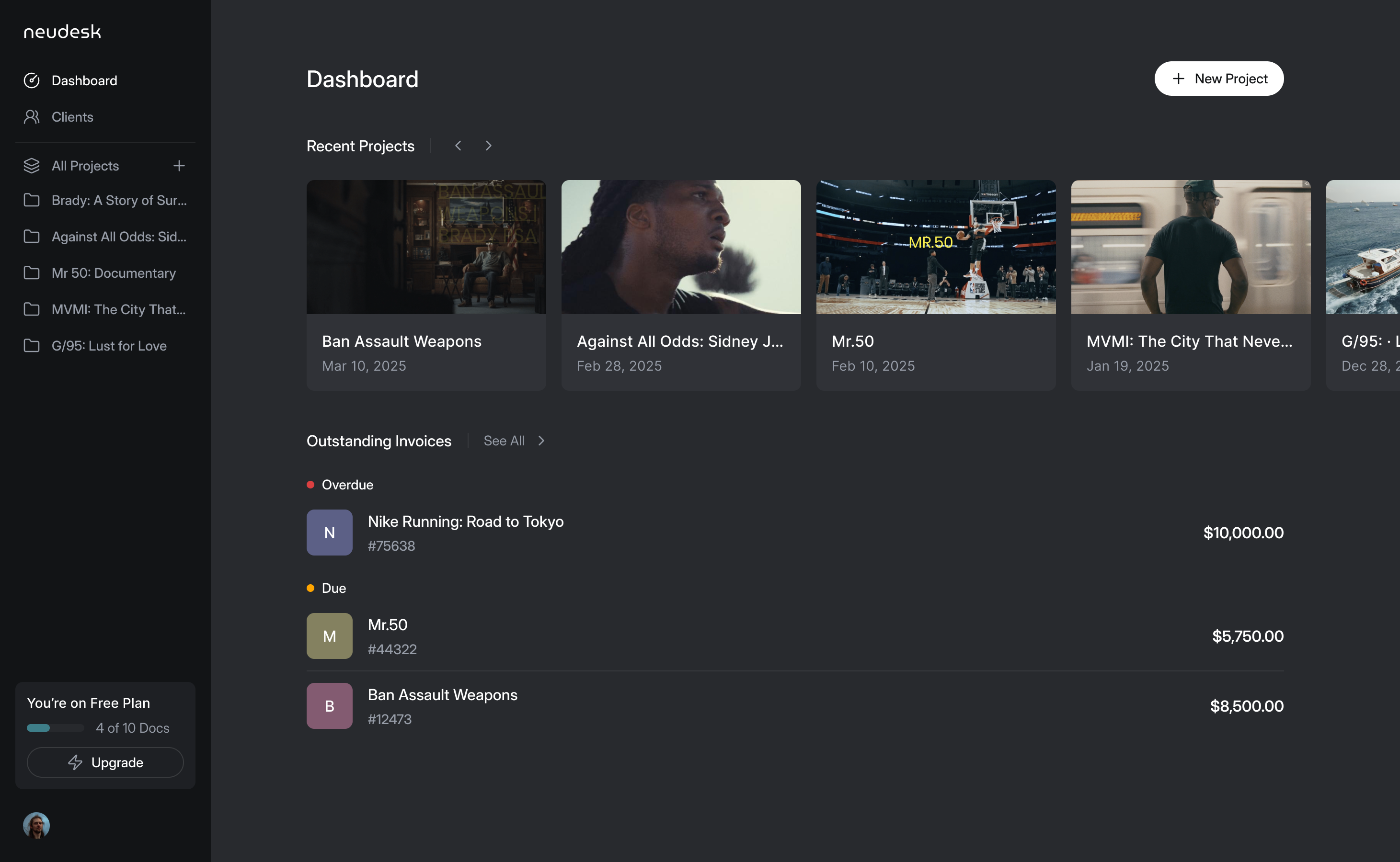
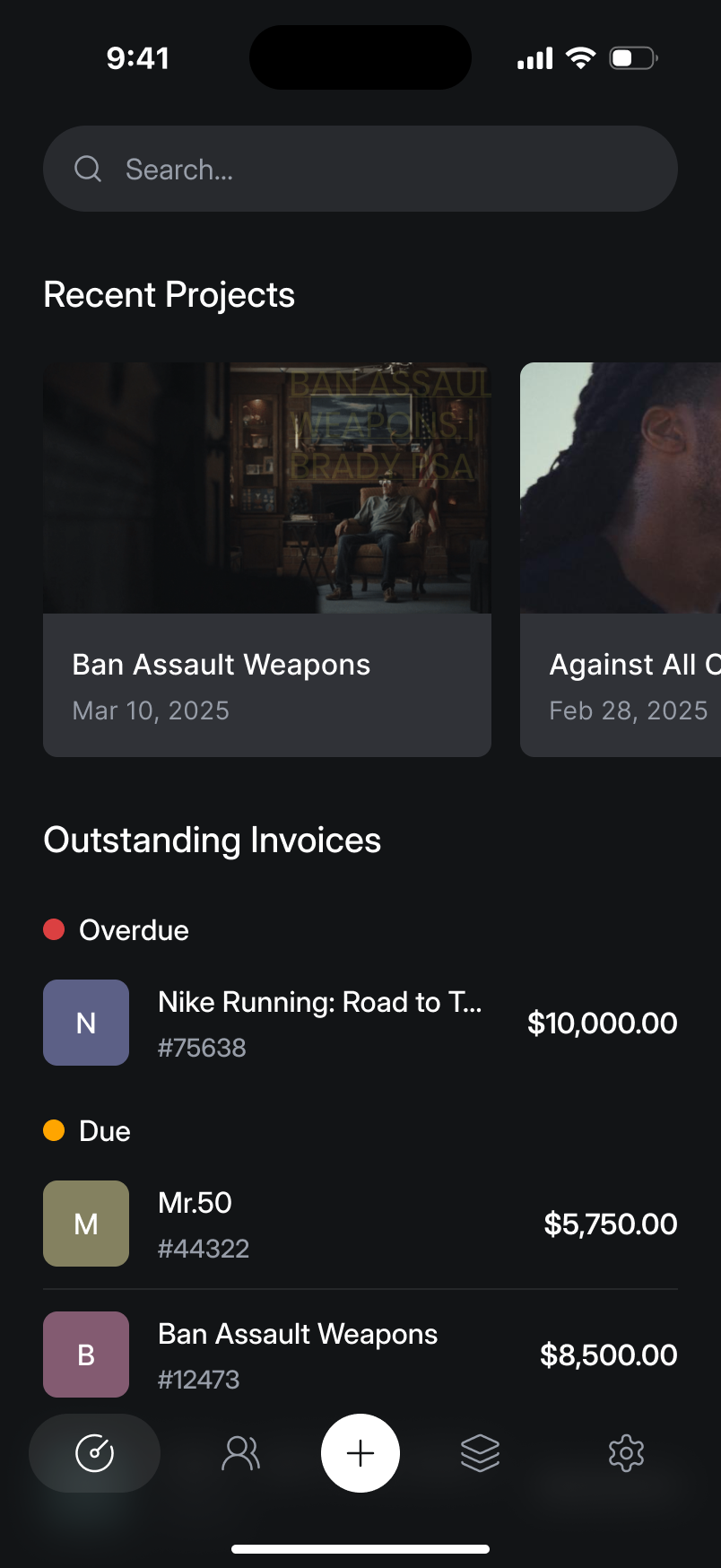
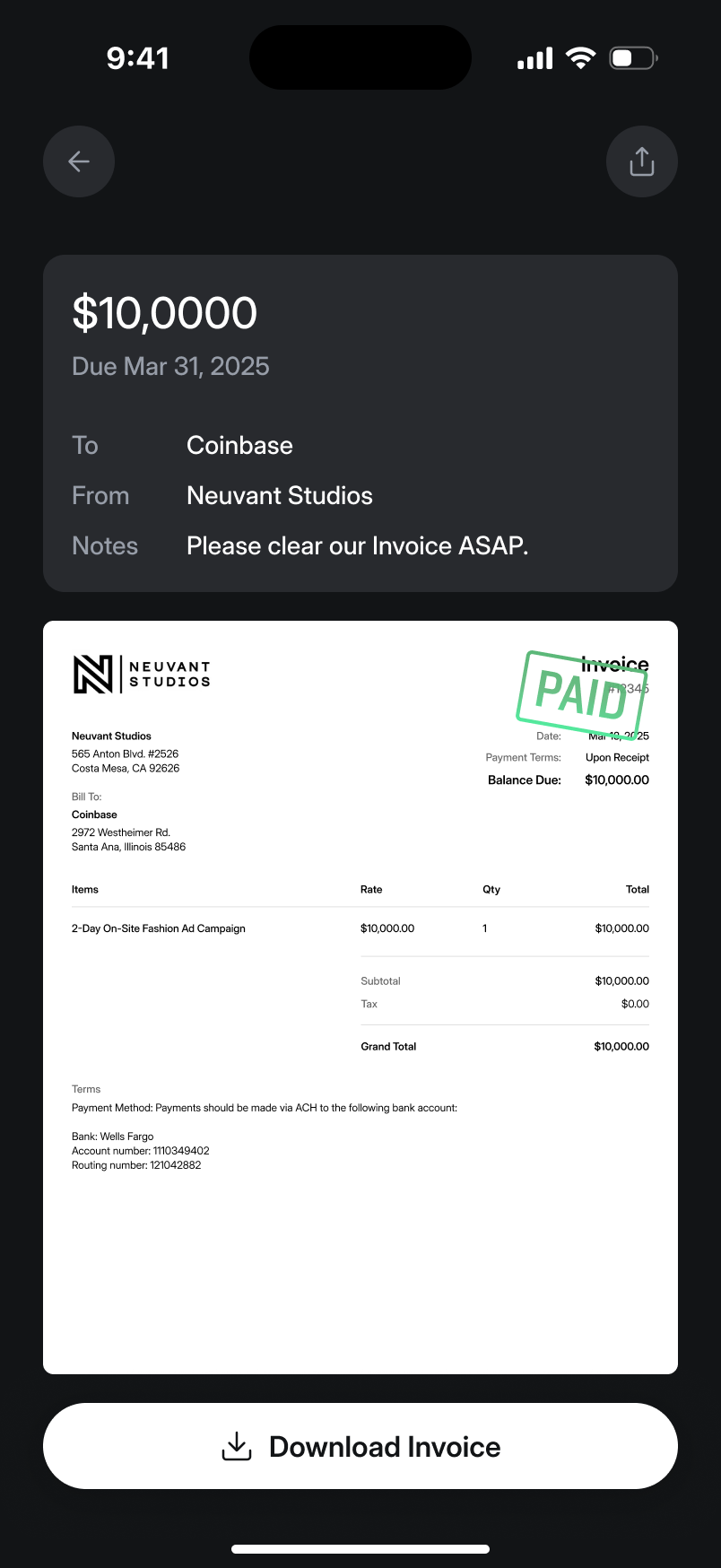
The dashboard needed to answer a different question from the editor: what still needs attention? Pending proposals, unsigned contracts and unpaid invoices are all unfinished work, but each needs a different next action. We brought that tracking into the home screen. By June the design led with the projects themselves, each with a still from the shoot, with outstanding invoices underneath. The images let creative freelancers recognise a job without reading every title; the invoice list keeps money owed visible outside the individual project.
The phone exposed what the desktop could lose
We designed the iPhone app from the web product rather than inventing a separate workflow. What didn't fit a phone changed: testimonials became a row you swipe sideways, and the pricing panel became the plain text above. That reduction went back into the desktop editor too. The smaller screen gave us a reason to ask which parts of the interface were earning their space, rather than shrinking every desktop control.
At the end of June Aaron paused the mobile build to put everything into the web app.
More from Neudesk