Wellma connects people with wellness practitioners, resources and communities. Its mobile product needed to carry someone from a first introduction to an ongoing relationship: find a practitioner, understand what they offer, add them to a personal circle and return when it is time to book or learn more.
We worked on the pairing experience, home screen, practitioner profiles and community concepts. Prakash Ghodke designed the main screens, with my direction and review. Vitalii Prokopenko worked on the design system and supporting interactions. The work shown here is the product design we delivered, including the states around those journeys.
Make the result of pairing something the person can act on
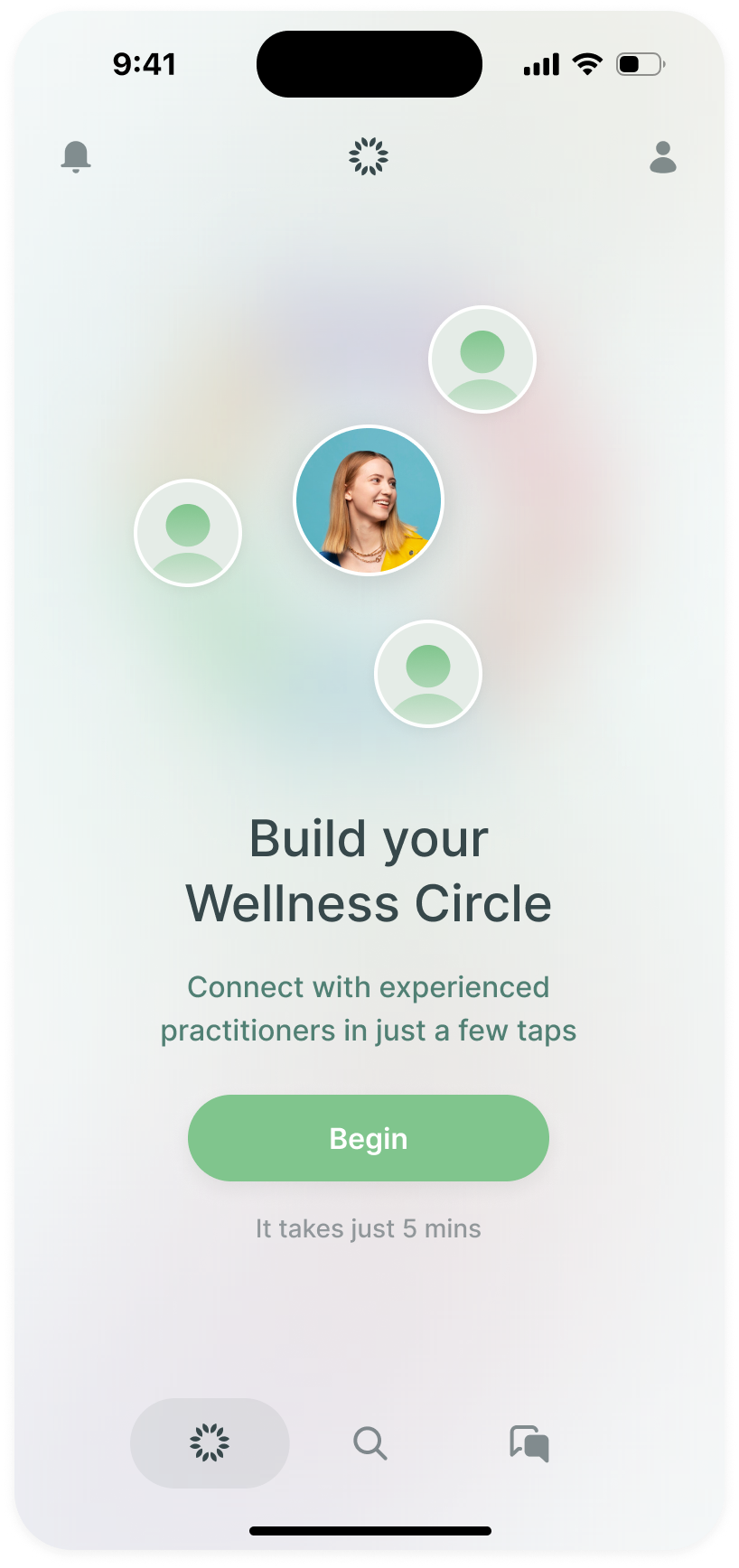
The entry into pairing needed to explain more than the presence of a quiz. We made its purpose Build Your Wellness Circle, with the person at the centre of the illustration. I specifically asked for that arrangement: the people being discovered should read as a circle around you.
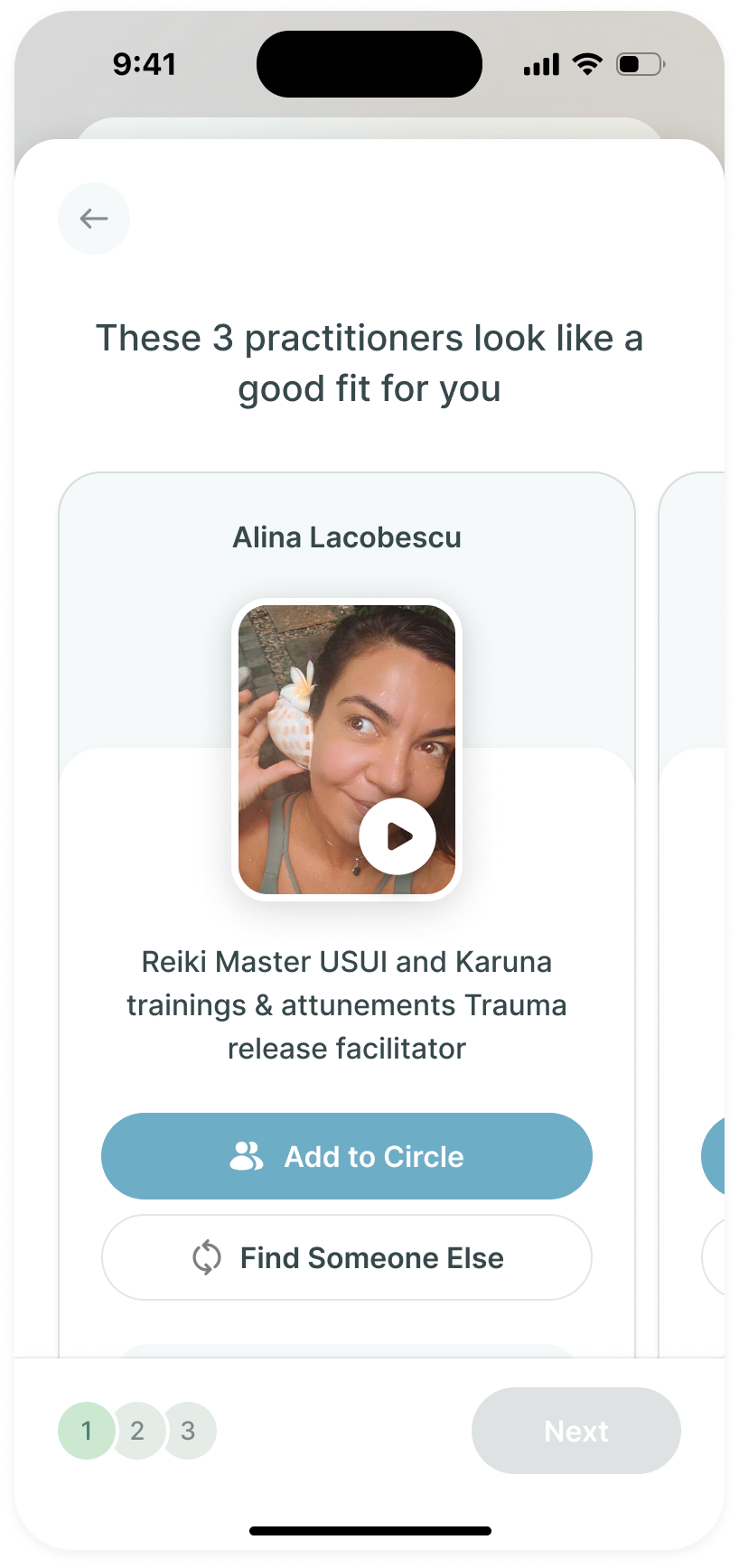
The result carries that idea forward. The design presents a small set of practitioners, with an introduction and a video rather than just a name and category. Each suggestion offers Add to Circle and Find Someone Else. Someone can keep a useful introduction or ask for an alternative before moving on.
We also worked through the questions leading to that result. A set of selectable interests can give someone a quick way to describe what they are looking for. I asked for a free-text question as well, so the design could accommodate a response in the person's own words. We documented the keyboard state too, rather than treating the empty text field as the complete mobile interaction.
In reviewing the recommendation copy, I asked us to explore a more personal sentence about the people a practitioner works with. That was a proposal for how to explain the connection, rather than a claim that the system had established a clinical match. The interface needed to help someone understand an introduction and decide what to do with it.
the introduction needs a next step, not just a match label
The circle has to work after it fills up
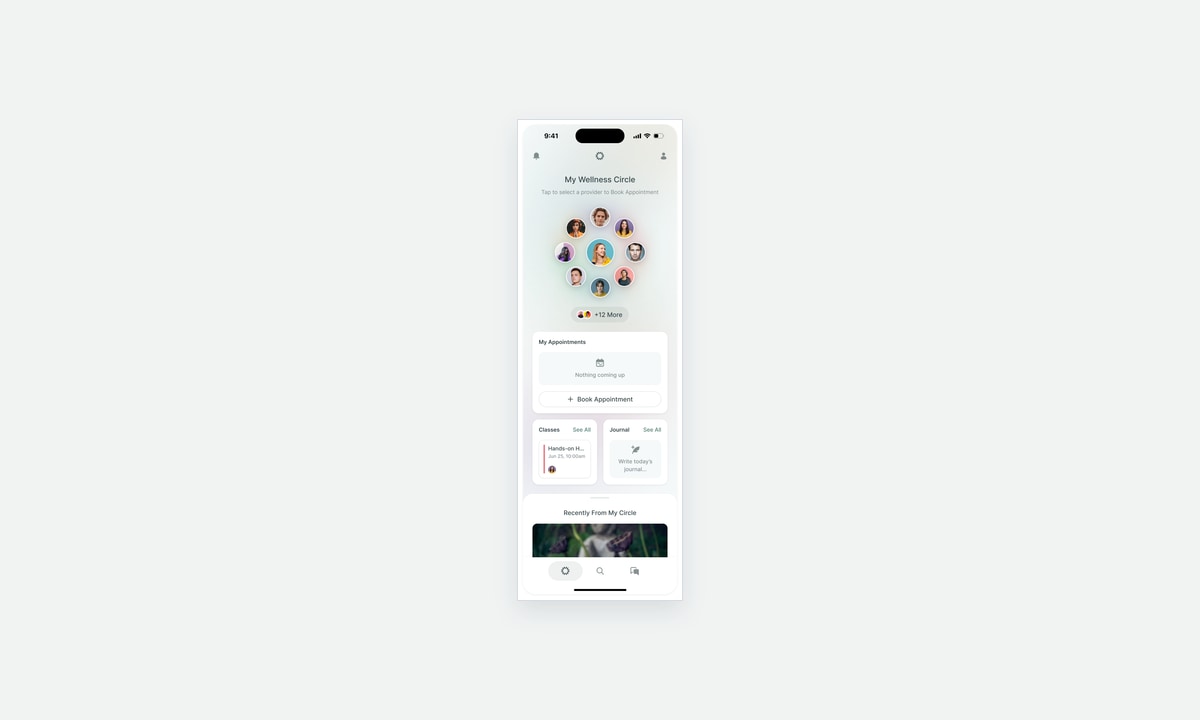
The circle became part of the home screen as well. The people someone has chosen sit around their own avatar, with appointments and other material below. It gives the person a familiar place to return to the practitioners they have already found.
That arrangement was easy to make attractive with a few faces. I asked for an example with more than ten people, then raised the need for an overflow count when the circle became much larger. Without that state, the design would only demonstrate the first few days of use.
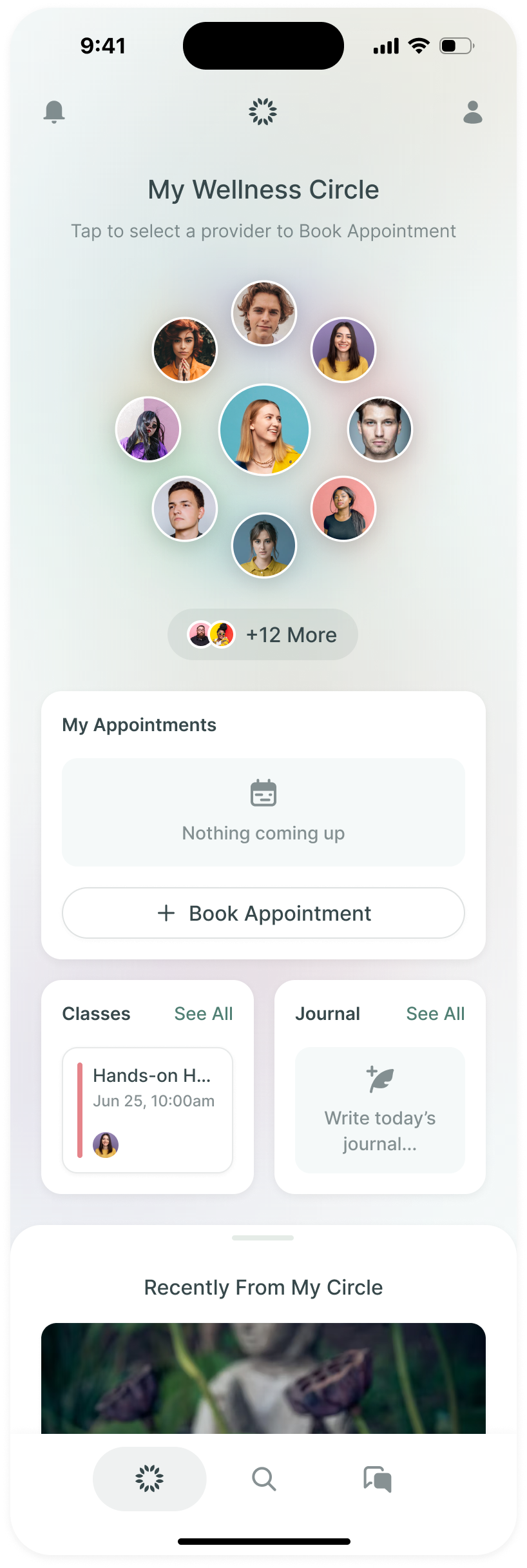
The resulting home keeps a limited set of faces visible and offers a count for the others. The person can still recognise the circle without requiring every practitioner to fit into the illustration.
Below it, the home has separate places for appointments, classes, the journal and recent material from the circle. We brought the journal into the home-screen work during review. The page needed to serve someone who already had a circle, with things to return to beyond adding another person.
Let someone read the profile while the introduction keeps playing
A practitioner profile contains several kinds of information: a personal introduction, services, classes and background. On a phone, putting all of that below a large video means a person has to scroll away from the introduction to inspect the details.
I asked for a picture-in-picture state so the video could stay visible while someone read the content. Prakash designed the scrolled profile with a smaller video over the page. The person can continue listening and looking through the profile at the same time.
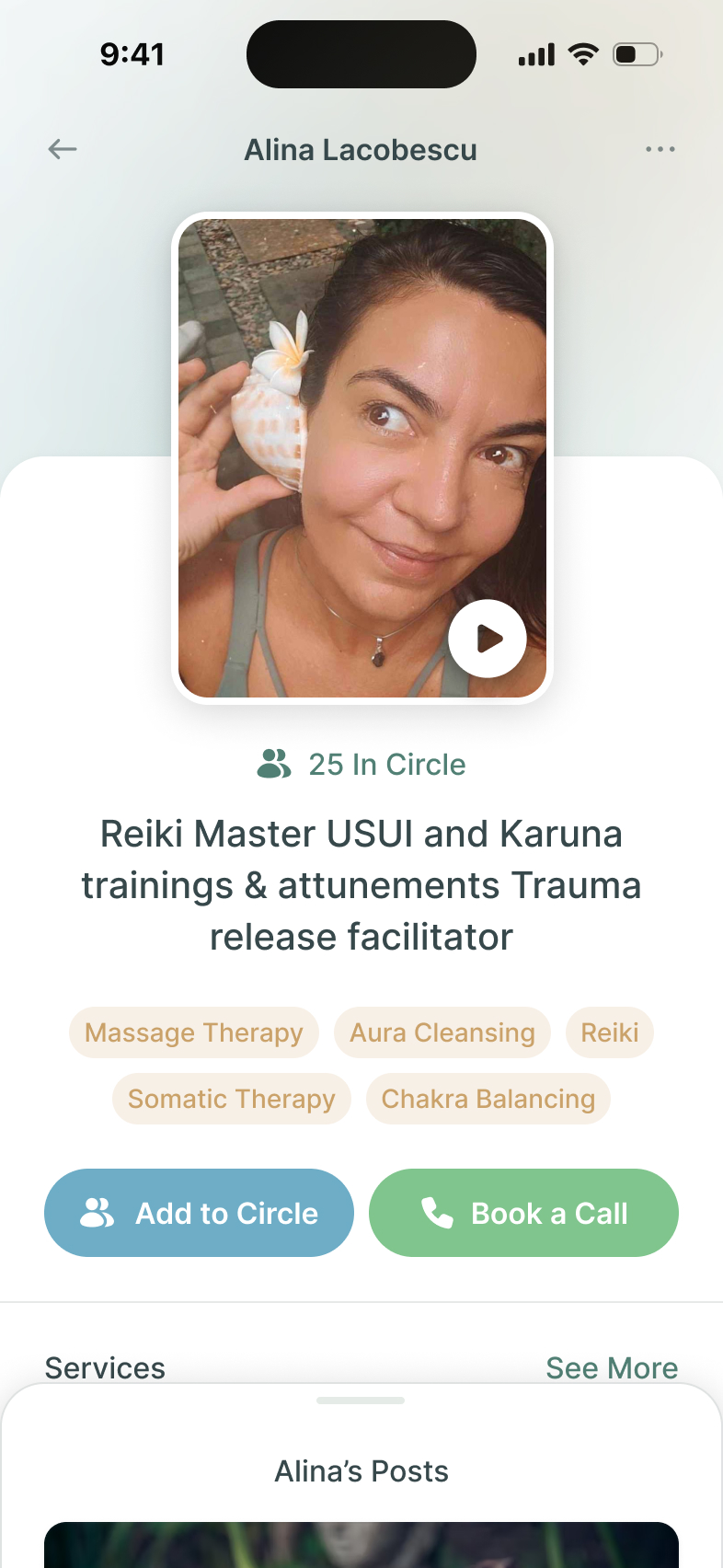
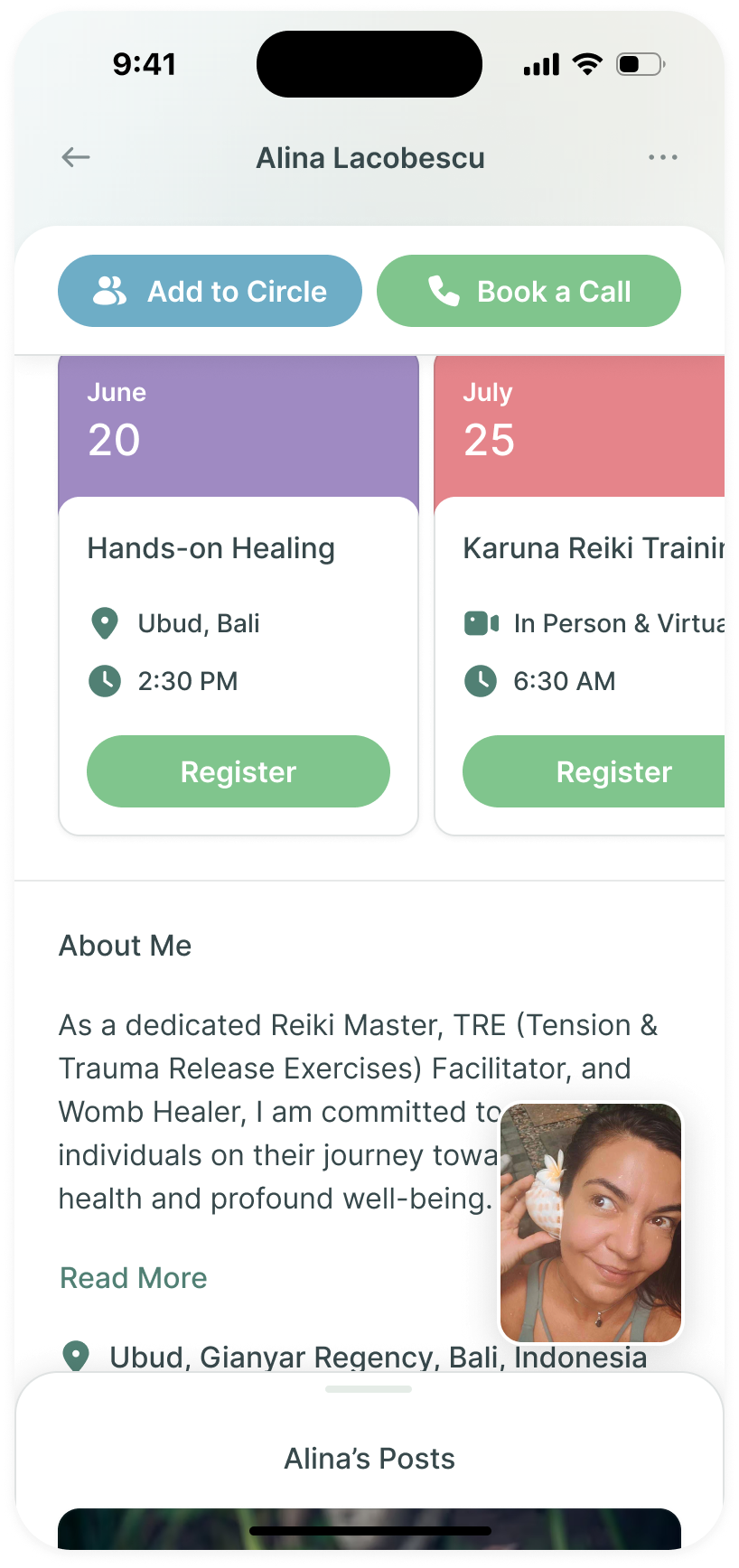
keep the introduction visible while the person checks the details
The actions remain available too. Adding someone to a circle and booking a call are distinct commitments, so the profile offers both. Someone can save the connection before they are ready to arrange a conversation.
We also asked for the areas a person was working on to appear with their wellness circle across the app. The relationship needed context beyond a face in an avatar. The categories could carry that context into the places where people returned to their circle.
An appointment page shouldn't contain another booking flow
The appointment detail needed to support the work after booking: inspect the time and location, add it to a calendar, reschedule or cancel. I also asked for a clear route from that page back to the provider's profile and to another appointment.
My first instruction was to place a scheduling interface directly inside the page. Prakash questioned that. He proposed a button to open the booking experience instead of putting a second one in the appointment details. I agreed.
That kept the existing appointment as the subject of the page. Booking another one was still available, without requiring the person to work around a calendar when they had only come to check the details of the call already arranged.
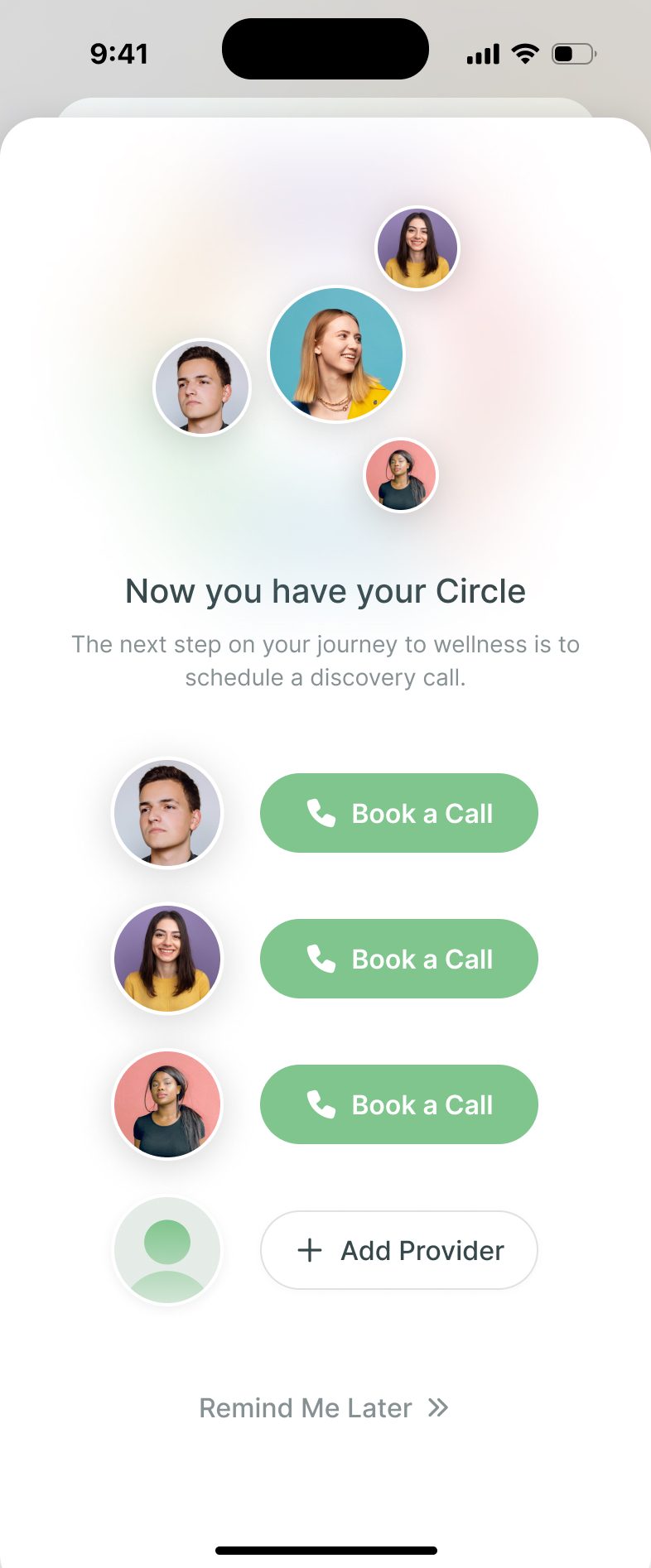
The completion screen also keeps booking as a separate next step. It offers a call with each person in the new circle, alongside Add Provider and Remind Me Later. An introduction doesn't force someone into an appointment before they are ready.
Show what joining a community actually involves
The community concept needed more than a list of groups. In review I asked us to demonstrate how someone joined a chat and what a post looked like, with information about the group at the top.
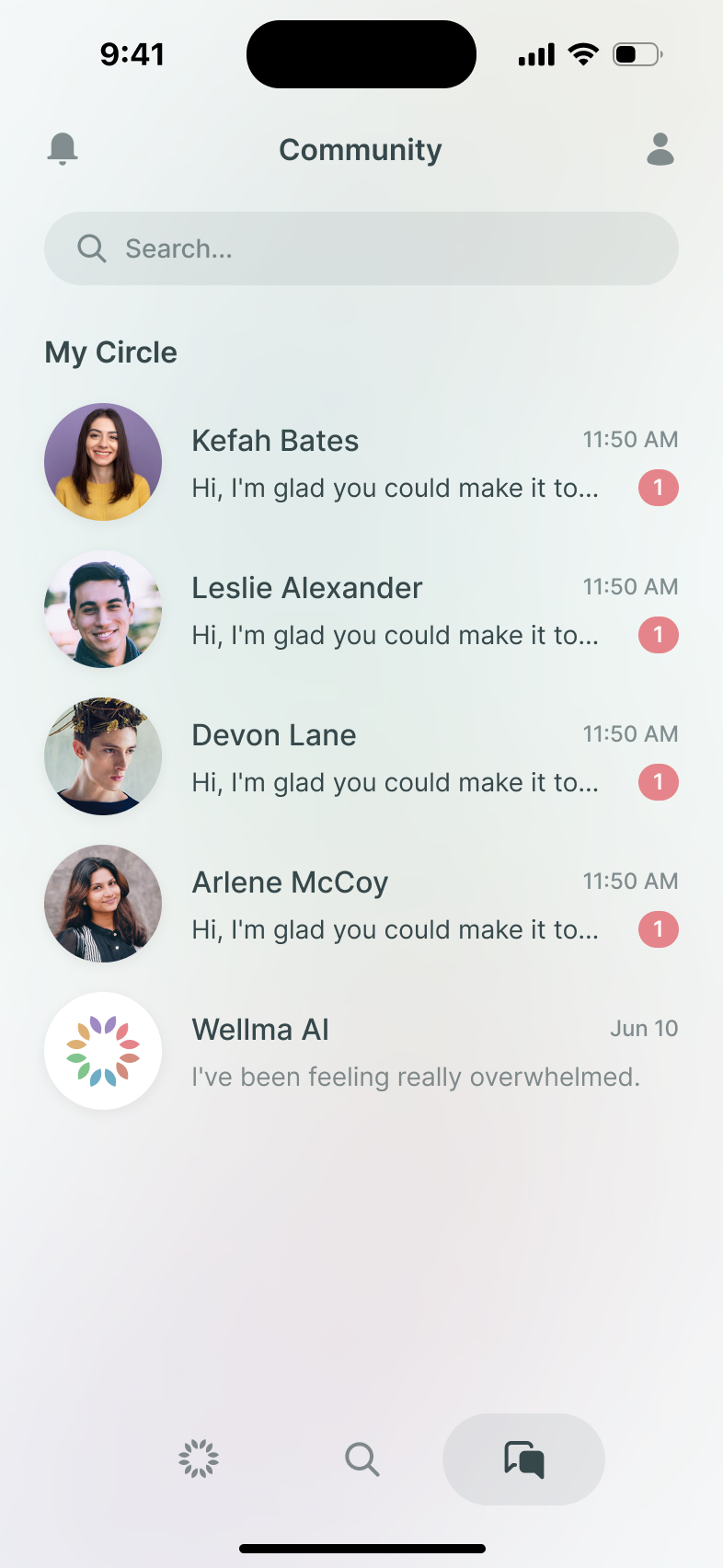
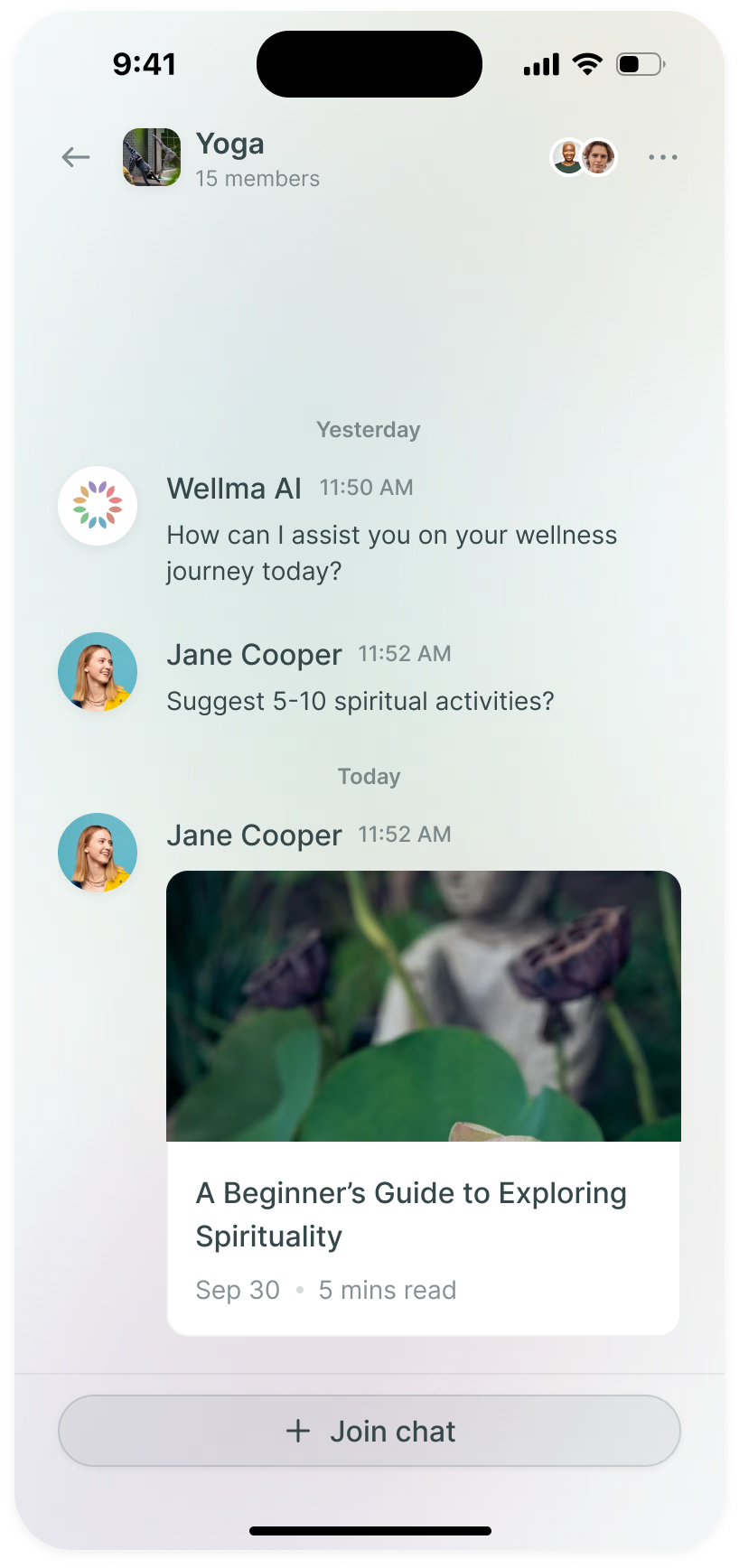
Vitalii worked on that example. The group name and membership sit above a conversation preview, with a Join Chat action below. Someone can see the kind of material being shared before deciding to take part.
The example also let us specify details that a group thumbnail wouldn't reveal. Messages needed an avatar and a timestamp. A shared article needed to look like a post within the conversation. We documented those states alongside the main screens and assembled the basic design system for the team's next work.
More from Wellma