Public Grid helps households manage their energy account, find savings programs and choose renewable energy. It sits between the customer and their utility: when someone moves, Public Grid can arrange service at the new address and handle their bills. We designed the mobile app around those practical jobs, with a way to show the value of the service once the bills started arriving.
Zack Schmitz co-founded the company, then called Cottage Energy, and runs it as CEO. In September 2025 we spent four weeks with him on the mobile app. I worked out the flows and the map of screens, and Prakash Ghodke designed the look.
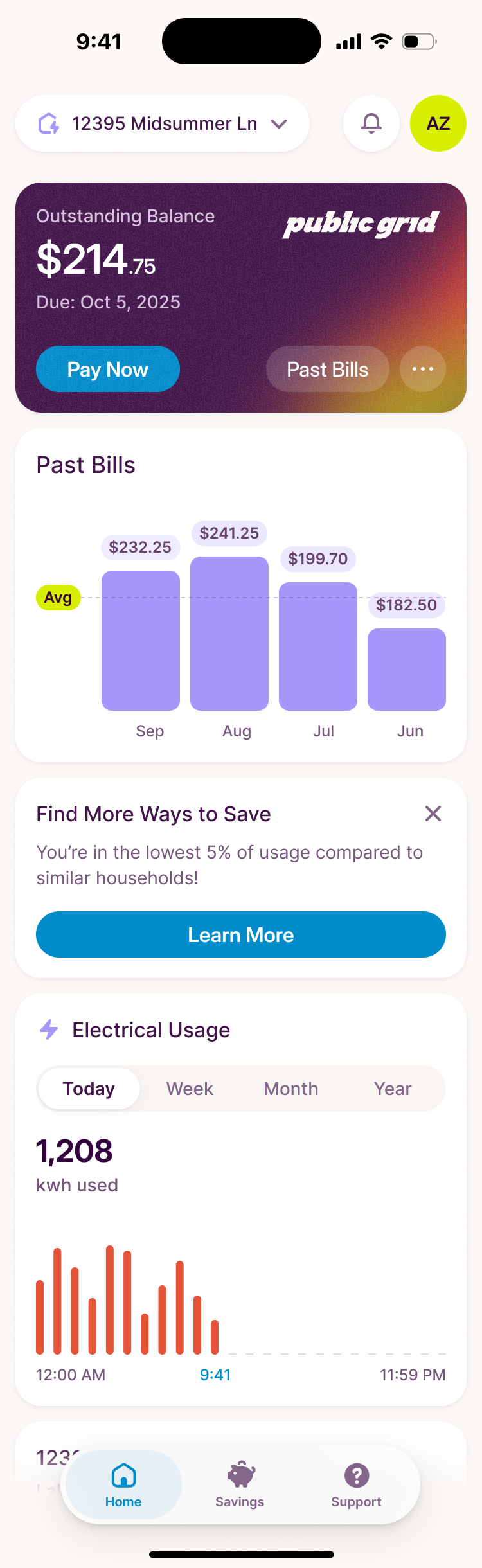
Usage data arrives with the bill
An energy app looks like it should be live, a needle moving as the kettle boils. I asked Zack to lay out the data cases we had to design for. Public Grid learns what a household used, spent and saved when the next bill comes in. A change made halfway through the month would take time to appear in the numbers. A screen that suggested immediate feedback would promise more than the data could support.
Zack compared it to a sleep score: it can tell you about last night, never about tonight. Live usage was available in some regions, but Public Grid wasn't collecting it for this version. Zack was comfortable prioritising the account experience over that extra data. So we designed for data about 30 days old, and I asked Zack for a real month of account data to work from.
new usage data arrives with the next bill
Starting service is the first thing you do
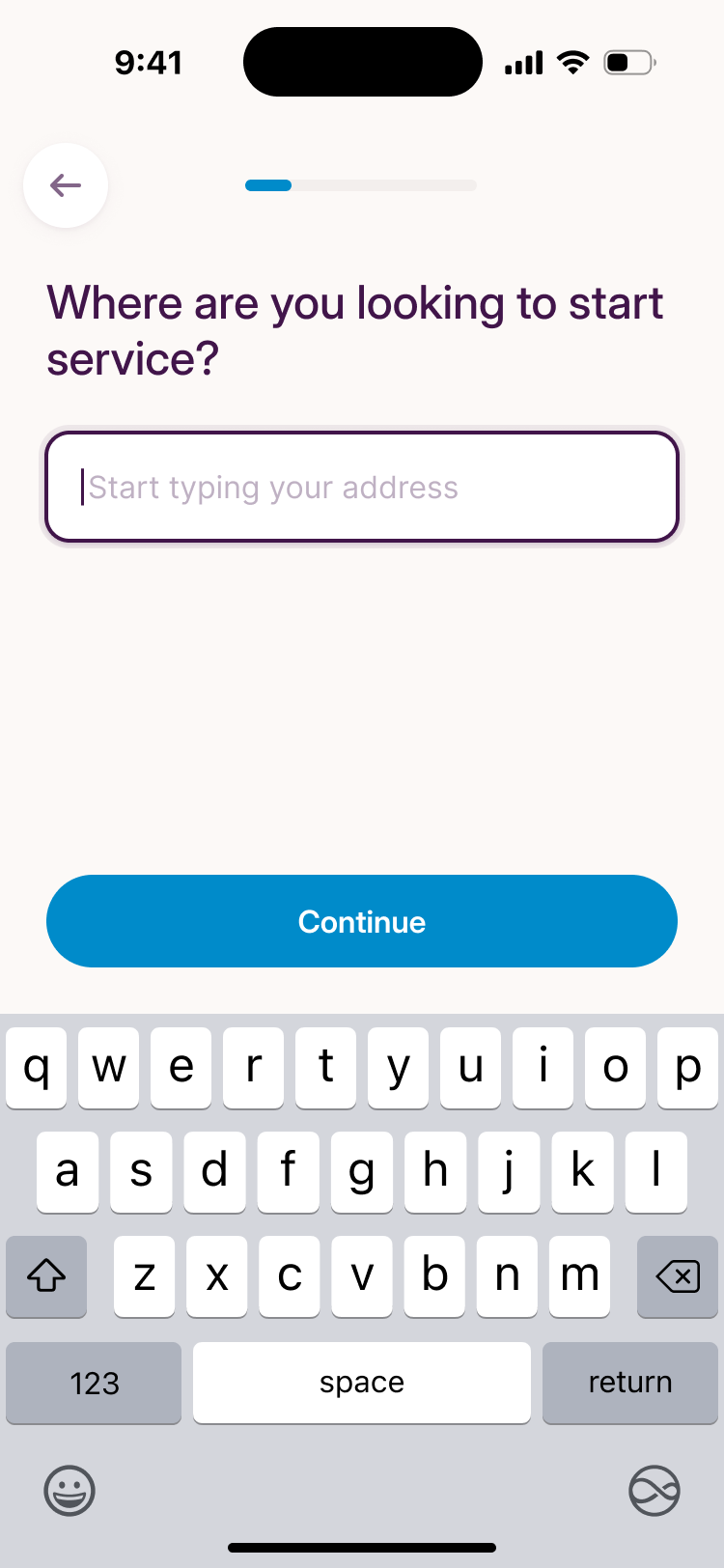
Most new users are moving, so onboarding starts with the new address and finds the utilities that serve it. That puts a concrete job at the front of the app. Before asking someone to interpret an energy chart or choose a savings goal, we could help them get electricity and gas connected.
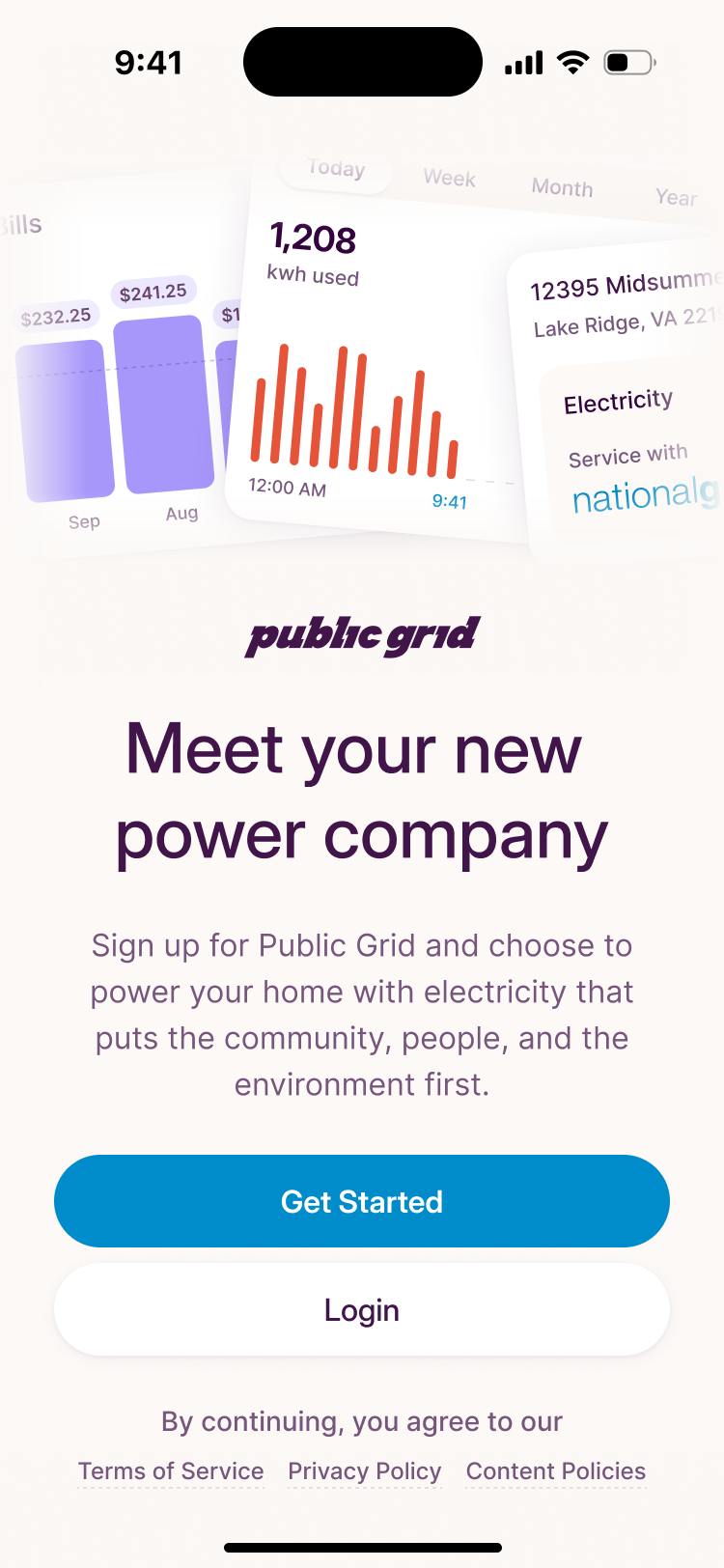
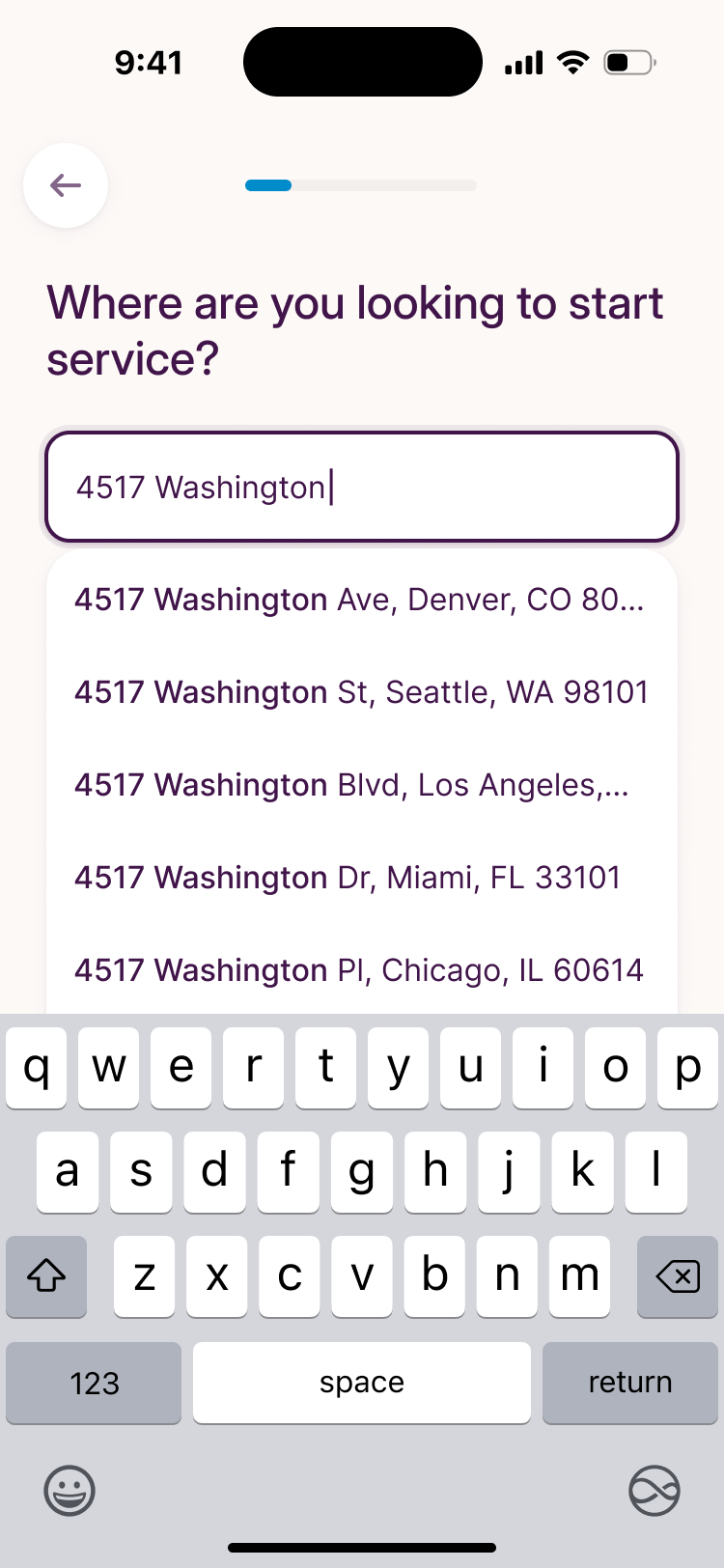
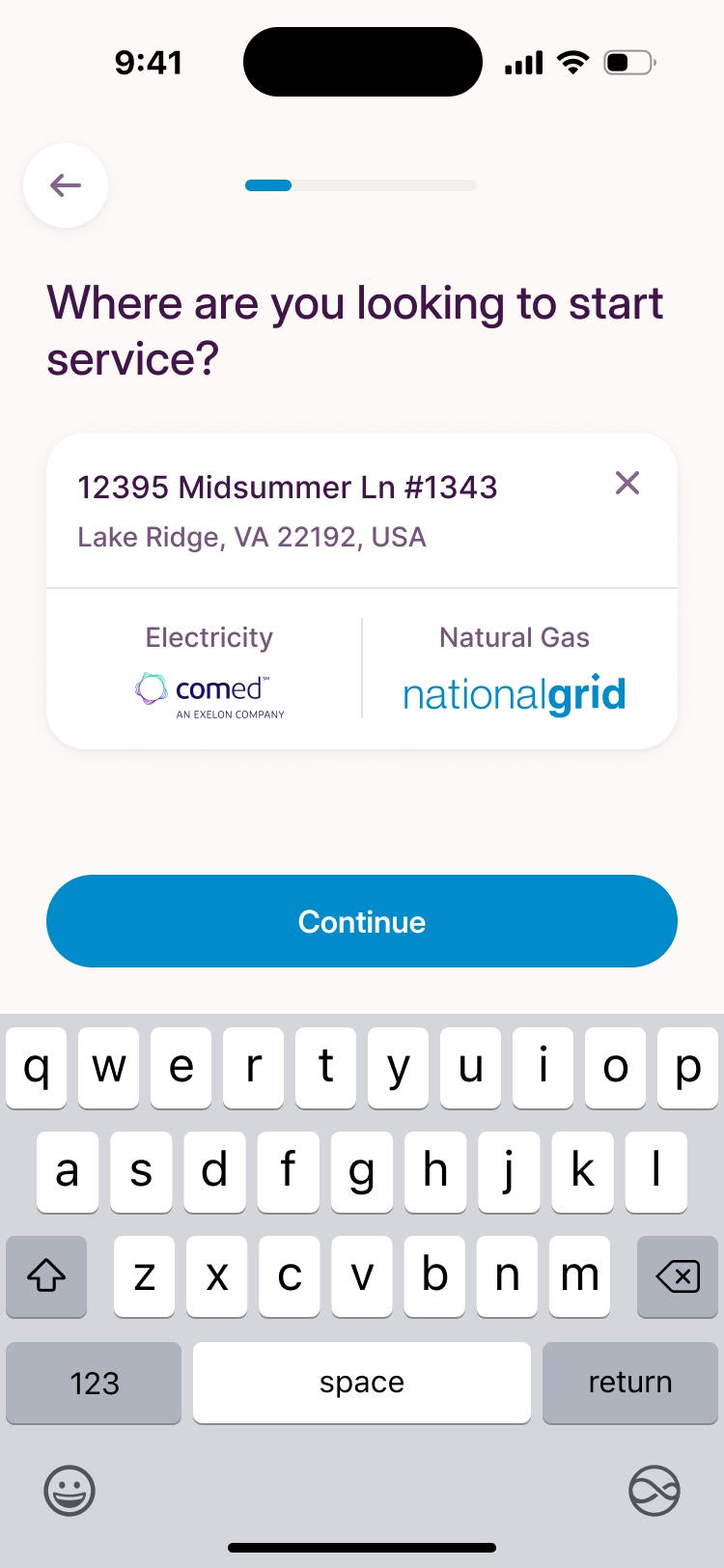
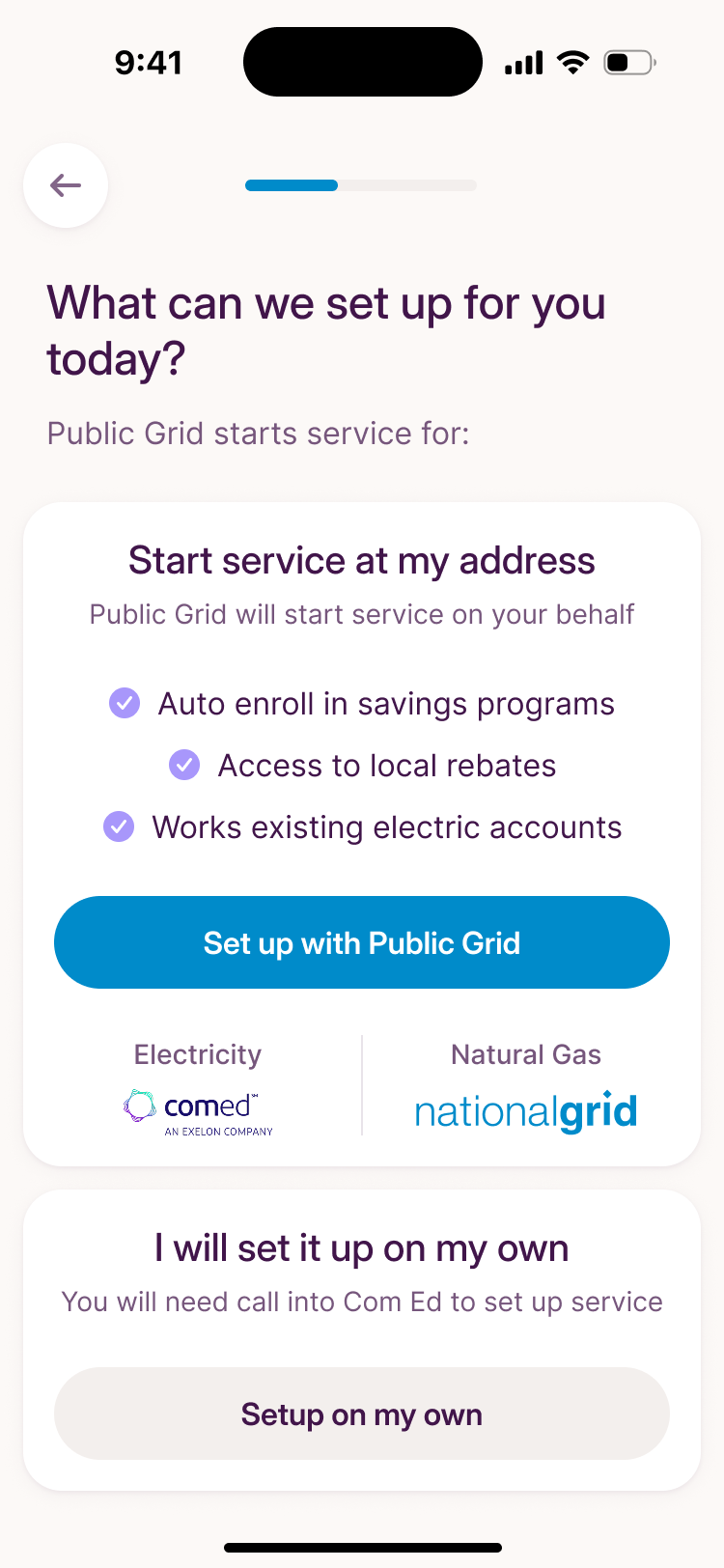
Then you choose: let Public Grid start service, which enrolls you in savings programs and local rebates, or set it up with the utility yourself.
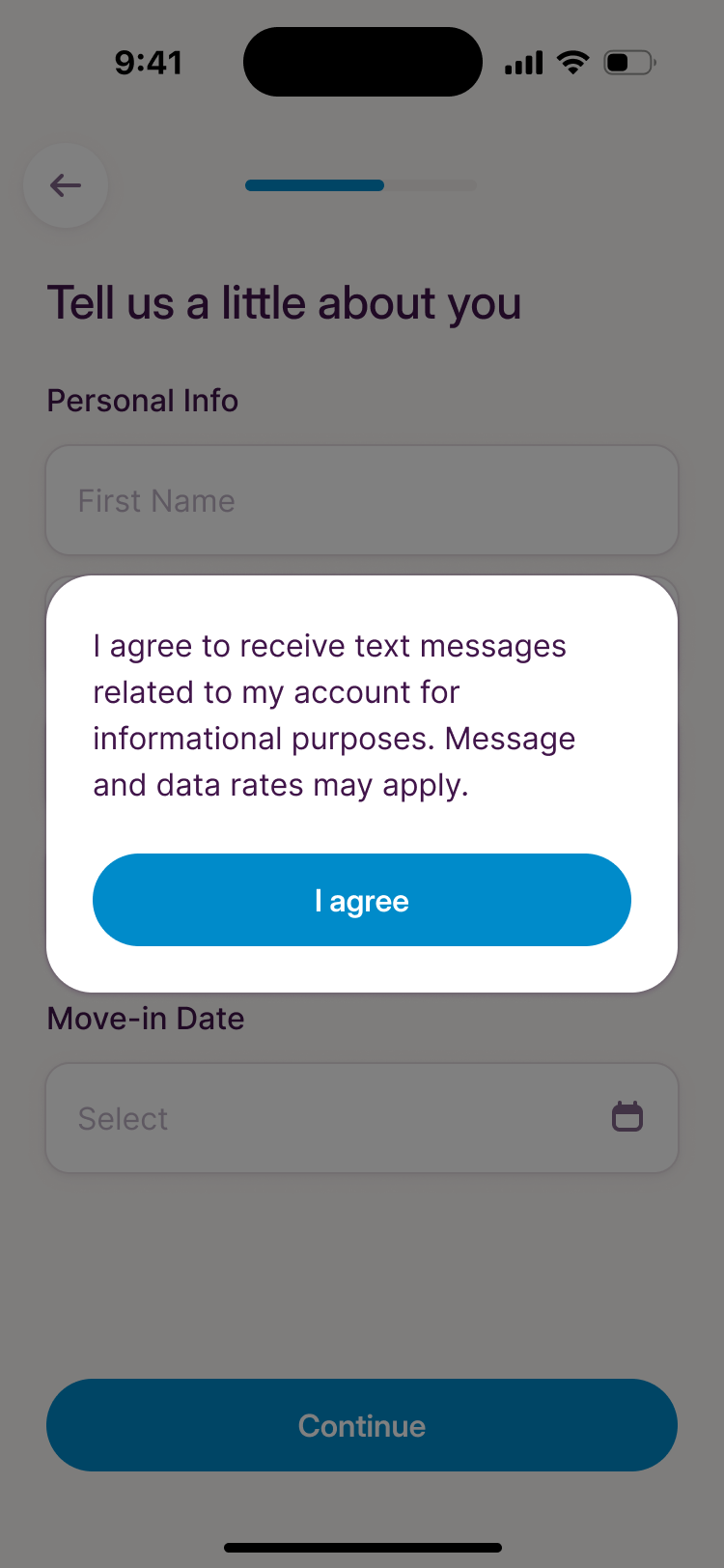
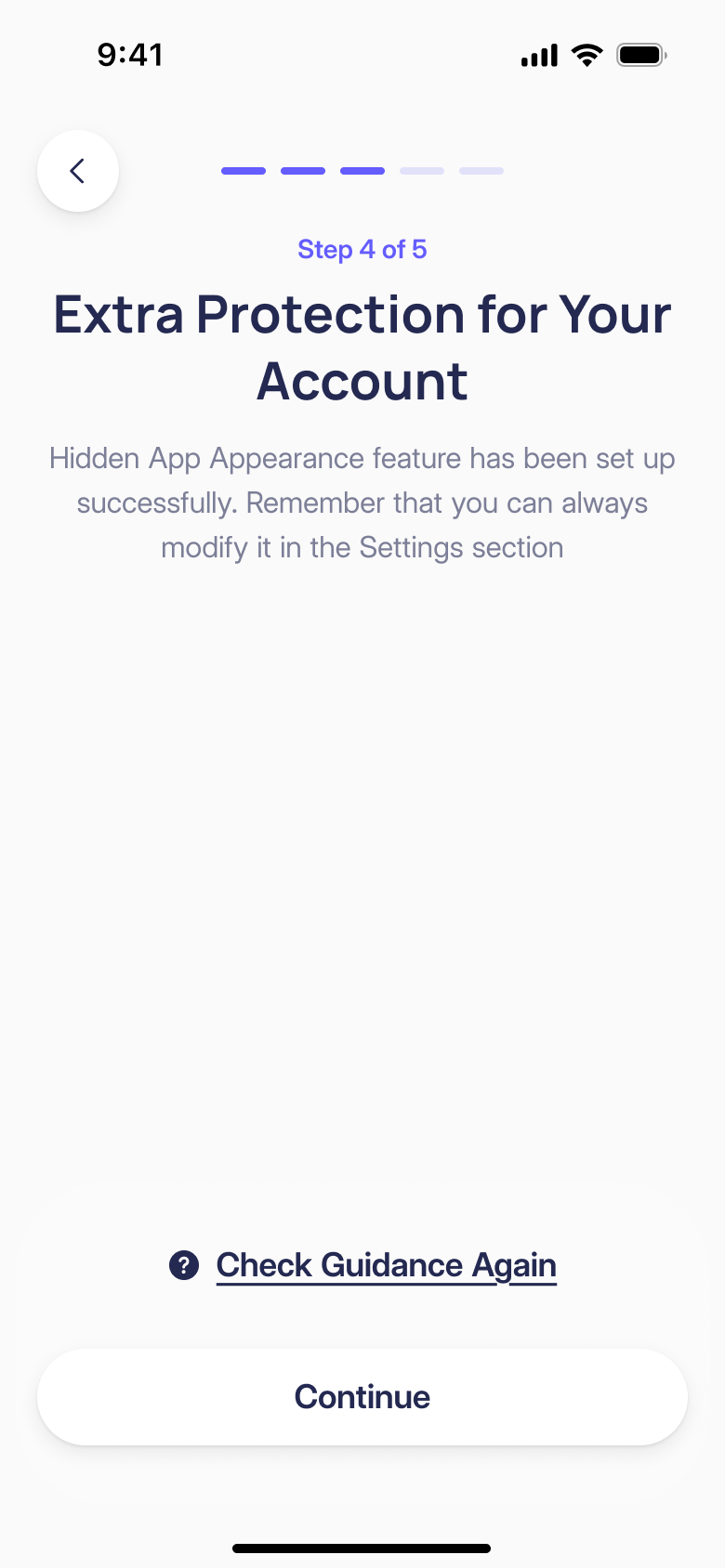
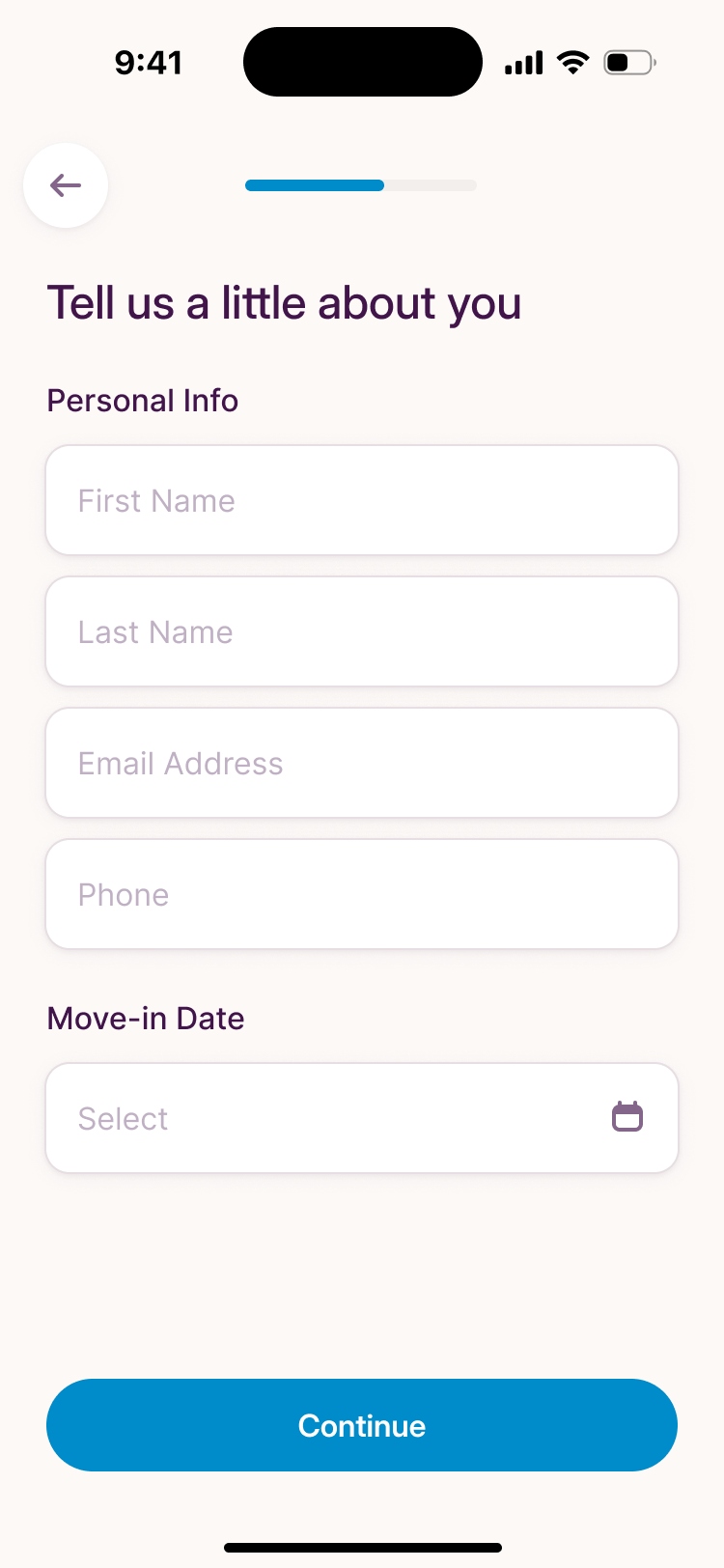
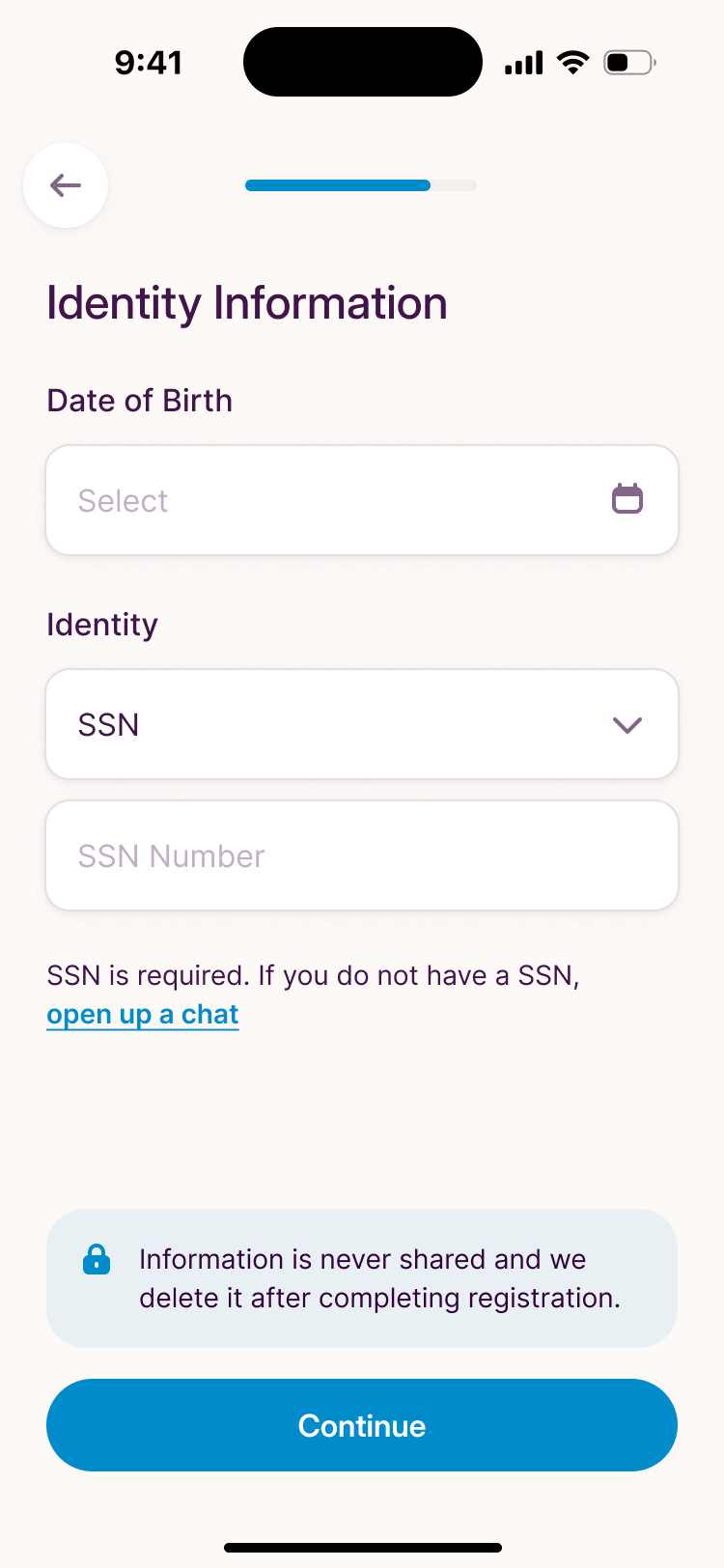
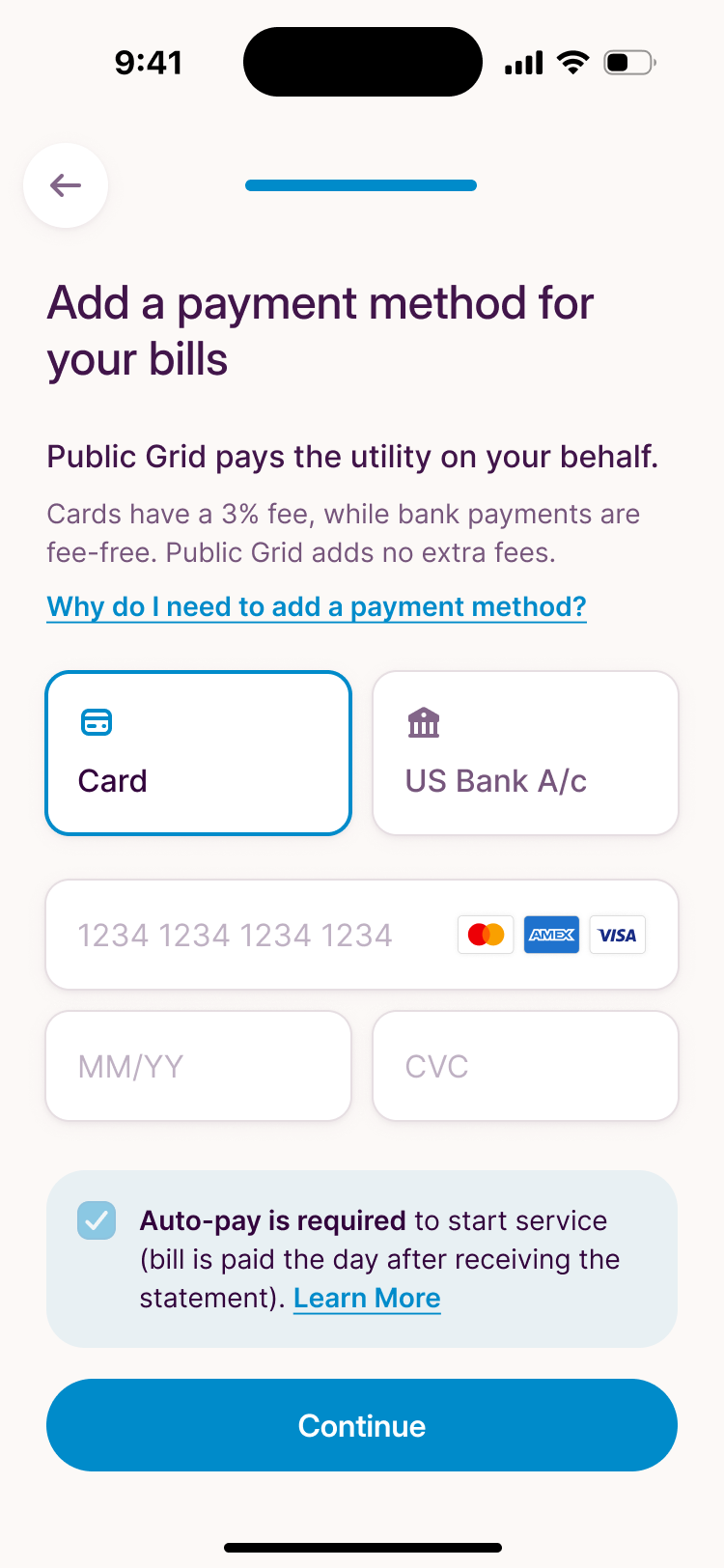
The personal questions come in order of how much they ask. Contact details first, then date of birth and Social Security number, then payment. We used the space beside each sensitive request to explain it. The identity screen includes a note about deletion after registration. The payment screen explains the card fee and the autopay requirement before the customer continues.
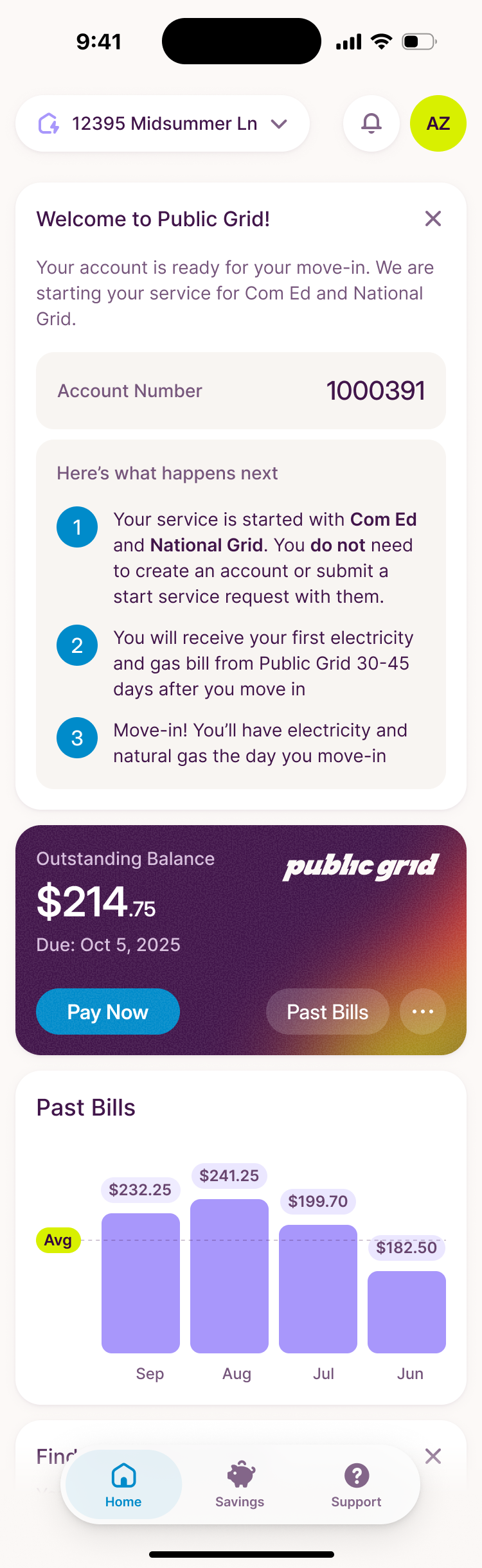
The first home visit needed a different state from the established account. There would be little useful history to show, and the customer might reasonably wonder whether setup was complete. We put a welcome checklist above the account card, including the expected 30-to-45-day wait for the first bill. The empty period became something the interface could explain.
The home screen is an account, the way a bank shows one
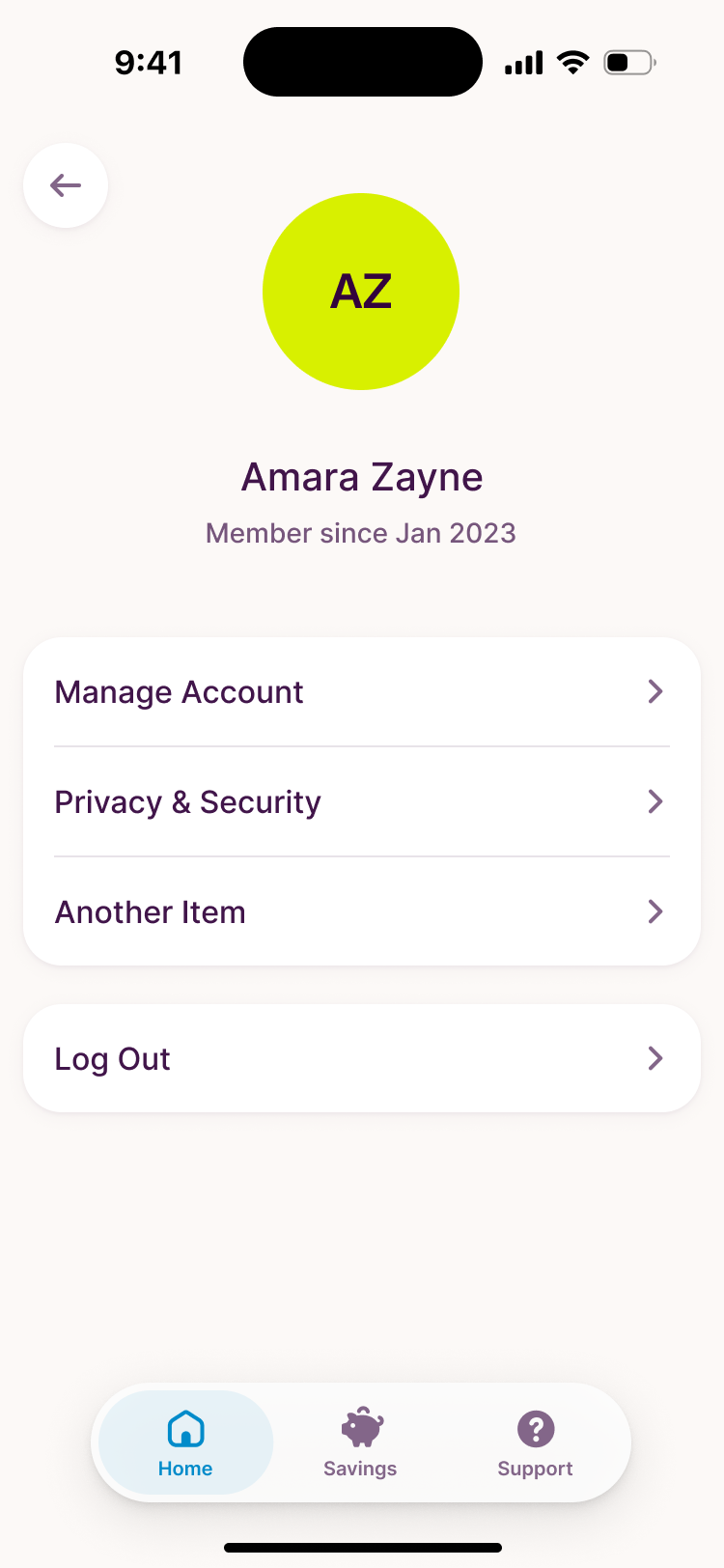
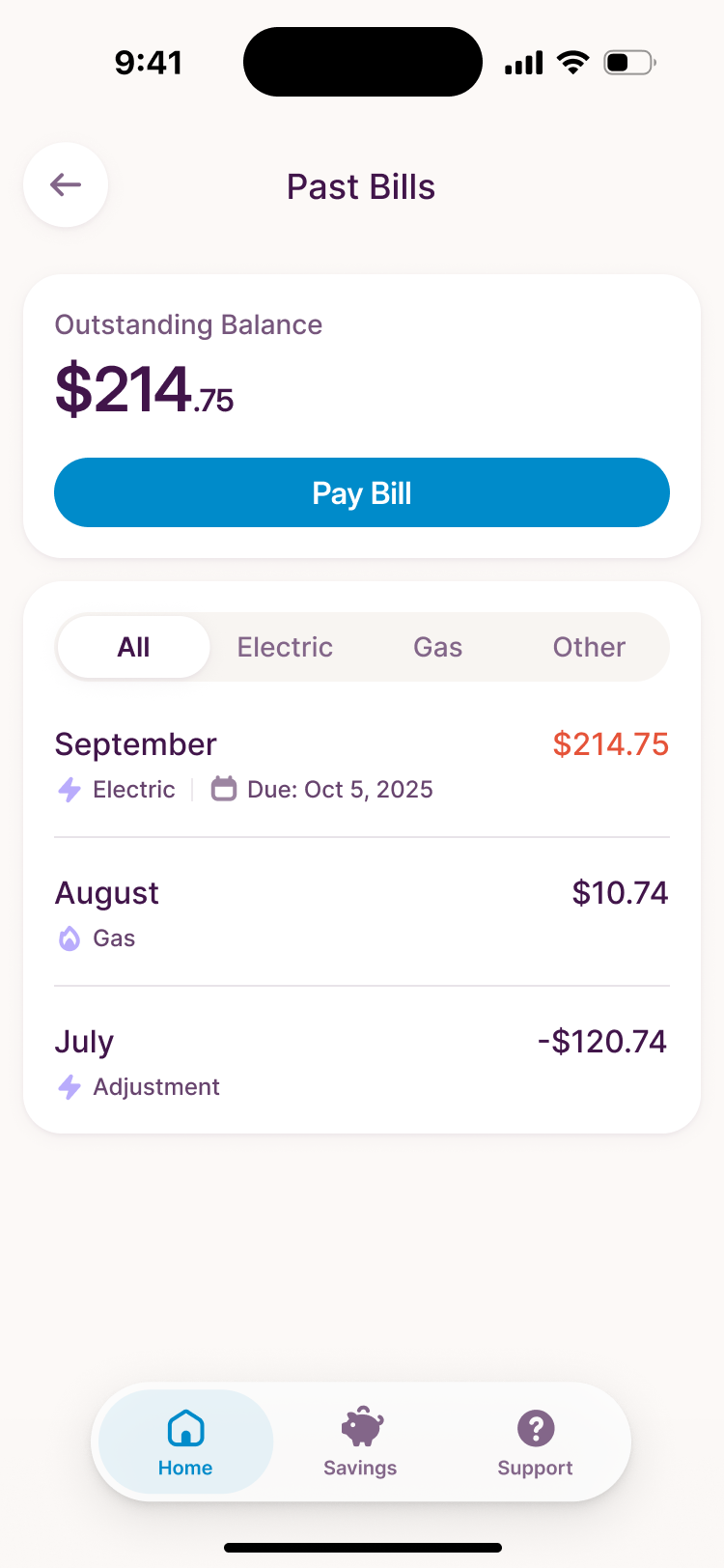
I'd dropped Monzo screenshots into the file as a reference, and when Zack opened the new direction the first thing he said was "oh, that's Monzo." He liked it, and wanted it kept utilitarian: the account first, then past bills, then suggested actions. The top card shows the balance, when it's due and a button to pay. Past Bills breaks it down by month and utility.
A savings score measured the wrong thing
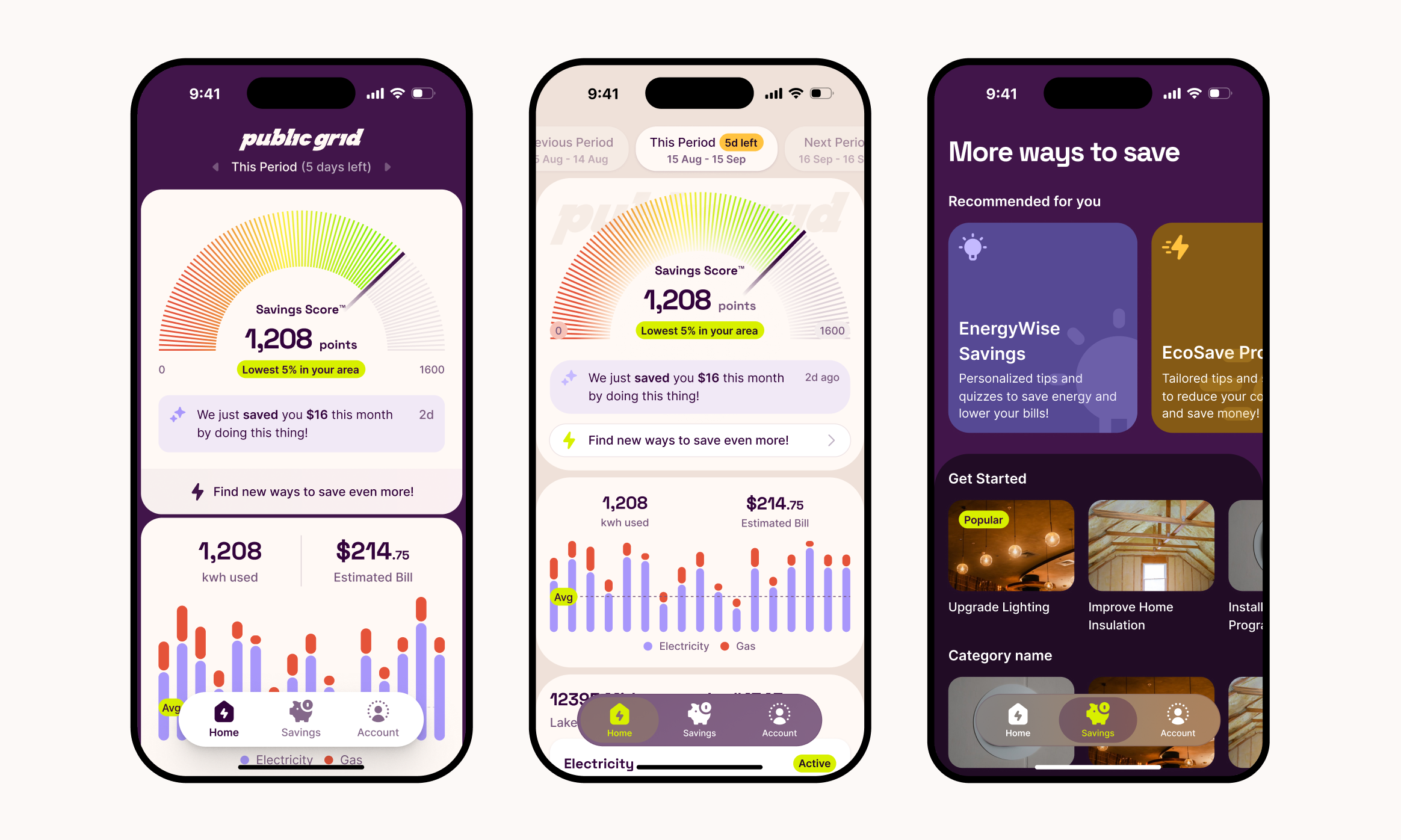
The early design had a savings score, one number for how well a household was doing. Zack kept getting stuck on it. A score is a barometer, he said, and what Public Grid offers is closer to a sequence of steps. It also mixed three things that don't move together: dollars off the bill, energy efficiency and carbon avoided.
a lower bill can come from a better rate while usage goes up
I wasn't attached to the score either. I asked Zack whether spending less on energy means using less of it. His answer exposed the problem with combining them. A household can use more one month and still pay less on a better plan. Usage swings with the seasons too, so a fixed monthly goal would keep running into changes in weather.
I floated a money tab and an eco tab. Zack argued for one, and his reason won: if the app is saving you $30 a month and your eco impact is zero, that's the moment to suggest spending some of it on going renewable.
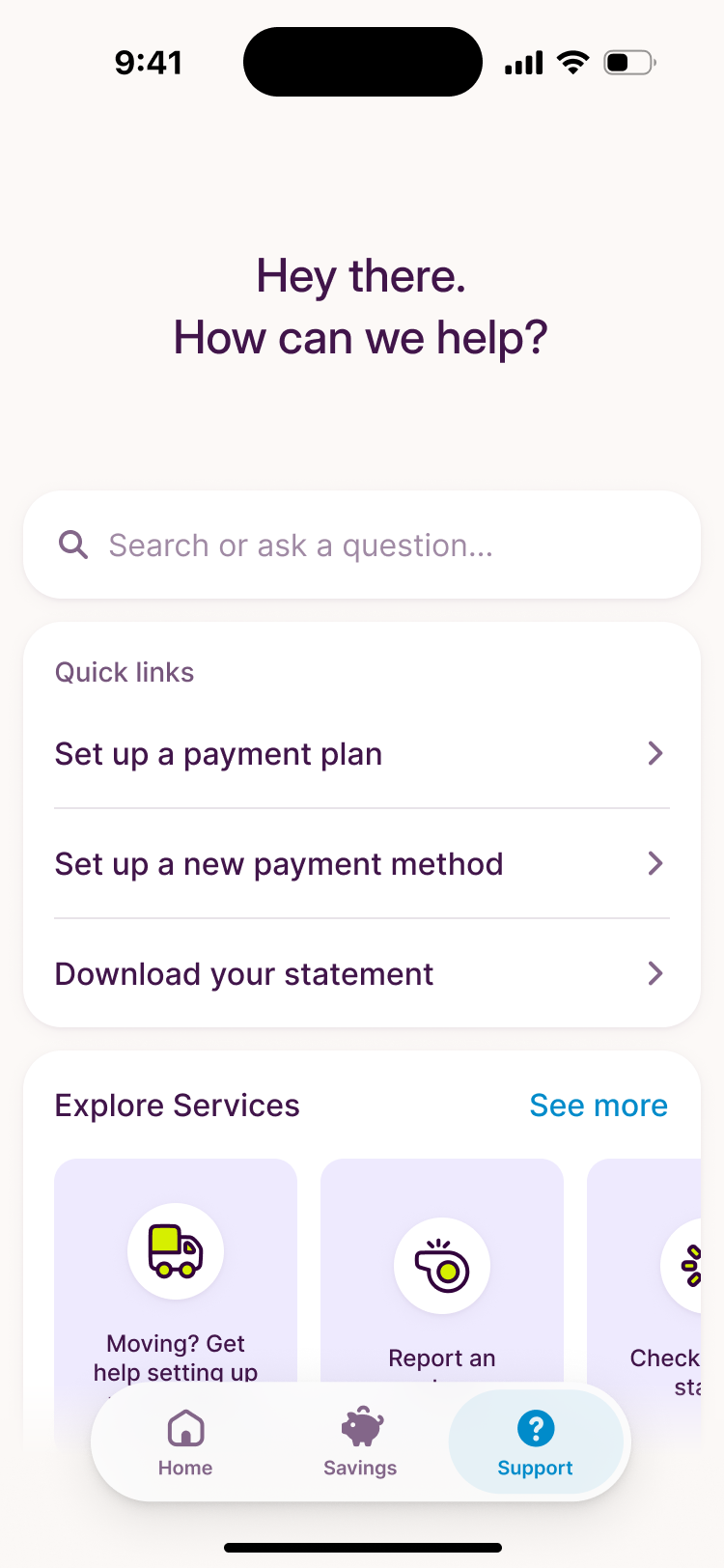
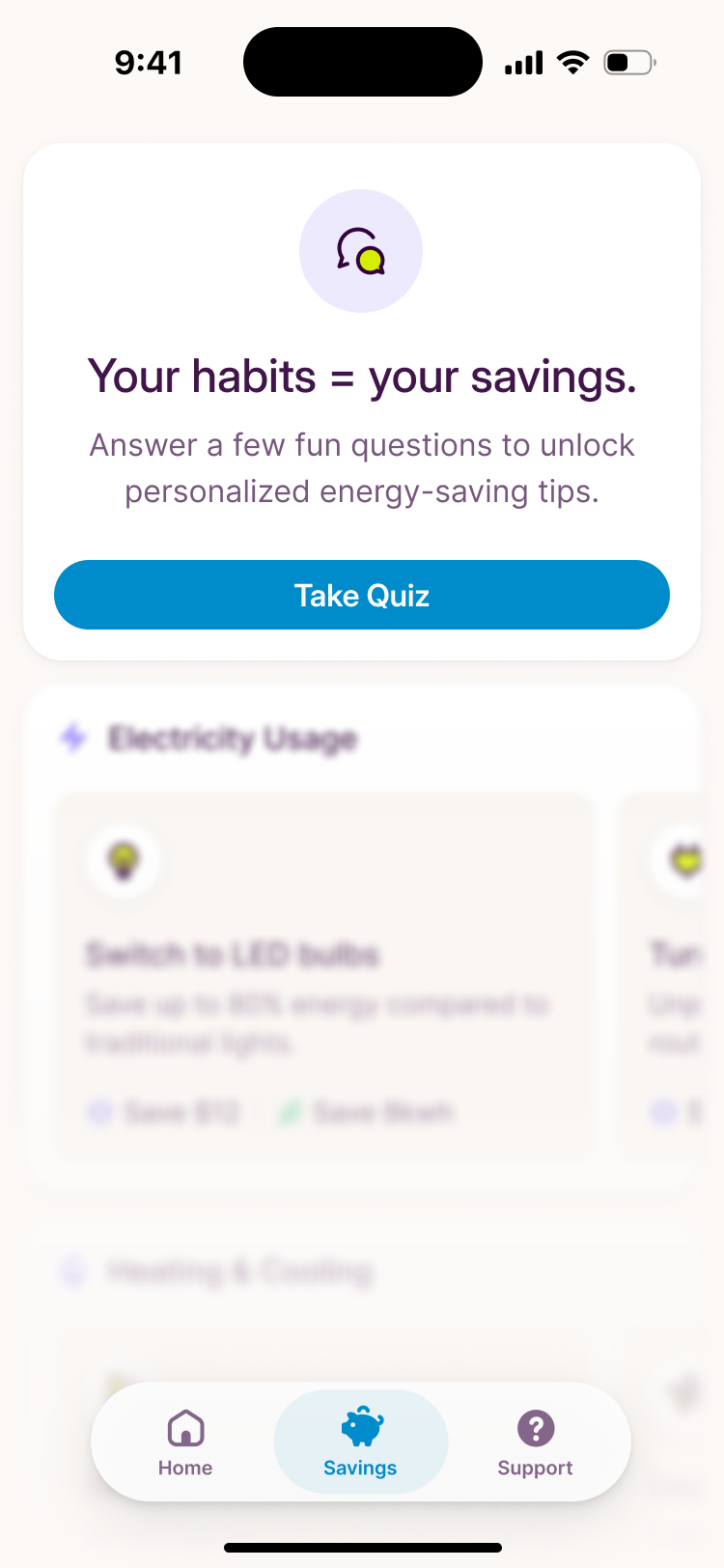
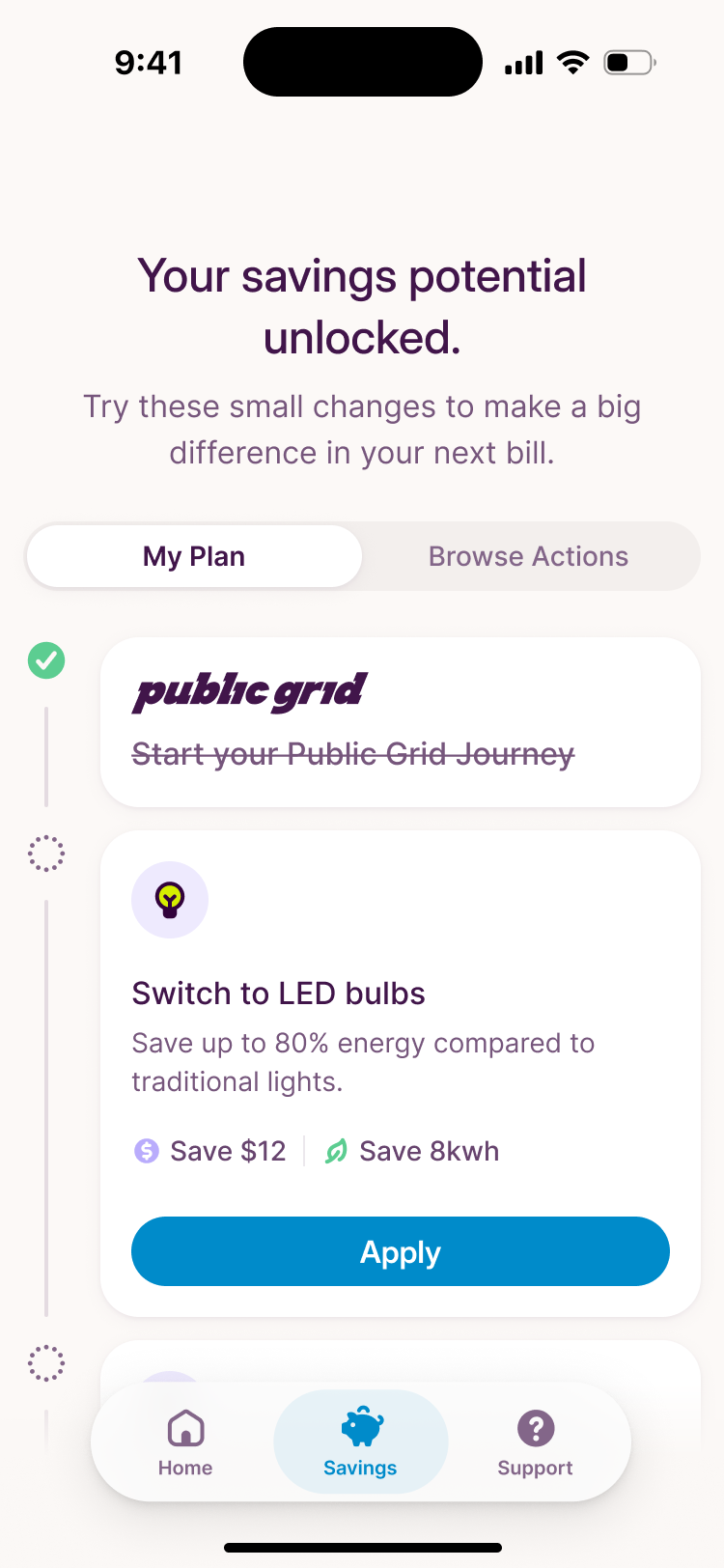
So we dropped the score, and the goal with it. The Savings tab lists specific actions, each with what it could save in money, carbon or both. Switching to LED bulbs does both, and its card shows both.
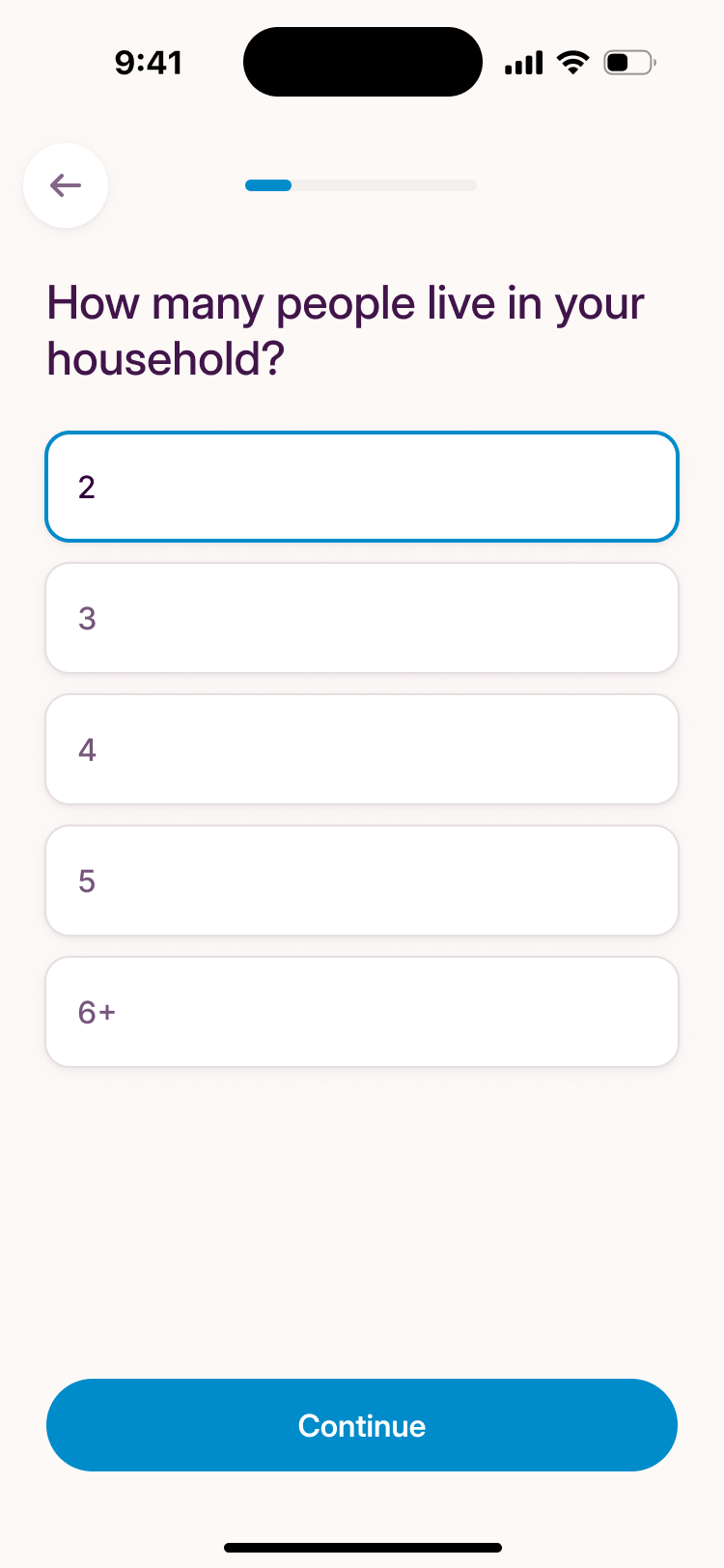
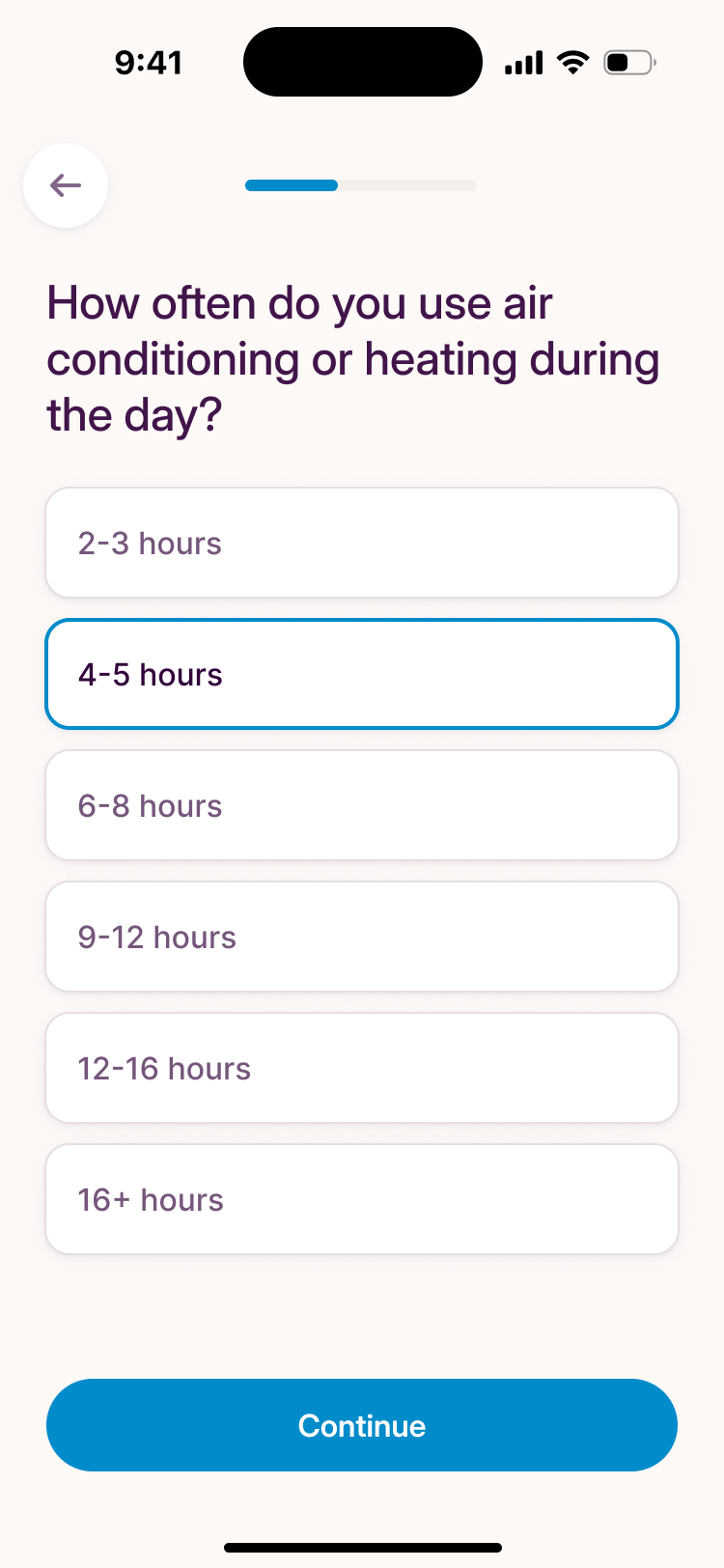
The tab opens with a short quiz (household size, how long the heating runs) and blurs the suggestions until it's answered. That came from putting two half-formed ideas together on the call: Zack's plan to ask people about their goals, and a trends screen that would be empty on first visit. The quiz gave a new customer something useful to do before a billing history existed. Its answers could help inform suggestions, while the interface kept projected savings on the action cards separate from past spending.
Paying shows the fee before you press pay
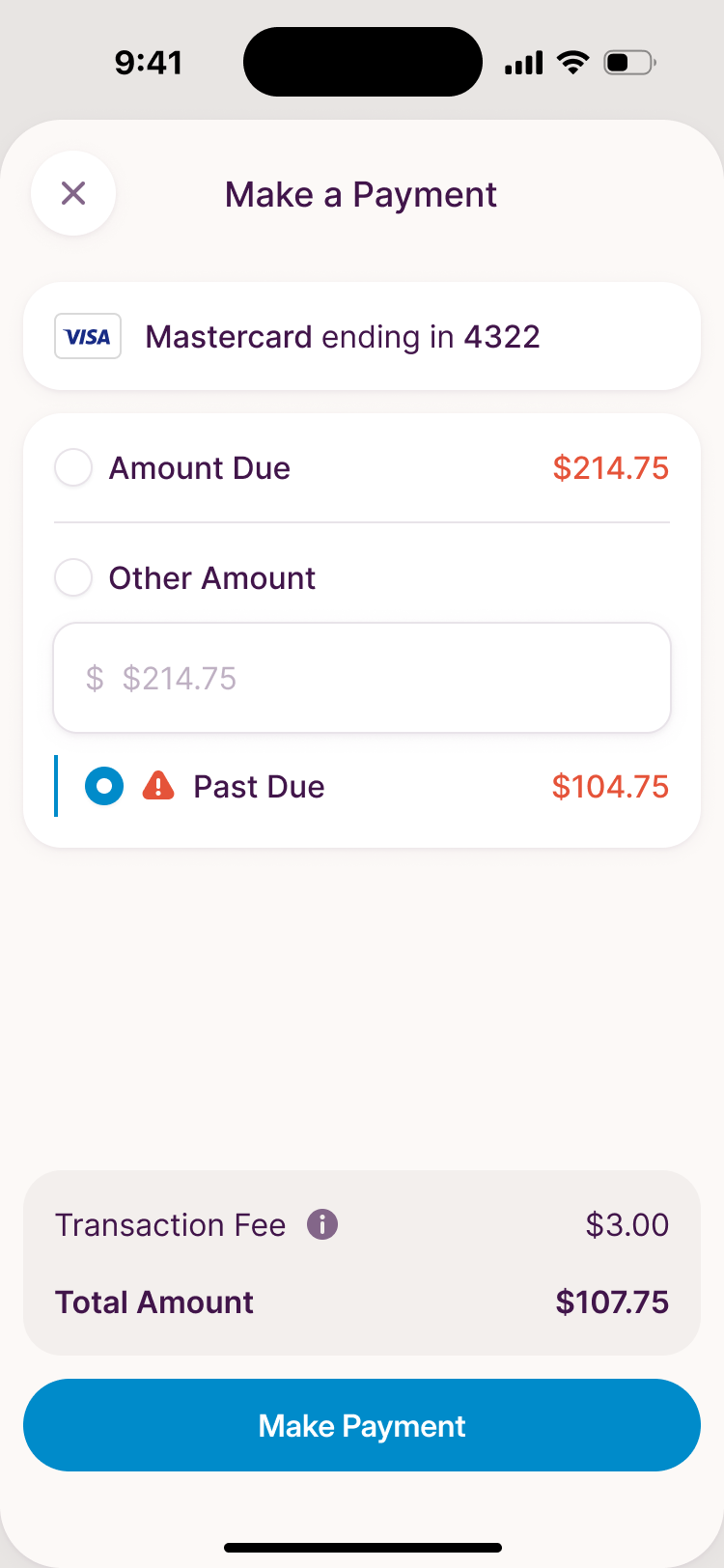
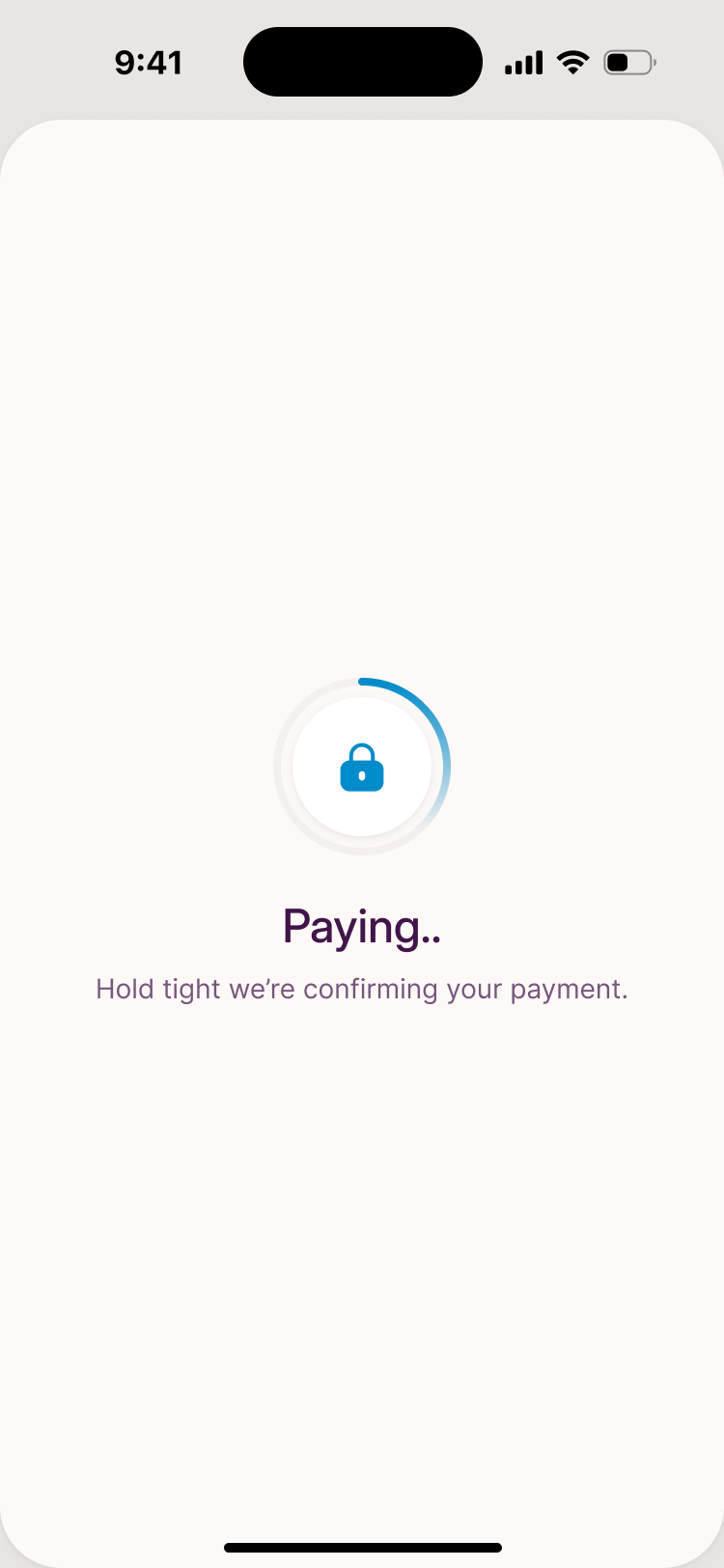
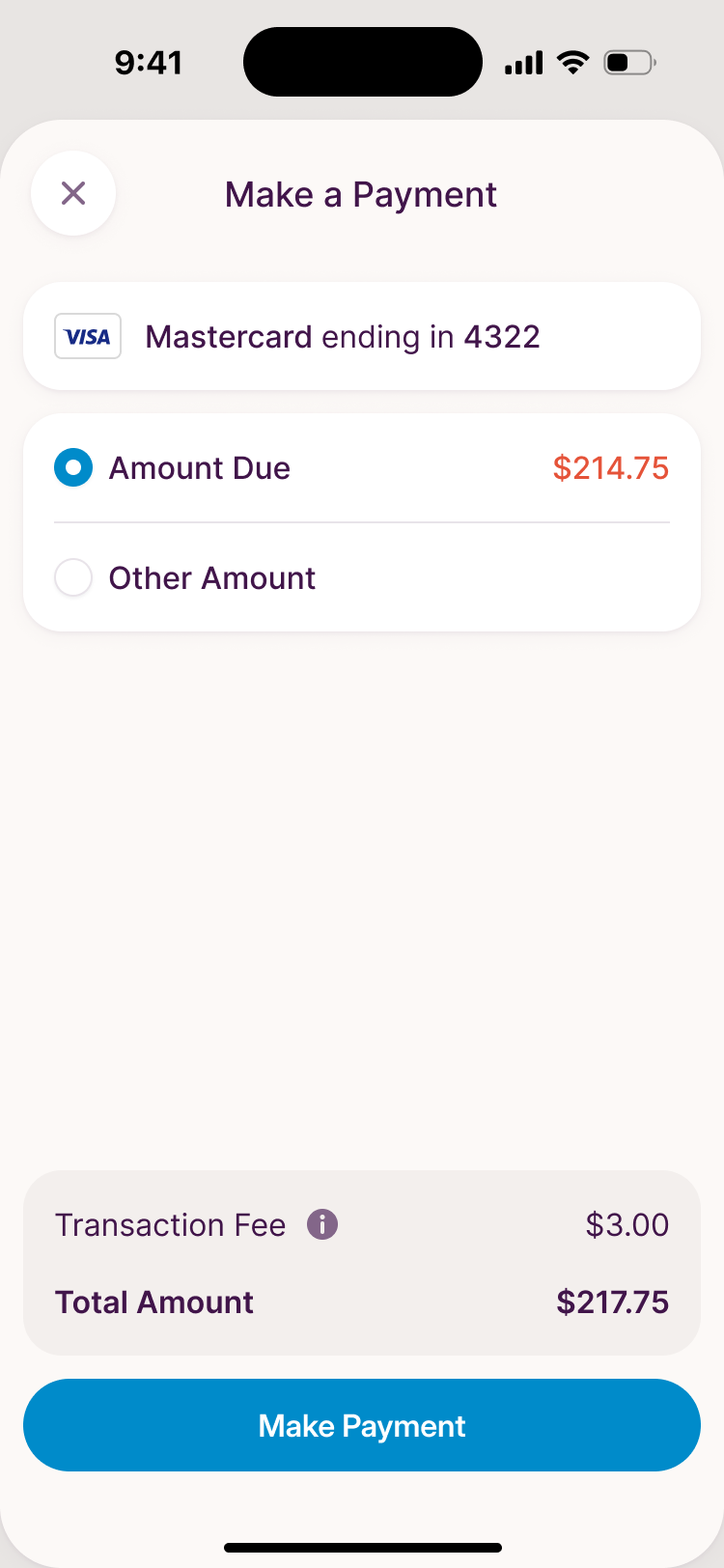
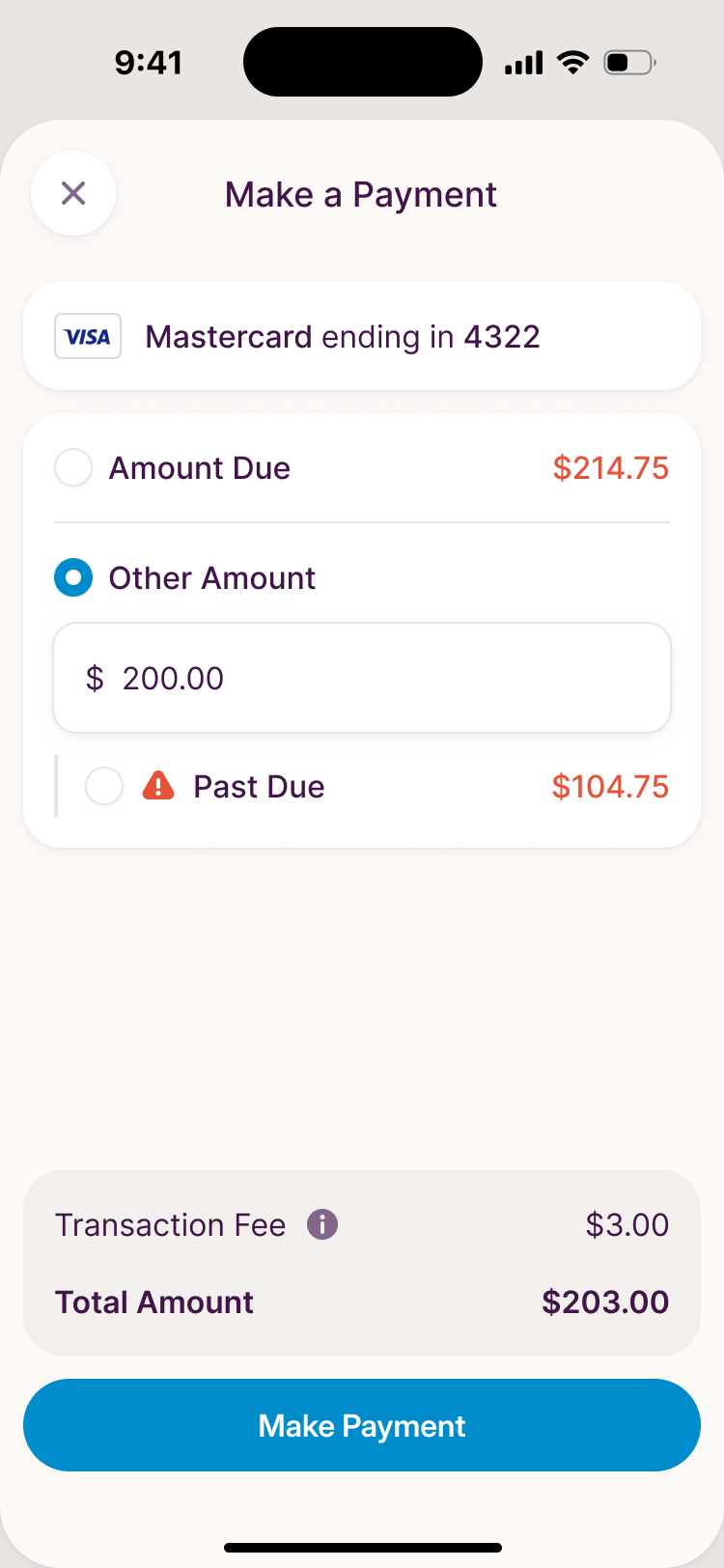
Paying needed to cover more than the full balance. Someone might want to clear the overdue amount or pay a different amount today. We kept those choices together in one form, with the fee and total immediately above the payment button. Changing the amount would still leave the customer looking at the complete charge before confirming.
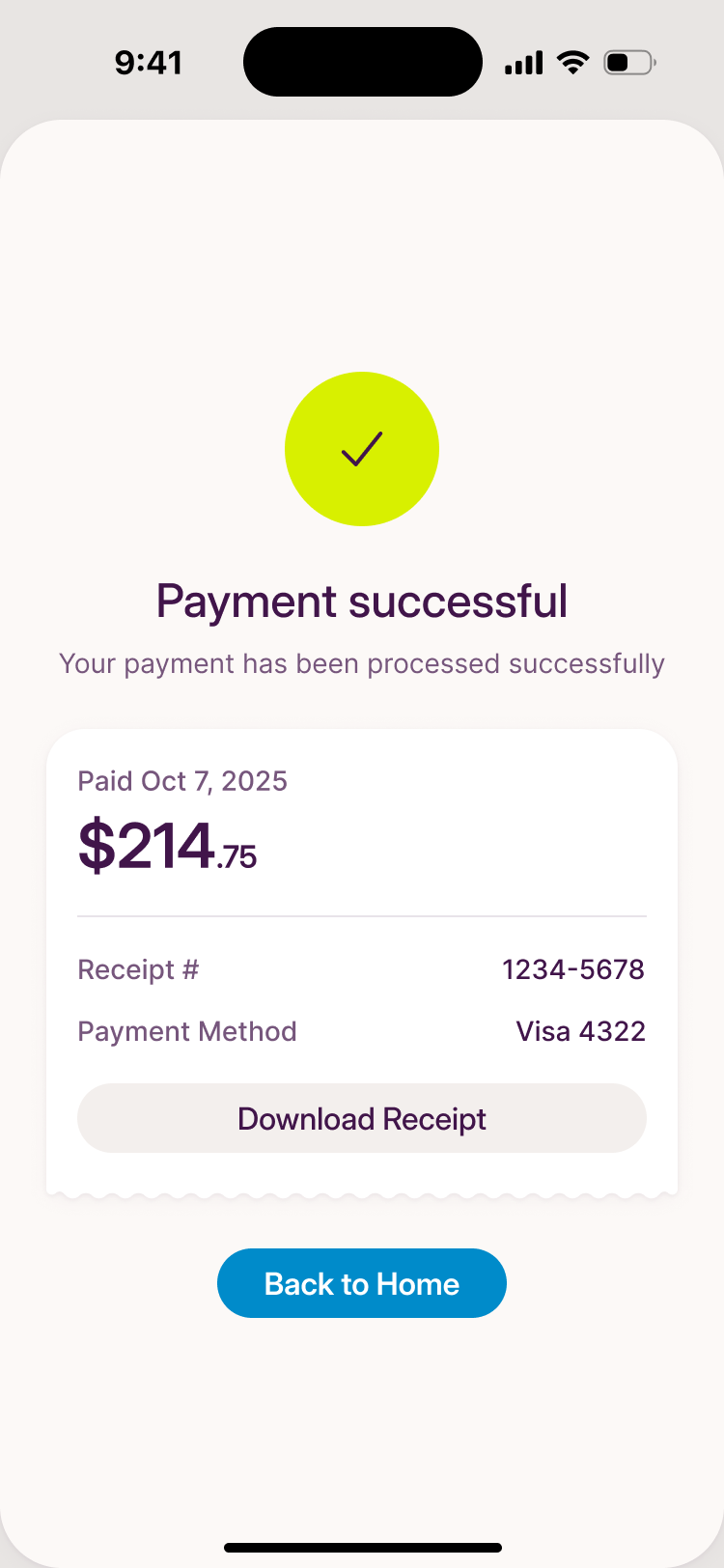
The confirmation keeps the receipt and its download action on the same screen. The customer can leave with a record of the payment, as well as a success message.
Public Grid took the design in-house
At the start of October, Zack told us Public Grid would trial a full-time designer. We used the final week to complete the onboarding flow and the app UI that had been mapped out in Figma, then handed over the file for the new designer to continue.
More from Public Grid