eKool is Estonia's leading school management system, on the market since 2002. Teachers grade, plan lessons, set homework and mark who turned up in it, and parents and students read the same records. For a teacher, it is the record of what happened in class and the place to prepare what happens next.
Teachers had not liked eKool's last major version. So when Girts Laudaks first called us in November 2024 about version three, the brief was to cut the clicks for daily tasks without breaking how teachers already work, as an opt-in with training first. Product lead Ana Steffen, who had run the teacher interviews, was blunter: teachers had "really, really asked us not to change much."
We've worked with eKool in sprints since, with Girts, Ana and later product manager Mari Lust. eKool brought wireframes, a design system and usage data; we designed the new teacher dashboard and the flows around it, since 2026 in code.
Keep the gradebook familiar, shorten the route to its work
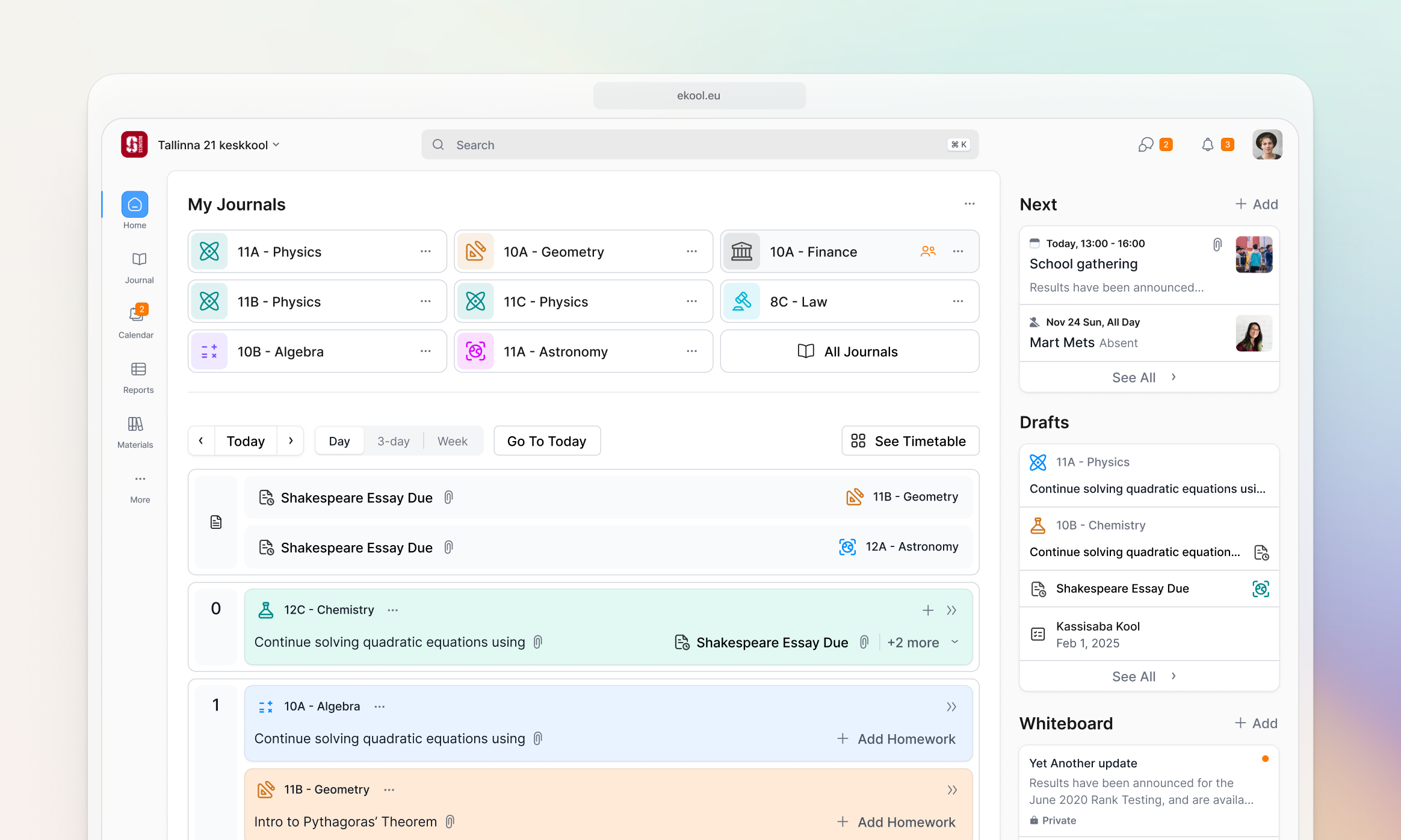
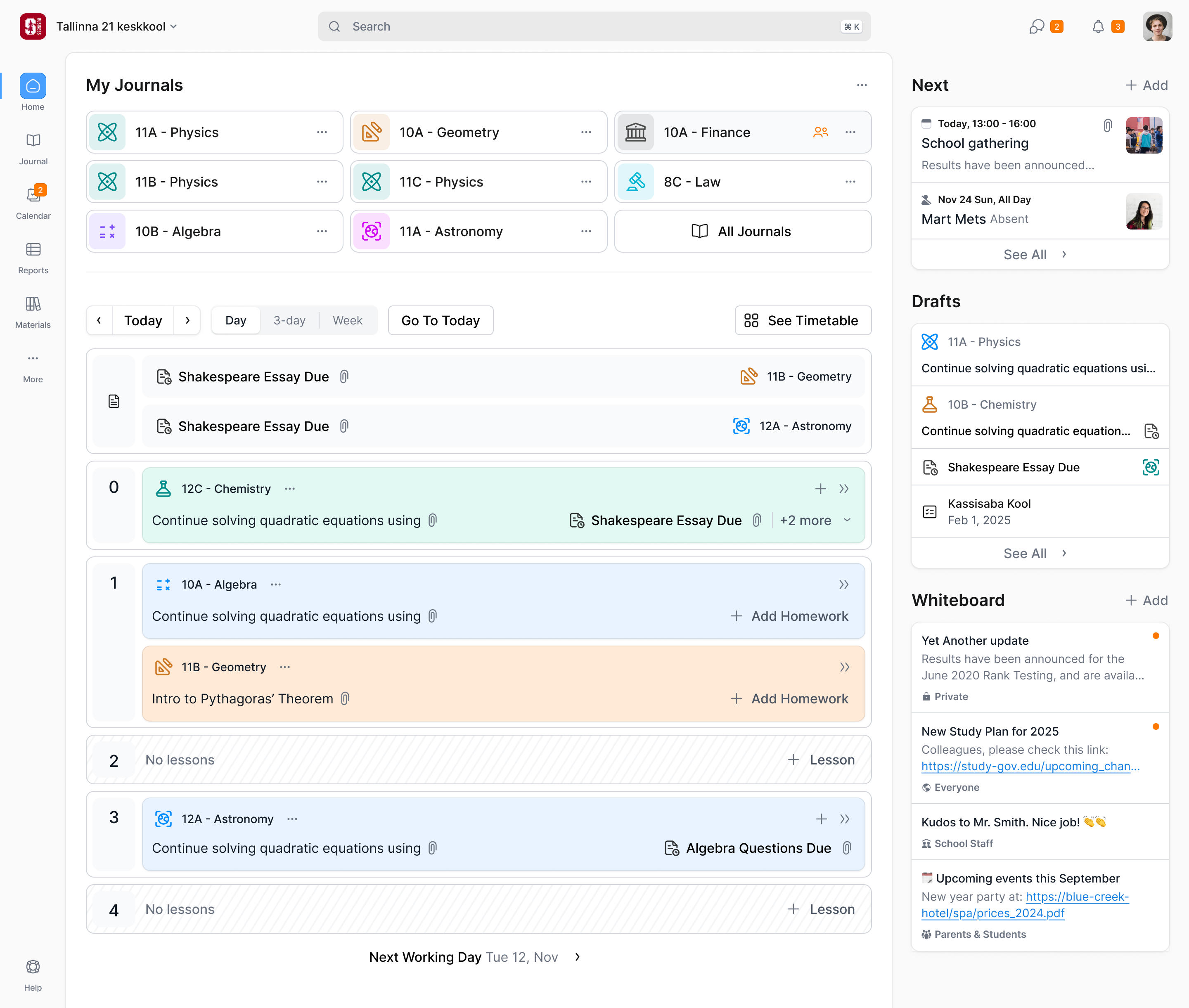
The unit of eKool is the journal: one subject taught to one class, say 11B Physics, holding every lesson, absence, grade and piece of homework for that pairing. A subject teacher has eight or more. Some have forty.
Girts told us session recordings showed that most of what teachers do is open a journal. The journal is also the oldest code in the product, and the screen teachers had asked nobody to touch. So we left it alone and pulled its jobs out one at a time, starting with the dashboard in front of it.
That distinction mattered. Replacing the dense gradebook would mean asking teachers to relearn the screen they used throughout the day, while rebuilding some of the oldest code in the product. Improving the way into it let us remove repeated work sooner. The dashboard could expose lessons and homework directly while the familiar journal remained available.
Users range from about 25 to 80 years old, and hardly any teachers had used a tablet in a month, so we designed for the desktop first.
improve the daily shortcuts without replacing the familiar gradebook
The timetable counts lessons, not hours
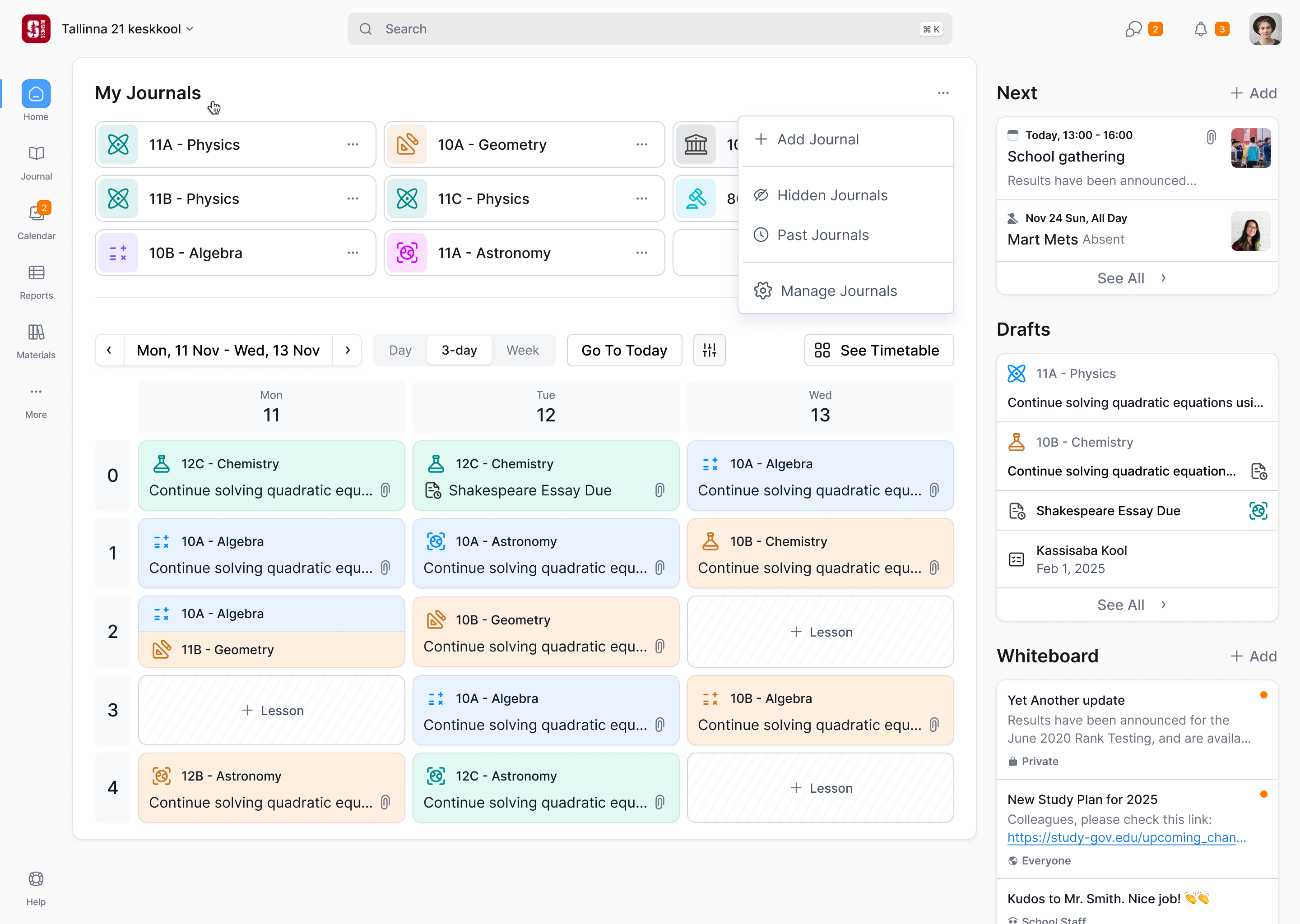
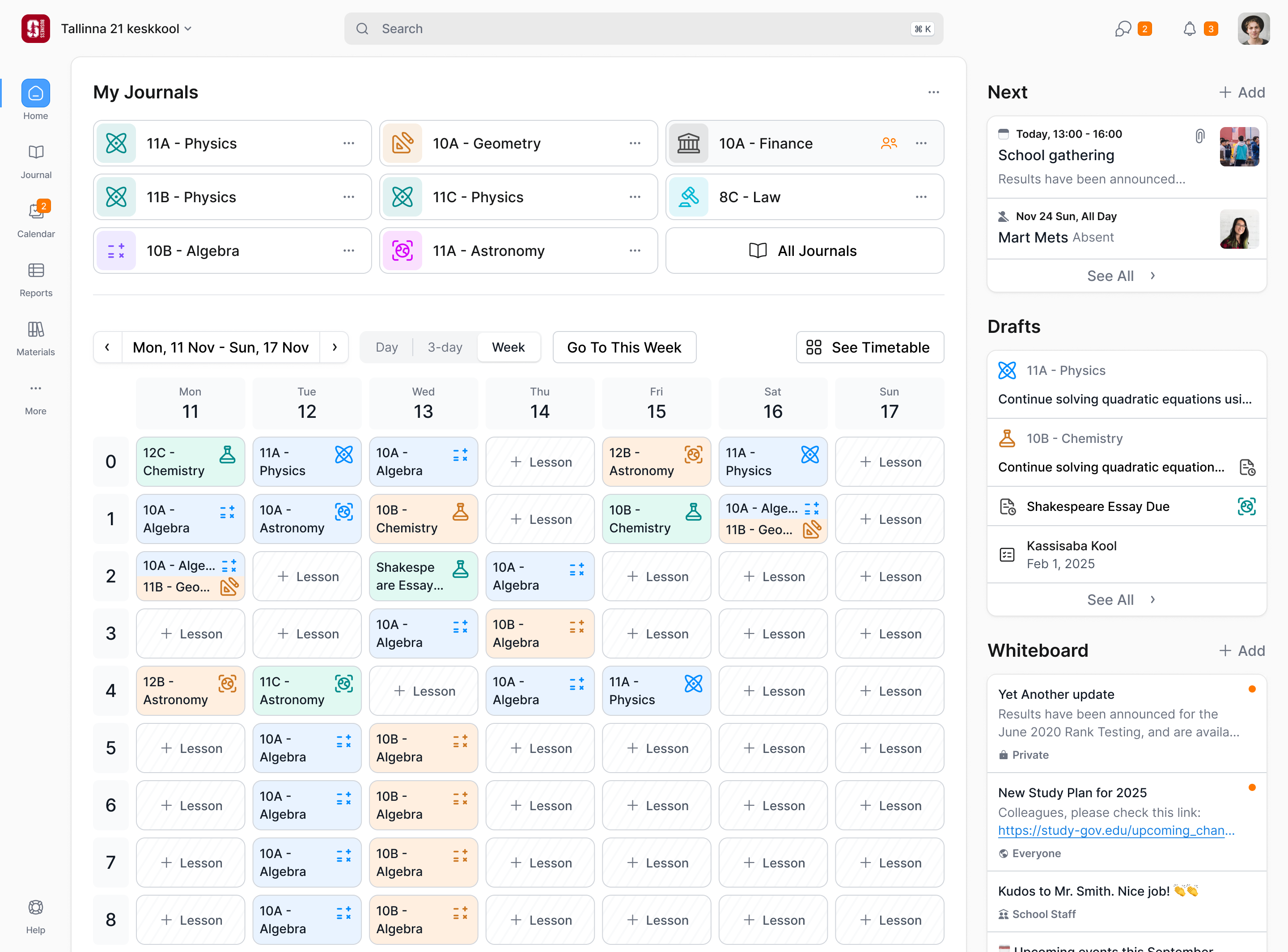
In the first design call I asked whether a 3pm event could sit on the grid over the period it overlapped. Most schools run 45-minute lessons and the rest don't, Ana said, which is why eKool counts periods, and Girts's instinct was to keep the two apart. So the grid is numbered periods, with the time on hover, and anything with a real time lives in a column on the right. Each lesson is a card in its journal's colour, with its topic and homework on it. An empty period keeps a quiet "+ Lesson".
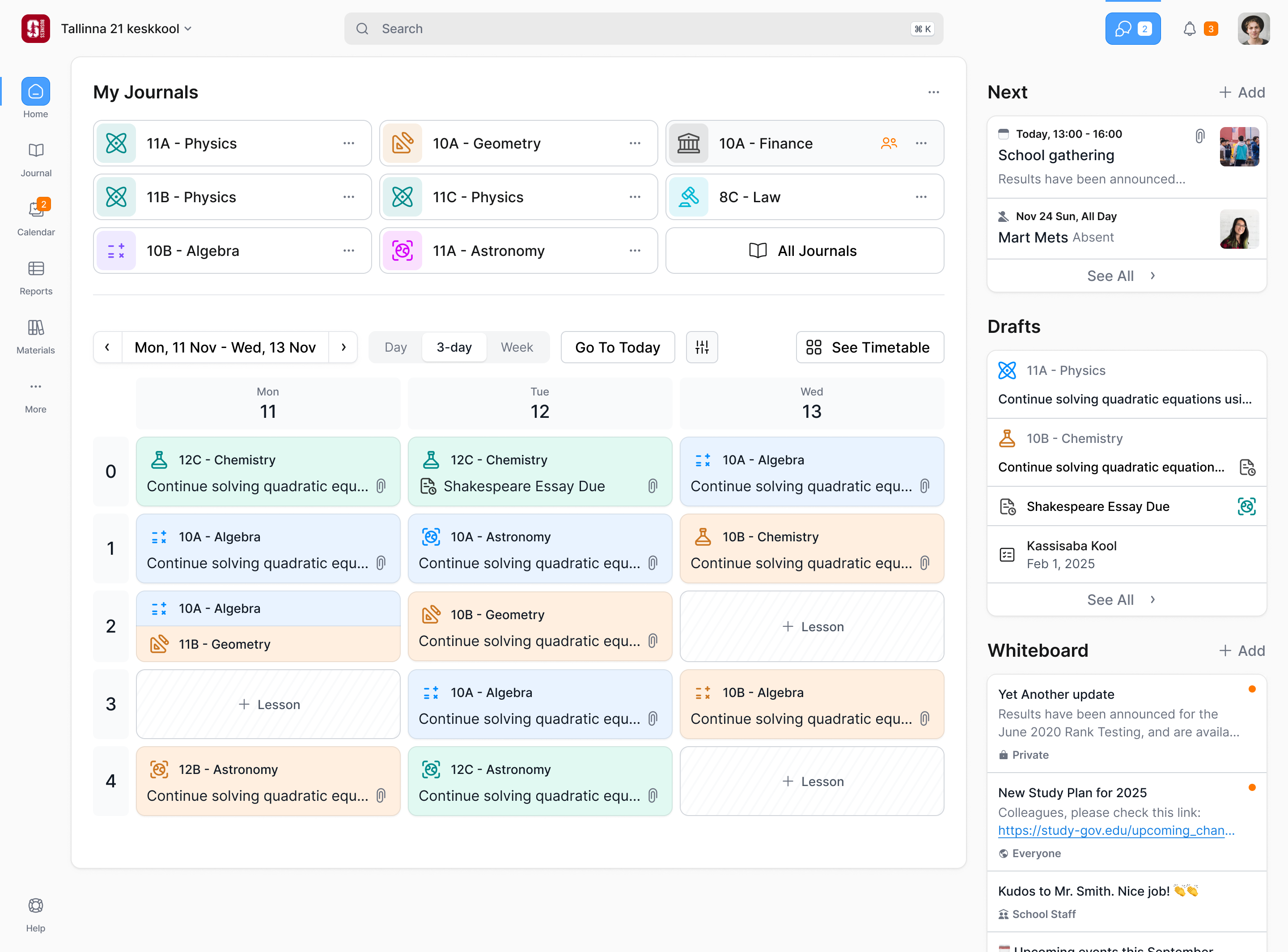
The cards also needed to preserve the relationship between the records. Our early layout put lesson details above the journal and offered separate homework controls. Girts and Ana pointed out that this made a familiar task harder to interpret. Ana described the journal as the umbrella, with the lesson and homework beneath it. We reorganised the card around that hierarchy, keeping all three actionable. Deleting a lesson moved into its editor rather than occupying a menu on every card.
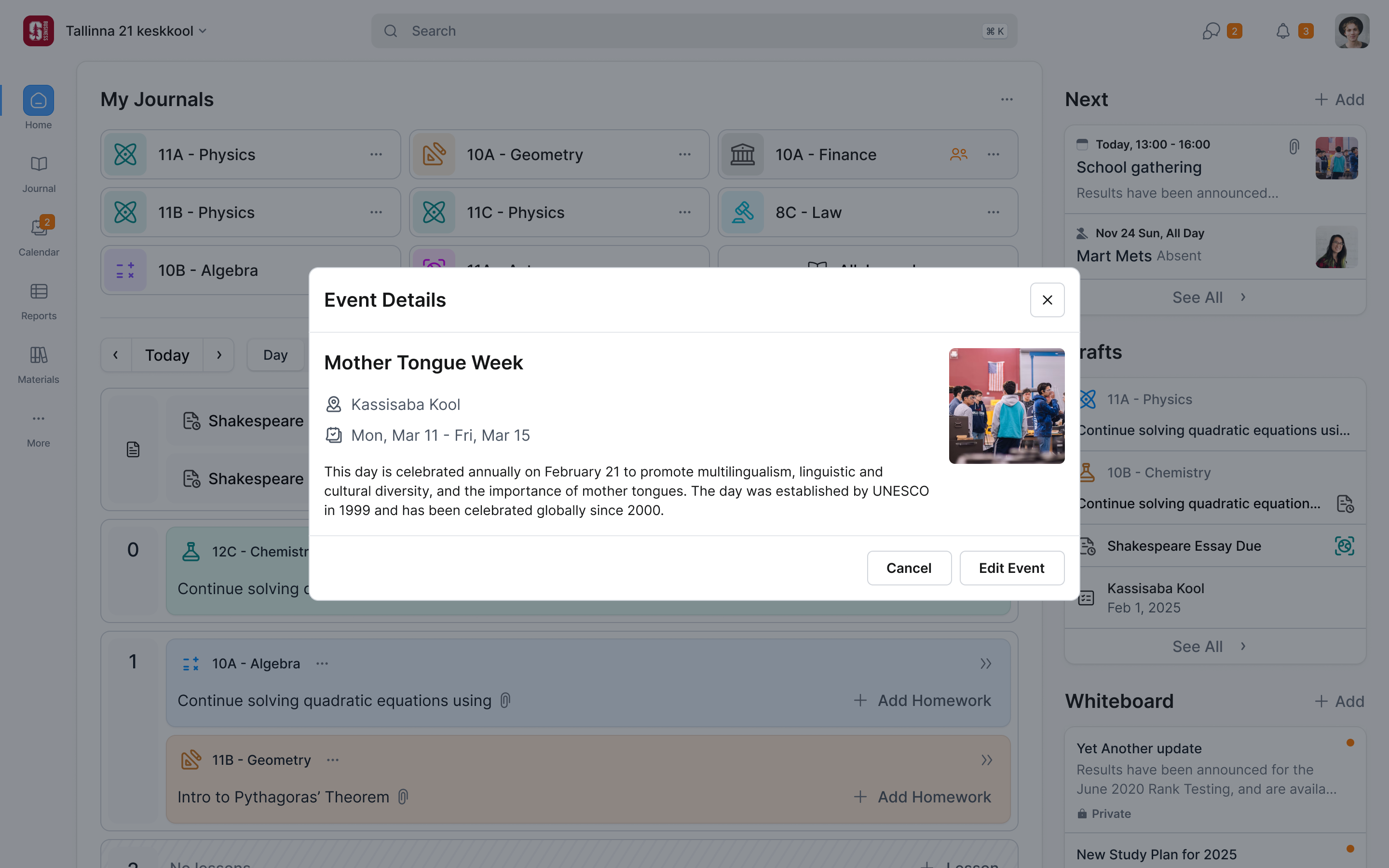
Teachers can see one day, three or a week. Homework shows on the day it was set and the day it's due. We cut a notes panel; teachers keep notes on paper, and the old one barely got used. The whiteboard stayed: announcements, links and files, each marked with who can see it.
The look took longer. We pushed for grey backgrounds to calm the first drafts; Girts and Ana worried the page would look washed out. It settled as grey behind white cards.
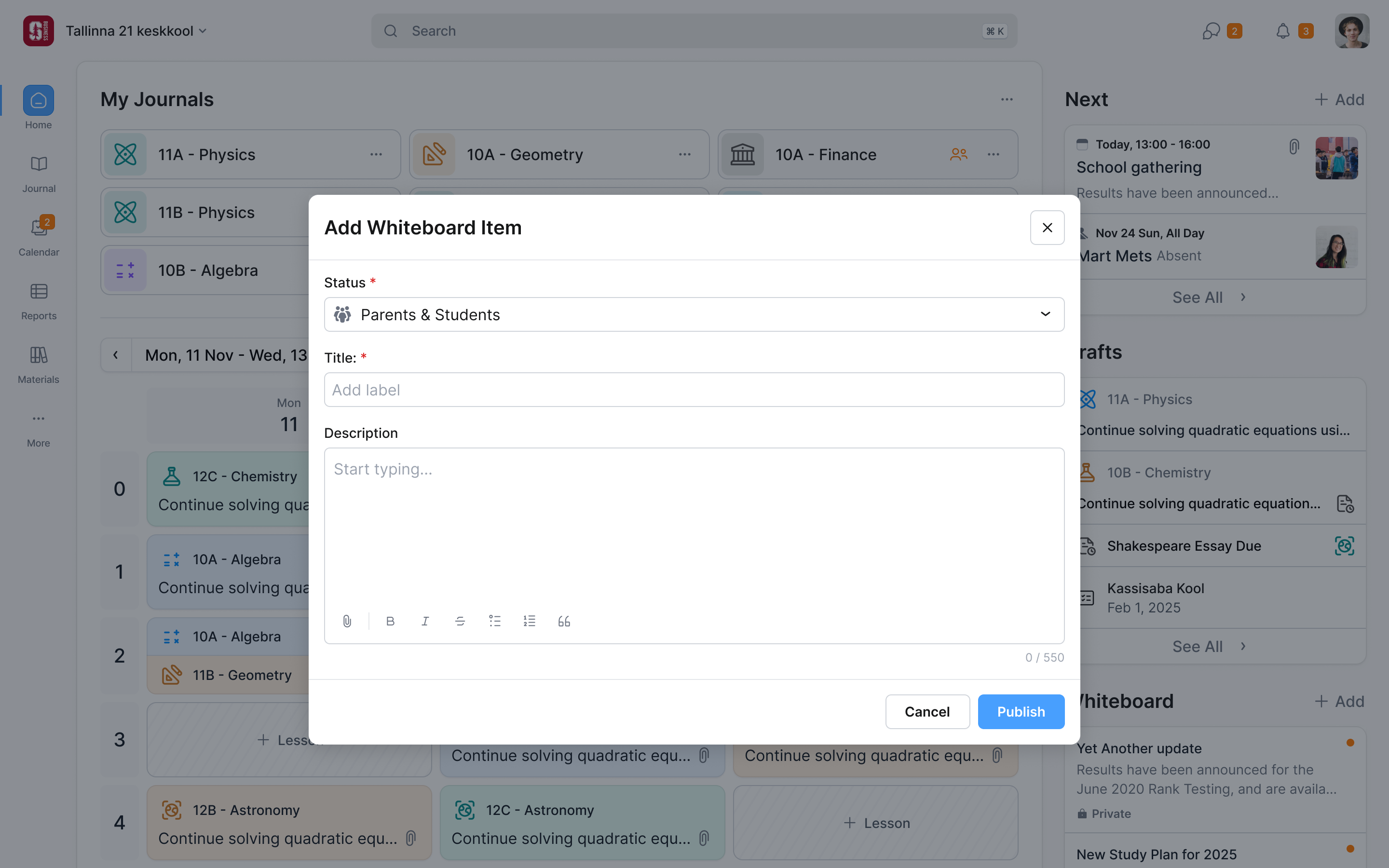
Adding a lesson is one page
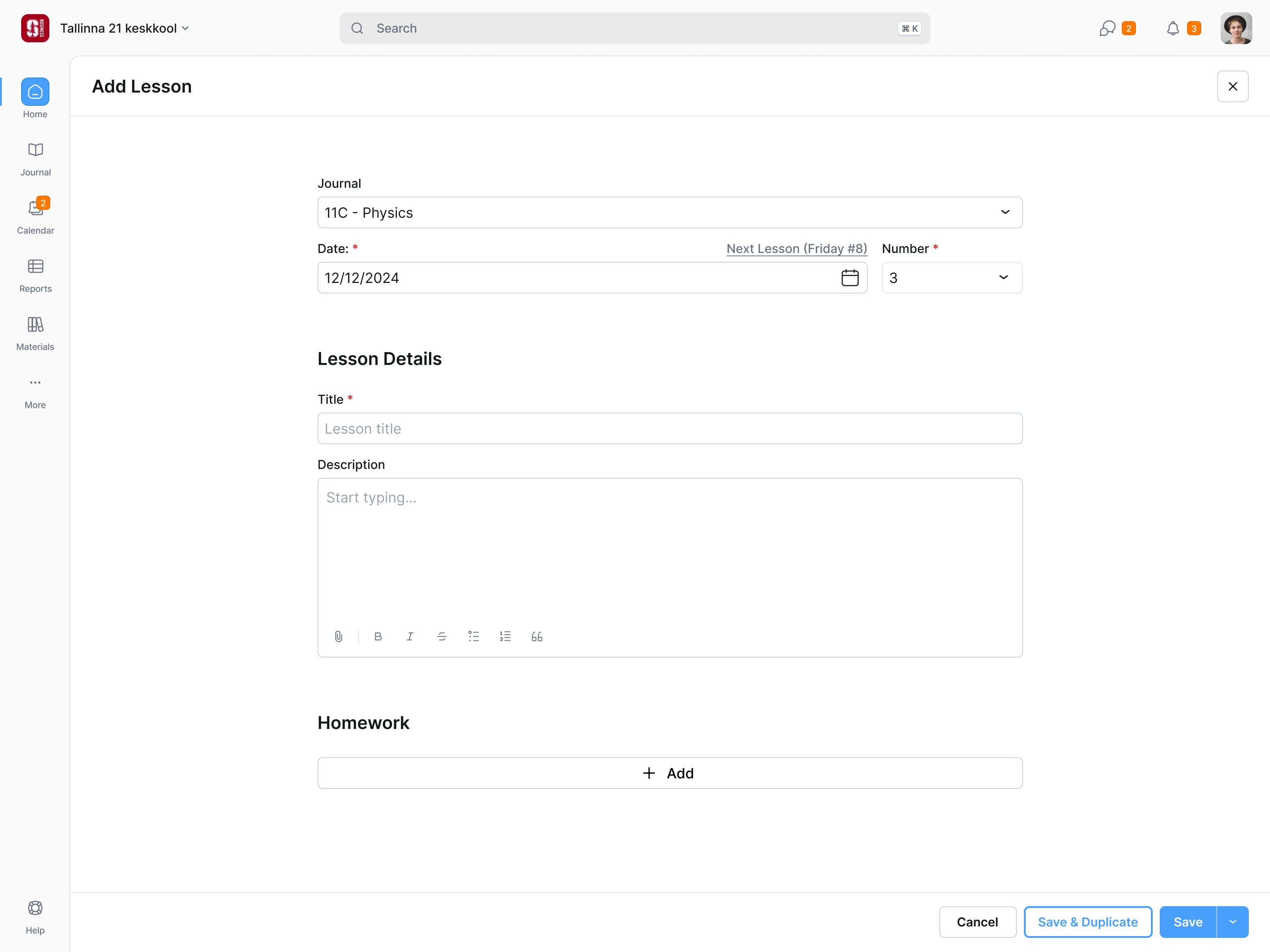
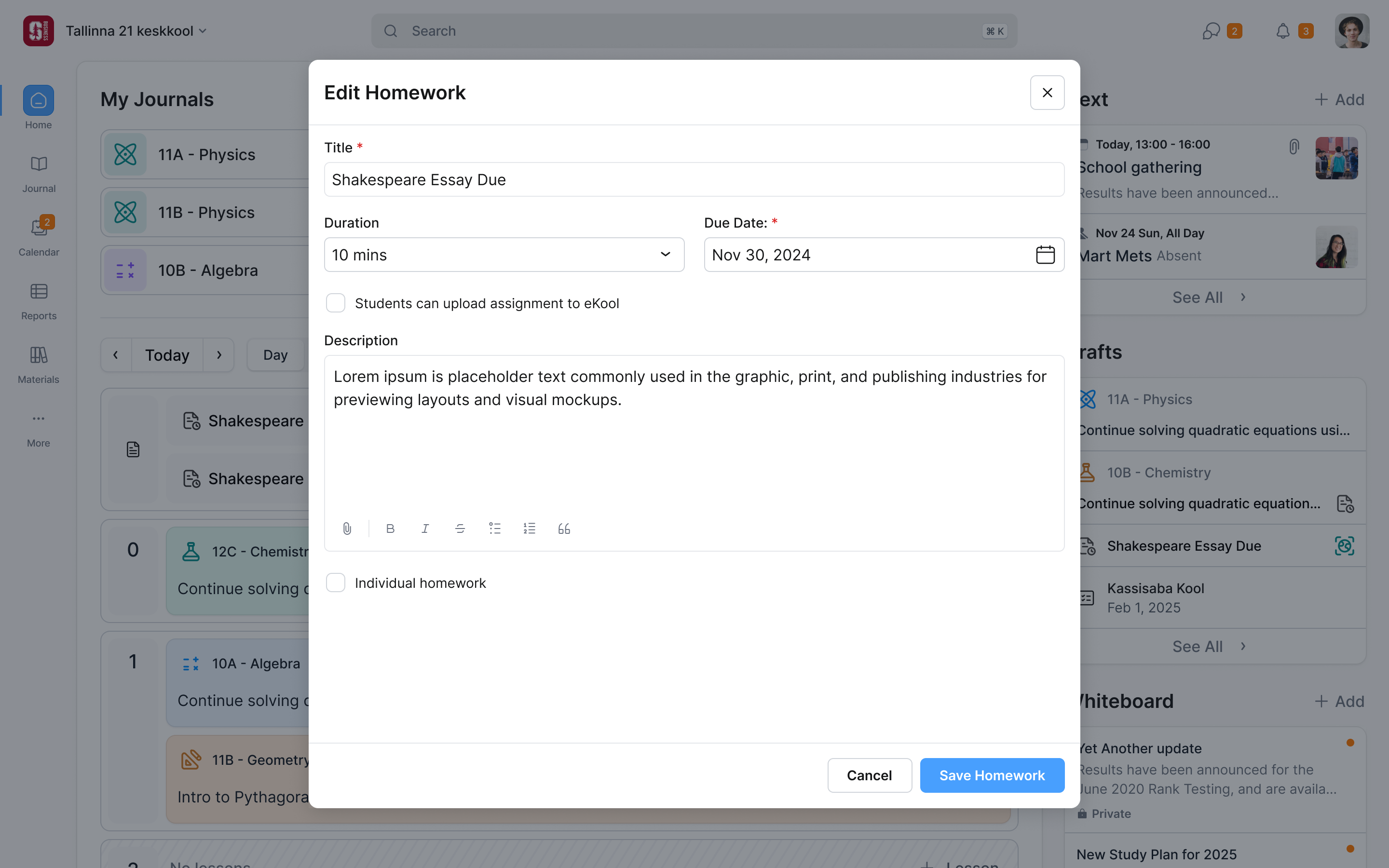
Adding a lesson was used constantly and took too many steps, so Girts wanted it fixed first. Picking the journal and filling in the lesson now happen on one page. The lesson number dropdown shows which periods are free, a link jumps to the class's next scheduled lesson, and typing a title brings up recent lessons to reuse.
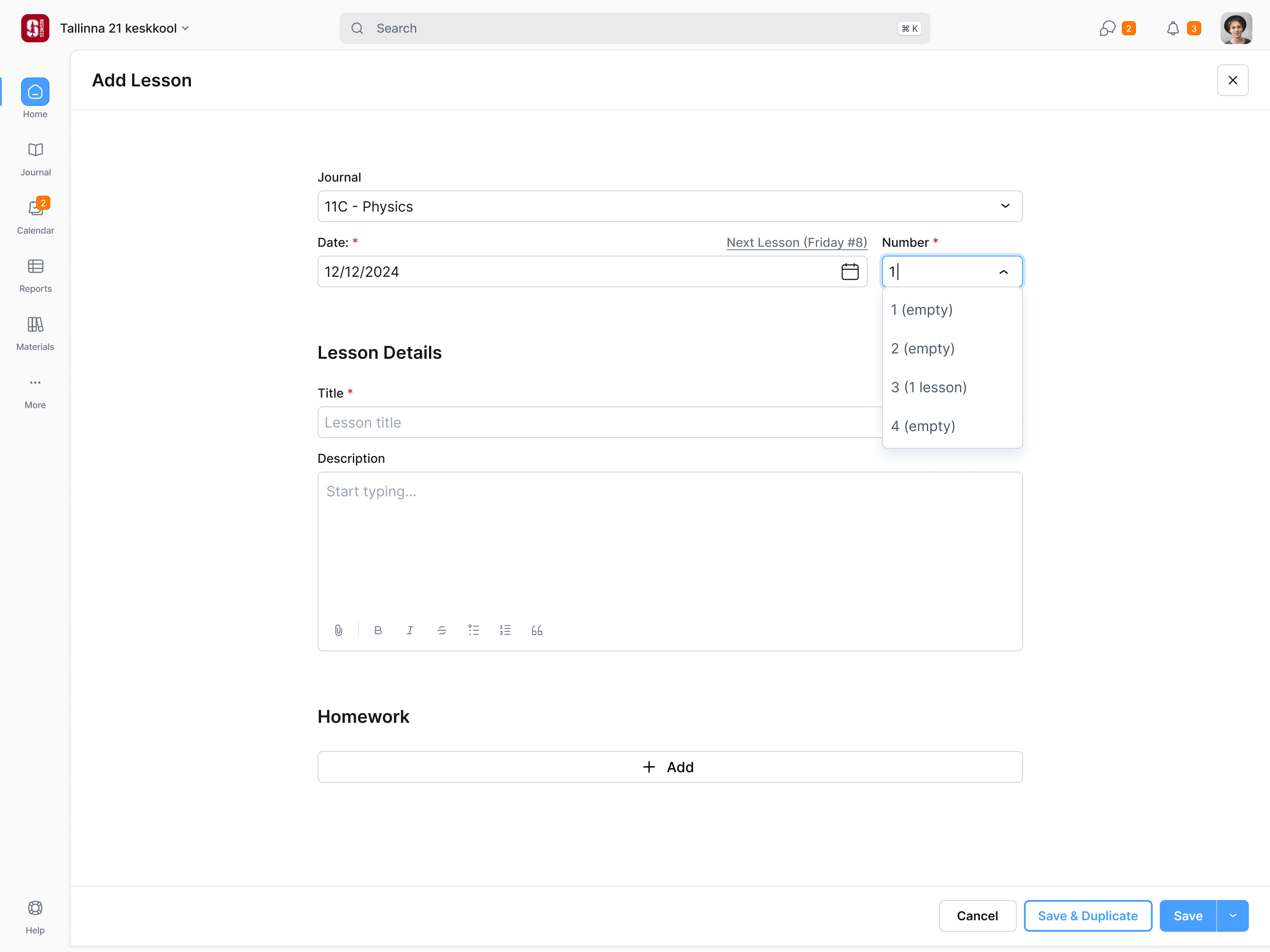
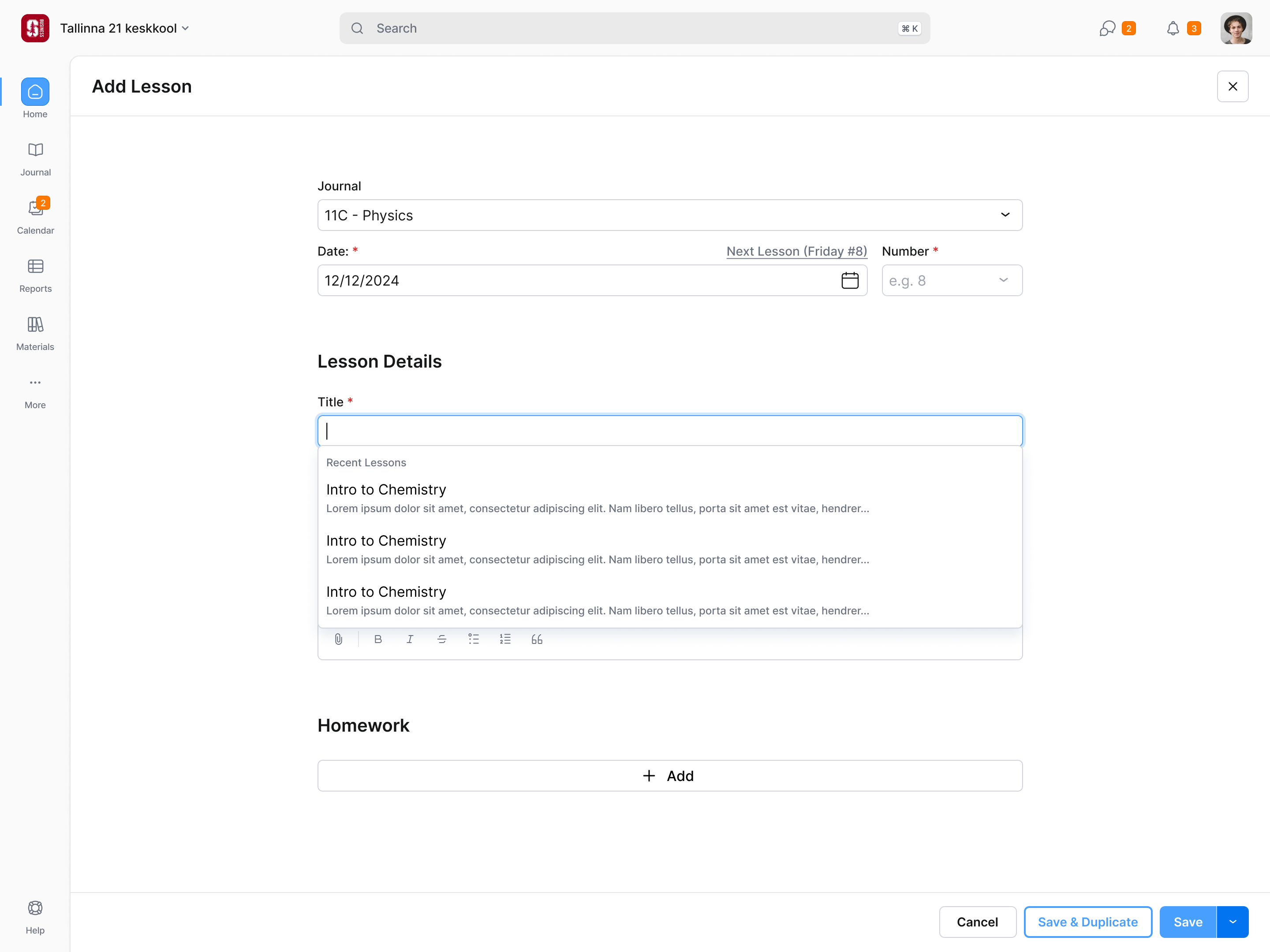
Teachers often give the same lesson to parallel classes, so "Save & Duplicate" opens a filled-in copy for the next journal.
A teacher can arrive here from a journal or from an empty timetable period. Those entry points already tell us different things. From the journal, the subject and group are known. From the timetable, the date and period are known. The form should carry that context forward, rather than asking for it again.
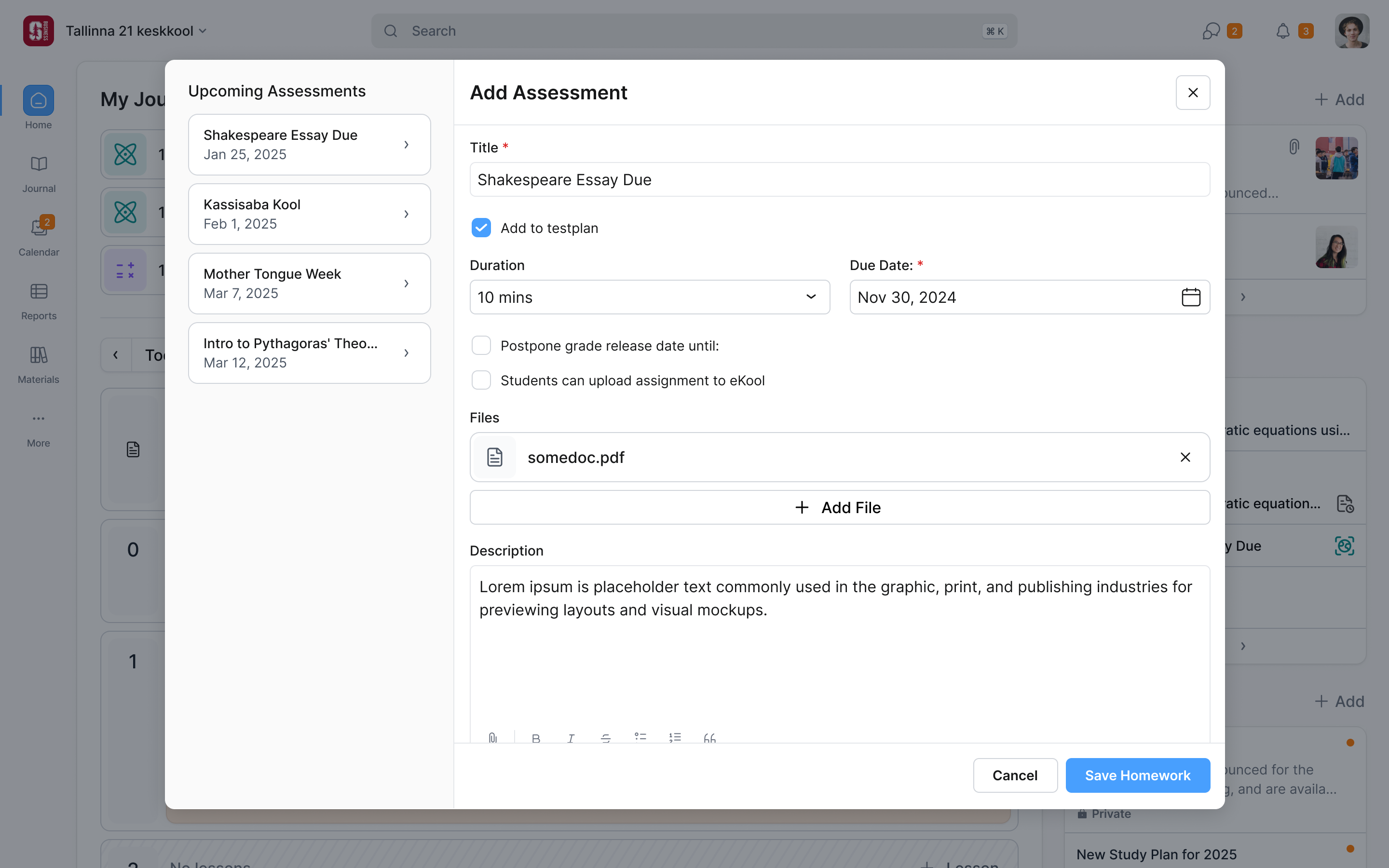
Assessments introduce a wider responsibility. Each teacher schedules work for their own subject, but the class experiences the combined workload. The assessment form lists upcoming assessments beside the new one, so a teacher can see the commitments other teachers have already made before adding another. This supports the limits on test load eKool needed to account for.
Forty journals still have to fit
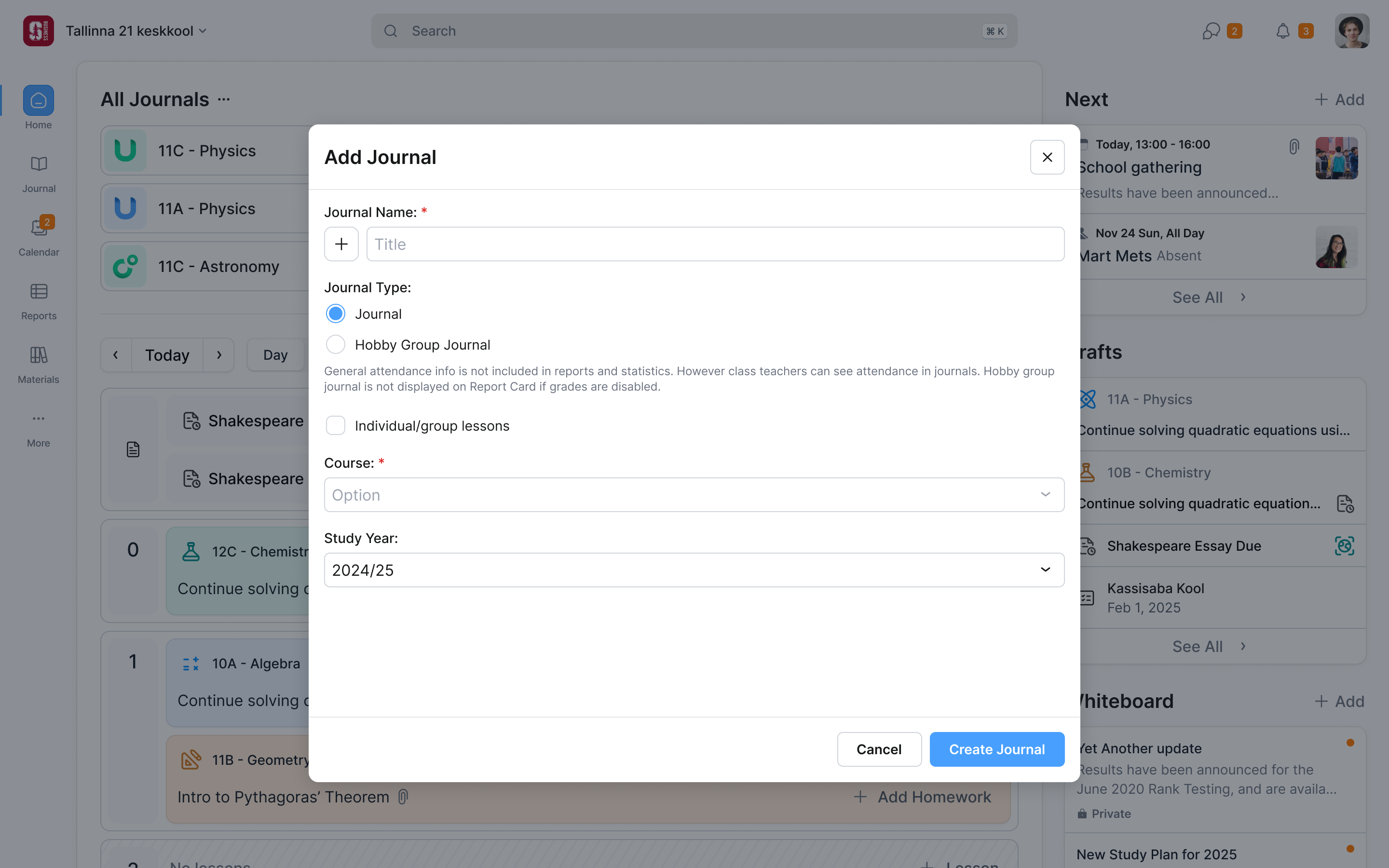
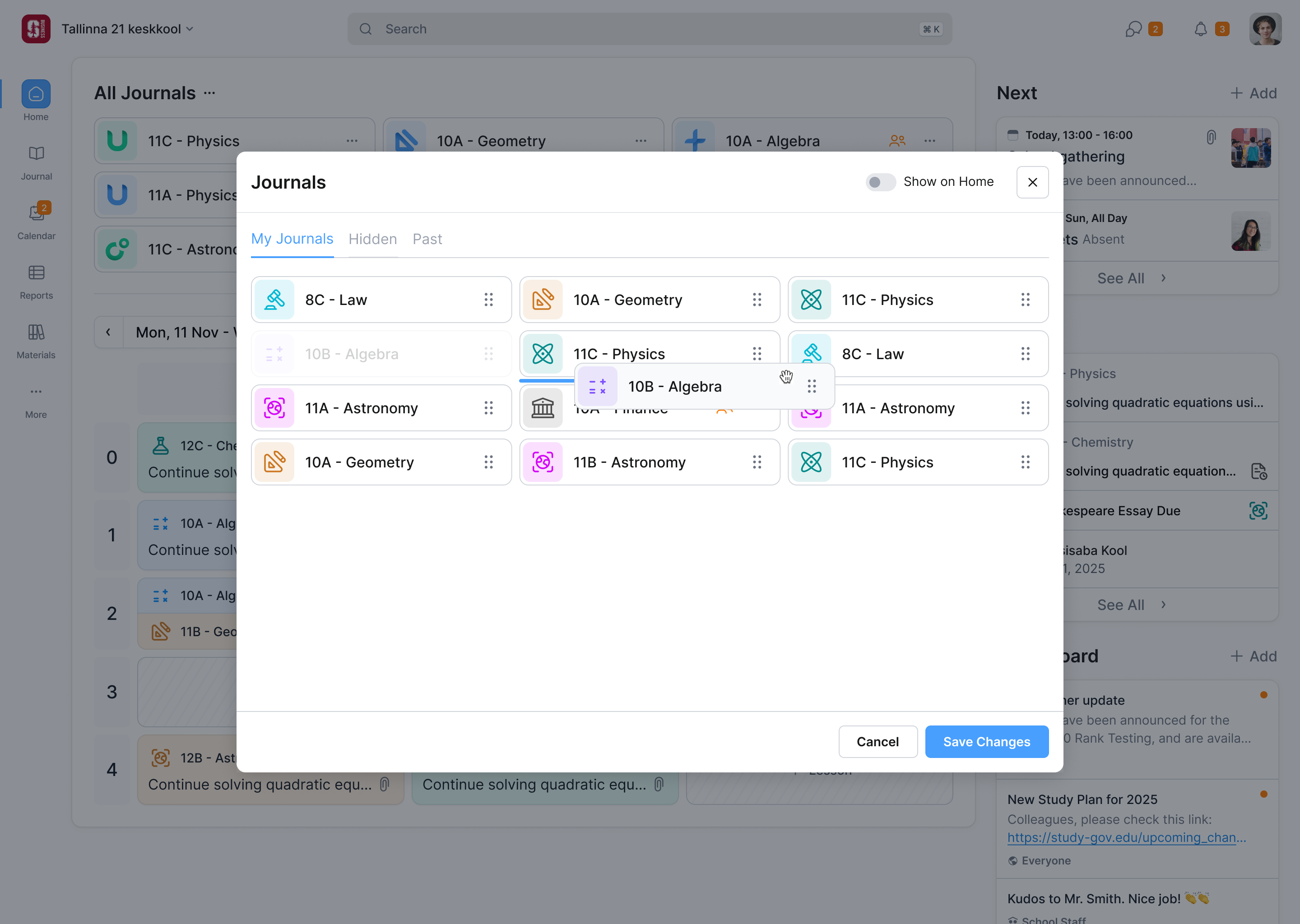
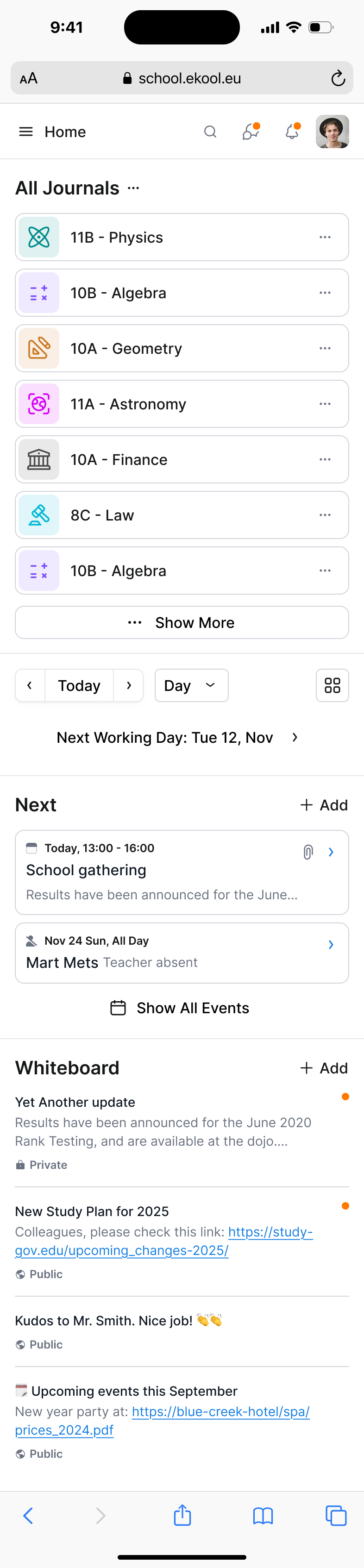
The journal block had to work for one journal and for forty. A school administrator can deal with hundreds, but giving a teacher the administrator’s controls would spend space on a different job. We kept the teacher’s list focused on their own teaching. Each journal gets a colour and an icon, carried into its timetable cards. That makes it possible to recognise the same subject and group across the page without reading every title. Reordering happens in a modal, which copes better with a long list, and old journals go to Hidden or Past.
Use a calendar where time is the problem
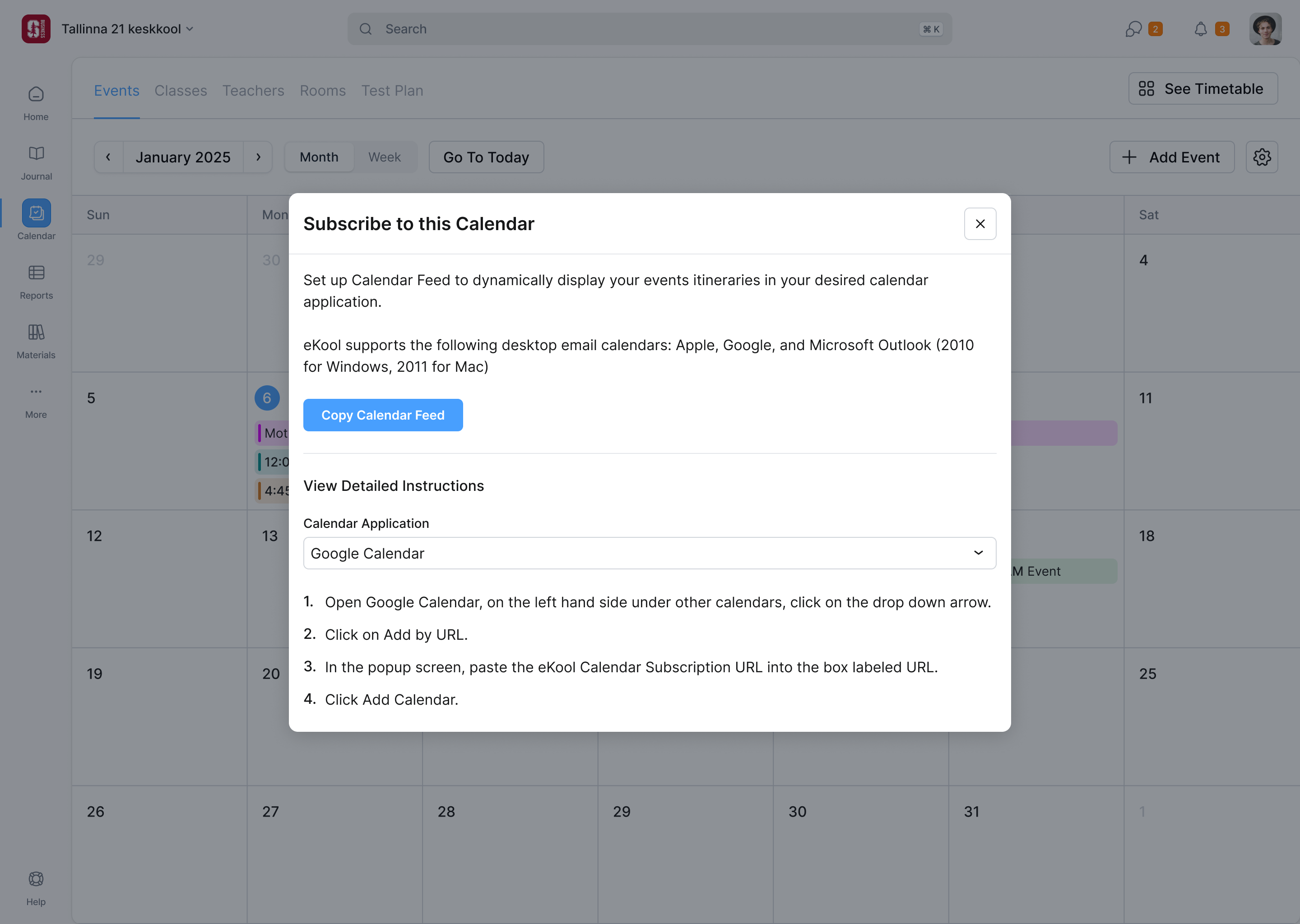
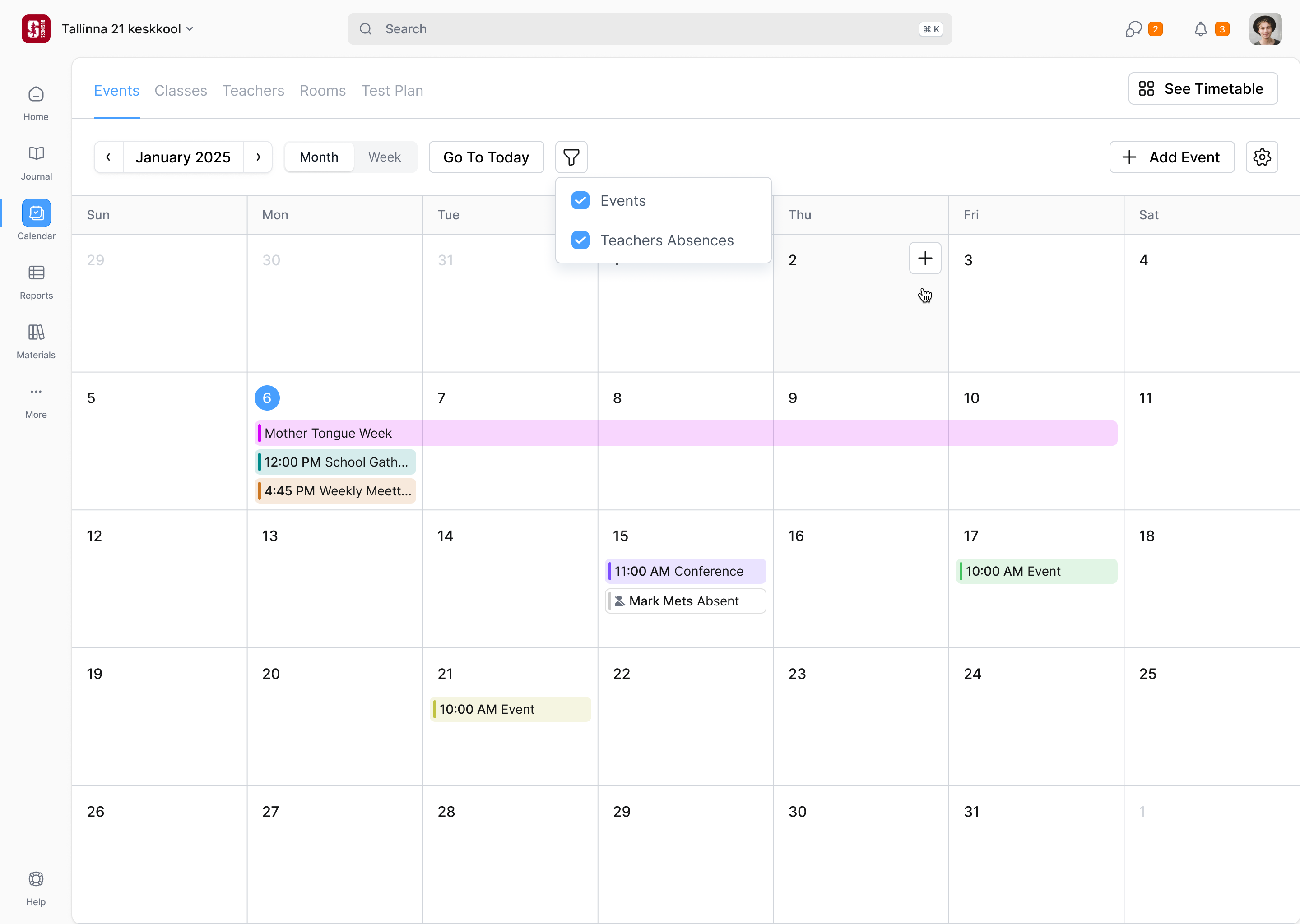
In 2025 we designed the calendar: events, absences, timetables, bookings, assessments. The first pass gave each its own month, week and list views, which was a lot to build. The assessment week view drifted so close to the dashboard that I asked Girts whether it should just be the dashboard component. He said yes, so the developers could reuse the code. Month view stayed only for events and absences. Absences became their own calendar. Bookings became a list of what's free, because that's what someone booking a room wants to know. Calendars can be subscribed to from Google, Apple or Outlook.
On a phone, the day view wins
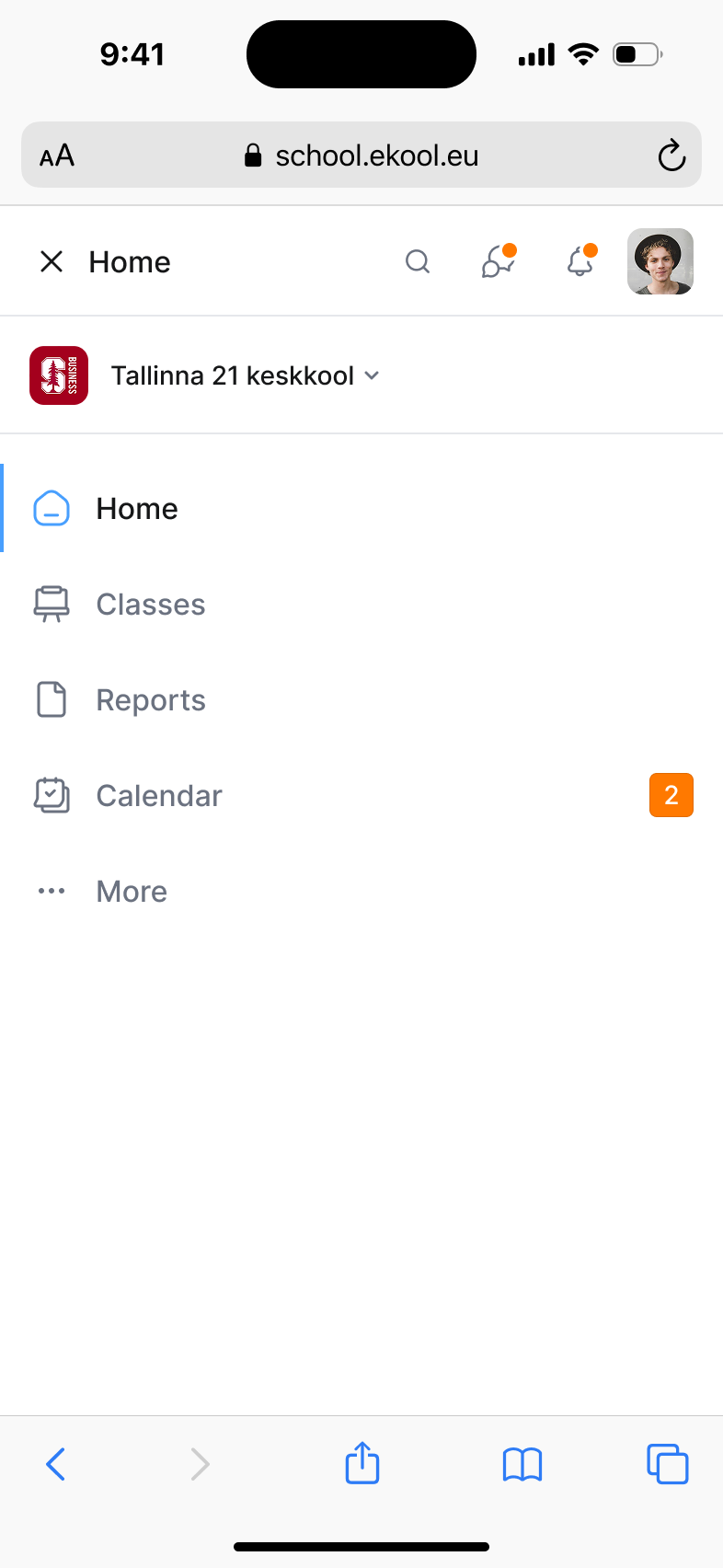
In 2025 we designed the dashboard for the mobile browser. A week on a phone means scrolling sideways, so the phone defaults to the day. The school switcher stays in the navigation: the teacher needs to know which school they are working in even when there is no room for the desktop sidebar. Journals still provide the route into the work, while the day’s lessons run vertically.
A subject teacher needs three attendance states
Attendance made the roles inside a school especially important. A subject teacher records what happened in a particular lesson. A class teacher follows a group of students across subjects and over time, including the reasons for their absences. A parent’s note is another record again: it explains why a student is expected to be away. Treating all of these as one attendance form would put the school’s full administration in front of someone trying to start a lesson.
In August 2026 Girts and Mari brought us back. To make the September start, eKool had tried producing its class teacher screens with AI, straight into its static prototype app. It was fast, and the screens drifted from the guidelines. "We can't skip this step," Girts said. The next step was to resolve how those screens behaved together, as well as bring them back into the design system.
So we changed how we deliver. We work in eKool's prototype repository, put up a rough cut before each call, edit it on the call, and polish afterwards. When I offered a cleanup branch for the spacing and shadows I kept noticing, Mari took it at once. Much of the recent work had been hers.
the subject teacher records attendance; the class teacher handles the reason
The job was attendance, which subject teachers still marked in the old system after filling in a lesson in the new one. We put it into the lesson.
A school tracks excused, unexcused, late, and reasons for each. Mari's view was that almost none of that belongs to the subject teacher: "Subject teacher cares about who's present, who's absent, who's late." So the lesson has three states, and everyone starts as present.
If a parent has sent an absence note, or the student was marked absent earlier that day, they show as absent already, styled as a suggestion. Changing it removes the suggestion. The first cut also had an "accept suggestions" button, which Mari and I agreed nobody needed, and a separate confirmation for each suggested mark. I proposed putting the absent and late counts beside Submit Attendance, giving the teacher a reason to check the list without confirming every suggestion individually.
Mari also challenged an action that would copy marks across a teacher’s other lessons. A student present in the morning might miss a later class, and being late to one lesson says nothing about the next. Primary teachers who stay with one group throughout the day have a real need for bulk marking, but that belongs in the class-teacher overview. We kept the ordinary lesson flow scoped to the lesson that actually happened.
a morning attendance mark cannot confirm the rest of the day
Lessons are often created in advance, so one save button could record absences for a lesson that hasn't happened. The lesson and its attendance save separately. That work is still going on.
Where it is now
The new teacher dashboard is live. eKool includes it in its standard package and schools switch it on, the opt-in Girts described in our first call. The journal is still being taken apart one job at a time.

"NBS took our complex functionality and transformed it into a clear, intuitive, and modern user interface. They brought fresh ideas to the table and delivered a sleek, user-friendly experience. Their ability to turn complexity into simplicity is unmatched."
More from eKool