Fortue was building payment software for general contractors and subcontractors. A construction payment request needs more explanation than an amount and a due date. It describes work completed against a contract, carries forward what has already been billed and brings supporting documents that other people have to check. The person reviewing it needs to understand how those pieces fit together before approving the payment.
Jesse Yu and Alex Hu came to us with a clear initial scope: setting up a project and handling its ongoing payments. They supplied early layouts, workflow examples and knowledge of how the industry works. We helped turn that material into a product people could move through, with Prakash Ghodke working on the detailed designs and me directing and reviewing the work.
The central design problem was keeping the payment connected to its context. A compact invoice form would be easy to draw, but it wouldn't give someone enough room to assess the work or follow the approvals around it.
Keep the schedule recognisable, then make it easier to work with
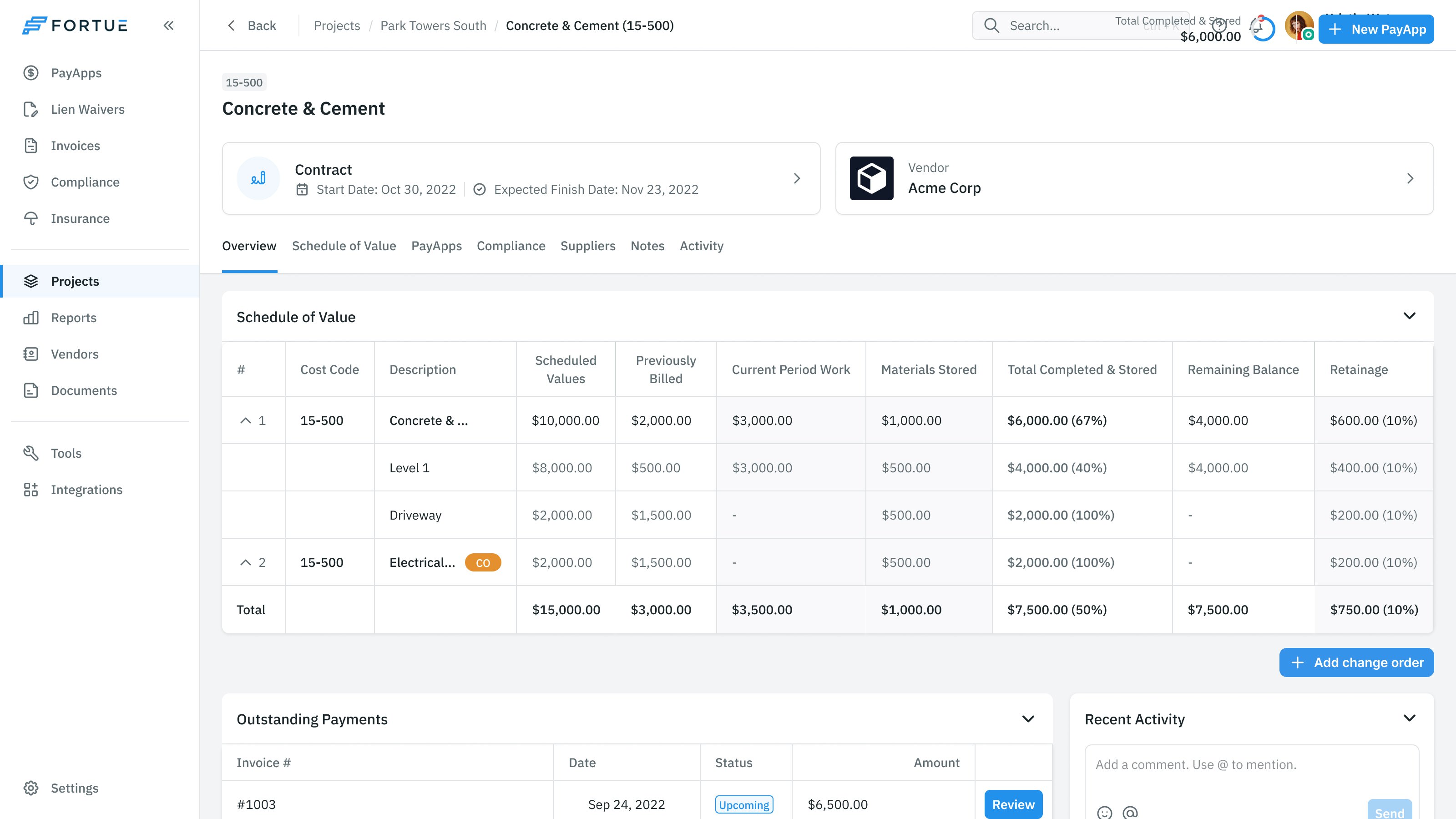
The schedule of values breaks a construction contract into priced pieces of work. As the project progresses, billing needs to distinguish the contract value, work previously billed, the current period's work, stored materials and amounts retained. Those relationships can't disappear in a visual refresh.
Prakash researched the familiar table formats. I asked us to keep the traditional schedule available while exploring other layouts. The opportunity was to improve how people worked with the information, without making them translate a new representation back into the accounting structure they already understood.
That meant giving the table enough room. When reviewing an early invoice view, I asked for the schedule to be included, even if the layout needed to expand into a full page. A reviewer shouldn't have to make a payment decision with its most important breakdown somewhere else.
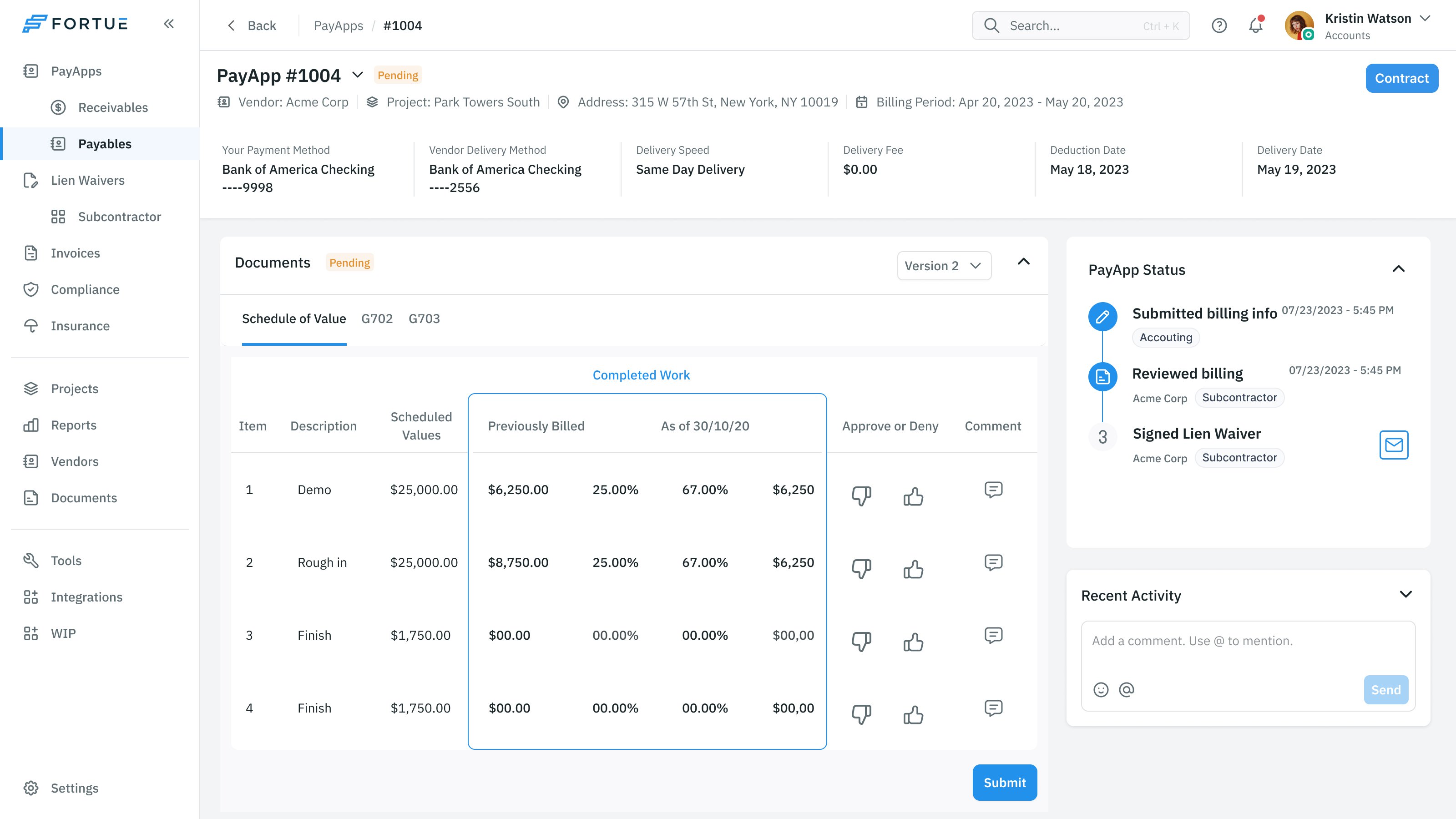
The payment application puts the schedule beside its approval history. Within the table, a reviewer can assess individual work items and comment on them. The supporting numbers remain in the same row. A question about one item doesn't have to become a disconnected message about the invoice as a whole.
We also needed a way to inspect earlier periods. I asked for a tab or filter above the schedule to switch between months. Progress billing accumulates over time; a person checking this month's request may need to understand what the previous one included.
this month's payment needs the context of what was billed before
The general contractor sets the breakdown before the subcontractor bills
Jesse clarified an important difference from one of the reference workflows. The subcontractor wouldn't begin by submitting their own schedule. The general contractor would upload the entire project's schedule, including its line items and assigned subcontractors, then send it for review.
That gives the general contractor control over how the work is broken down. The design needed to respect that order: establish the project's structure first, then let the subcontractor review and bill against it. Otherwise the product would invite people to submit information before the shared basis for that information existed.
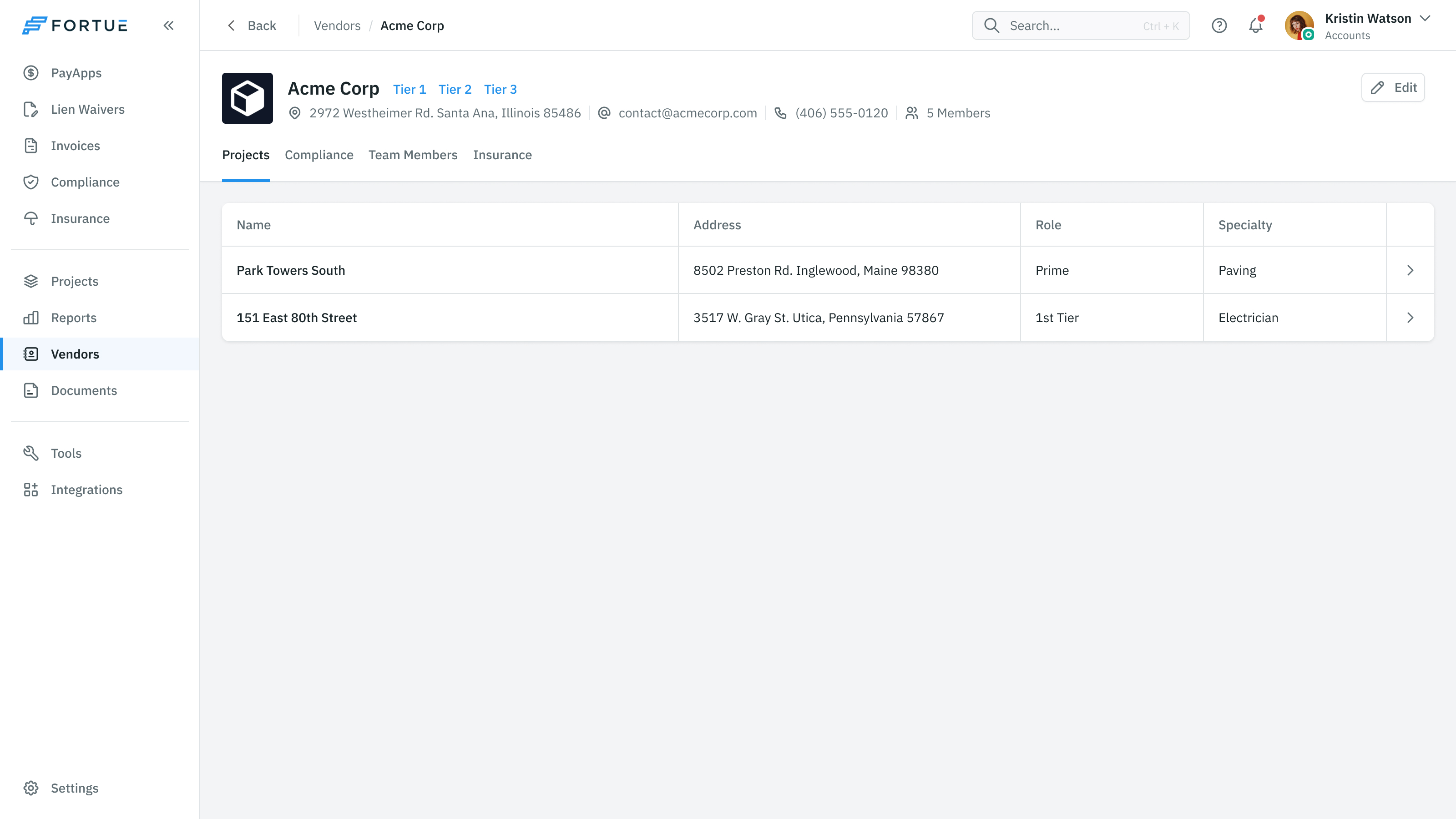
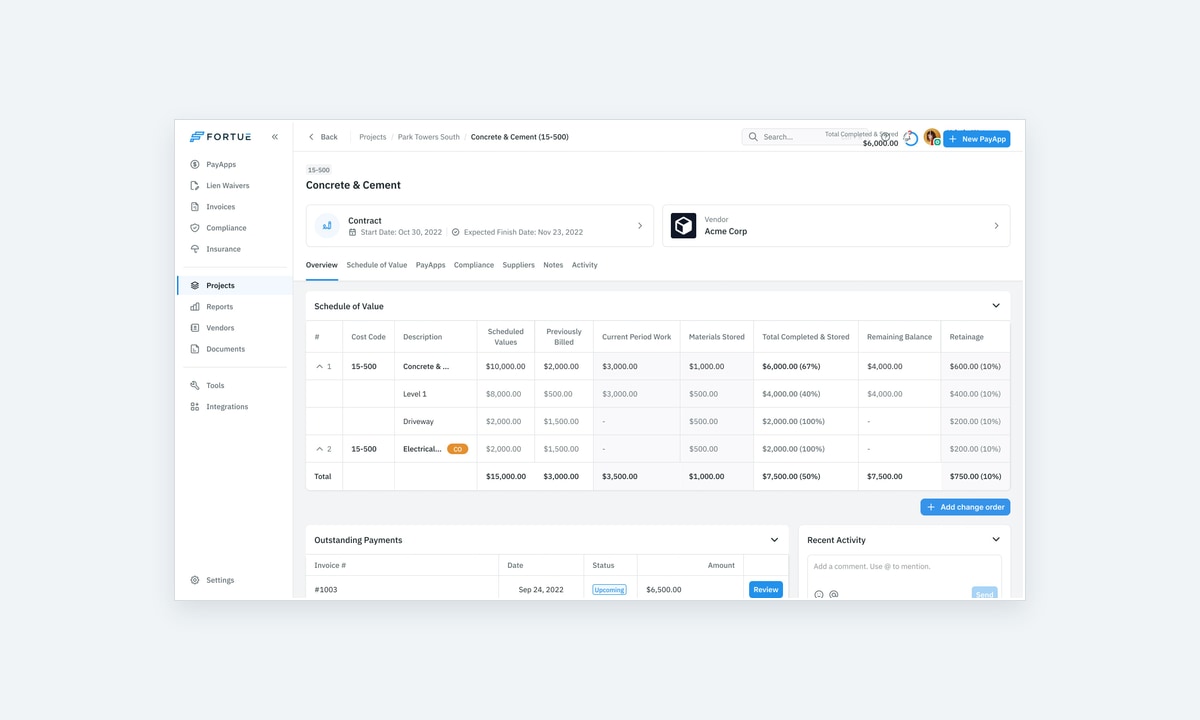
In the contract view, the schedule sits with outstanding payments and the approval flow. These are related parts of one job. Someone can inspect the work, see whether a request is waiting and understand the stages it will pass through without treating each as a separate administrative area.
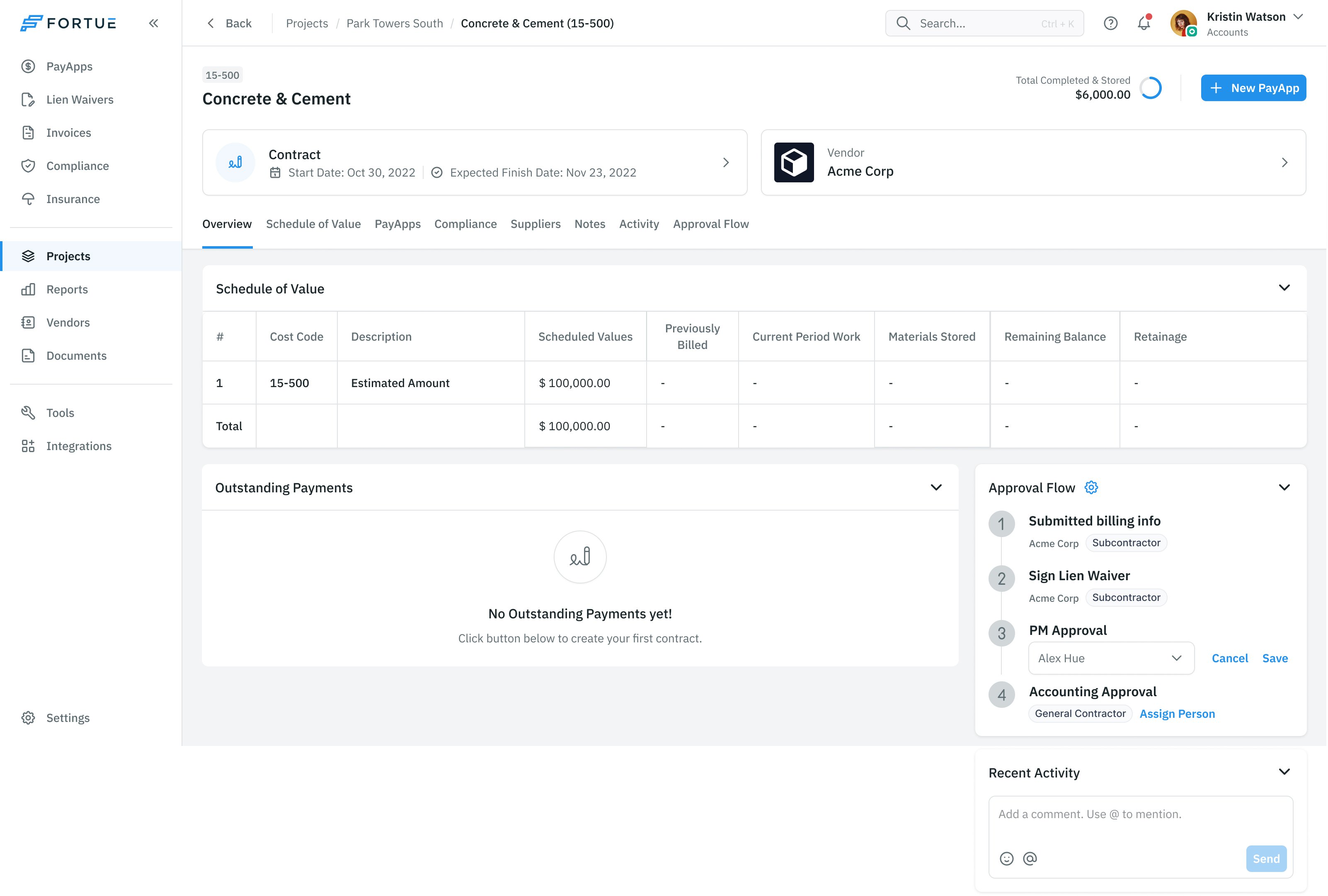
We questioned splits within that structure too. In one review, I asked whether the upcoming payment could be part of payment history, rather than occupying a separate area, and asked for a direct way to view its invoice. The useful distinction is the state of the payment. It doesn't always need another destination.
Separate checking the work from collecting its documents
Submitting a payment application involves several kinds of attention. A subcontractor updates progress, supplies information about further contractors, uploads required documents and generates the material to sign. Putting all of that into one undifferentiated form would leave the person responsible for working out the sequence.
Prakash proposed arranging it as Progress, Documents and Generate. The stages give the person a smaller job to do at each point while preserving the complete submission process.
The review view brings those pieces back together. The application has tabs for the schedule and its document representations. Its status panel records submission, review and the lien-waiver step. A person checking the application can see both the material and where the application stands.
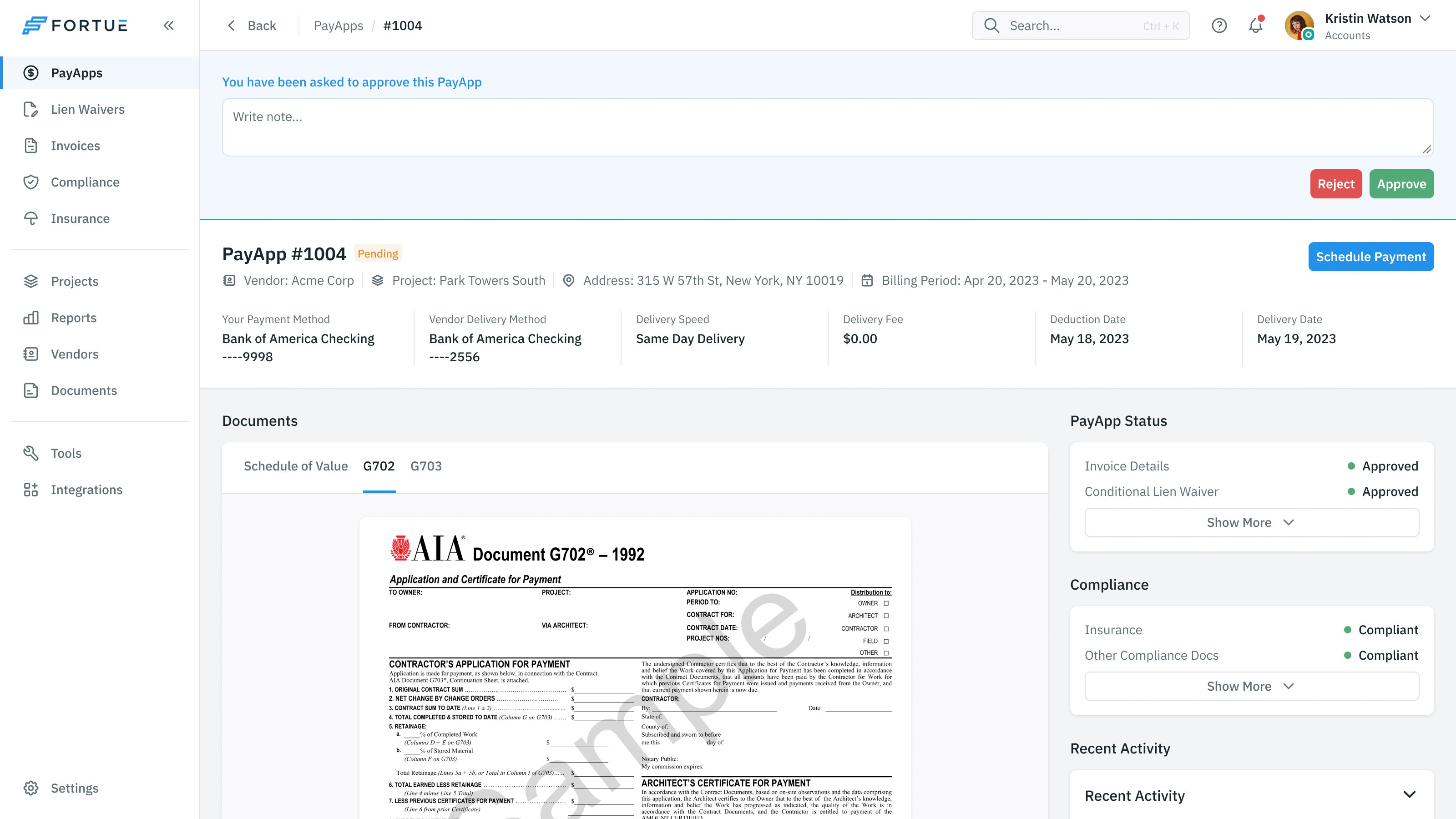
A document being present doesn't by itself say whether the payment has been approved. The interface therefore keeps document and compliance information visible alongside the payment's own status. It gives the reviewer places to inspect the different obligations instead of compressing them into one reassuring badge.
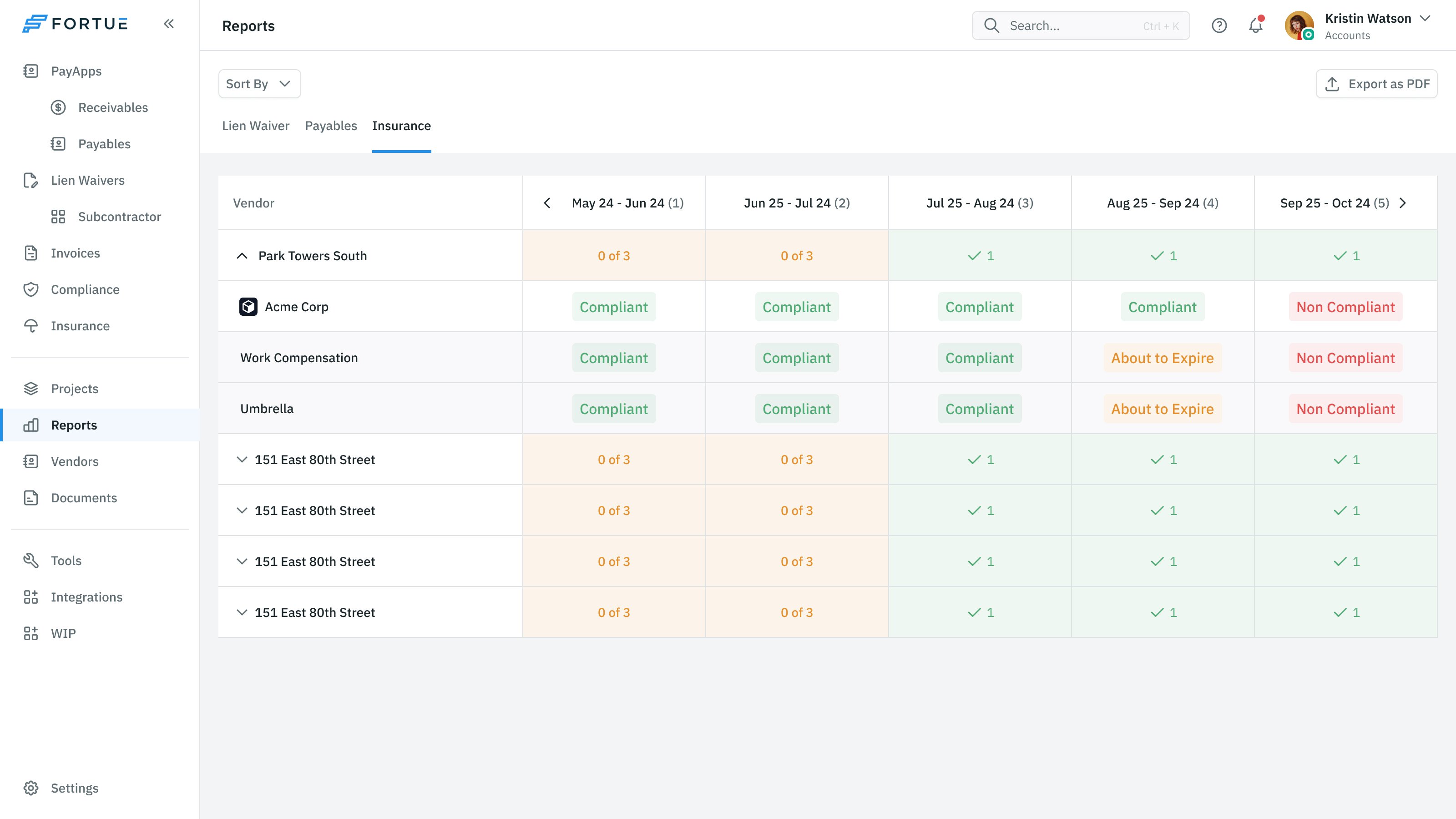
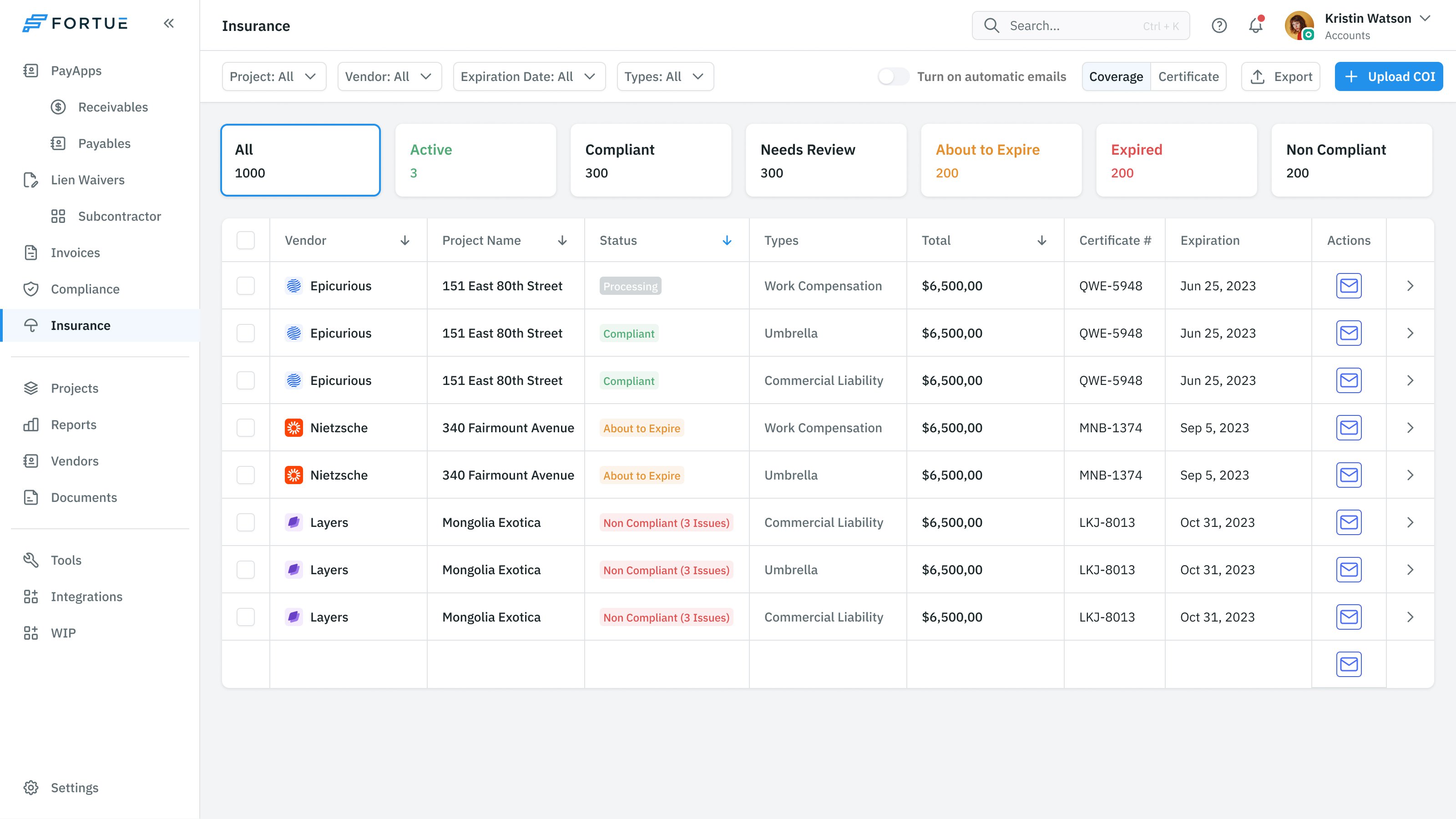
A lien waiver has to remain linked to the job
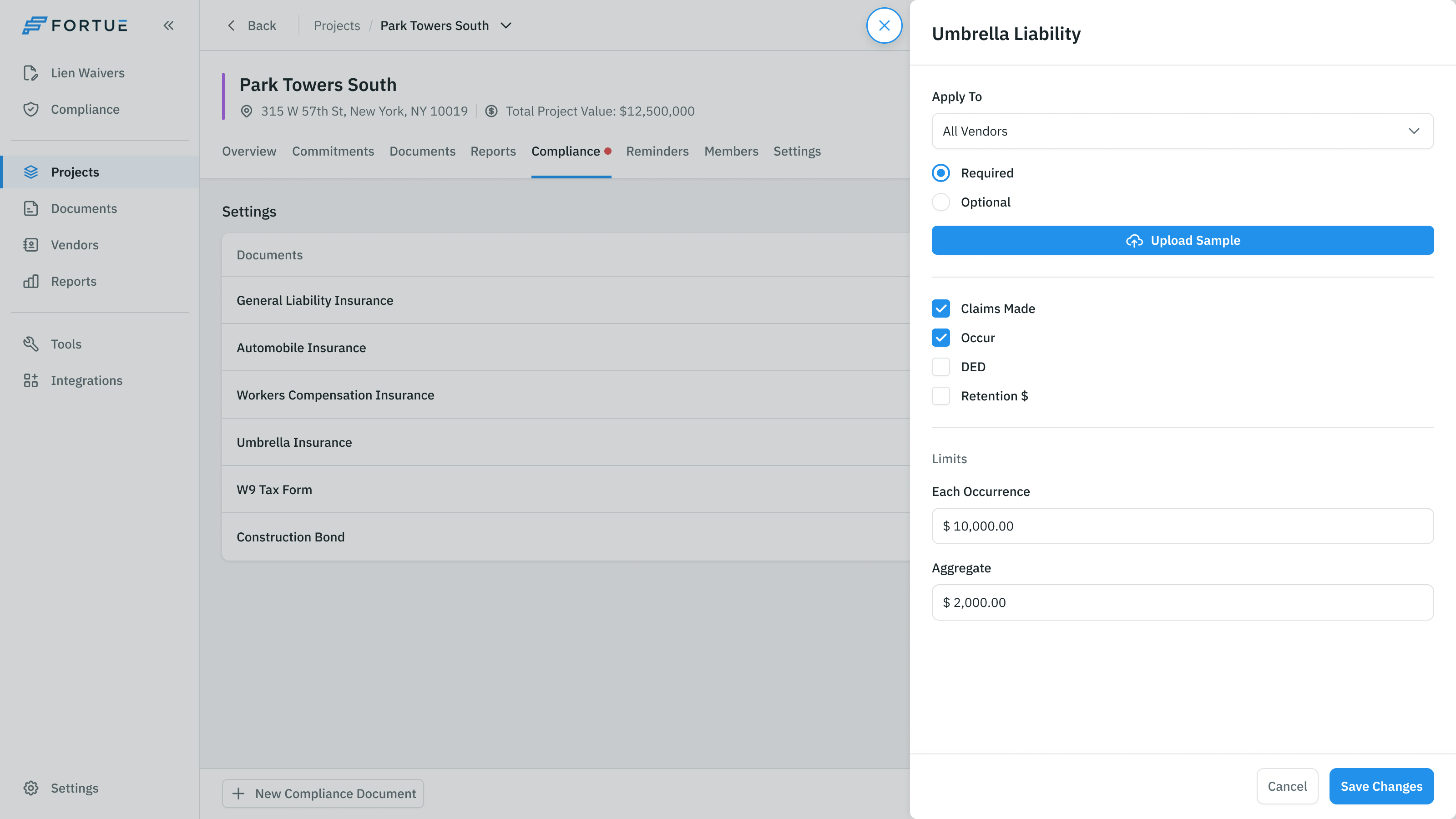
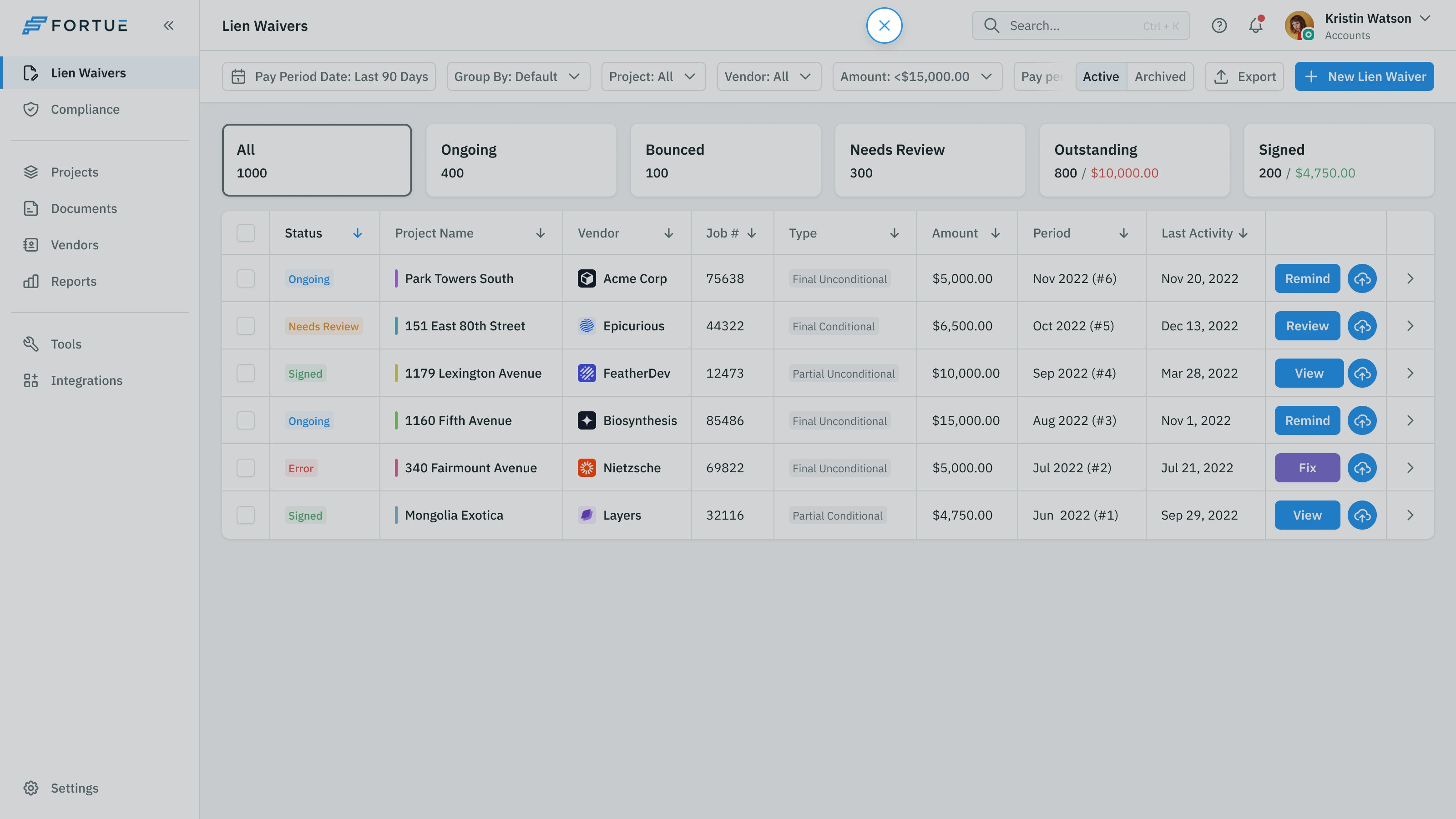
The lien-waiver work introduced another tension. A flexible form could let someone type whatever they had in front of them. Jesse and Alex were concerned that too much free text would make the resulting information difficult to organise and link.
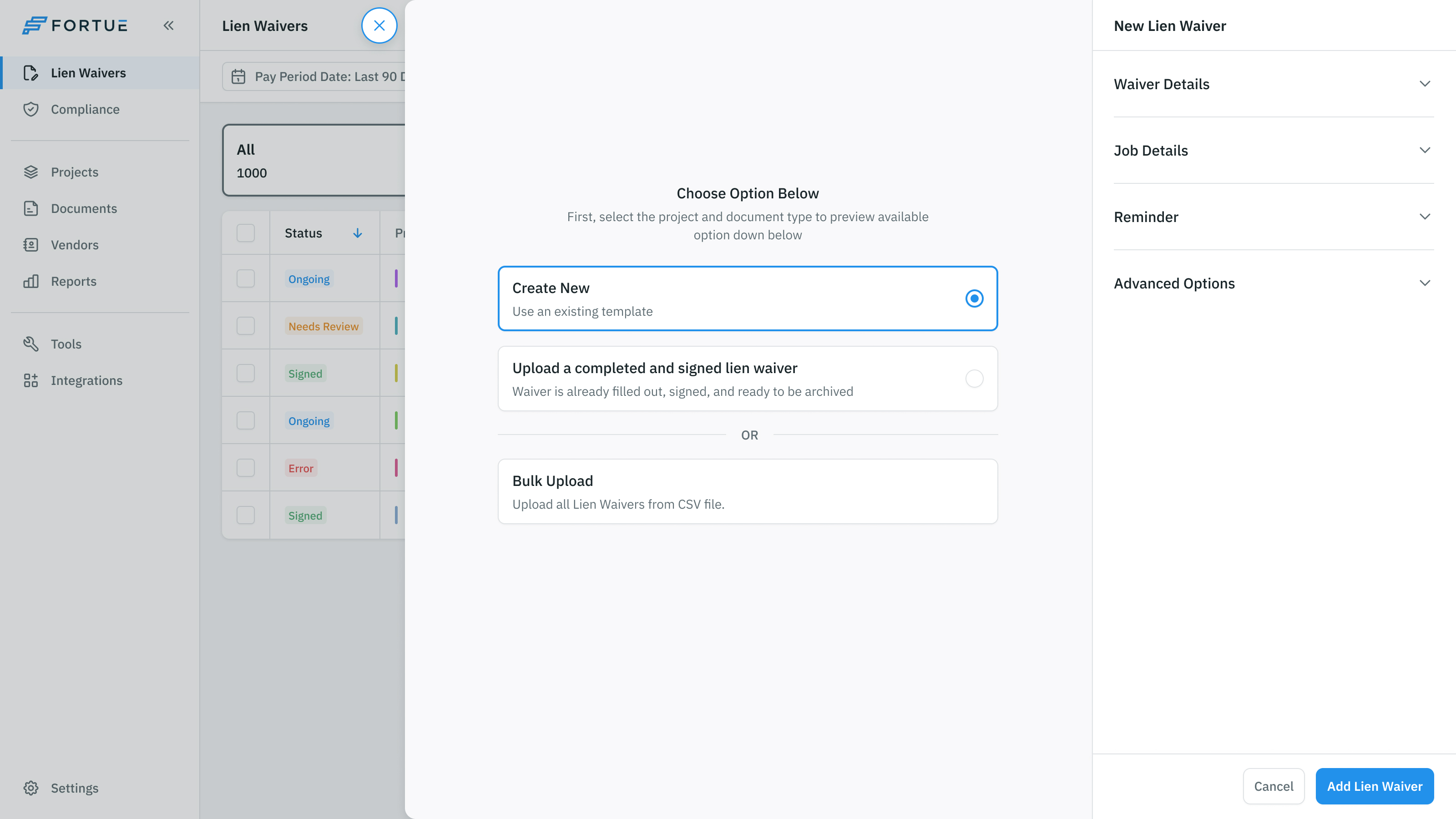
We worked from their requirement for simplicity and structure. Creating a waiver starts with a choice: use a template, upload an already signed document or bring in a batch. These are different starting situations, so the product makes them explicit before asking for the details.
The template route keeps the document preview beside structured fields for the project, parties, job, payment period and amount. The person preparing it can inspect what those details produce while retaining the information the product needs to associate the waiver with its work.
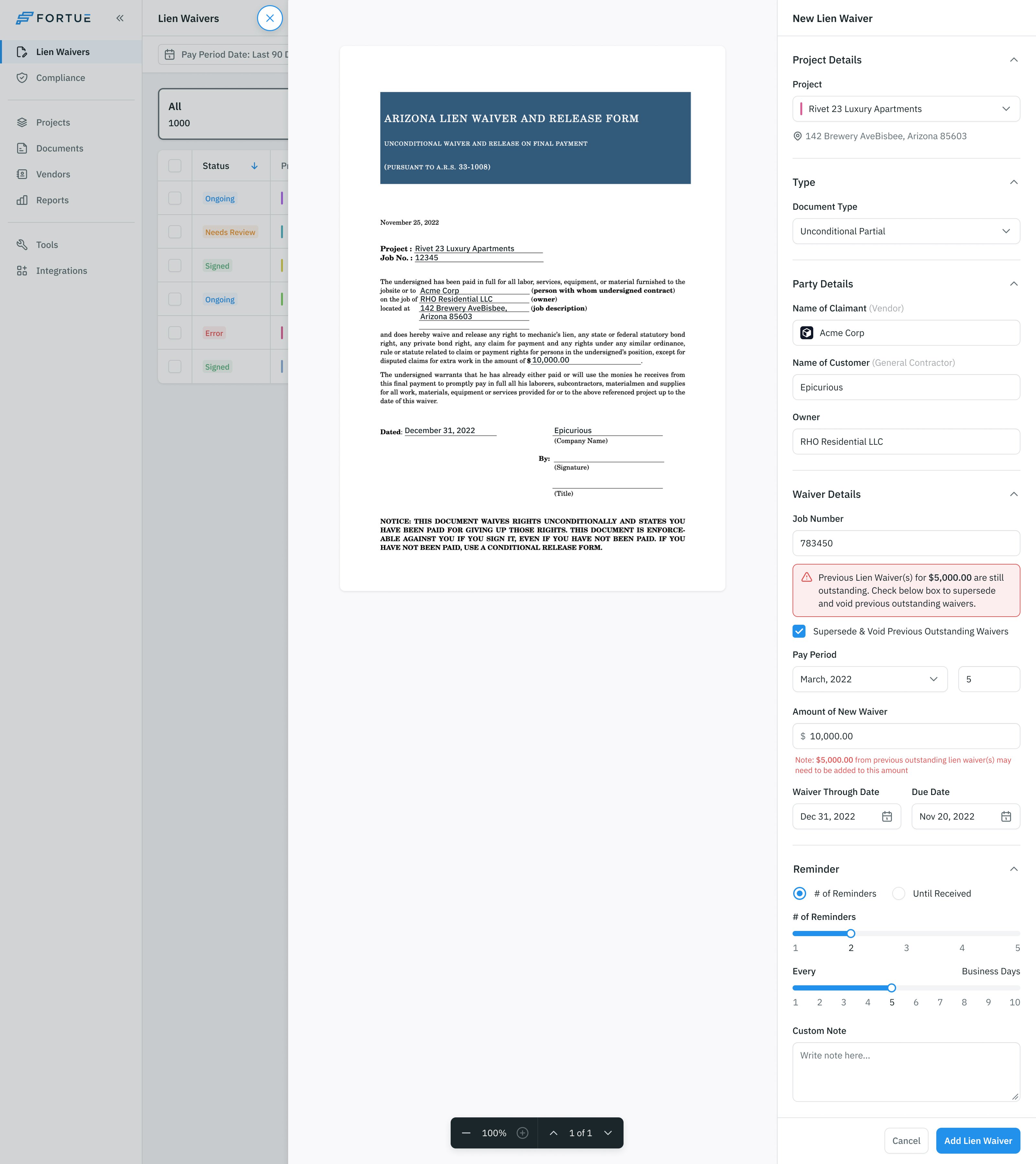
keep the document readable and its underlying relationships structured
Reminder settings belong to that same setup. Preparing the document is only part of collecting it. The form also gives the person a place to configure the follow-up, rather than making them remember to return later and chase it independently.
Approval still leaves a payment to schedule
Even after the material is reviewed, the payment needs a date. The scheduling panel offers Pay Now, Pay on Due Date or a specific date. The amount stays beside the confirmation action, with the application visible behind the panel.
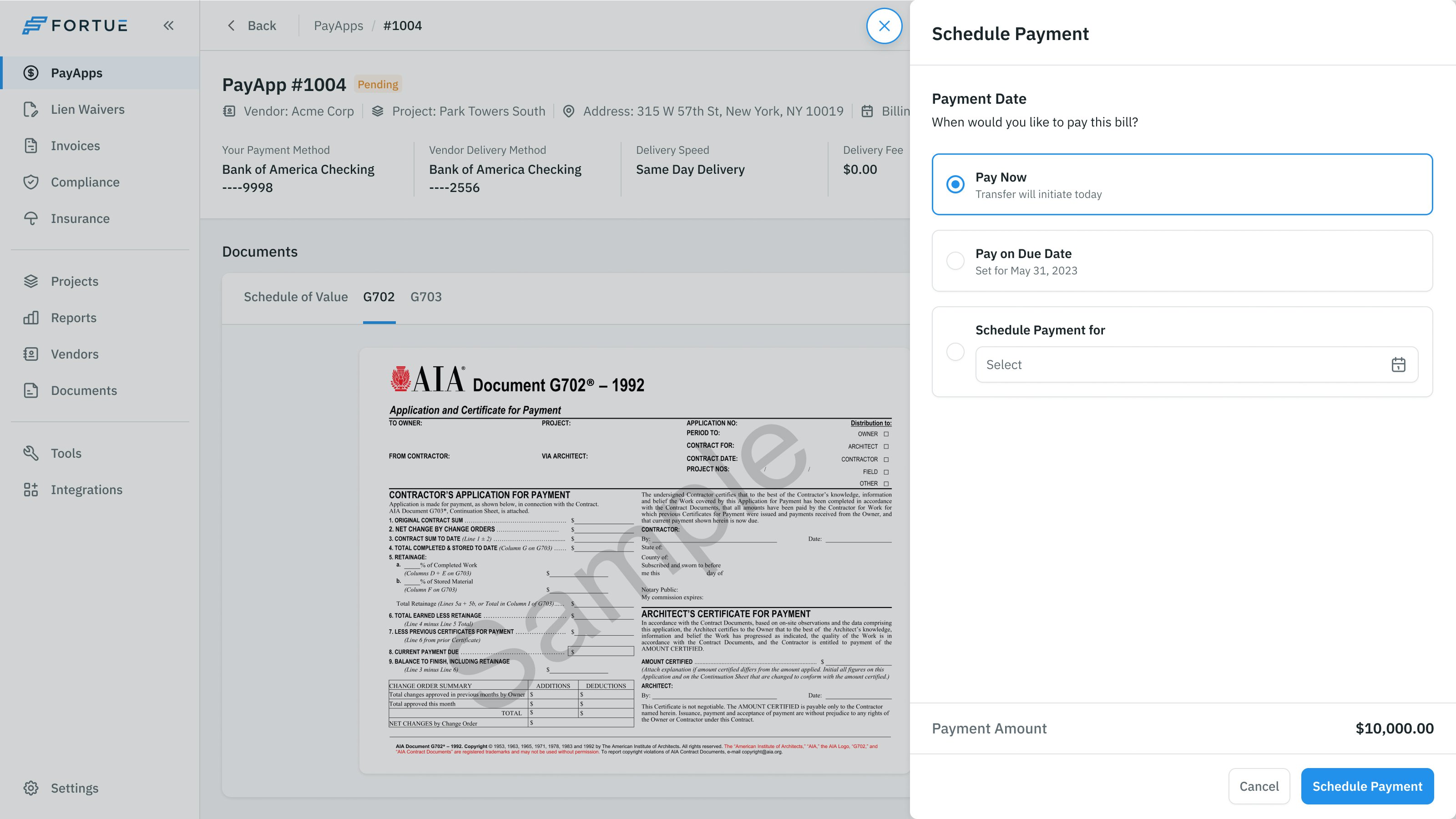
That makes the timing an explicit decision. Reviewing the work, approving the application and scheduling the money remain connected, but they don't become interchangeable actions.
More from Fortue